How to install Xiphos in Ubuntu
{{postValue.id}}
To Install Xiphos in Ubuntu
Xiphos is an open source Bible study program. It is used for reading, studying and to research the bible. It allows the user to learn multiple versions of bible at the same time. Installation of Xiphos is explained in this manual.
To install Xiphos
Run the following command to add the repository.
root@linuxhelp1:~# add-apt-repository ppa:unit193/crosswire
 More info: https://launchpad.net/~unit193/+archive/ubuntu/crosswire
Press [ENTER] to continue or ctrl-c to cancel adding it
gpg: keyring `/tmp/tmpe6wp6io4/secring.gpg'  created
gpg: keyring `/tmp/tmpe6wp6io4/pubring.gpg'  created
gpg: requesting key B58A653A from hkp server keyserver.ubuntu.com
gpg: /tmp/tmpe6wp6io4/trustdb.gpg: trustdb created
gpg: key B58A653A: public key " Launchpad PPA for Unit 193"  imported
gpg: Total number processed: 1
gpg:               imported: 1  (RSA: 1)
OK
Update the newly added repository by running the following command.
root@linuxhelp1:~# apt-get update
Get:1 http://security.ubuntu.com/ubuntu xenial-security InRelease [94.5 kB]
Hit:2 http://in.archive.ubuntu.com/ubuntu xenial InRelease
Hit:4 http://in.archive.ubuntu.com/ubuntu xenial-updates InRelease
Ign:5 http://download.opensuse.org/repositories/home:/Horst3180/xUbuntu_16.04  InRelease
Get:6 http://ppa.launchpad.net/unit193/crosswire/ubuntu xenial InRelease [17.5 kB]
Hit:7 http://in.archive.ubuntu.com/ubuntu xenial-backports InRelease
Hit:8 http://download.opensuse.org/repositories/home:/Horst3180/xUbuntu_16.04  Release
.
.
.
Get:11 http://ppa.launchpad.net/unit193/crosswire/ubuntu xenial/main i386 Packages [632 B]
Get:12 http://ppa.launchpad.net/unit193/crosswire/ubuntu xenial/main Translation-en [380 B]
Fetched 122 kB in 1s (68.4 kB/s)
Reading package lists... Done
W: GPG error: http://screenshots.getdeb.net vivid-getdeb InRelease: The following signatures couldn' t be verified because the public key is not available: NO_PUBKEY A8A515F046D7E7CF
W: The repository ' http://archive.getdeb.net/ubuntu vivid-getdeb InRelease'  is not signed.
N: Data from such a repository can' t be authenticated and is therefore potentially dangerous to use.
Now start installing the xiphos package with the help of the following command.
root@linuxhelp1:~# apt-get install xiphos -y
Reading package lists... Done
Building dependency tree
Reading state information... Done
The following additional packages will be installed:
  libbiblesync1.1 libgsf-1-114 libgsf-1-common libjavascriptcoregtk-3.0-0 libsword-common libsword11v5 libwebkitgtk-3.0-0
  libwebkitgtk-3.0-common xiphos-data
Suggested packages:
  sword-text
The following NEW packages will be installed:
  libbiblesync1.1 libgsf-1-114 libgsf-1-common libjavascriptcoregtk-3.0-0 libsword-common libsword11v5 libwebkitgtk-3.0-0
  libwebkitgtk-3.0-common xiphos xiphos-data
0 upgraded, 10 newly installed, 0 to remove and 29 not upgraded.
Need to get 14.9 MB of archives.
After this operation, 55.8 MB of additional disk space will be used.
.
.
.
Setting up libgsf-1-common (1.14.36-1) ...
Setting up libgsf-1-114:amd64 (1.14.36-1) ...
Setting up libjavascriptcoregtk-3.0-0:amd64 (2.4.11-0ubuntu0.1) ...
Setting up libsword-common (1.7.3+dfsg-7) ...
Setting up libsword11v5:amd64 (1.7.3+dfsg-7) ...
Setting up libwebkitgtk-3.0-common (2.4.11-0ubuntu0.1) ...
Setting up libwebkitgtk-3.0-0:amd64 (2.4.11-0ubuntu0.1) ...
Setting up xiphos-data (4.0.4+dfsg1-1) ...
Setting up xiphos (4.0.4+dfsg1-1) ...
Processing triggers for libc-bin (2.23-0ubuntu3) ...
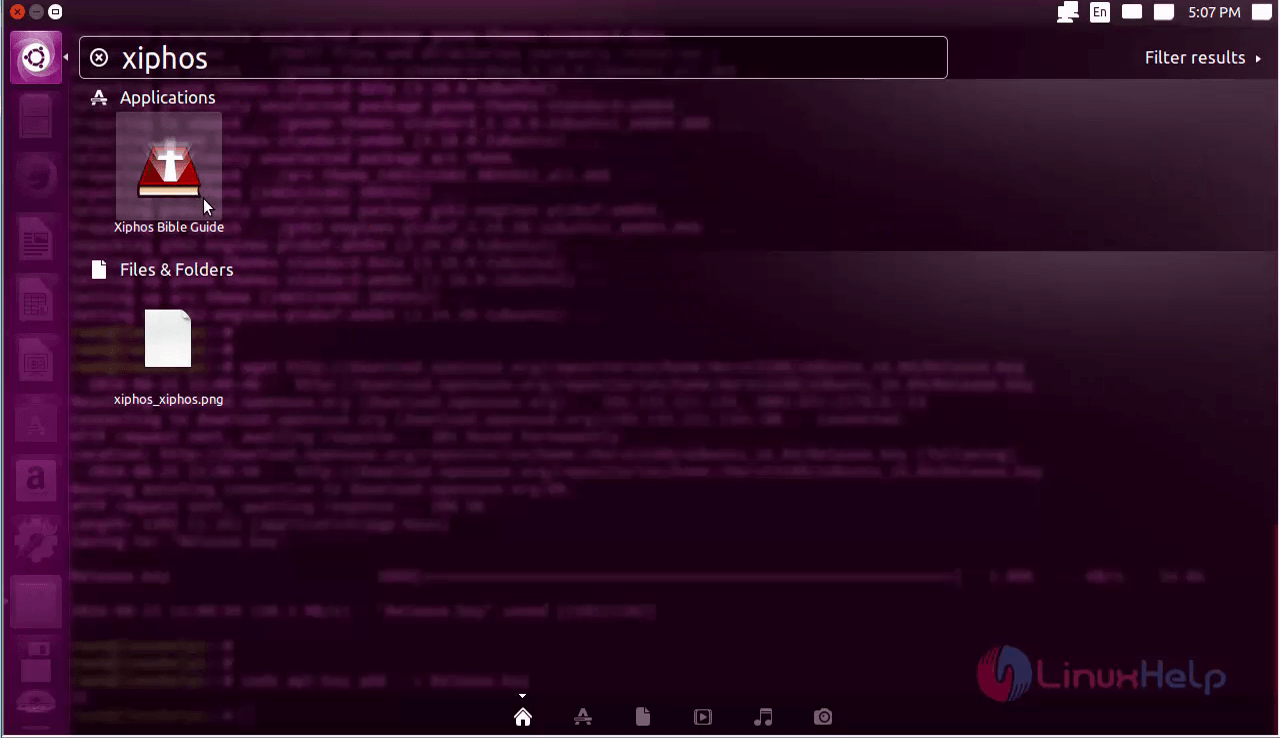
For opening the software, Open the utility dash and search for Xiphos and click on it.
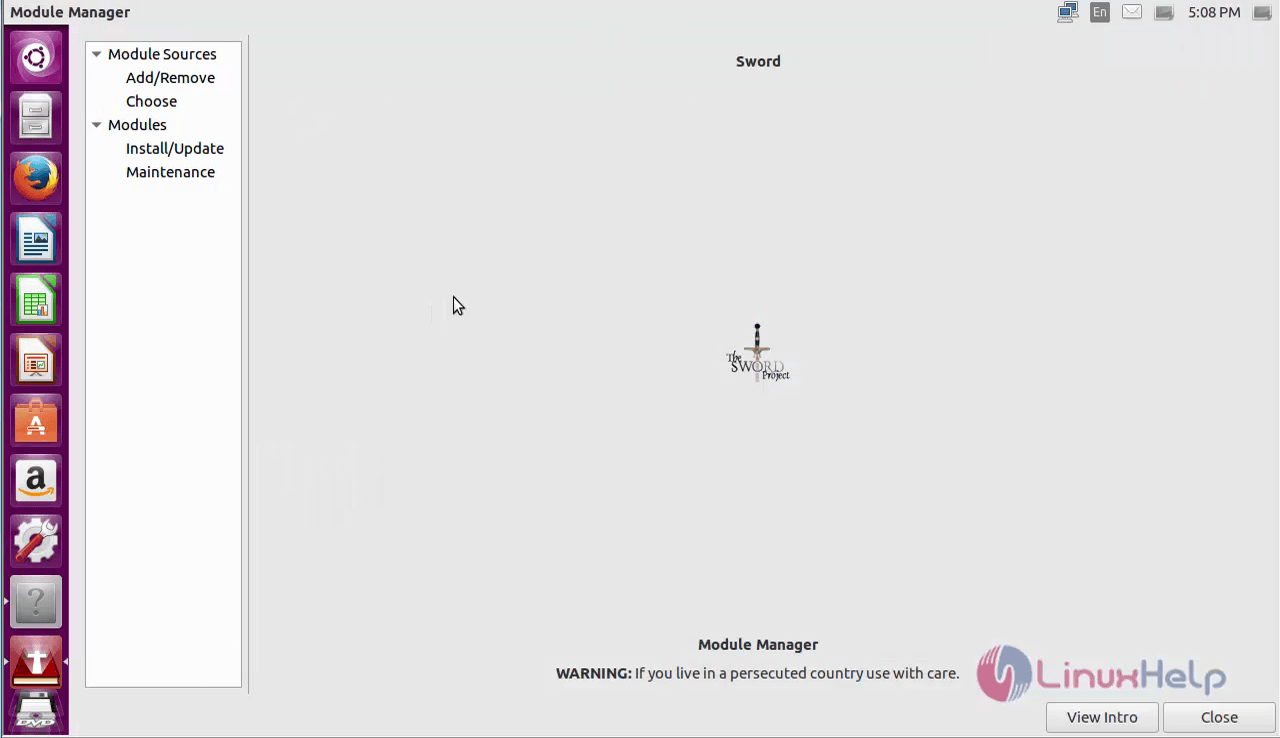
Now the application is ready to use.
To remove Xiphos
Run the following command for removing the package.
root@linuxhelp1:~# apt-get remove xiphos -y
Reading package lists... Done
Building dependency tree
Reading state information... Done
The following packages were automatically installed and are no longer required:
  libbiblesync1.1 libgsf-1-114 libgsf-1-common libjavascriptcoregtk-3.0-0 libsword-common libsword11v5 libwebkitgtk-3.0-0
  libwebkitgtk-3.0-common xiphos-data
Use ' sudo apt autoremove'  to remove them.
The following packages will be REMOVED:
  xiphos
0 upgraded, 0 newly installed, 1 to remove and 29 not upgraded.
After this operation, 890 kB disk space will be freed.
(Reading database ... 241522 files and directories currently installed.)
Removing xiphos (4.0.4+dfsg1-1) ...
Processing triggers for bamfdaemon (0.5.3~bzr0+16.04.20160701-0ubuntu1) ...
Rebuilding /usr/share/applications/bamf-2.index...
Processing triggers for gnome-menus (3.13.3-6ubuntu3.1) ...
Processing triggers for desktop-file-utils (0.22-1ubuntu5) ...
Processing triggers for mime-support (3.59ubuntu1) ...
Processing triggers for man-db (2.7.5-1) ...
Processing triggers for hicolor-icon-theme (0.15-0ubuntu1) ...
Comments ( 0 )
No comments available