How To Install Xix Music Player On Linux Mint 18.3
To Install Xix Music Player On Linux Mint 18.3
XiX is an open-source, lightweight music player which supports almost all the most popular formats such as MP3, OGG, M4A, FLAC. It is used for creating playlists, reverse play, copy/delete/rename function, download podcasts, shuffle and repeat, etc. In this tutorial, we will see the installation of xix music player on Linux Mint 18.3
Installing Xix Music Player
First, we need to add the repository of xix music player using the apt command.
linuxhelp ~ # add-apt-repository ppa:noobslab/apps
You are about to add the following PPA:
 This PPA Contains Applications for Ubuntu/Linux Mint from different sources but debianized by http://www.NoobsLab.com
 More info: https://launchpad.net/~noobslab/+archive/ubuntu/apps
Press Enter to continue or Ctrl+C to cancel

Executing: /tmp/tmp.YqGstJpes1/gpg.1.sh --keyserver
hkp://keyserver.ubuntu.com:80
--recv-keys
F59EAE4D
gpg: requesting key F59EAE4D from hkp server keyserver.ubuntu.com
gpg: key F59EAE4D: public key " Launchpad PPA for NoobsLab"  imported
gpg: Total number processed: 1
gpg:               imported: 1  (RSA: 1)
Before starting your installation you should update the system repository.
linuxhelp ~ # apt-get update
Hit:1 http://archive.ubuntu.com/ubuntu xenial InRelease
Get:2 http://ppa.launchpad.net/noobslab/apps/ubuntu xenial InRelease [17.5 kB]
Ign:3 http://packages.linuxmint.com sylvia InRelease
Hit:4 http://archive.canonical.com/ubuntu xenial InRelease
Hit:5 http://packages.linuxmint.com sylvia Release
Get:7 http://ppa.launchpad.net/ondrej/php/ubuntu xenial InRelease [23.9 kB]
Get:8 http://security.ubuntu.com/ubuntu xenial-security InRelease [107 kB]
Get:9 http://archive.ubuntu.com/ubuntu xenial-updates InRelease [109 kB]
Get:10 http://ppa.launchpad.net/noobslab/apps/ubuntu xenial/main Sources [6,728 B]
.
.
.
Get:34 http://archive.ubuntu.com/ubuntu xenial-updates/multiverse i386 Packages [15.5 kB]
Get:35 http://archive.ubuntu.com/ubuntu xenial-updates/multiverse Translation-en [8,344 B]
Get:36 http://archive.ubuntu.com/ubuntu xenial-backports/main amd64 Packages [4,844 B]
Get:37 http://archive.ubuntu.com/ubuntu xenial-backports/main i386 Packages [4,836 B]
Get:38 http://archive.ubuntu.com/ubuntu xenial-backports/universe amd64 Packages [7,400 B]
Get:39 http://archive.ubuntu.com/ubuntu xenial-backports/universe Translation-en [3,996 B]
Fetched 5,713 kB in 11s (511 kB/s)
Reading package lists... Done
Finally, we have to install Xix music player.
linuxhelp ~ # apt-get install xix-media-player
Reading package lists... Done
Building dependency tree
Reading state information... Done
The following packages were automatically installed and are no longer required:
  libcurl3 libmcrypt4
Use ' sudo apt autoremove'  to remove them.
The following additional packages will be installed:
  esound-common flac lame liba52-0.7.4 libass5 libaudiofile1 libavcodec-ffmpeg56
  libavformat-ffmpeg56 libavutil-ffmpeg54 libbluray1 libbs2b0 libcrystalhd3 libdca0
  libdirectfb-1.2-9 libenca0 libesd0 libfaad2 libgme0 libmad0 libmodplug1 libmp3lame0 libmpeg2-4
  libmpg123-0 libopenal-data libopenal1 libopenjpeg5 libpostproc-ffmpeg53 libschroedinger-1.0-0
.
.
.
Setting up libvorbisidec1 (1.0.2+svn18153-0.2+deb7u1build0.16.04.1) ...
Setting up mplayer (2:1.2.1-1ubuntu1) ...
Setting up xix-media-player (0.97-106-svn~xenial~Noobslab.com) ...

 +-+-+-+-+-+-+-+-+-+-+-+-+
 |N o o b s L a b . c o m|
 +-+-+-+-+-+-+-+-+-+-+-+-+

keep visit on www.NoobsLab.com

Processing triggers for libc-bin (2.23-0ubuntu9) ...
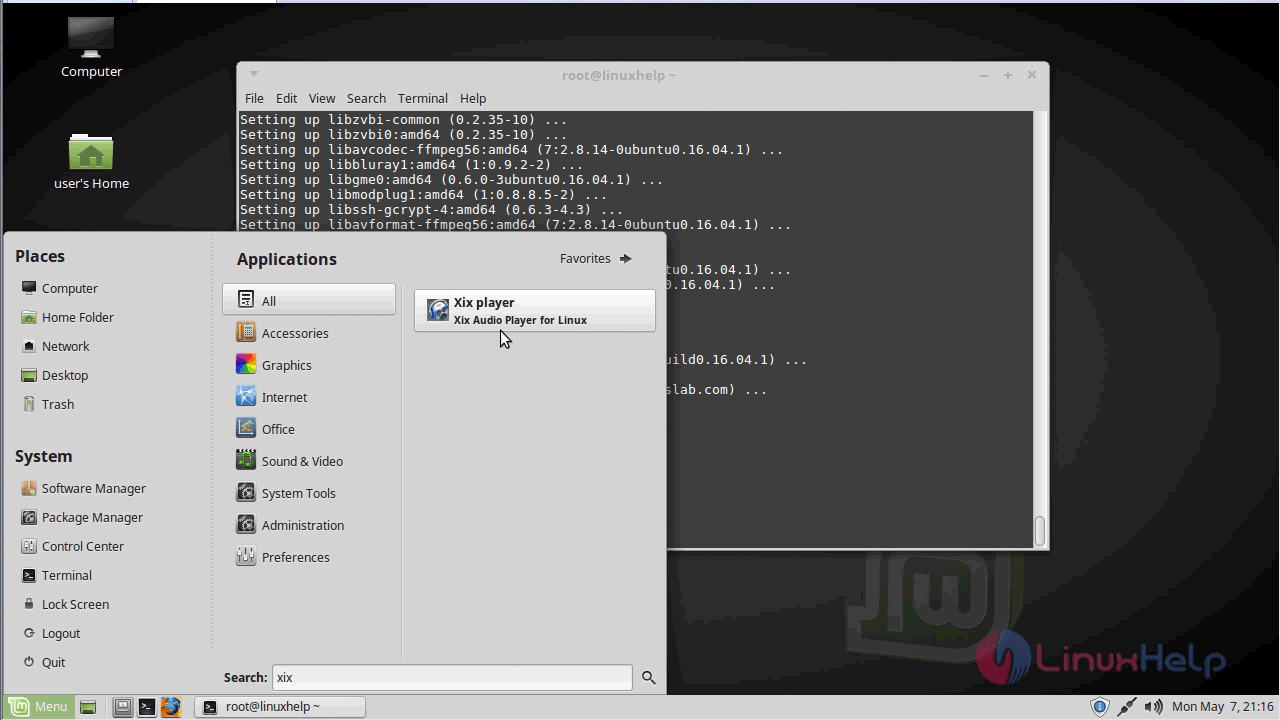
Once the installation is complete, you can access the application from the search field.
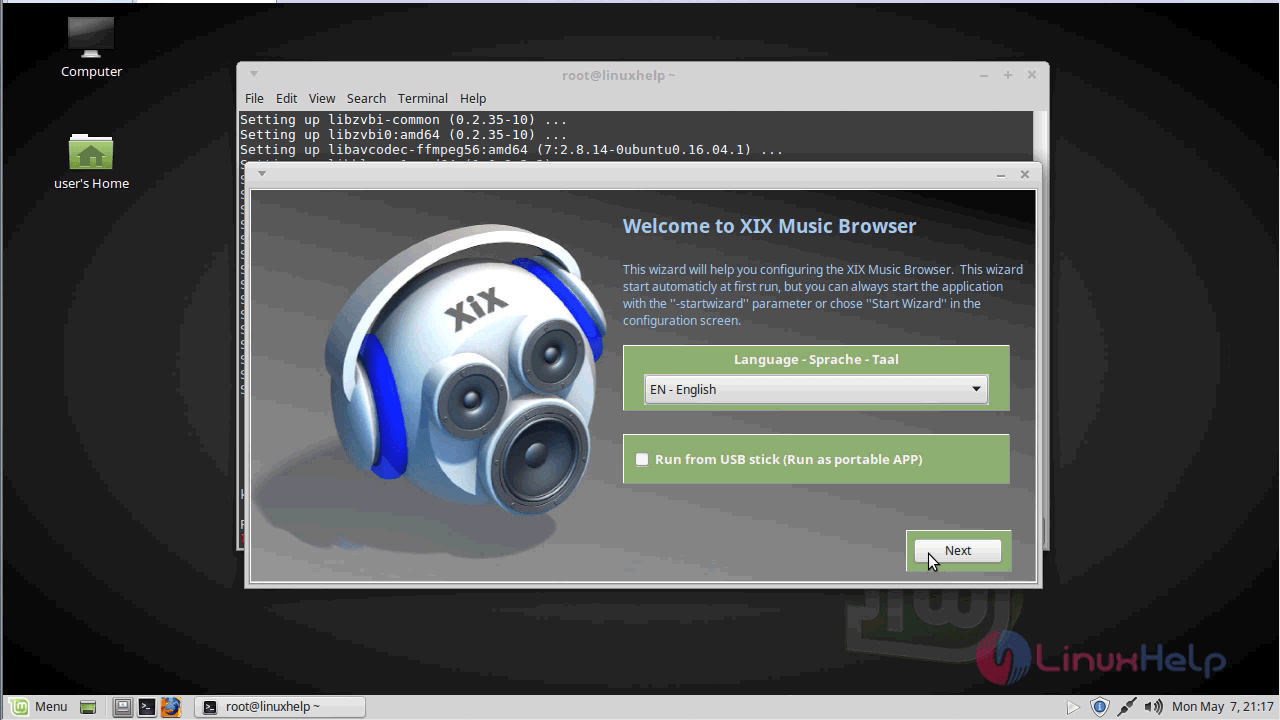
The Xix Music module appears & choose the language and click Next.
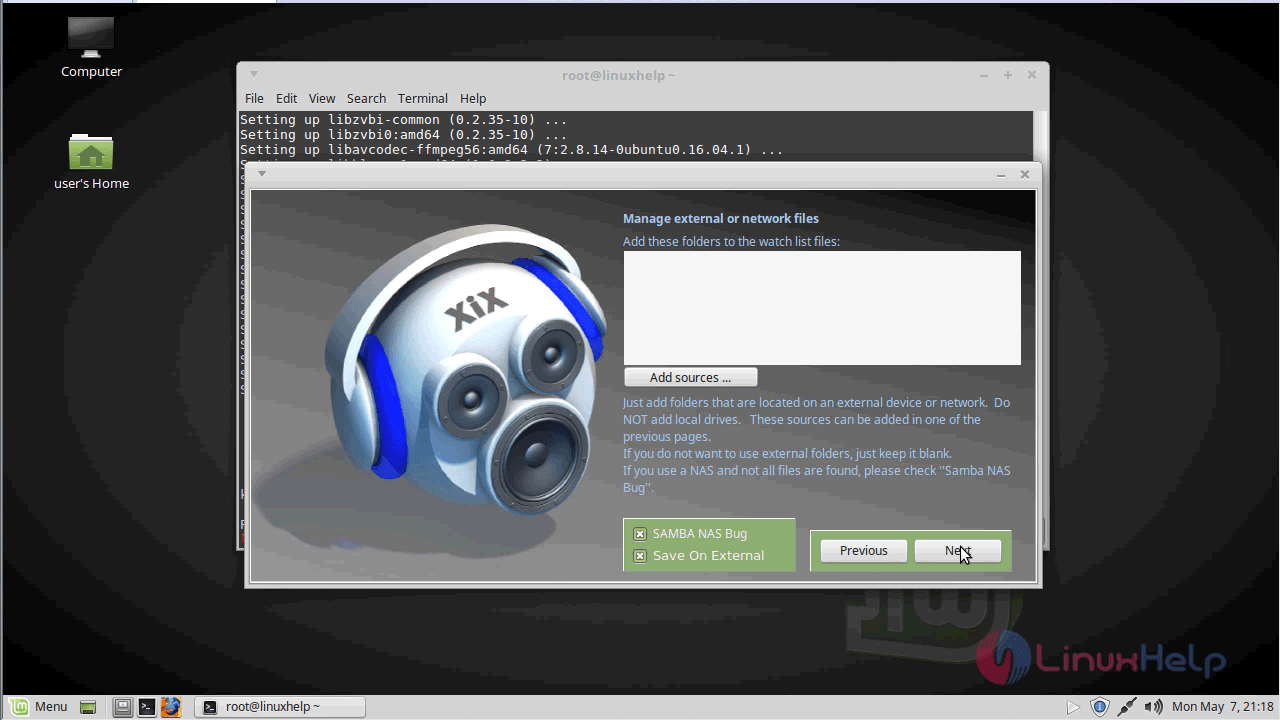
And then, add sources and click on the Next option.
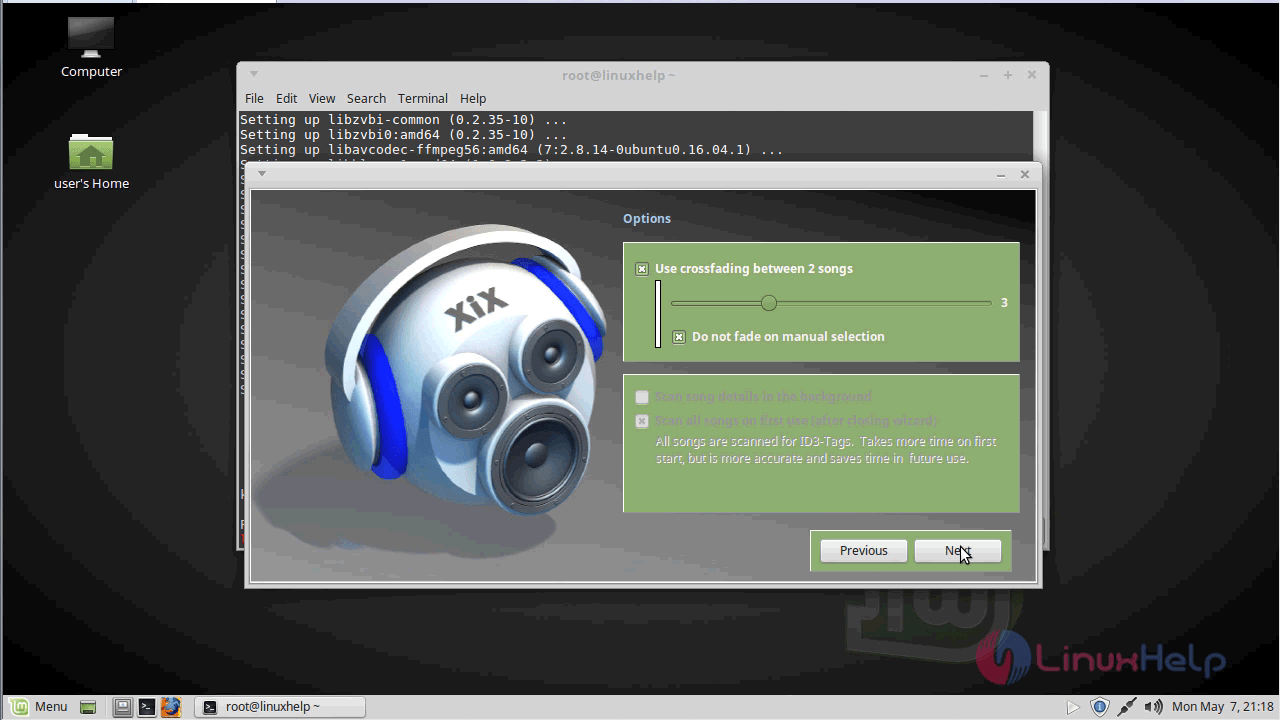
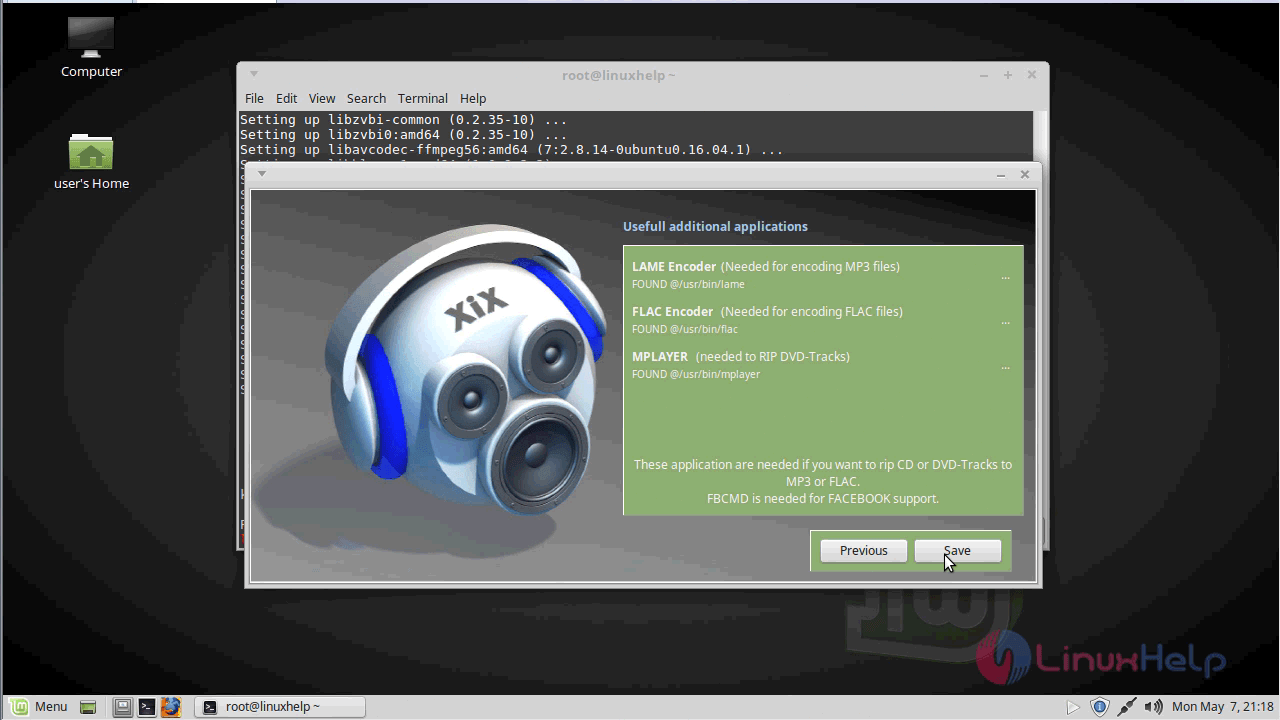
Once the useful additional applications are added. save the installation.
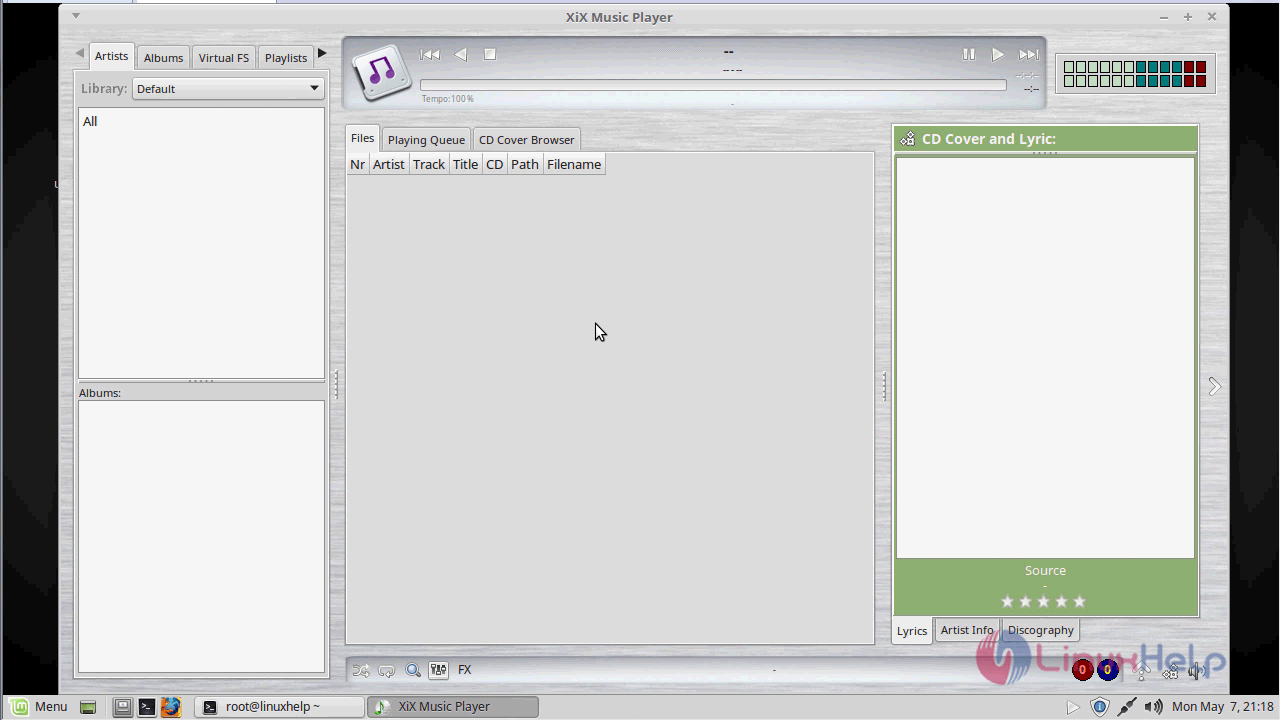
Your Xix player is ready to use now.
With this, the method to Install Xix Music Player On Linuxmint 18.3 comes to an end.
Comments ( 0 )
No comments available