• Categories
    Category
    {{ postCtrl.tags }}
    • {{ category.tag_type }}

      • {{tag.tag_name}}
      • View more
  • Categories
    Category
    {{ postCtrl.tags }}
    • {{ category.tag_type }}

      • {{tag.tag_name}}
      • View more
  • News
  • Tutorials
  • Forums
  • Tags
  • Users
Tutorial News Comments FAQ Related Articles

How To Install Xnview MP on Popos

{{postValue.id}}

To Install XnView MP on Popos
XnView MP is a powerful cross-platform media browser, viewer, and converter, with over 500 compatible formats. In this tutorial, we will show you how to install XnView MP on Linux Mint 18.3. If you want to check out some of XnView MP 0.89 you can find them below.

.

Features
&bull Supports more than 500 image formats (including Multipage and animated still formats APNG, TIFF, GIF, ICO, etc..) and export to about 70 different file formats.

&bull Comes with an easy to use yet powerful batch conversion module. This same module also powers XnConvert

&bull Windows, Mac OS X, and Linux are now supported in both 32 and 64-bit versions


Installation

First, you need to download XnView MP package by making use of the following command.

root@linuxhelp:~# wget https://download.xnview.com/XnViewMP-linux-x64.deb
--2018-05-17 11:02:15--  https://download.xnview.com/XnViewMP-linux-x64.deb
Resolving download.xnview.com (download.xnview.com)... 178.33.105.203
Connecting to download.xnview.com (download.xnview.com)|178.33.105.203|:443... connected.
HTTP request sent, awaiting response... 200 OK
Length: 40183528 (38M) [application/x-debian-package]
Saving to: ‘ XnViewMP-linux-x64.deb’ 

XnViewMP-linux-x64. 100%[==================> ]  38.32M  1.11MB/s    in 35s     

2018-05-17 11:02:52 (1.09 MB/s) - ‘ XnViewMP-linux-x64.deb’  saved [40183528/40183528]

Install XnView MP using the following command.

root@linuxhelp:~# dpkg -i XnViewMP-linux-x64.deb
Selecting previously unselected package xnview.
(Reading database ... 233684 files and directories currently installed.)
Preparing to unpack XnViewMP-linux-x64.deb ...
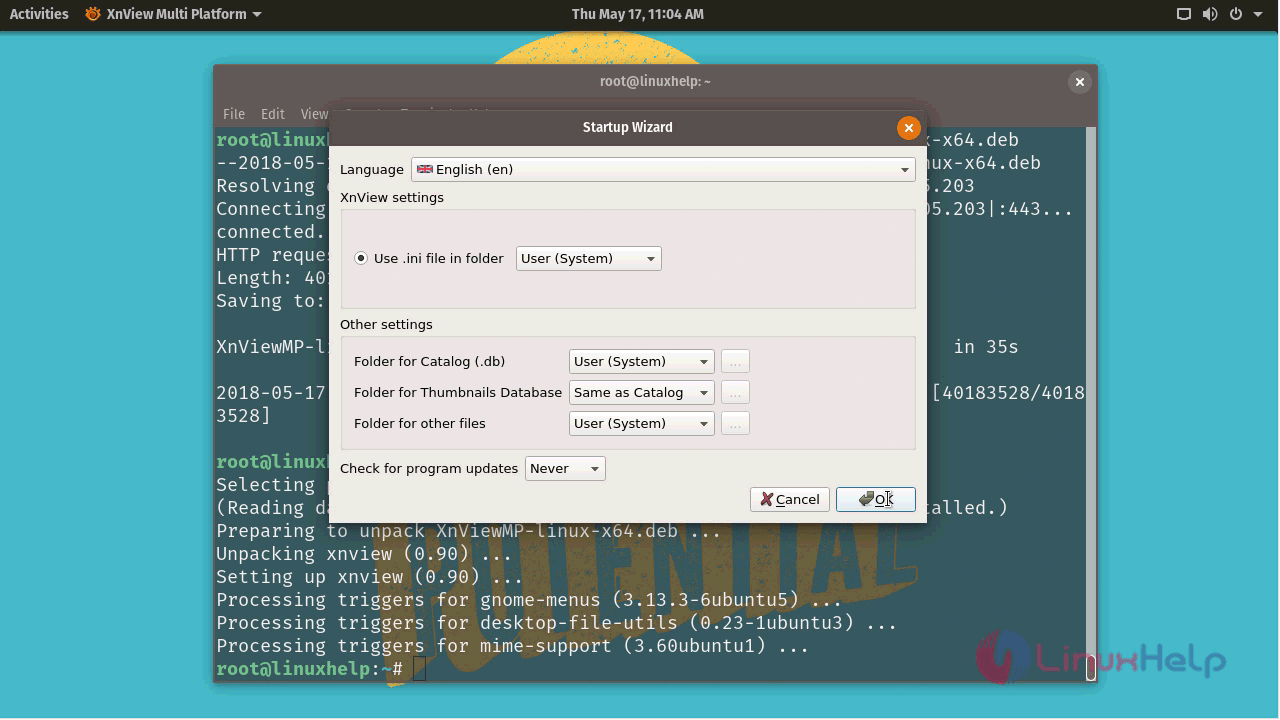
Unpacking xnview (0.90) ...
Setting up xnview (0.90) ...
Processing triggers for gnome-menus (3.13.3-6ubuntu5) ...
Processing triggers for desktop-file-utils (0.23-1ubuntu3) ...
Processing triggers for mime-support (3.60ubuntu1)

After installation, you can access the application from the menu as follows.
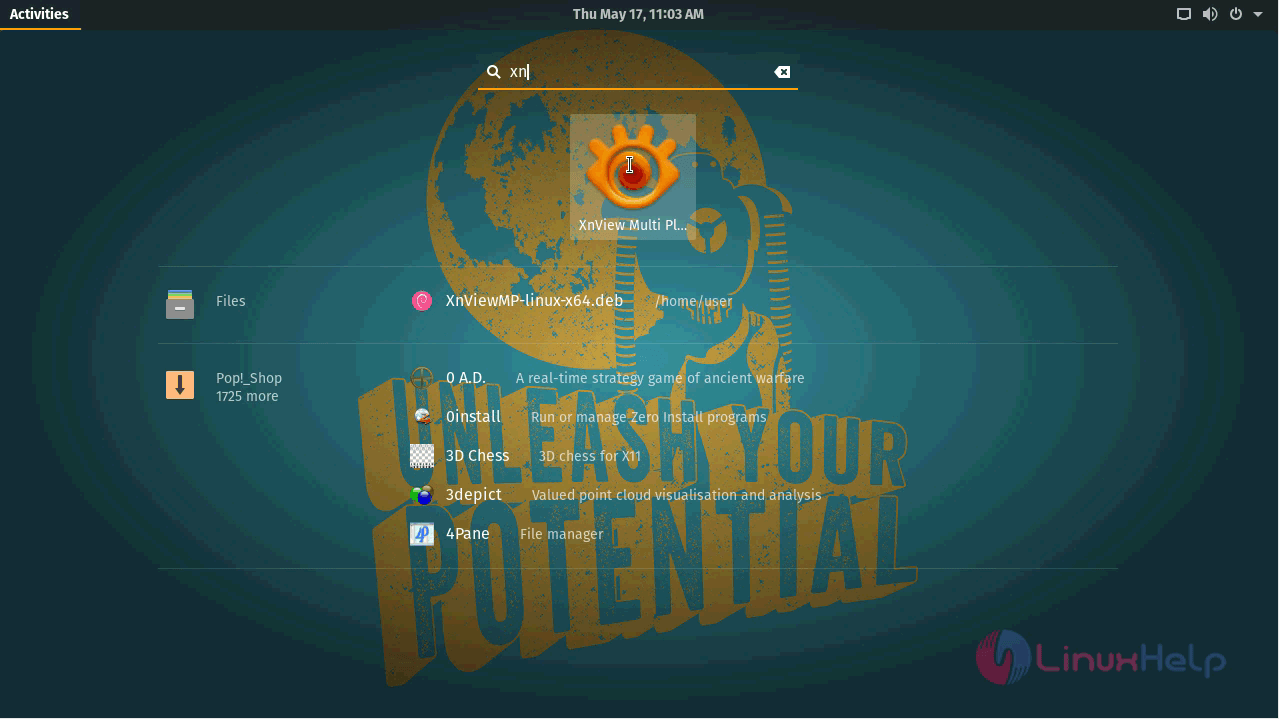
snap 1

Setup the application on startup.

snap 2

snap 3

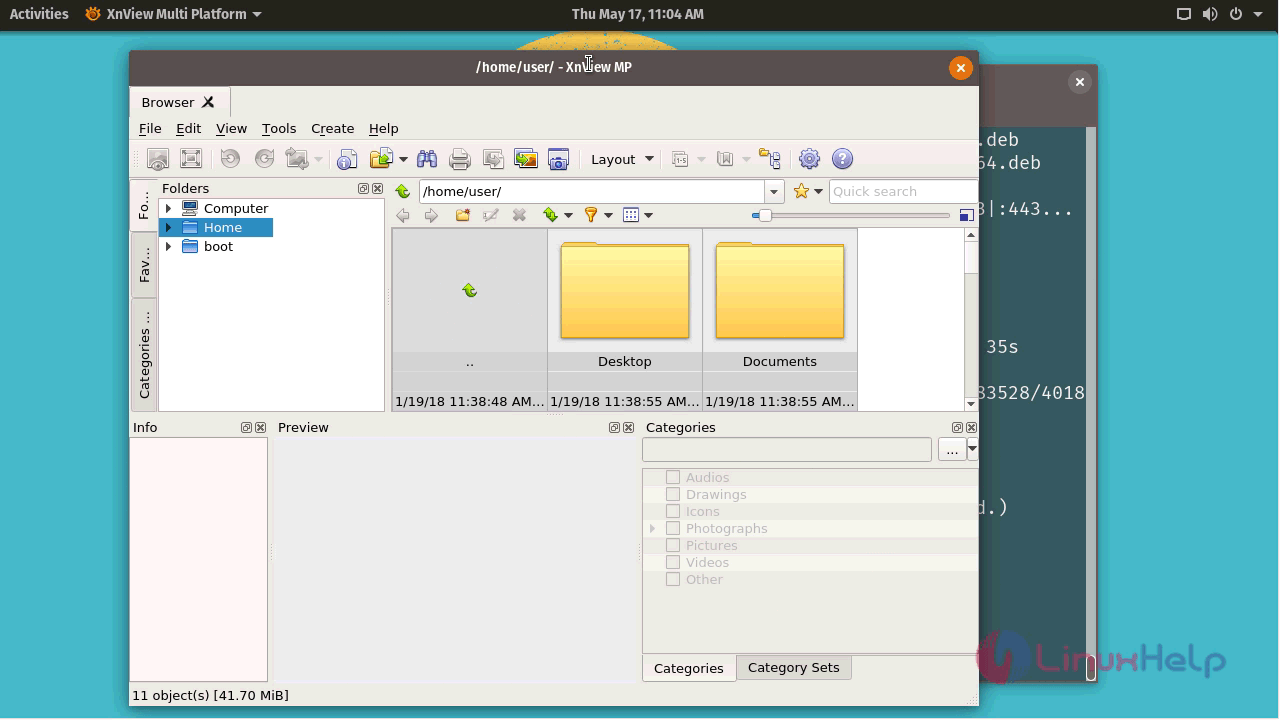
With this, the method to install XnView MP on Popos comes to an end.

Tags:
matthew
Author: 

Comments ( 0 )

No comments available

Add a comment
{{postCtrl.cmtErrMsg}}

Frequently asked questions ( 5 )

Q

What is an XnView MP?

A

XnView MP is the enhanced version of XnView Classic. It is a powerful picture viewer, browser and converter for Windows, Mac, and Linux. This software can read more than 500 formats change picture size, reduce picture file size and much more

Q

How to get the source of the XnView MP?

A

Get the source of the XnView MP, use the following link as given below
"https://www.xnview.com/en/xnviewmp/#downloads"

Q

What is the alternative available for XnView MP?

A

The following alternatives are available for XnView MP as given below,
IrfanView
JPEGView
FastStone Image Viewer

Q

How to access the Github repository of the XnView MP?

A

For accessing the Github repository of the XnView MP, use the following link as given below "https://gist.github.com/meoow/a399452221210c420f42"

Q

How to download Xnview from command line?

A

To download Xnview from the command line use the following command

# wget https://download.xnview.com/XnViewMP-linux-x64.deb

Back To Top!
Rank
User
Points

Top Contributers

userNamenaveelansari
135850

Top Contributers

userNameayanbhatti
92510

Top Contributers

userNamehamzaahmed
32150

Top Contributers

1
userNamelinuxhelp
31040

Top Contributers

userNamemuhammadali
24500
Can you help keel johnston ?
Unhide the folders on windows Explorer

Give any solutions to unhide folder using command prompt?

forum3

Networking
  • Routing
  • trunk
  • Netmask
  • Packet Capture
  • domain
  • HTTP Proxy
Server Setup
  • NFS
  • KVM
  • Memory
  • Sendmail
  • WebDAV
  • LXC
Shell Commands
  • Cloud commander
  • Command line archive tools
  • last command
  • Shell
  • terminal
  • Throttle
Desktop Application
  • Linux app
  • Pithos
  • Retrospect
  • Scribe
  • TortoiseHg
  • 4Images
Monitoring Tool
  • Monit
  • Apache Server Monitoring
  • EtherApe 
  • Arpwatch Tool
  • Auditd
  • Barman
Web Application
  • Nutch
  • Amazon VPC
  • FarmWarDeployer
  • Rukovoditel
  • Mirror site
  • Chef
Contact Us | Terms of Use| Privacy Policy| Disclaimer
© 2025 LinuxHelp.com All rights reserved. Linux™ is the registered trademark of Linus Torvalds. This site is not affiliated with linus torvalds in any way.