• Categories
    Category
    {{ postCtrl.tags }}
    • {{ category.tag_type }}

      • {{tag.tag_name}}
      • View more
  • Categories
    Category
    {{ postCtrl.tags }}
    • {{ category.tag_type }}

      • {{tag.tag_name}}
      • View more
  • News
  • Tutorials
  • Forums
  • Tags
  • Users
Tutorial News Comments FAQ Related Articles

How to install xtreme download manager in linux mint 18.3

{{postValue.id}}

To install Xtreme Download Manager in Linux Mint 18.3

Xtreme download manager is a very powerful utility that has the ability to increase download speed (depends on connection) that utilize the full bandwidth allocated on your connection. You can pause/resume downloads even broken downloads are resume-able. It also has the functionality to grab videos from around the internet and offers schedule downloads. It supports HTTP, HTTPS and FTP protocols, firewalls, proxy servers, file redirects, cookies, authorization etc. This tutorial covers the installation procedure of Xtreme download manager on Linux Mint 18.3

Installing Xtreme Download Manager

To download the latest version of XDM, download it from the official site.
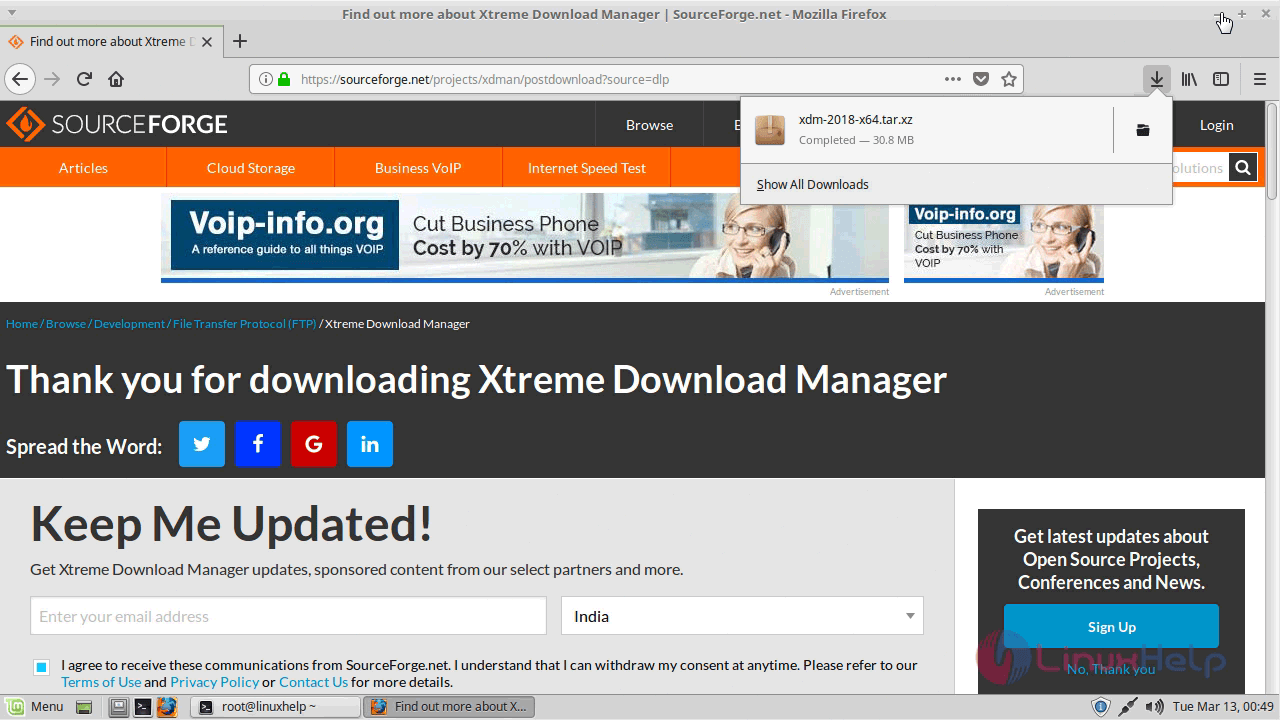
download_site

After downloading navigate the downloaded directory Now, extract the package.

linuxhelp ~ # cd /home/user/Downloads/
linuxhelp Downloads # ls
xdm-2018-x64.tar.xz 
linuxhelp Downloads # tar -xvf xdm-2018-x64.tar.xz 
install.sh 
readme.txt

Now, run the installer file using the following command.

linuxhelp Downloads # ./install.sh 
Initializing setup...
Extracting files...
Unpacking  /opt/xdman/jre/lib/charsets.pack...
Unpacking  /opt/xdman/jre/lib/ext/cldrdata.pack...
Unpacking  /opt/xdman/jre/lib/ext/nashorn.pack...
Unpacking  /opt/xdman/jre/lib/rt.pack...
Finishing installation...
Xtreme Download Manager installed successfully
You can start XDM from start menu, or type xdman in terminal as non root user

The XDM is installed and you can access it from the search field.
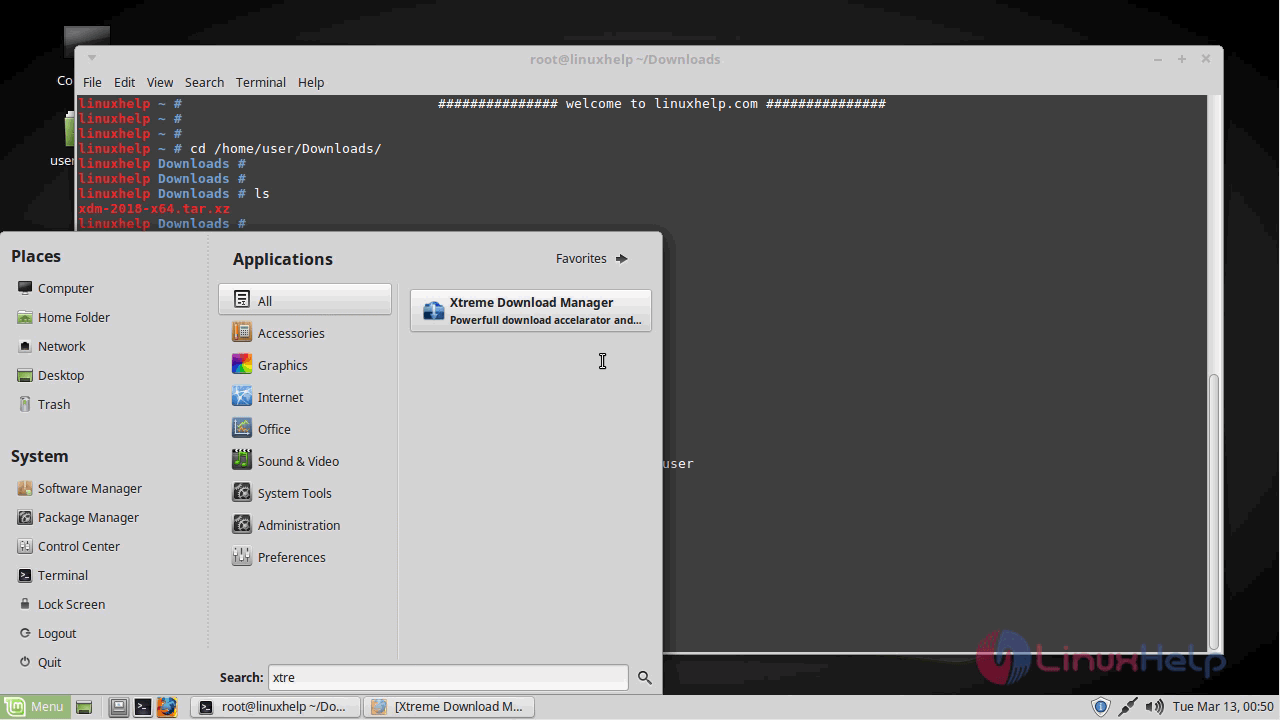
search_menu

The application is launched now and you have to add a browser add-on to download videos from the web.
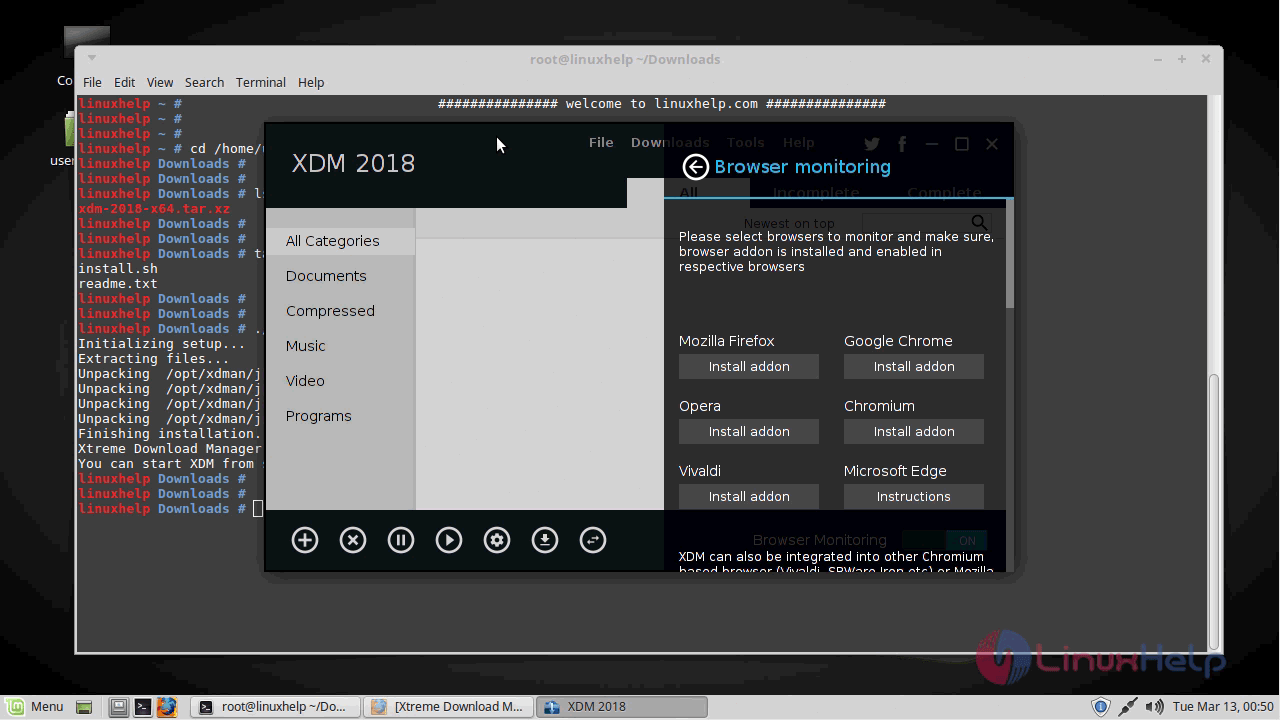
app_open

Select the browsers to monitor and install an addon and it will be redirected to the browser.
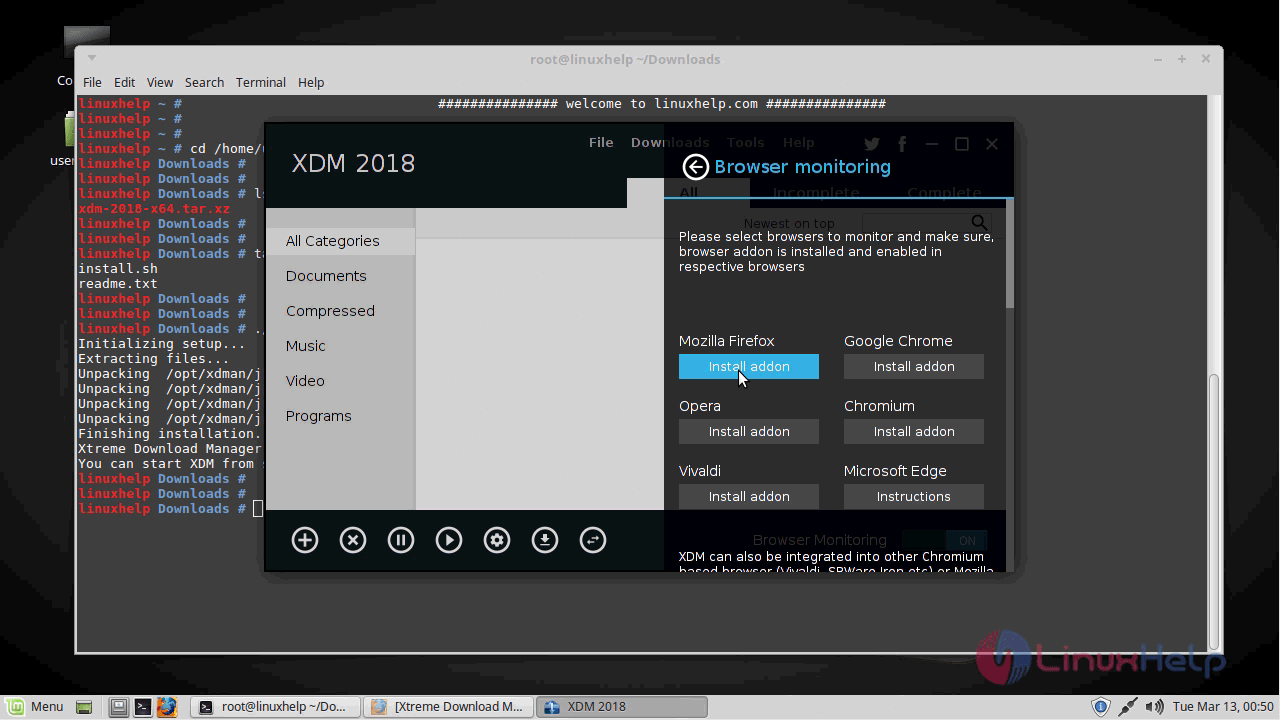
browser

When it prompts you to add the add-on choose Add.
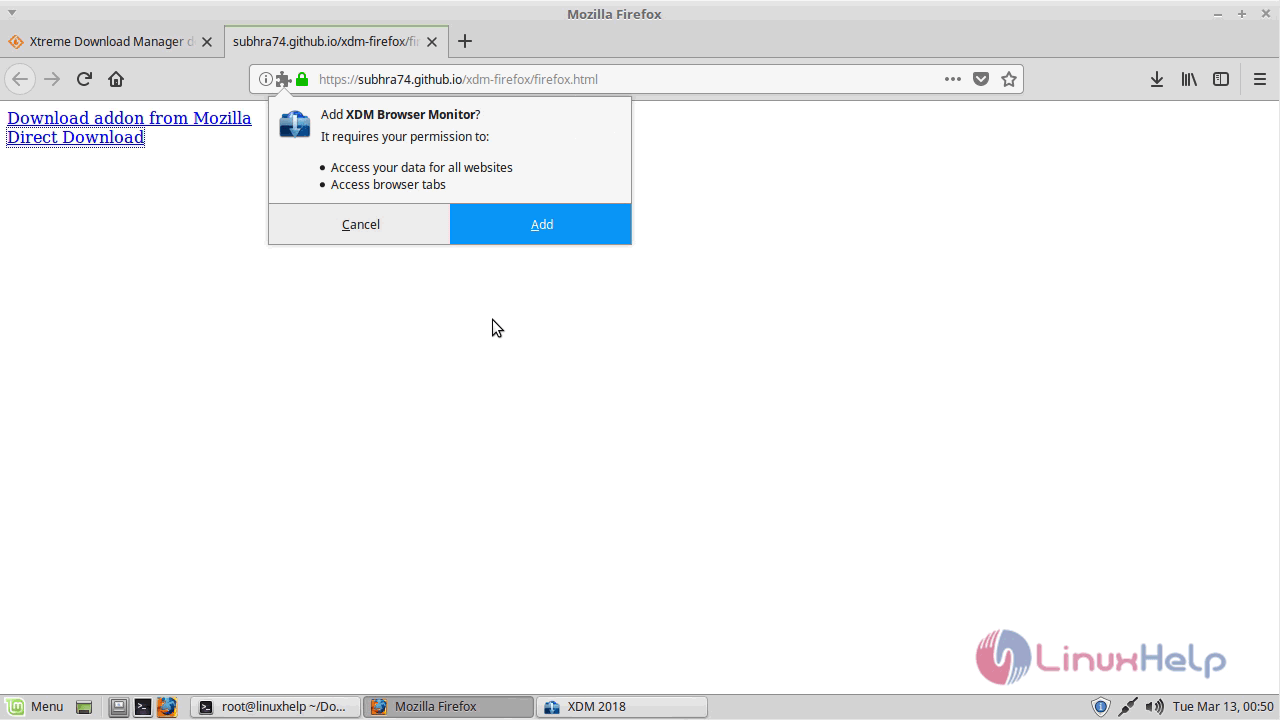
addon

The browser add-on is added now and lets me show you how to download videos using XDM.
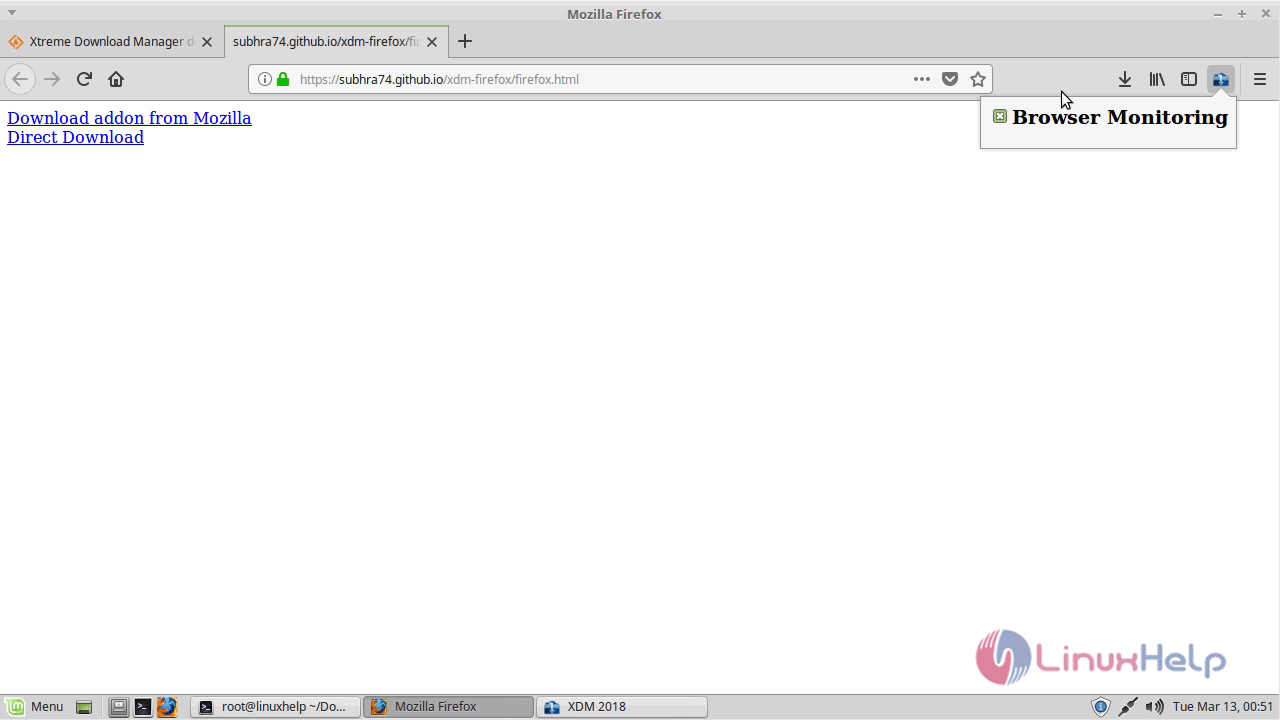
install_addon
Open a video streaming sites like YouTube and play the video which you want to download and choose the quality to download. A download panel at the right bottom corner of the window will appear and after choosing the quality click on download and your video will gets downloaded on the desired location.
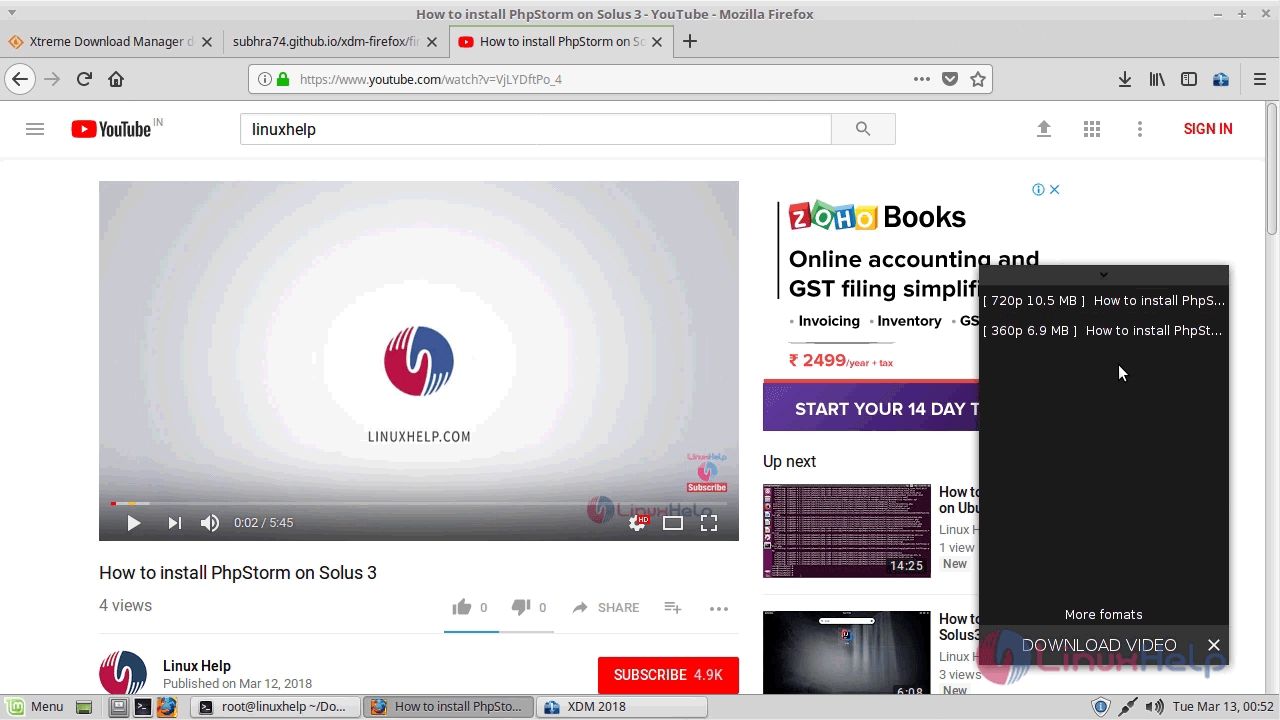
download_panel

You can see the status of the downloading media in the following image.
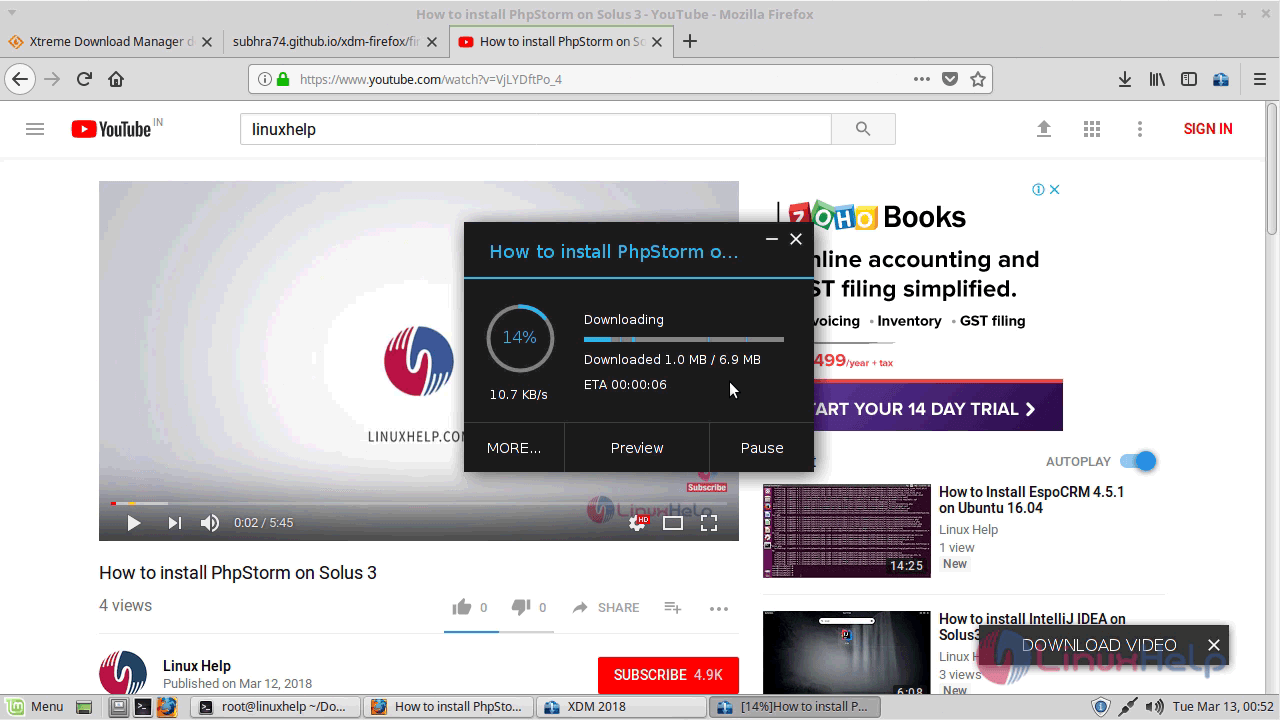
download_video

With this, the method to install extreme download manager in Linux Mint 18.3 comes to an end.

Tags:
gabriel
Author: 

Comments ( 0 )

No comments available

Add a comment
{{postCtrl.cmtErrMsg}}

Frequently asked questions ( 5 )

Q

How to download the "Xtreme download manager" application from officially?

A

The following link for download the "Xtreme download manager" in Officially as "https://sourceforge.net/projects/xdman/reviews/"

Q

What protocols does it support for "Xtreme download manager?

A

The following protocol will be supported for the "Xtreme download manager" as given below "HTTP, HTTPS, FTP protocols with Authentication, Proxy Servers, Cookies, Redirection

Q

How to install Xtreme download manager on Ubuntu?

A

For the installation of Xtreme download manager on Ubuntu, use the link as follow,
"sudo add-apt-repository ppa:noobslab/apps"
"sudo apt-get update"
"sudo apt-get install xdman"

Q

What are alternative tools available for "Xtreme download manager"?

A

The following tools are alternative for "Xtreme download manager",
aria2
uGet
Turbo download manager
Multithread download manager

Q

How to download the "Xtreme download manager" for windows?

A

Use the following link to get download the "Xtreme download manager" for Windows as "https://sourceforge.net/projects/xdman/files/xdmsetup-2018.msi/download"

Back To Top!
Rank
User
Points

Top Contributers

userNamenaveelansari
135850

Top Contributers

userNameayanbhatti
92510

Top Contributers

userNamehamzaahmed
32150

Top Contributers

1
userNamelinuxhelp
31040

Top Contributers

userNamemuhammadali
24500
Can you help Jayce ?
What are the types of table used in IPtables

What are the various types of table used in IPtables and how to use that for my server security?

Networking
  • Routing
  • trunk
  • Netmask
  • Packet Capture
  • domain
  • HTTP Proxy
Server Setup
  • NFS
  • KVM
  • Memory
  • Sendmail
  • WebDAV
  • LXC
Shell Commands
  • Cloud commander
  • Command line archive tools
  • last command
  • Shell
  • terminal
  • Throttle
Desktop Application
  • Linux app
  • Pithos
  • Retrospect
  • Scribe
  • TortoiseHg
  • 4Images
Monitoring Tool
  • Monit
  • Apache Server Monitoring
  • EtherApe 
  • Arpwatch Tool
  • Auditd
  • Barman
Web Application
  • Nutch
  • Amazon VPC
  • FarmWarDeployer
  • Rukovoditel
  • Mirror site
  • Chef
Contact Us | Terms of Use| Privacy Policy| Disclaimer
© 2025 LinuxHelp.com All rights reserved. Linux™ is the registered trademark of Linus Torvalds. This site is not affiliated with linus torvalds in any way.