How to install Y-PPA-Manager on Ubuntu
To install Y-PPA-Manager on Ubuntu
Y PPA Manager is a PPA management tool and is simple to install. This article sheds light on the installation process involved with Y-PPA-Manager on Ubuntu.
Installing Y-PPA-Manager
Initiate the installation of Y-PPA-Manager by adding the repository to the system. Use the following command for the same purpose.
root@localhost:/home/user1# add-apt-repository ppa:webupd8team/y-ppa-manager
 Y PPA Manager
Info: http://www.webupd8.org/2010/11/y-ppa-manager-easily-search-add-remove.html
This PPA is for Y PPA Manager and also includes the latest YAD for the supported Ubuntu versions (YAD is a dependency for Y PPA Manager): http://sourceforge.net/p/yad-dialog/
 More info: https://launchpad.net/~webupd8team/+archive/ubuntu/y-ppa-manager
Press [ENTER] to continue or ctrl-c to cancel adding it
gpg: keyring `/tmp/tmpze_ykool/secring.gpg'  created
gpg: keyring `/tmp/tmpze_ykool/pubring.gpg'  created
gpg: requesting key EEA14886 from hkp server keyserver.ubuntu.com
gpg: /tmp/tmpze_ykool/trustdb.gpg: trustdb created
gpg: key EEA14886: public key " Launchpad VLC"  imported
gpg: no ultimately trusted keys found
gpg: Total number processed: 1
gpg:               imported: 1  (RSA: 1)
OK
Once it is added, use the apt-get update command to update the local repository index as follows.
root@localhost:/home/user1# apt-get update
Get:1 http://security.ubuntu.com trusty-security InRelease [65.9 kB]
Ign http://in.archive.ubuntu.com trusty InRelease
Get:2 http://ppa.launchpad.net trusty InRelease [15.5 kB]
Ign http://extras.ubuntu.com trusty InRelease
..
..
..
Ign http://in.archive.ubuntu.com trusty/restricted Translation-en_IN
Ign http://in.archive.ubuntu.com trusty/universe Translation-en_IN
Fetched 33.9 MB in 5min 37s (101 kB/s)
Reading package lists... Done
Now is the time to Install Y-PPA-Manager. Run the following command for the same purpose.
root@localhost:/home/user1# apt-get install y-ppa-manager
Reading package lists... Done
Building dependency tree
Reading state information... Done
&hellip
&hellip
&hellip
Setting up y-ppa-manager (2016.11.07-1~webupd8~1) ...
Processing triggers for gconf2 (3.2.6-0ubuntu2) ...
Setting up gksu (2.0.2-6ubuntu2) ...
Processing triggers for libc-bin (2.19-0ubuntu6.6) ...
Y-PPA-Manager has been installed on the Ubunbu Machine. To open y-ppa-manager use the following command.
root@localhost:/home/user1# y-ppa-manager
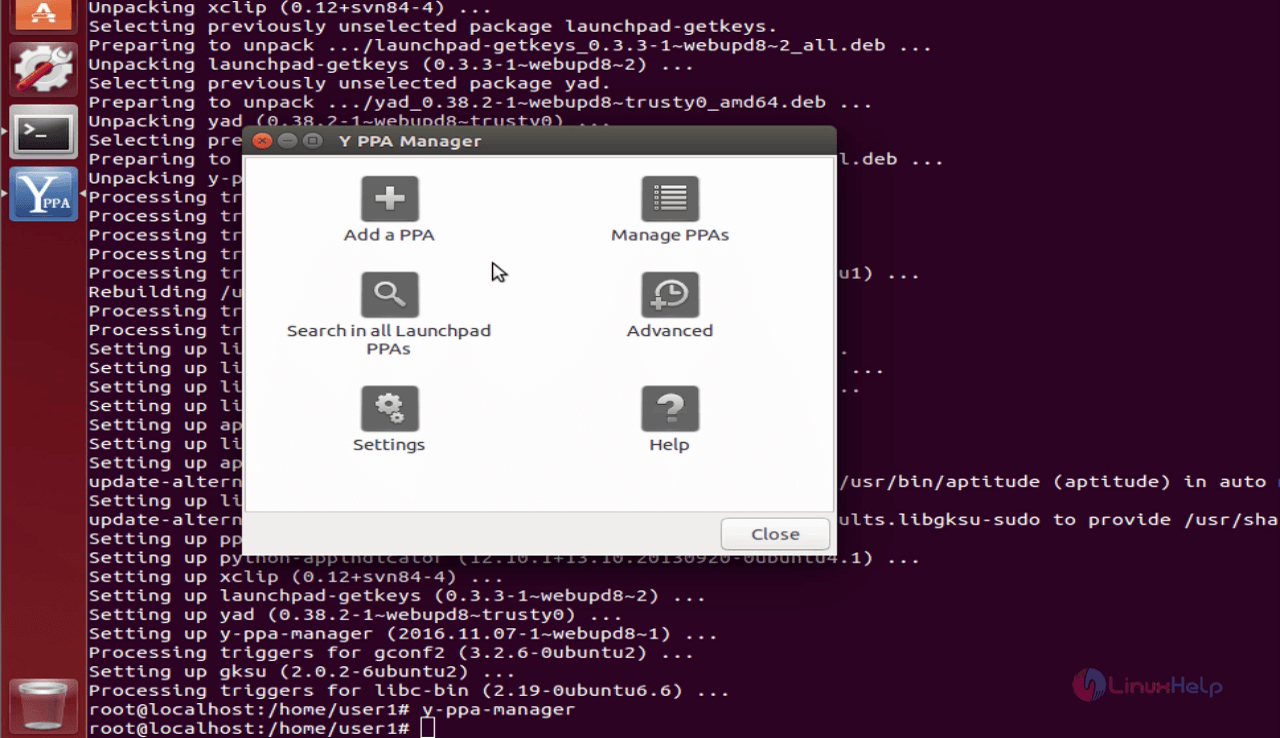
y-ppa-manager home screen
The Y-PPA-Manager application looks as follows.
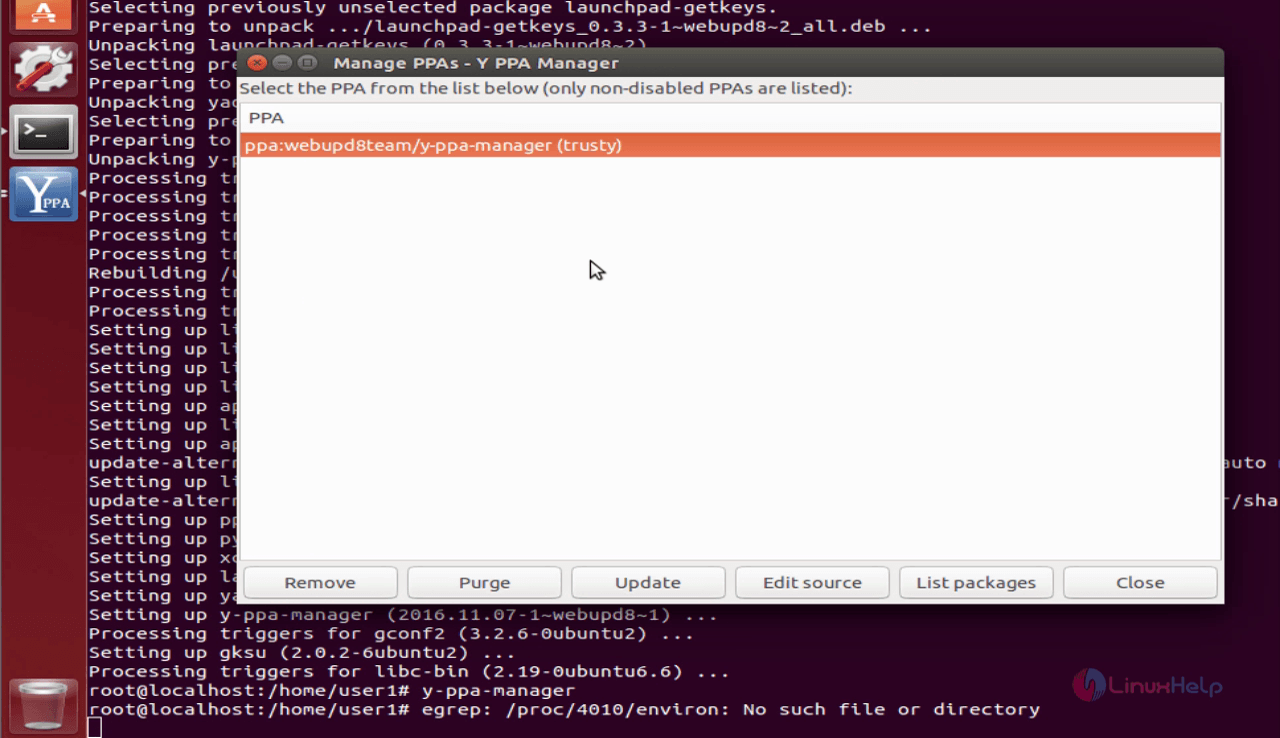
You manage all your PPAs.
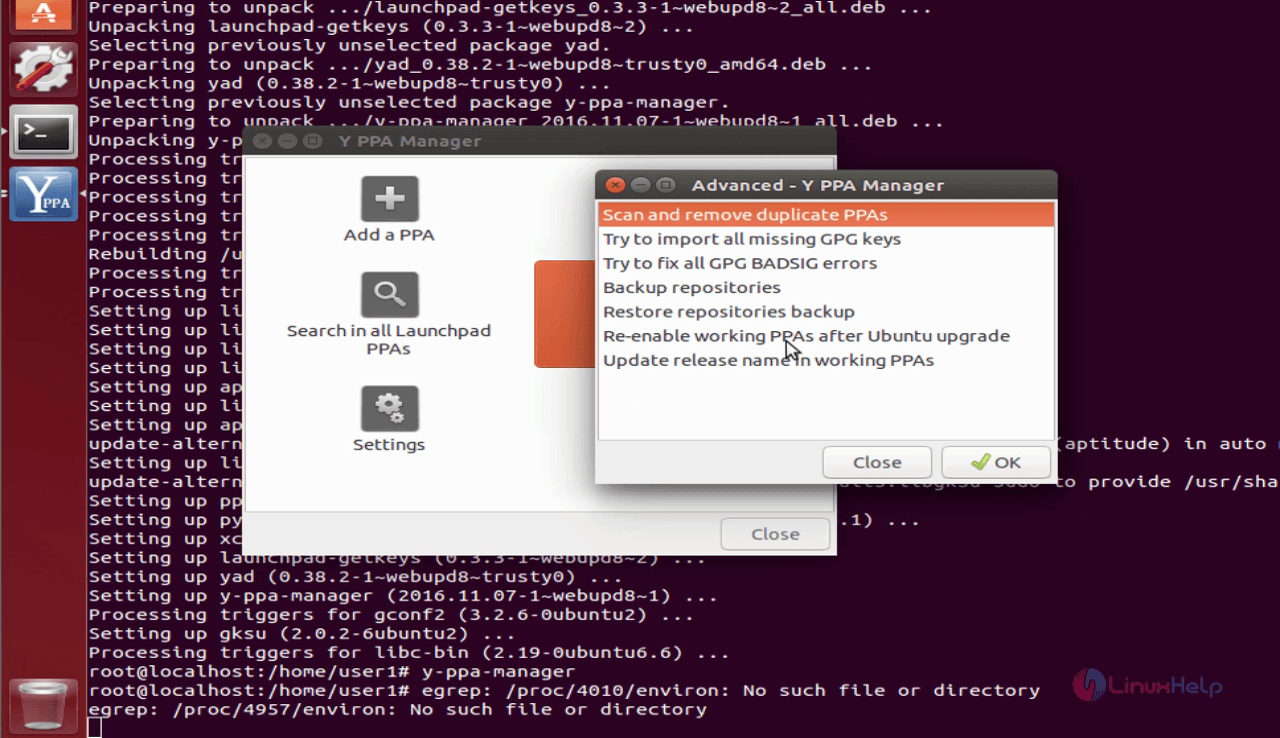
Further, you also have Advanced options.
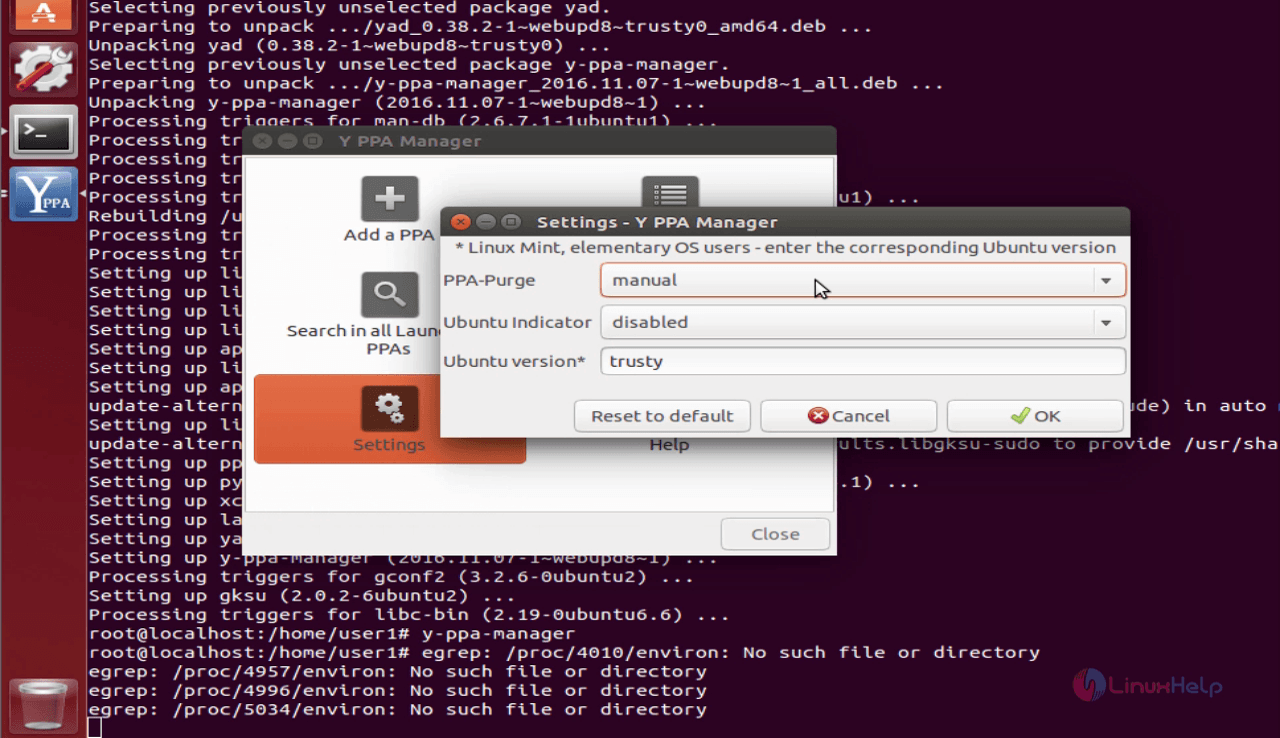
You can also configure the Settings of Y PPA Manager.
Y PPA Manager is a simple to use tool and can be used for adding, removing, purging PPAs easier, or even for searching the packages in all the Launchpad PPAs. It can also be used to update only a certain ppa, or even to delete duplicate PPAs,etc.
Comments ( 0 )
No comments available