How to install Zim editor on Linux Mint 19
{{postValue.id}}
Installation Of Zim editor On Linux Mint 19
Process
Check the Linux Mint version by using the following command
root@linuxhelp:~# lsb_release -a
No LSB modules are available.
Distributor ID:	LinuxMint
Description:	Linux Mint 19 Tara
Release:	19
Codename:	tara
Add the repository for Zim editor by using the following command
root@linuxhelp:~# add-apt-repository ppa:jaap.karssenberg/zim
You are about to add the following PPA:
 This is the repository of the stable branch of the Zim Desktop Wiki (http://zim-wiki.org). It builds daily based on commits to the master branch.
 More info: https://launchpad.net/~jaap.karssenberg/+archive/ubuntu/zim
Press Enter to continue or Ctrl+C to cancel

Executing: /tmp/apt-key-gpghome.KnnjdEmL27/gpg.1.sh --keyserver hkp://keyserver.ubuntu.com:80 --recv-keys 8F7DF243
gpg: key 7588B93F8F7DF243: public key "Launchpad PPA for Jaap Karssenberg" imported
gpg: Total number processed: 1
gpg:               imported: 1
Run the apt update command to update the repository
root@linuxhelp:~# apt update
Hit:1 http://archive.canonical.com/ubuntu bionic InRelease
Hit:2 http://archive.ubuntu.com/ubuntu bionic InRelease
Get:3 http://ppa.launchpad.net/jaap.karssenberg/zim/ubuntu bionic InRelease [15.4 kB]
Ign:4 http://packages.linuxmint.com tara InRelease
Hit:5 http://ppa.launchpad.net/ondrej/php/ubuntu bionic InRelease
Get:6 http://security.ubuntu.com/ubuntu bionic-security InRelease [88.7 kB]
Hit:7 http://packages.linuxmint.com tara Release
.
.
Fetched 4,282 kB in 14s (309 kB/s)
Reading package lists... Done
Building dependency tree
Reading state information... Done
711 packages can be upgraded. Run 'apt list --upgradable' to see them.
Install the Zim editor by using the following command
root@linuxhelp:~# apt install zim
Reading package lists... Done
Building dependency tree
Reading state information... Done
Suggested packages:
  git graphviz scrot dvipng
The following NEW packages will be installed:
  Zim
0 upgraded, 1 newly installed, 0 to remove and 711 not upgraded.
Need to get 1,089 kB of archives.
After this operation, 4,529 kB of additional disk space will be used.
Get:1 http://ppa.launchpad.net/jaap.karssenberg/zim/ubuntu bionic/main amd64 zim all 0.72.0-t201910071221~ubuntu18.04.1 [1,089 kB]
Fetched 1,089 kB in 3s (402 kB/s)
Selecting previously unselected package zim.
(Reading database ... 239718 files and directories currently installed.)
Preparing to unpack .../zim_0.72.0-t201910071221~ubuntu18.04.1_all.deb ...
Unpacking zim (0.72.0-t201910071221~ubuntu18.04.1) ...
Processing triggers for mime-support (3.60ubuntu1) ...
Processing triggers for desktop-file-utils (0.23+linuxmint3) ...
Setting up zim (0.72.0-t201910071221~ubuntu18.04.1) ...
Processing triggers for man-db (2.8.3-2) ...
Processing triggers for shared-mime-info (1.9-2) ...
Processing triggers for gnome-menus (3.13.3-11ubuntu1) ...
Processing triggers for hicolor-icon-theme (0.17-2) ...
Search for Zim editor
 Add the new note
 This is the Zim editor application
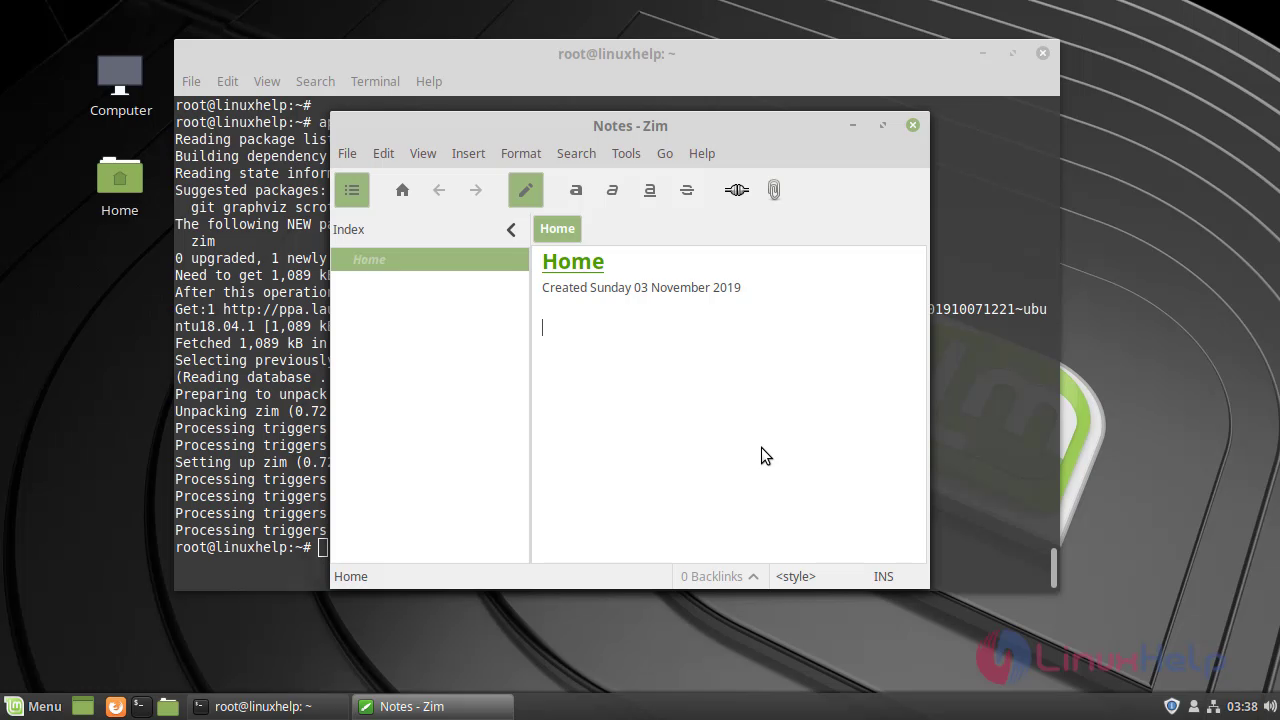 This is the method to install Zim editor on Linux Mint 19
Comments ( 0 )
No comments available