• Categories
    Category
    {{ postCtrl.tags }}
    • {{ category.tag_type }}

      • {{tag.tag_name}}
      • View more
  • Categories
    Category
    {{ postCtrl.tags }}
    • {{ category.tag_type }}

      • {{tag.tag_name}}
      • View more
  • News
  • Tutorials
  • Forums
  • Tags
  • Users
Tutorial News Comments FAQ Related Articles

How to install Zorin OS 11

{{postValue.id}}

Zorin OS 11

Zorin is a multifunctional OS for windows user who want to have easy access in Linux. Zorin OS 11 will have graphical interface. An Ultimate Linux Desktop with Windows 7 Feel using Zorin is discussed in this tutorial.

Zorin Features

  • Multi functional
  • Super secure
  • Much faster than Windows 7
  • No risk of getting viruses
  • Customizable user interface using Look Changer
  • An easy to use and familiar desktop
  • All the software you will ever need out of the box
  • Stable as it is based on the robust Linux operating system
  • Available over 55 languages
  • Extremely versatile and customizable Open Source software

Advantage of Zorin OS

  • It is a graphical interface
  • Feels like Windows 7

Download Zorin OS 11 ISO

Zorin OS is divided into 2 versions

1. Free

2. Premium

From Zorin OS website, download the free version

http://zorinos.com/download11.html

By using UNetBootin you can make a bootable USB stick.

Install Linux from USB Device

For installation, you need to have Zorin OS in the DVD or a bootable Pendrive. At least 8GB free space is enough for installation

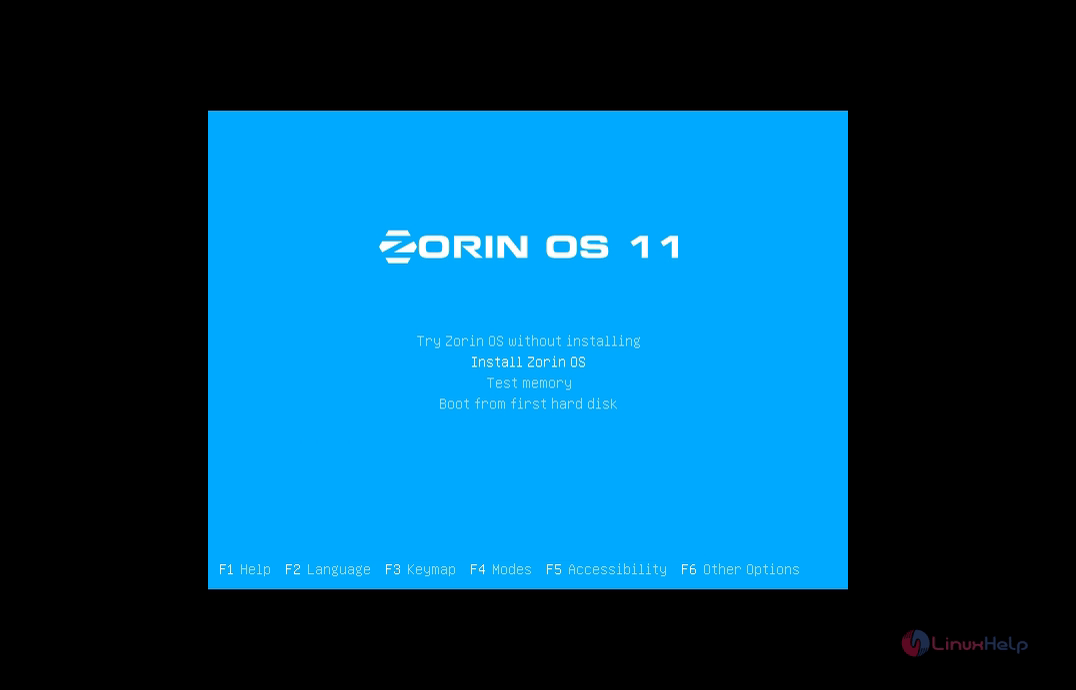
After booting Zorin OS, Installation screen appears, select your language
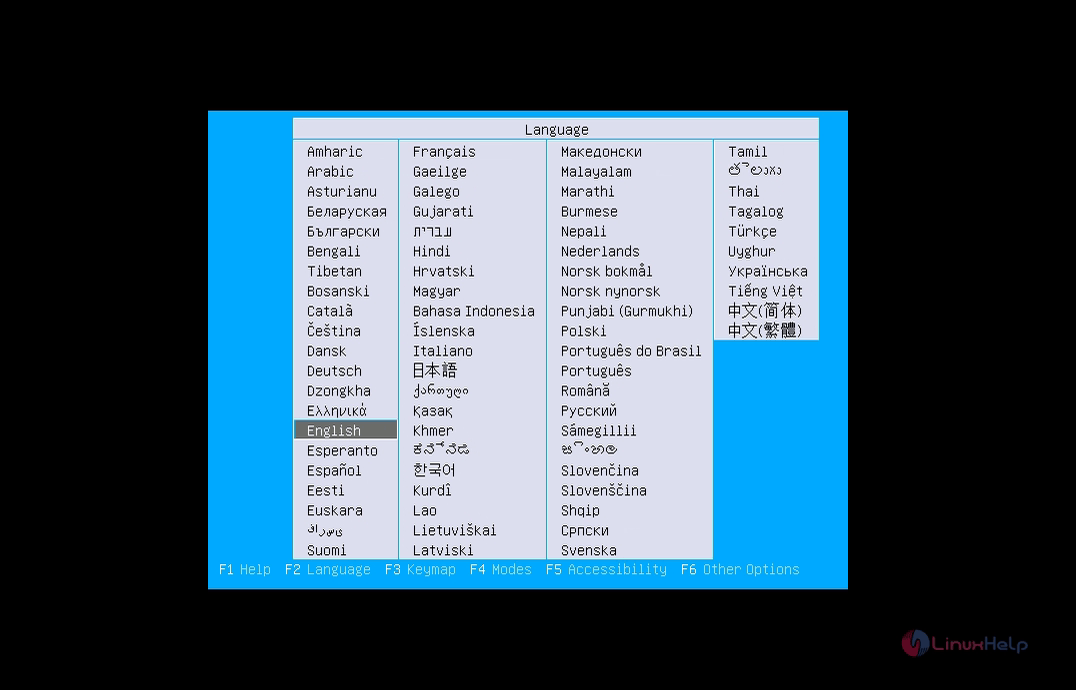
installation

Select install Zorin OS

install_zorin

Select your language and give continue
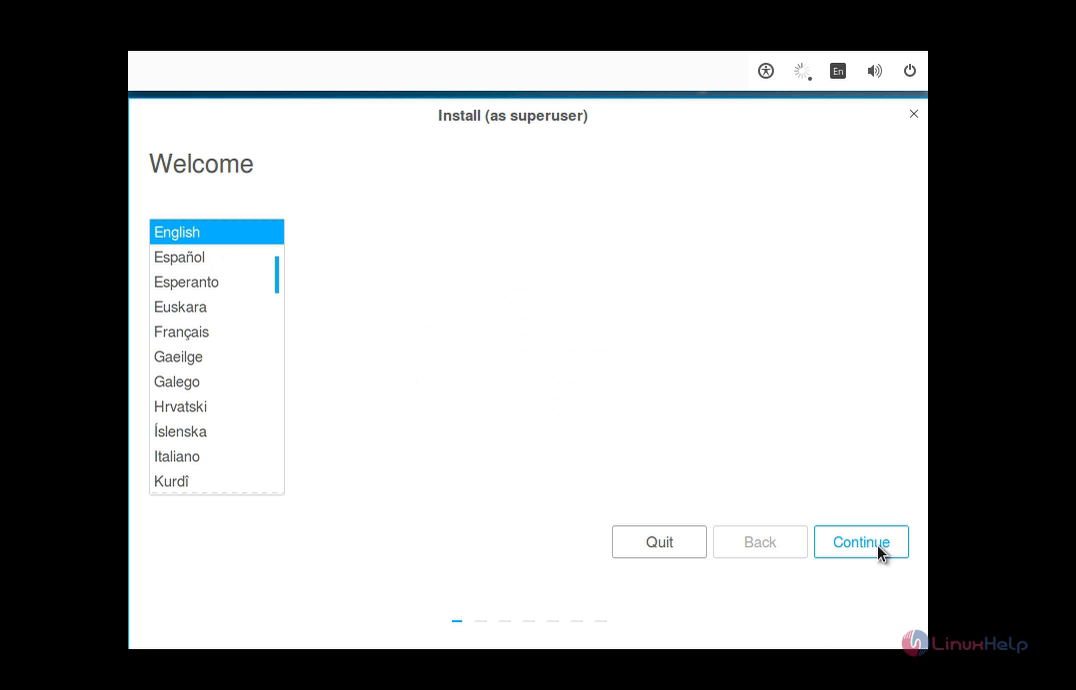
language

Installation type

Select something else and give continue ( which is recommended )
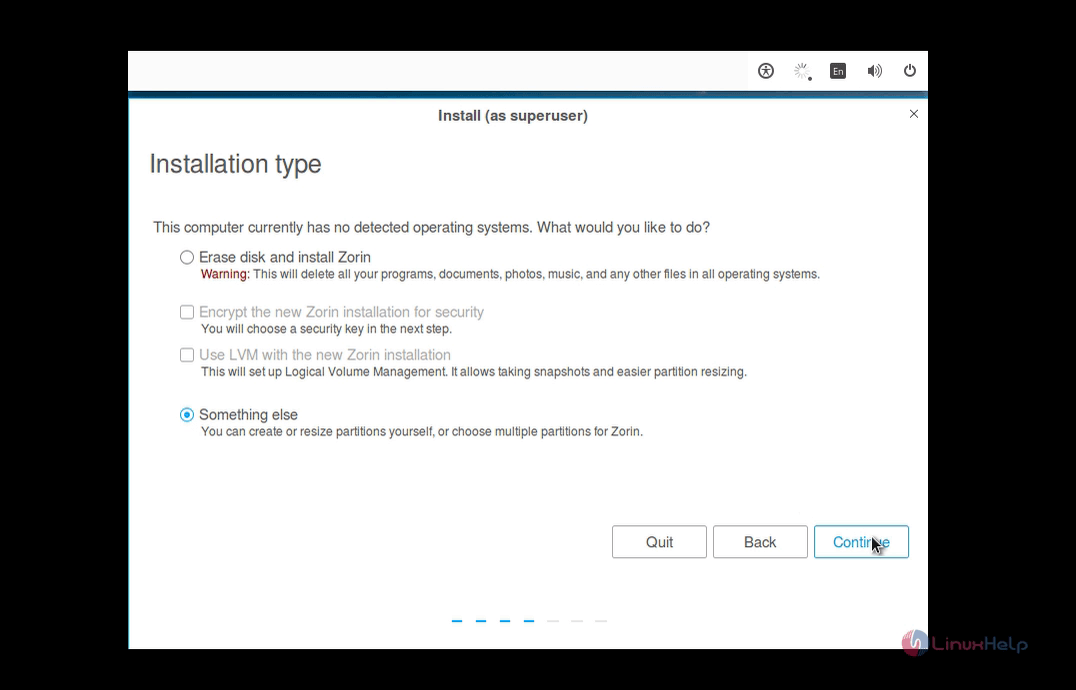

installation_type

Partition Table

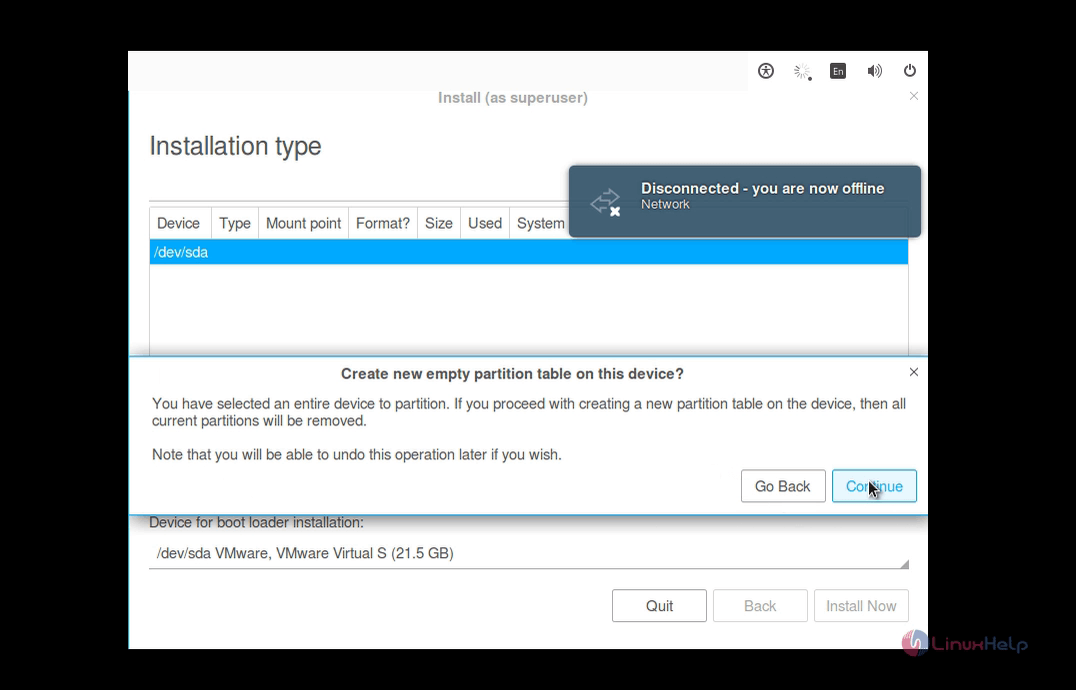
Select new partition table and give continue
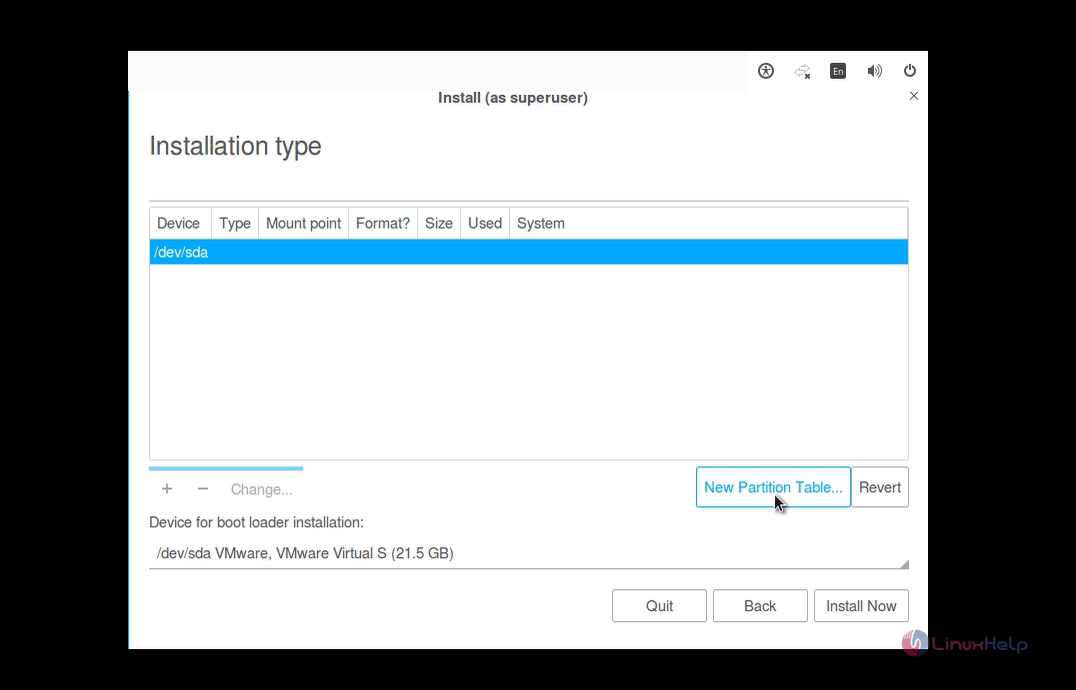
Zorin OS 11

intallation

Creating partitions

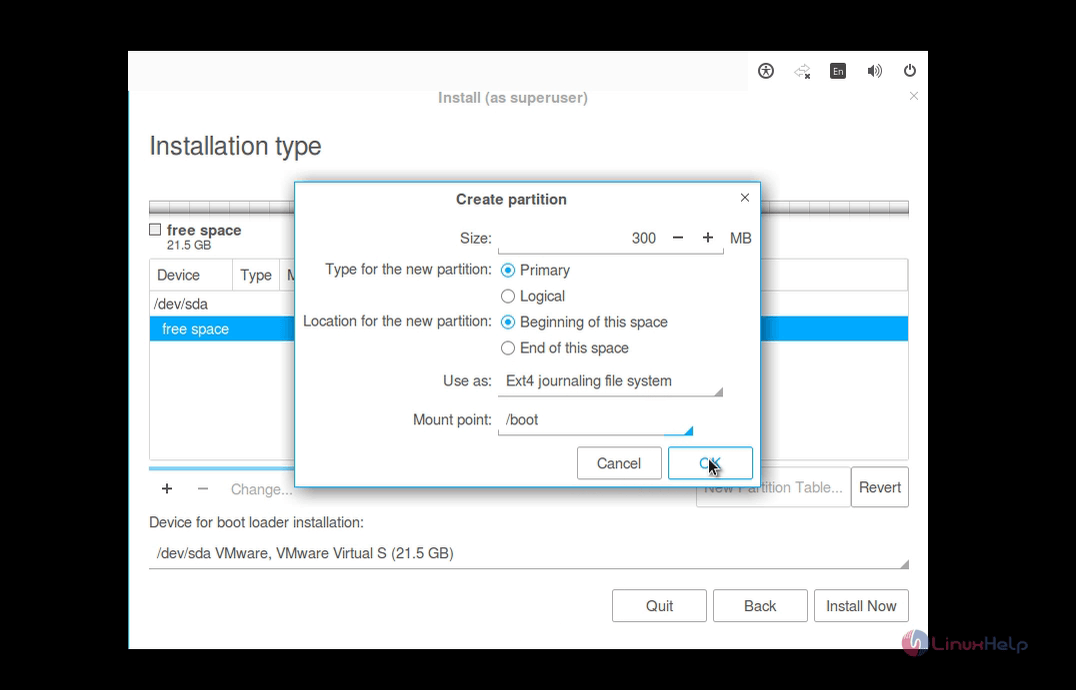
Click the " +" to create boot partition
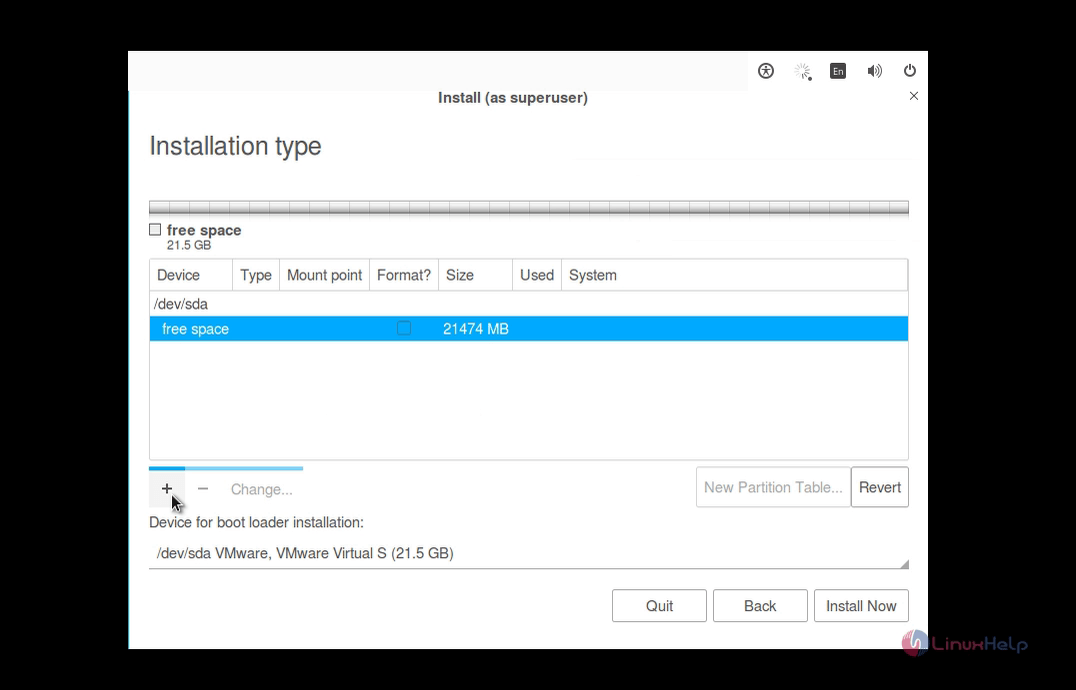
create_partitions

size 300MB
partition type primary
location beginning of this space
use as(file system) EXT4
mount point /boot

partition

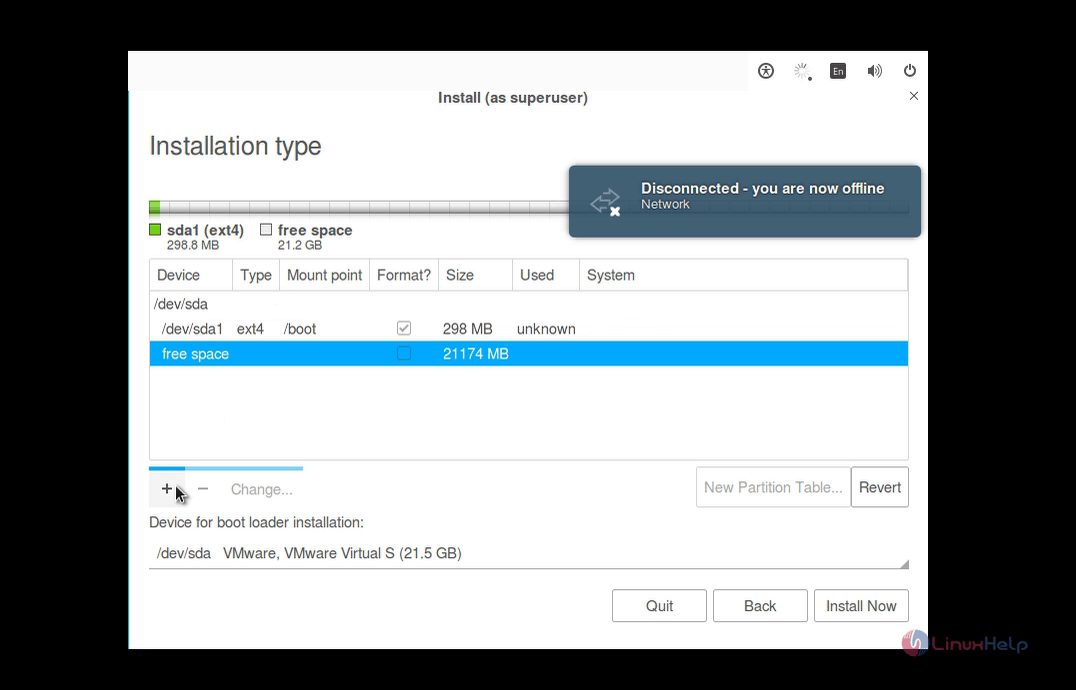
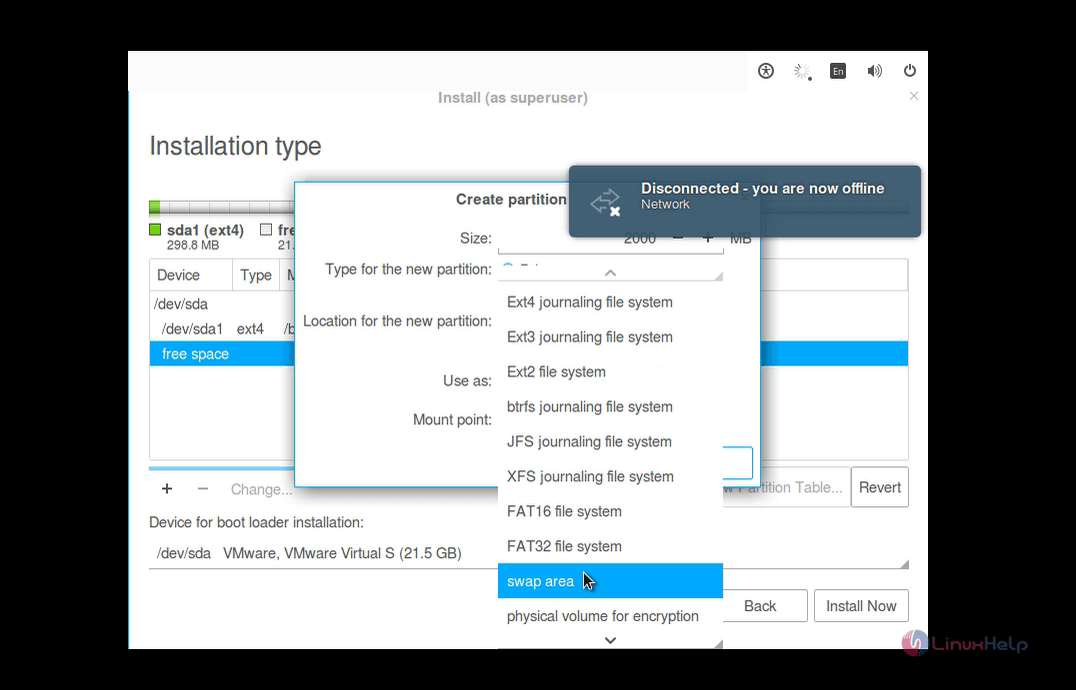
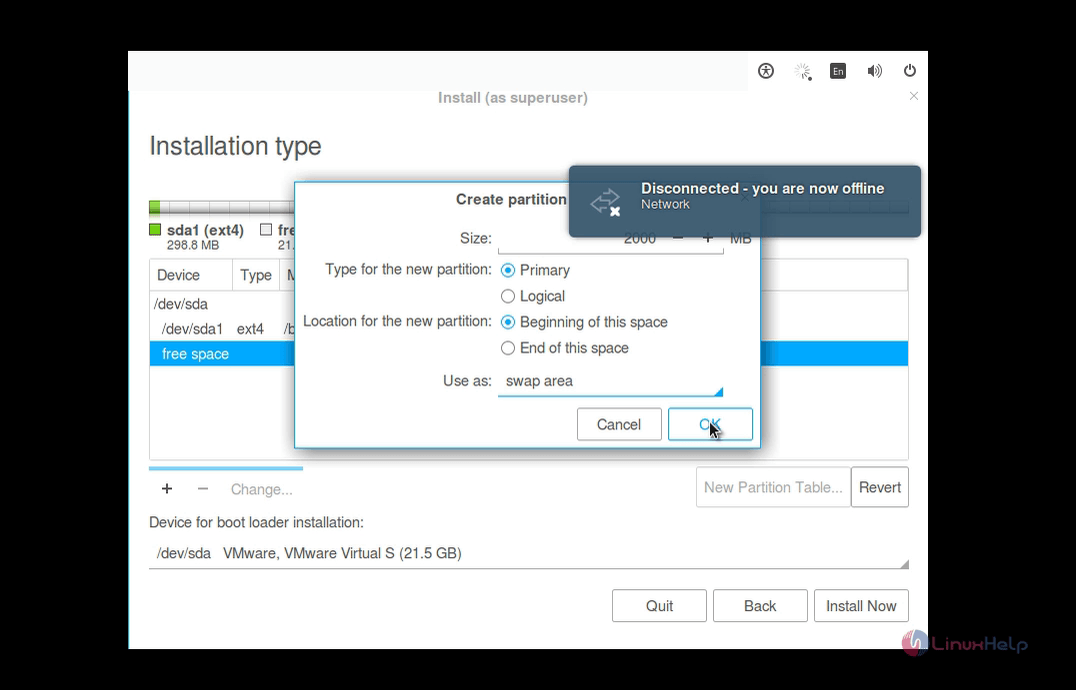
Click " +" to create swap partition

swap_partition

size 2GB
partition type primary
location beginning of this space
use as(file system) swap area

installation_types

device

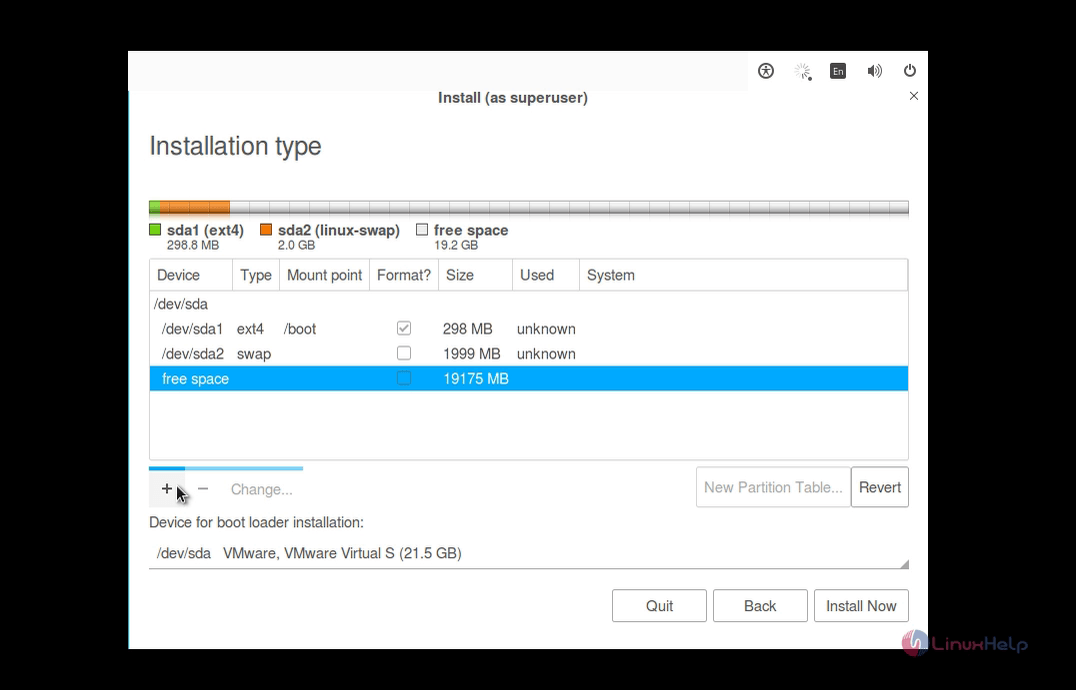
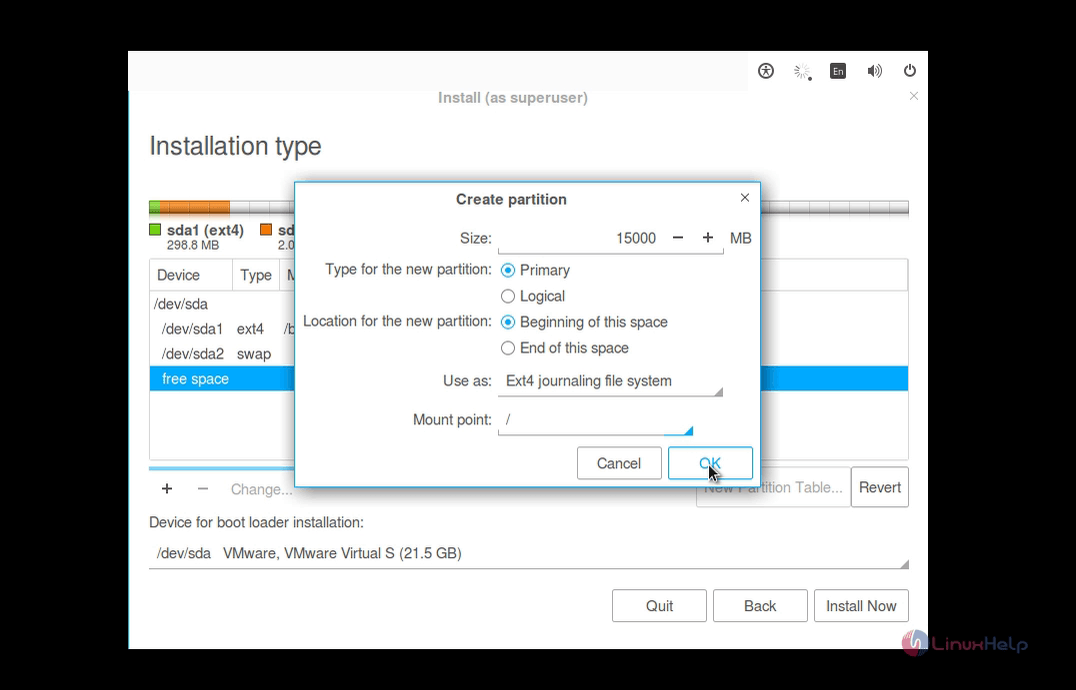
Click " +" to create root partition

create_root

size 15GB
partition type primary
location beginning of this space
use as(file system) EXT4
mount point /

configuration

After creating all partitions, click install now and then click continue to write changes to disk
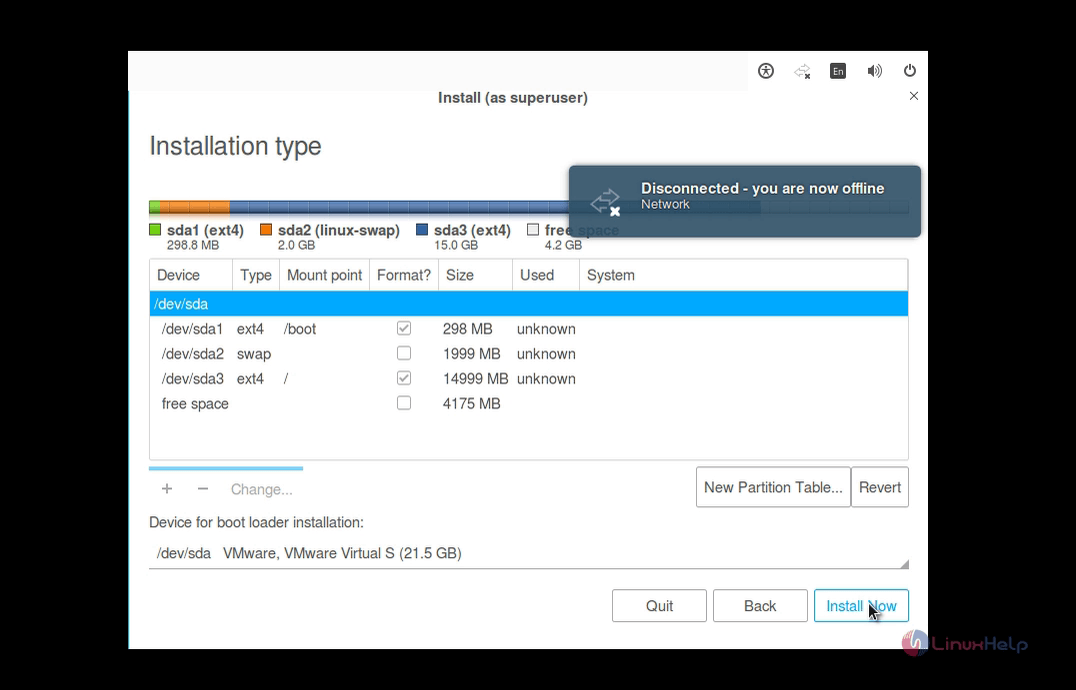
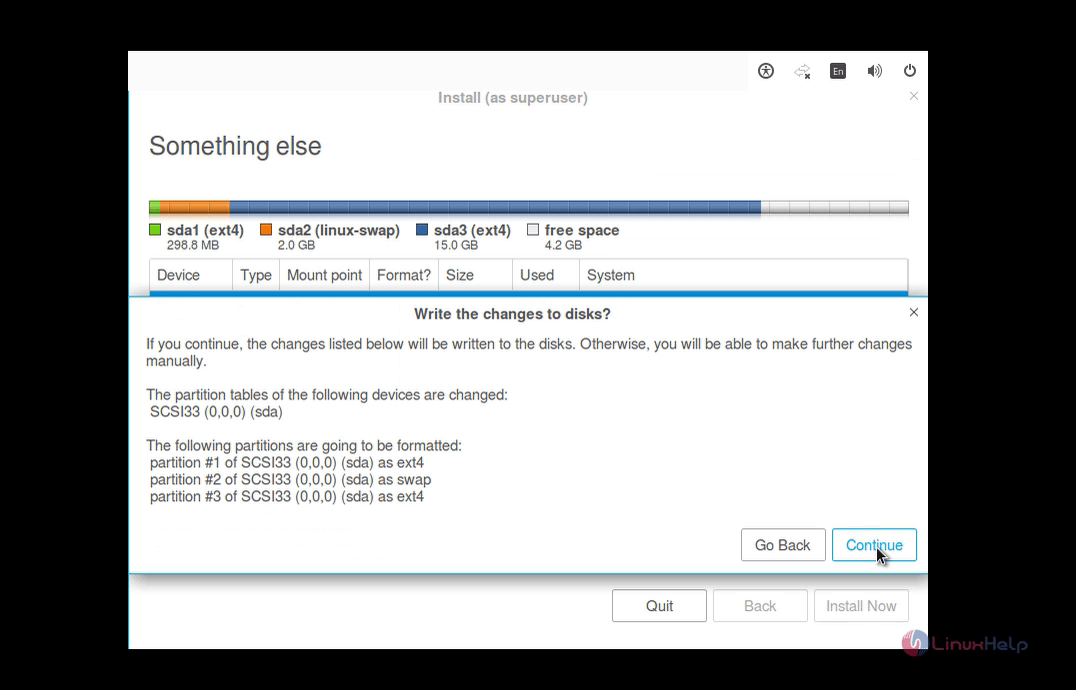
create_partitions

superuser

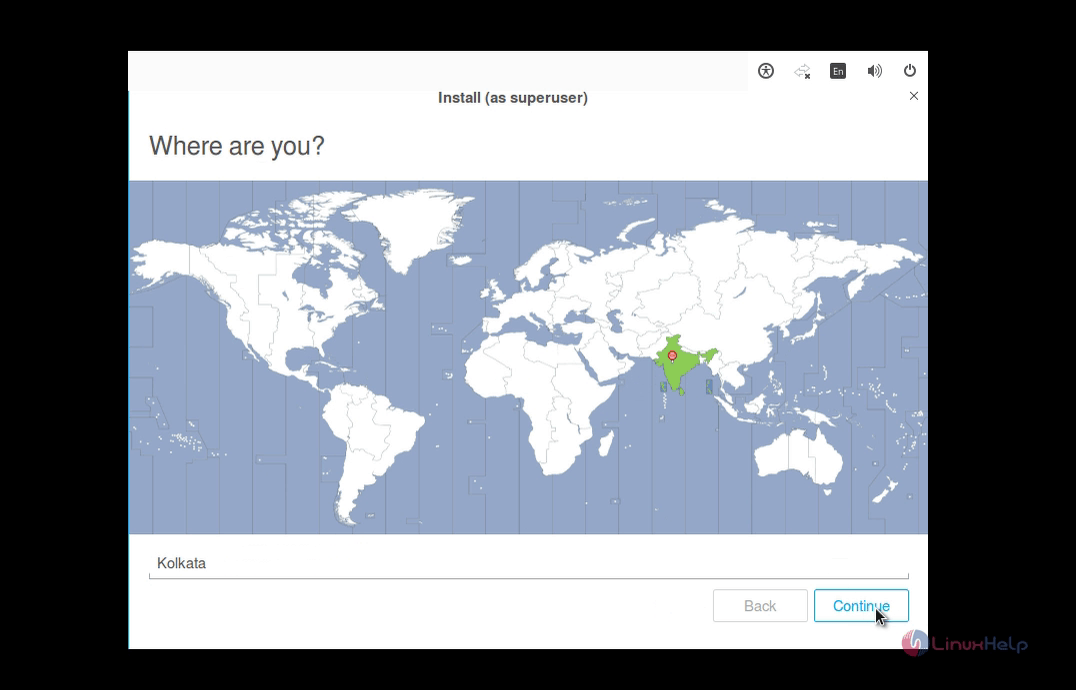
Now Select your location

location

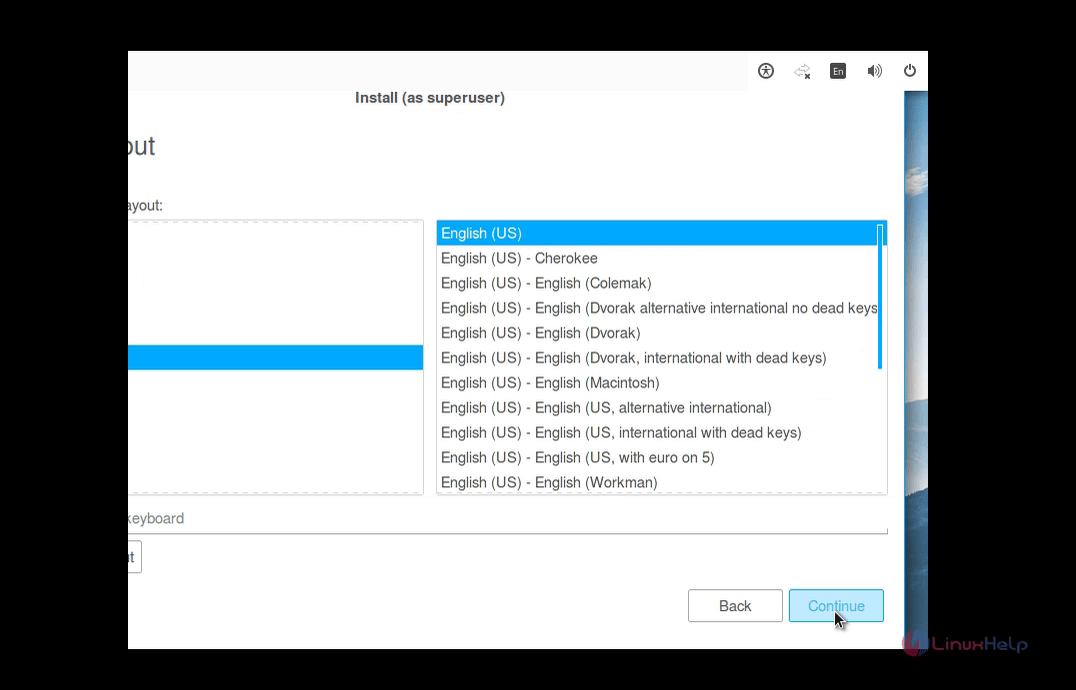
Select your keyboard layout

keyboard_layout

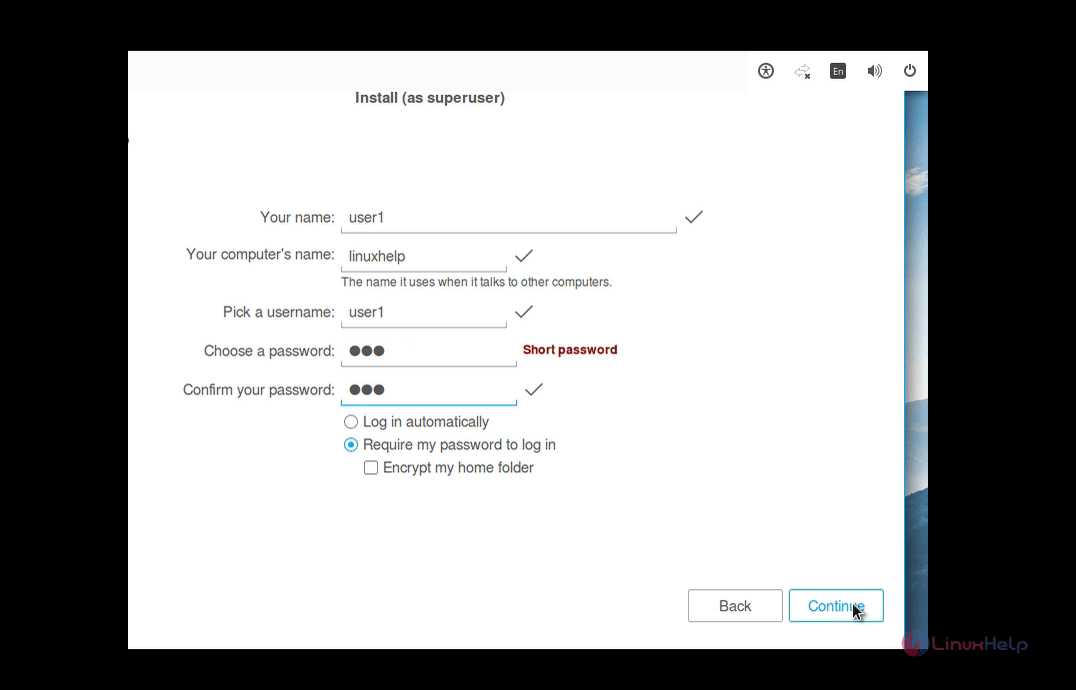
User Creation

user_creation

After that zorin start copying files
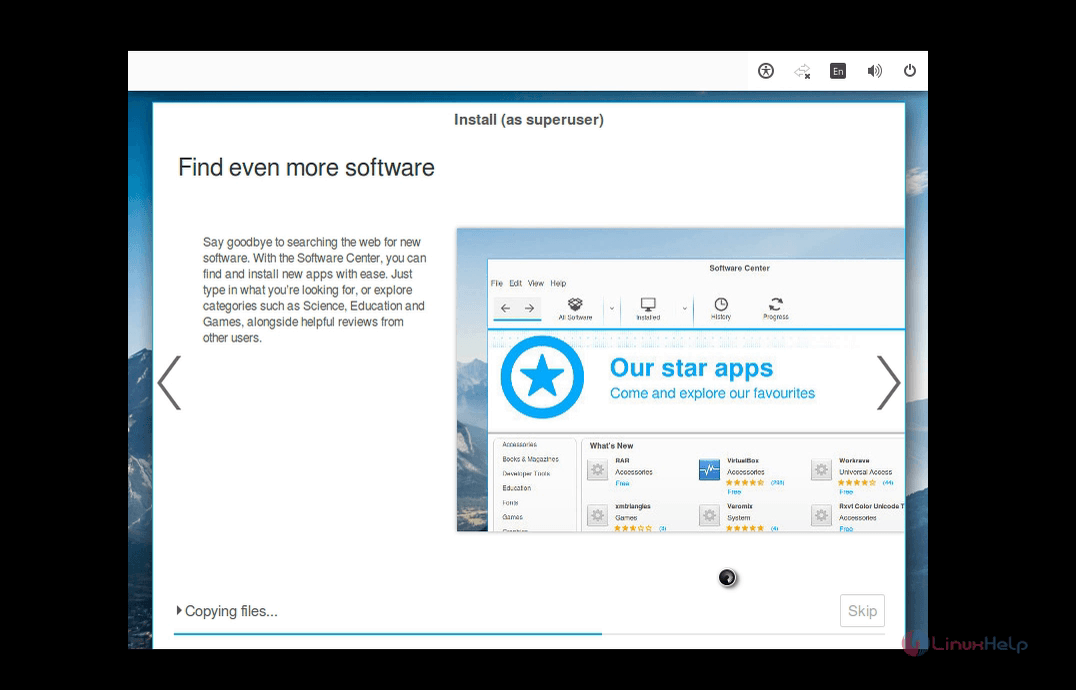
copy_files

Now the Installation is completed, click restart now
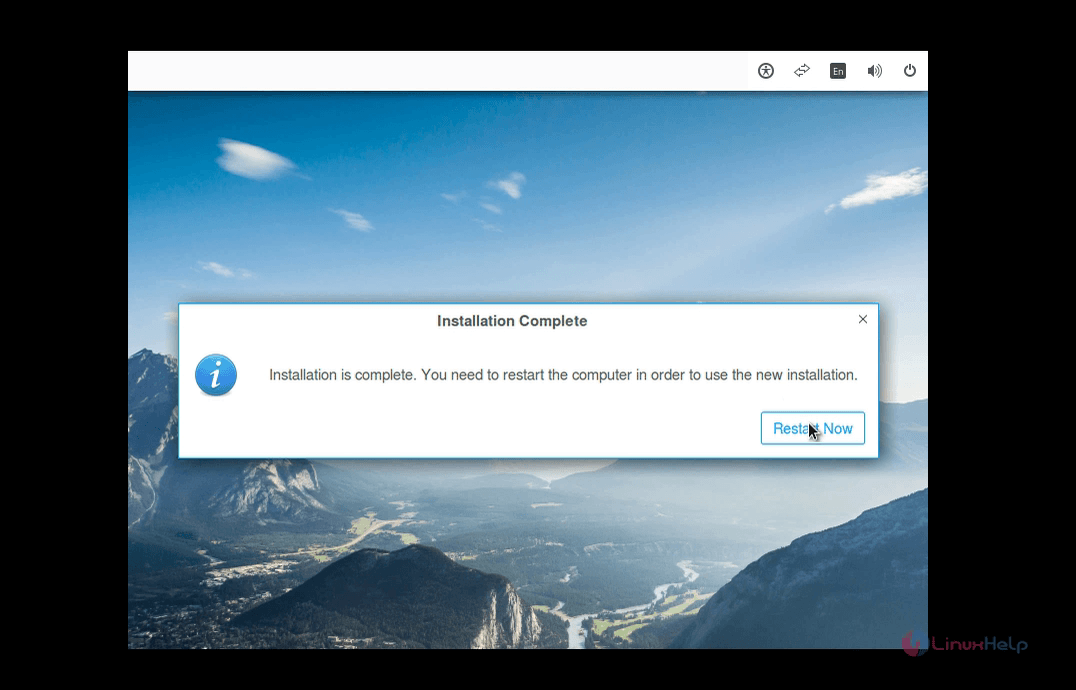
restart

Login screen

Enter the user name and password
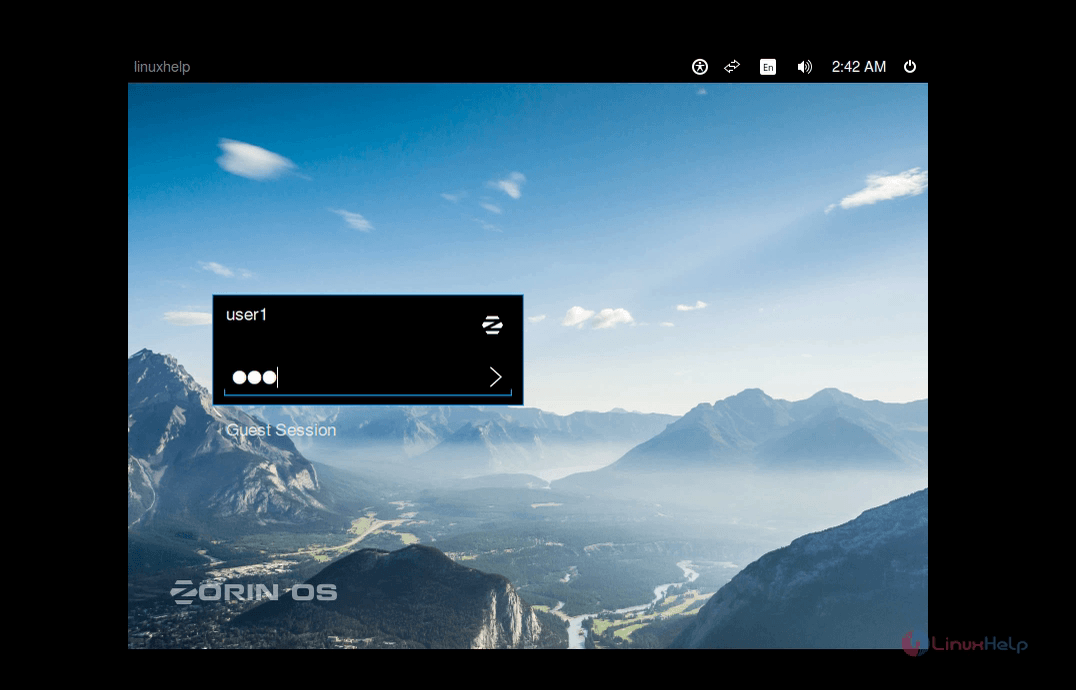
login_screen

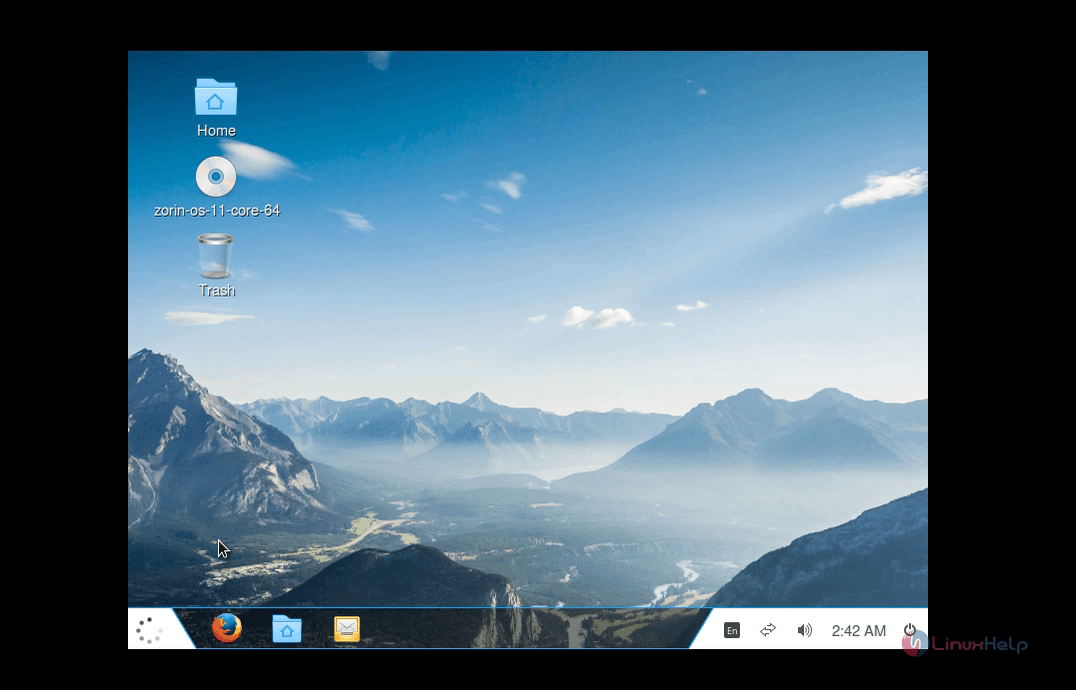
Zorin Desktop

zorin_desktop

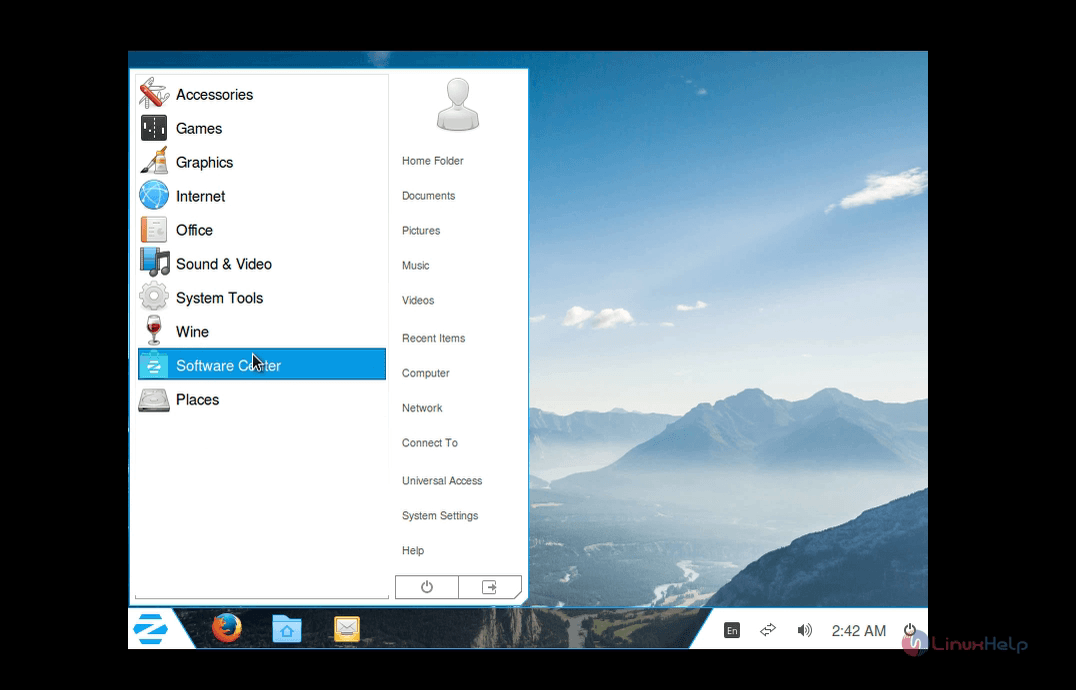
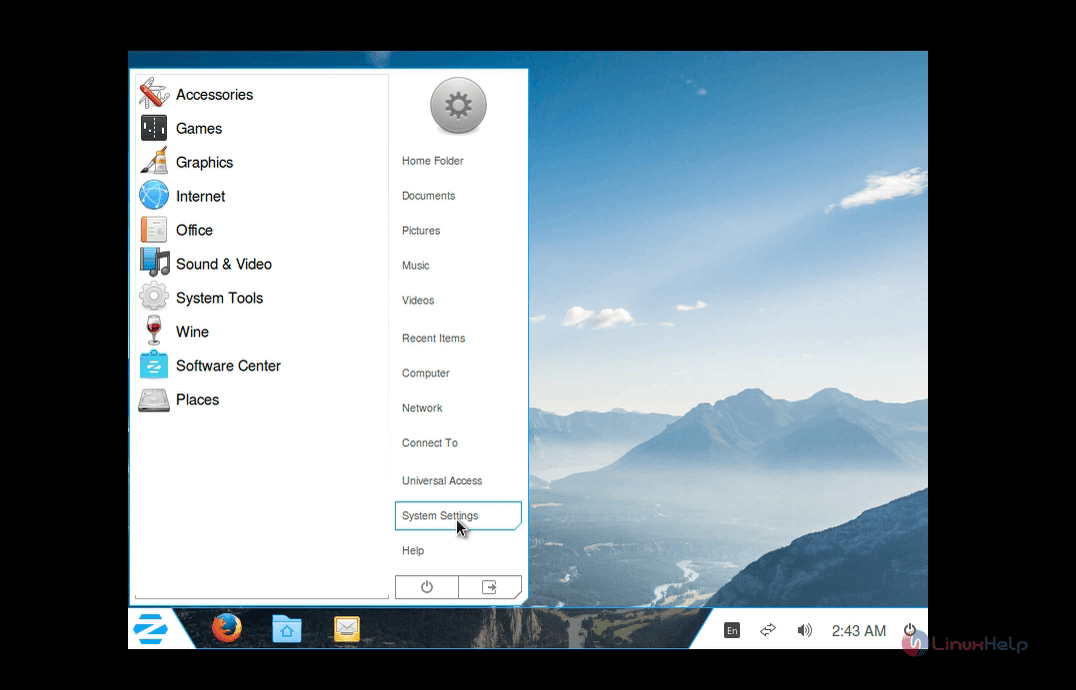
Start Menu like Windows 7

start_menu

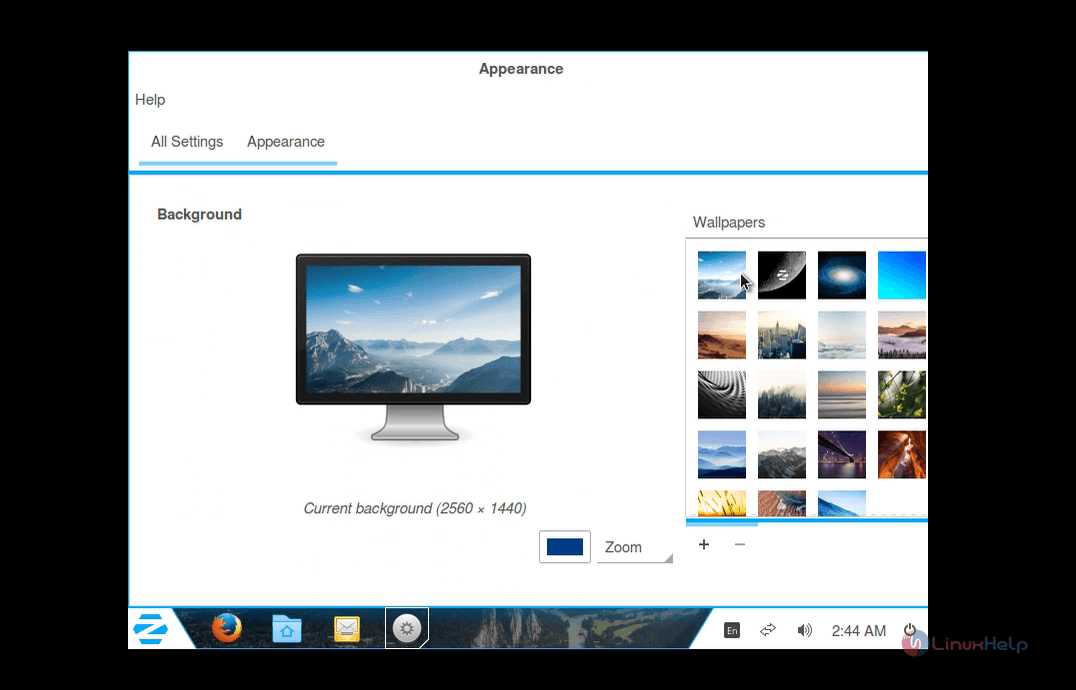
Appearance

Change Desktop background
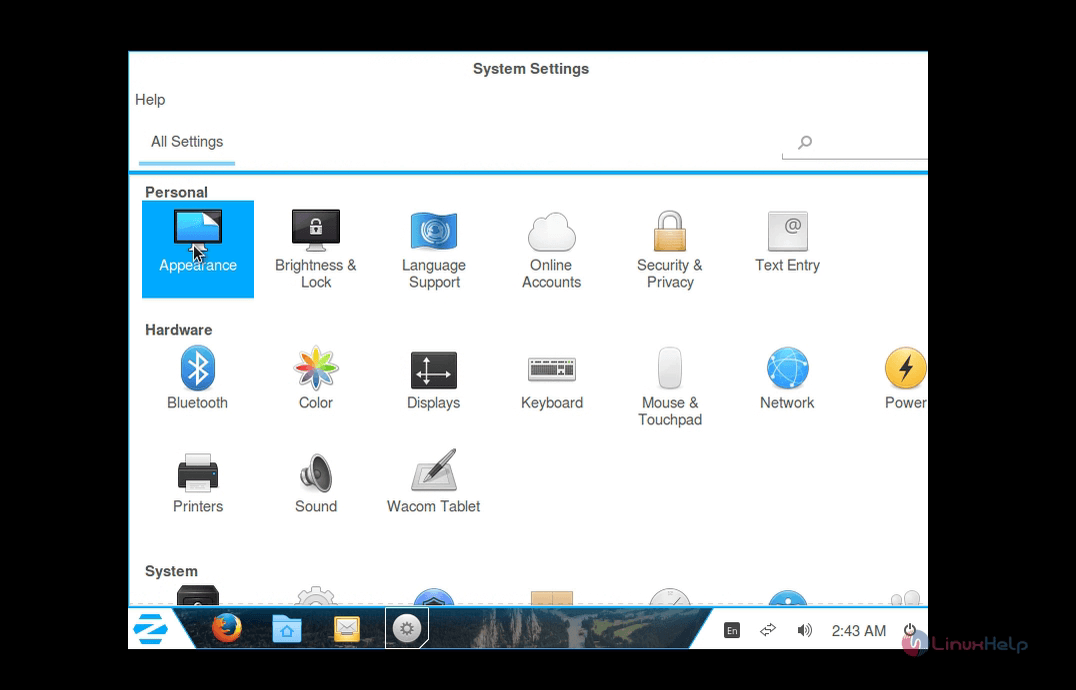
desktop_background

help

background

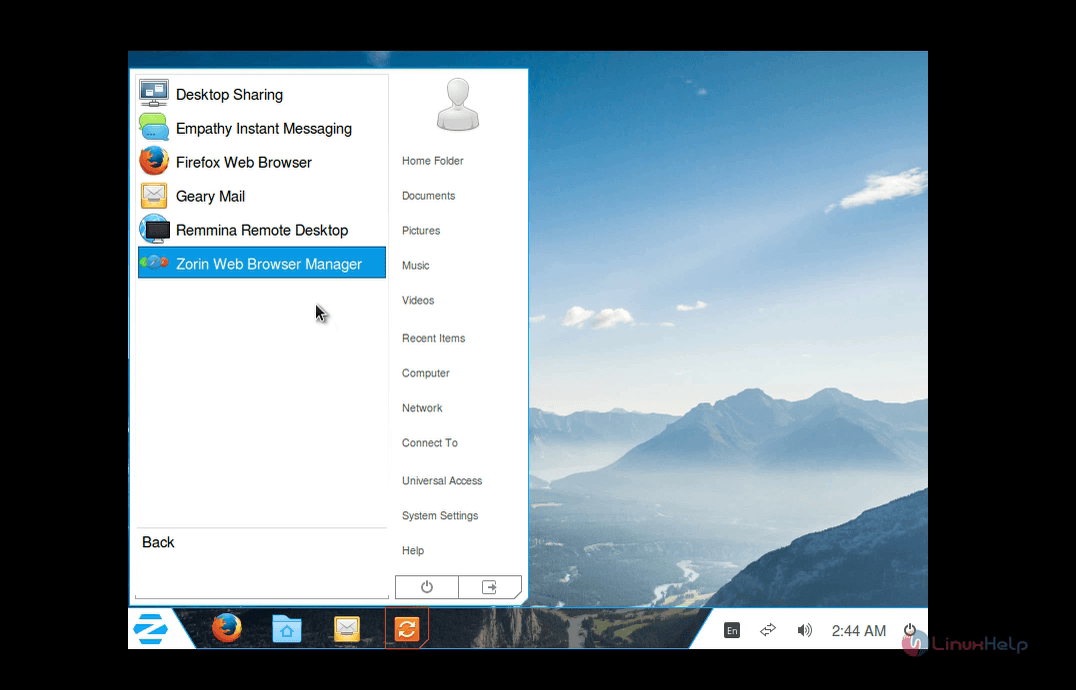
Web Browsers

web_browser

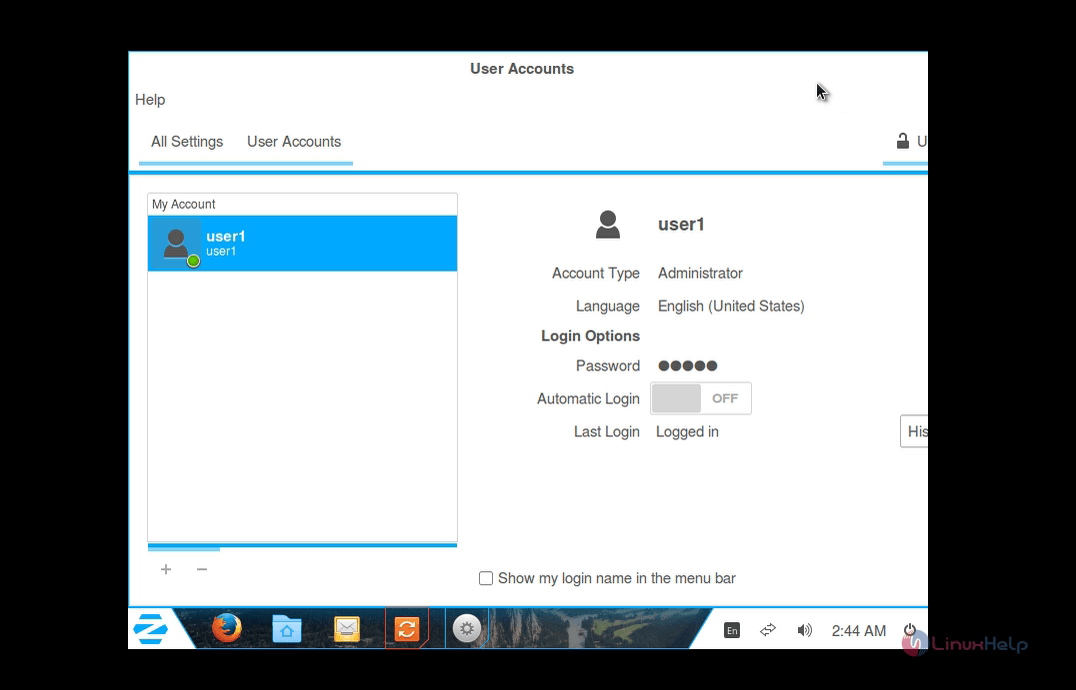
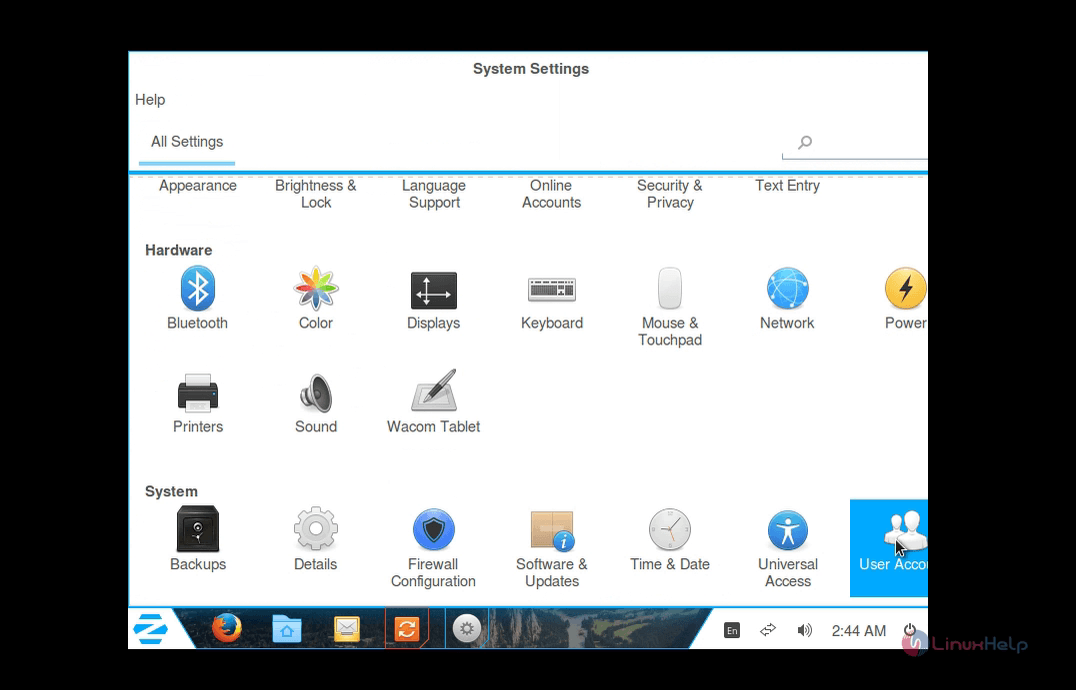
User account

To Manage user accounts

System settings &rarr user accounts
user_account

user_account

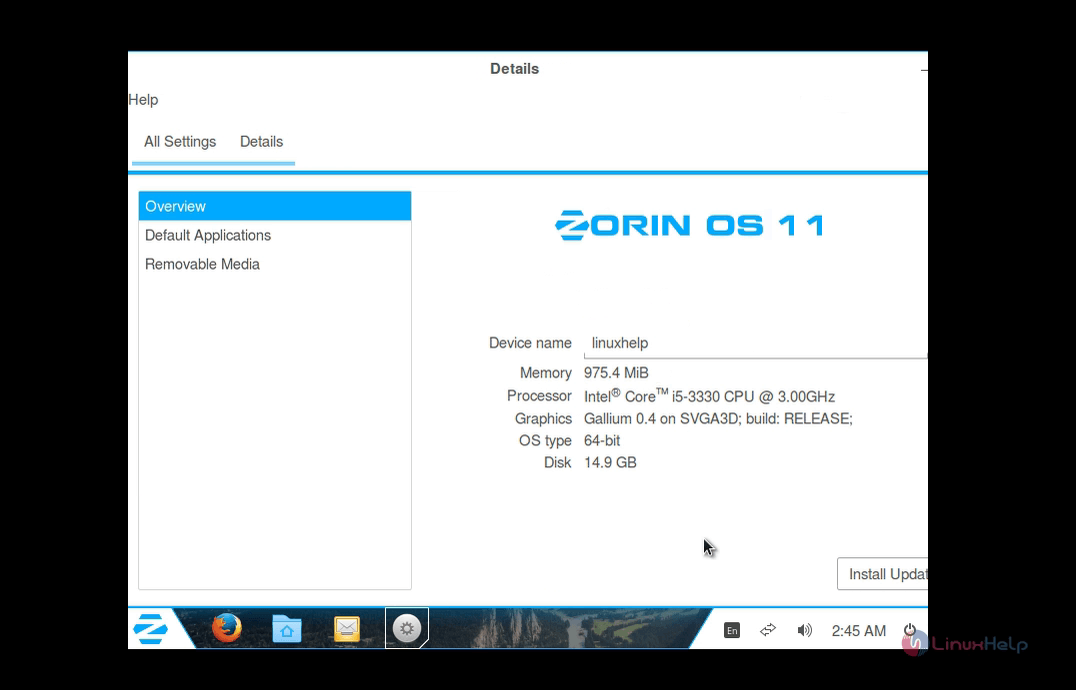
System information

All settings Details
system_information

Tags:
benjamin
Author: 

Comments ( 0 )

No comments available

Add a comment
{{postCtrl.cmtErrMsg}}

Frequently asked questions ( 5 )

Q

is this debian based os ?

A

yes

Q

why I use this os than other debain based os

A

it is more like windows . It main advantage for windows user. This why I suggest ZORIN OS than other debian based OS

Q

is the partition is as same as ubuntu os

A

yes

Q

I need to install latest AUDACITY in this OS

A

you need to install it from source

Q

What is Zorin Os?

A

Zorin OS is a Linux operating system based on Debian systems. Its interface is similar to windows hence it can be used by a windows user who wants access to Linux distributions. This article explains the installation of Zorin 12.

Back To Top!
Rank
User
Points

Top Contributers

userNamenaveelansari
135850

Top Contributers

userNameayanbhatti
92510

Top Contributers

userNamehamzaahmed
32150

Top Contributers

1
userNamelinuxhelp
31040

Top Contributers

userNamemuhammadali
24500
Can you help Gibbson ?
How do i run both nginx and apache in same instance on centos

Hi...,

my server is based centos operating system and my webserver is already running on Apache.... i need to run both apache and nginx on same instance ... please help me to implement this concept...

Networking
  • Routing
  • trunk
  • Netmask
  • Packet Capture
  • domain
  • HTTP Proxy
Server Setup
  • NFS
  • KVM
  • Memory
  • Sendmail
  • WebDAV
  • LXC
Shell Commands
  • Cloud commander
  • Command line archive tools
  • last command
  • Shell
  • terminal
  • Throttle
Desktop Application
  • Linux app
  • Pithos
  • Retrospect
  • Scribe
  • TortoiseHg
  • 4Images
Monitoring Tool
  • Monit
  • Apache Server Monitoring
  • EtherApe 
  • Arpwatch Tool
  • Auditd
  • Barman
Web Application
  • Nutch
  • Amazon VPC
  • FarmWarDeployer
  • Rukovoditel
  • Mirror site
  • Chef
Contact Us | Terms of Use| Privacy Policy| Disclaimer
© 2025 LinuxHelp.com All rights reserved. Linux™ is the registered trademark of Linus Torvalds. This site is not affiliated with linus torvalds in any way.