• Categories
    Category
    {{ postCtrl.tags }}
    • {{ category.tag_type }}

      • {{tag.tag_name}}
      • View more
  • Categories
    Category
    {{ postCtrl.tags }}
    • {{ category.tag_type }}

      • {{tag.tag_name}}
      • View more
  • News
  • Tutorials
  • Forums
  • Tags
  • Users
Tutorial News Comments FAQ Related Articles

How to install ZPanel on Ubuntu

{{postValue.id}}

To install ZPanel on Ubuntu

ZPanel is one of the new web hosting control panels which is available for Ubuntu 12.04, CentOS 6.4 and Microsoft Windows, however it has already reached version 10.1.1. ZPanel is endowed with several features that you would expect to find in a commercial control panel. This article covers the installation process involved with Zpanel on Ubuntu.

Features

  • Webmail, SMTP, POP3 and IMAP4 email access
  • FTP
  • Web server
  • DNS


Installing ZPanel

Begin the installation of ZPanel by downloading the installation script. Use the following command for the same process.

root@ubuntuuser1:~# wget https://raw.github.com/zpanel/installers/master/install/Ubuntu-12_04/10_1_1.sh
--2017-02-11 15:32:39--  https://raw.github.com/zpanel/installers/master/install/Ubuntu-12_04/10_1_1.sh
Resolving raw.github.com (raw.github.com)... 151.101.128.133, 151.101.192.133, 151.101.64.133, ...
Connecting to raw.github.com (raw.github.com)|151.101.128.133|:443... connected.
HTTP request sent, awaiting response... 301 Moved Permanently
Location: https://raw.githubusercontent.com/zpanel/installers/master/install/Ubuntu-12_04/10_1_1.sh [following]
--2017-02-11 15:32:41--  https://raw.githubusercontent.com/zpanel/installers/master/install/Ubuntu-12_04/10_1_1.sh
Resolving raw.githubusercontent.com (raw.githubusercontent.com)... 151.101.128.133, 151.101.192.133, 151.101.64.133, ...
Connecting to raw.githubusercontent.com (raw.githubusercontent.com)|151.101.128.133|:443... connected.
HTTP request sent, awaiting response... 200 OK
Length: 21552 (21K) [text/plain]
Saving to: `10_1_1.sh' 

100%[======================================================> ] 21,552      36.2K/s   in 0.6s    

2017-02-11 15:32:43 (36.2 KB/s) - `10_1_1.sh'  saved [21552/21552]

Once it is downloaded, set execute permission with the help of following command.

root@ubuntuuser1:~# chmod +x 10_1_1.sh

It is the time to install ZPanel. Use the following command to run the installation.

root@ubuntuuser1:~#  ./ 10_1_1.sh

Now press “ y” to start the installation.
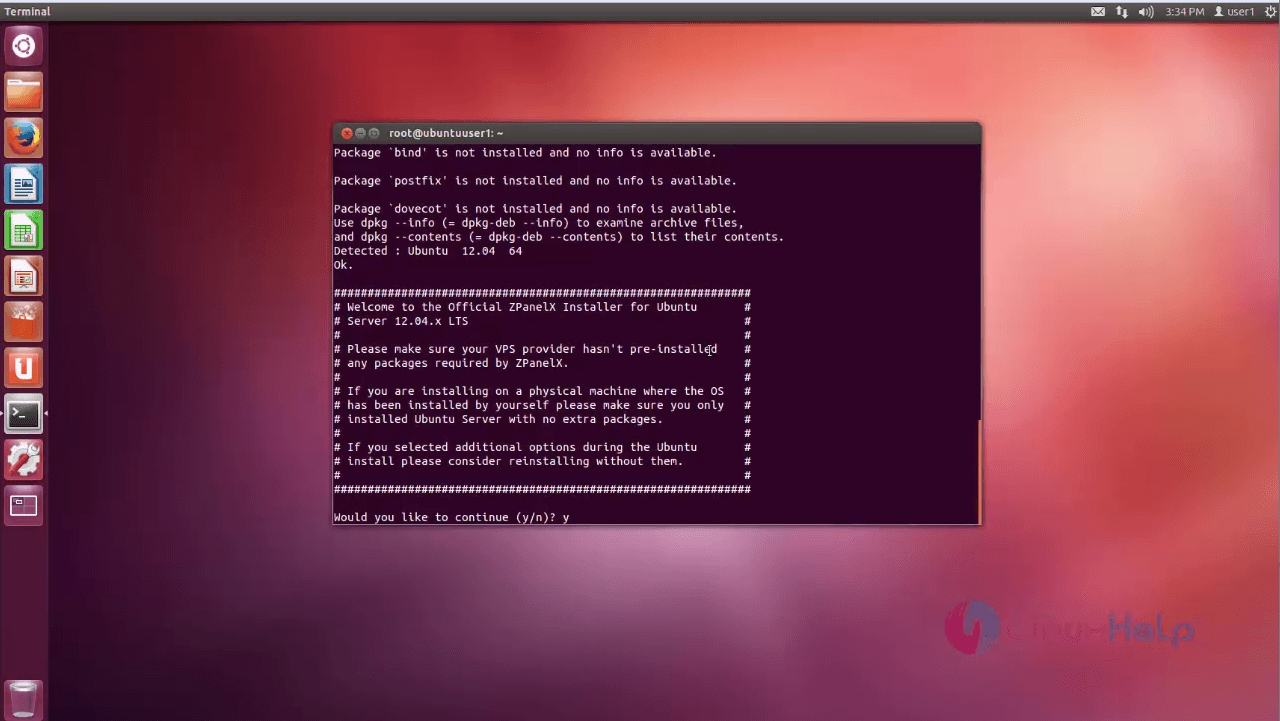
1
Once it is done, select your country,
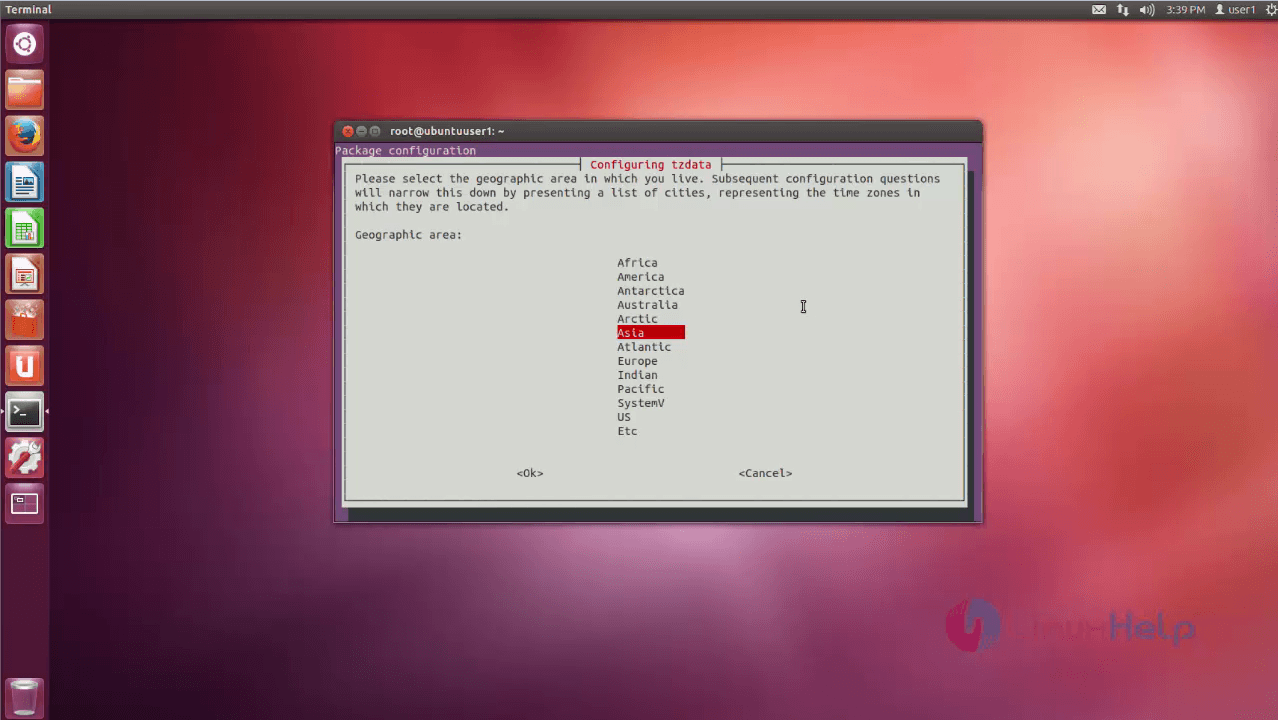
2
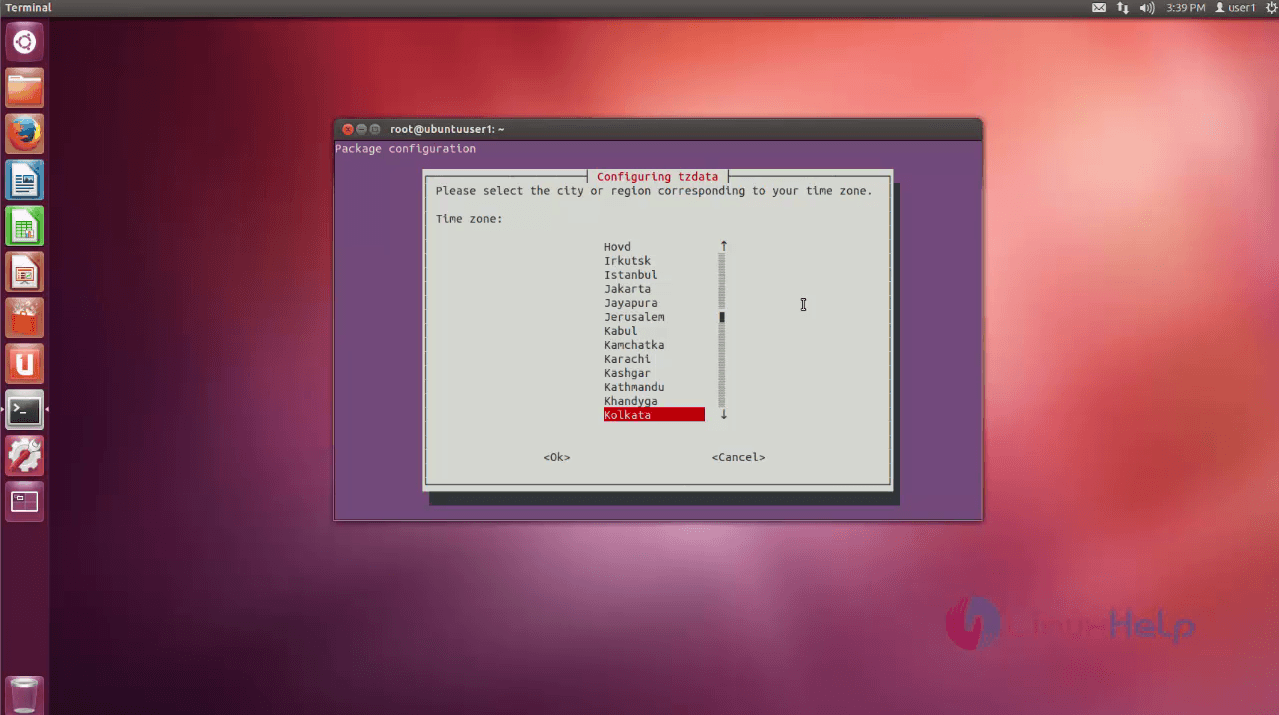
and then your city,
3
Set FQDN name, and public ip. Once it is done, press “ y” to continue the installation
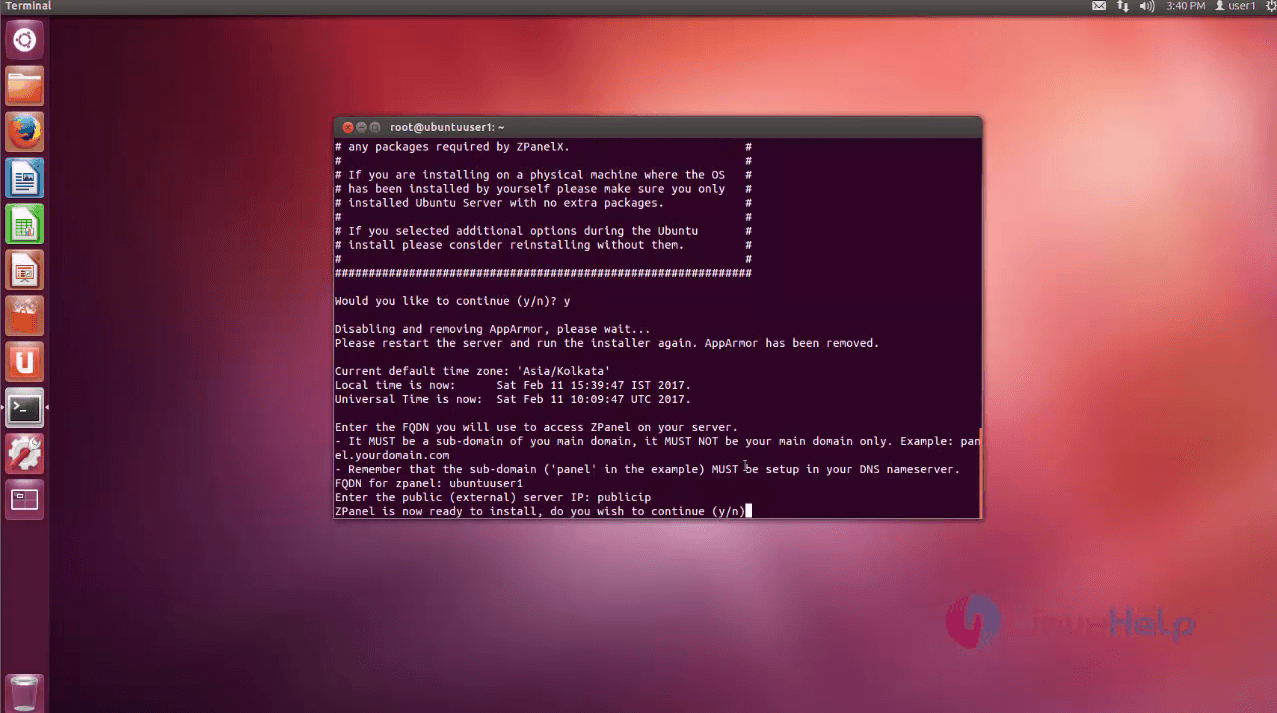
4
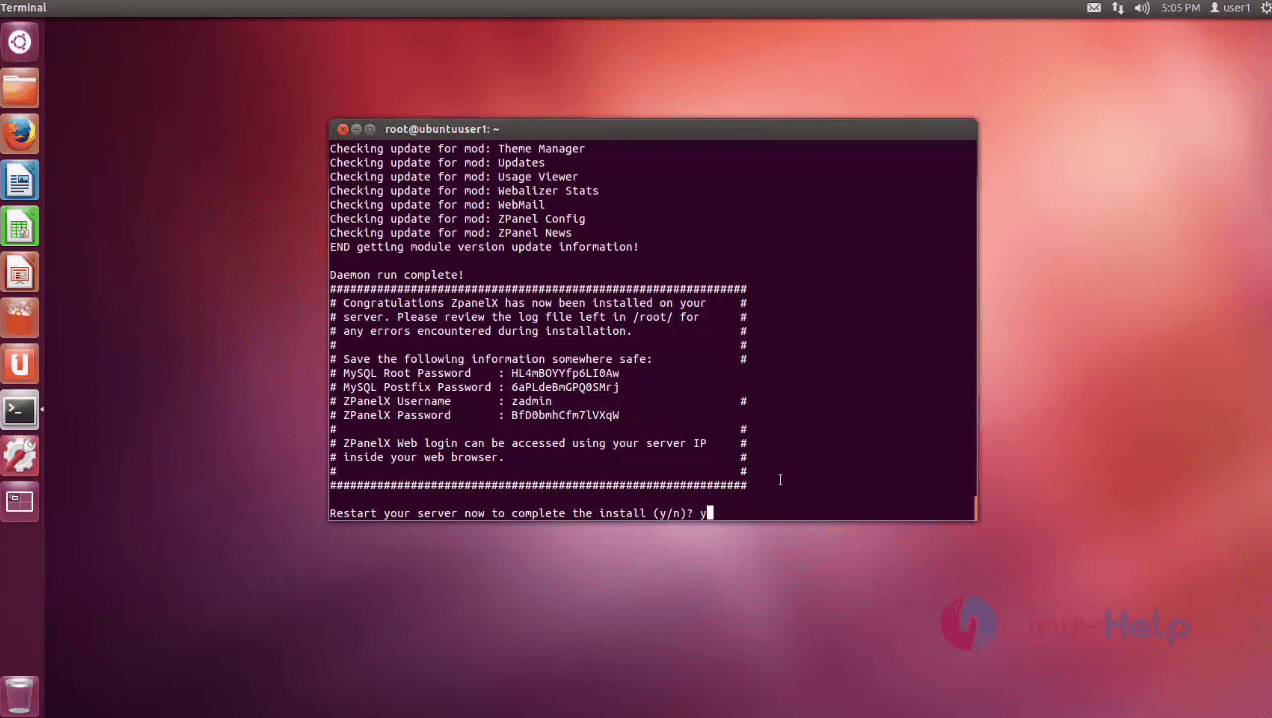
Once the installation is done, it displays all authentication details. Save save it. By default it is saved on your “ /root/” directory as “ password.txt” .
5
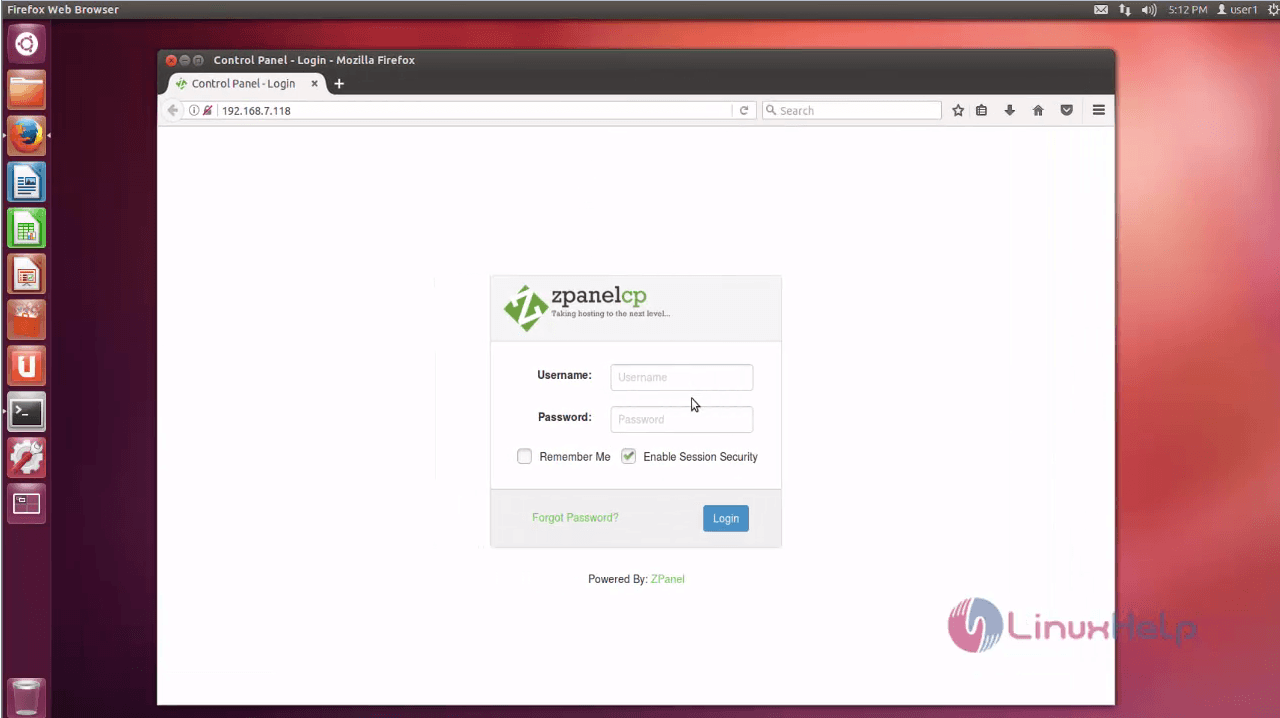
Once it is done, open the browser and type local ip address, now you can access Zpanel user login page.
6

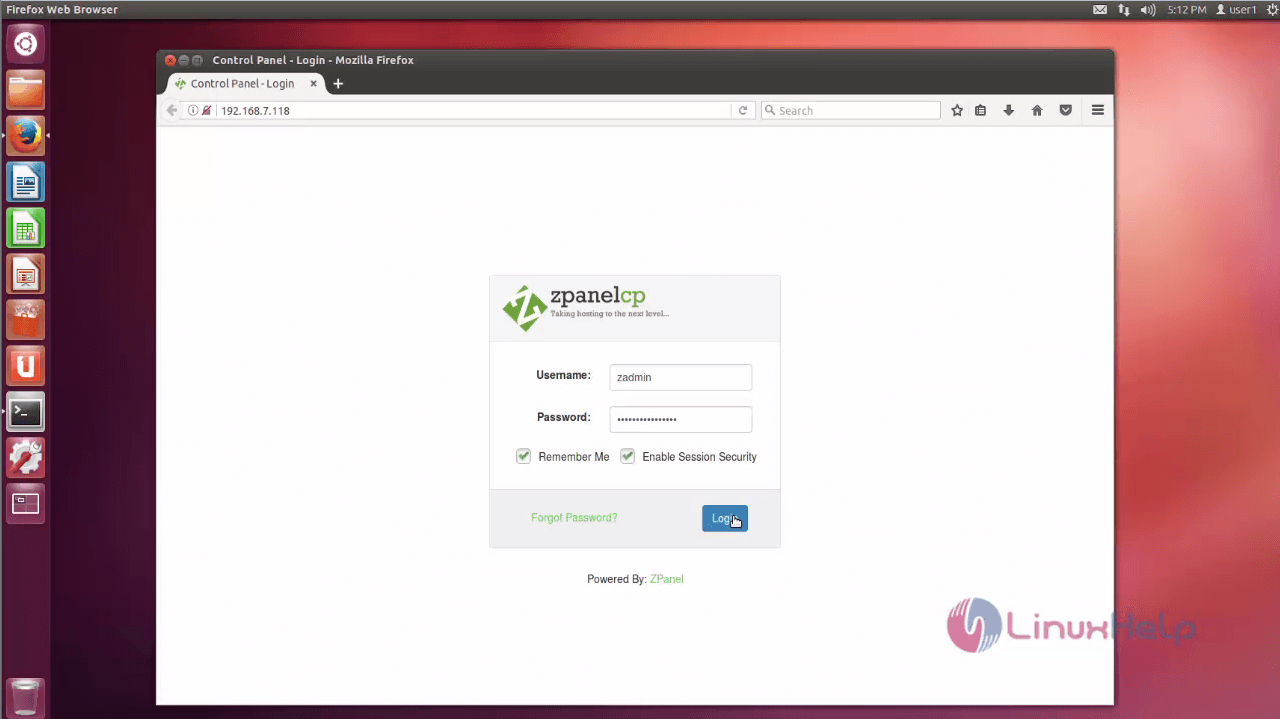
Enter your admin username and password.
7
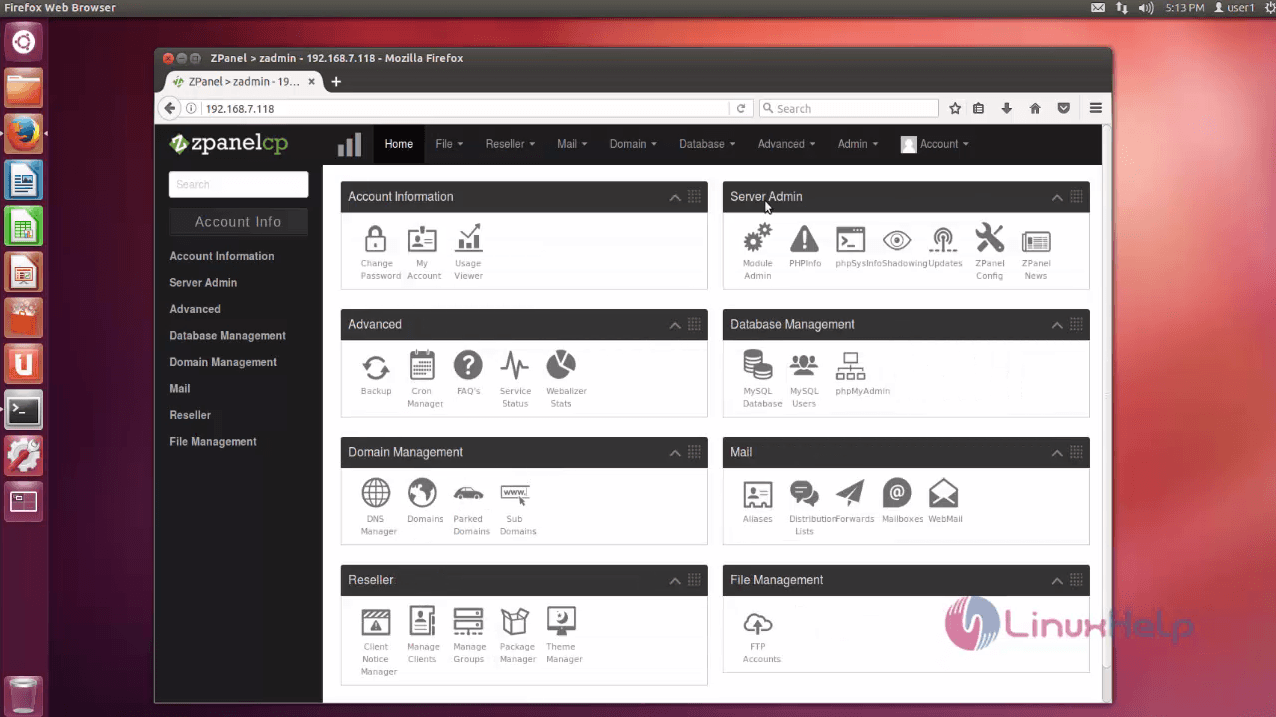
Once you have logged in, you' ll be able to view the dash board of Zpanel, its ready to use.
8

Tags:
jacob
Author: 

Comments ( 2 )

kollydaton
Hi @Amaresgr7 , I got same error too but fixed by using this ./10_1_1.sh Yea, use this ./10_1_1.sh instead of this ./ 10_1_1.sh Cheers!!!
amareshr7
Hi, after when I used chmod x 10_1_1.sh and executed this code ./ 10_1_1.sh in my SSH it says -bash: ./: Is a directory What can I do for that? I am trying to install on my AWS EC2 Instance
Add a comment
{{postCtrl.cmtErrMsg}}

Frequently asked questions ( 5 )

Q

How can add domains in zpanel and make it works fine?

A

*Login to Zpanel *Goto Domain Management (or) Domains *Add the domain *Goto DNS Management --> Select the Domain --> Click "Create Records"

Q

How to access Your zPanel Installation?

A

After your server reboots, you can access zPanel by going to your domain or IP address in the browser.
http://SERVERIP

Your login credentials are:
username: zadmin
password: password

Q

It supports FTP browser in zpanel?

A

A java based FTP browser accessible through the control panel.

Q

What is zpanel manager?

A

With this tool admins can restart all service with one click of the mouse, or with a command line in ZPM.

Q

What is the ZPanel File Unzipper?

A

To Upload and unzip zip files. The user can make a new folder structure to store their unzipped data in too. It is recommended that users upload there zip file using FTP then unzip the file using this module as the upload is basic and take a while with big files though does the job.

Back To Top!
Rank
User
Points

Top Contributers

userNamenaveelansari
135850

Top Contributers

userNameayanbhatti
92510

Top Contributers

userNamehamzaahmed
32150

Top Contributers

1
userNamelinuxhelp
31040

Top Contributers

userNamemuhammadali
24500
Can you help Sebastian ?
How to change non required to required field in SuiteCRM Custom/Default Modules

How to change not required to the required field in SuiteCRM Custom/Default Modules?

Networking
  • Routing
  • trunk
  • Netmask
  • Packet Capture
  • domain
  • HTTP Proxy
Server Setup
  • NFS
  • KVM
  • Memory
  • Sendmail
  • WebDAV
  • LXC
Shell Commands
  • Cloud commander
  • Command line archive tools
  • last command
  • Shell
  • terminal
  • Throttle
Desktop Application
  • Linux app
  • Pithos
  • Retrospect
  • Scribe
  • TortoiseHg
  • 4Images
Monitoring Tool
  • Monit
  • Apache Server Monitoring
  • EtherApe 
  • Arpwatch Tool
  • Auditd
  • Barman
Web Application
  • Nutch
  • Amazon VPC
  • FarmWarDeployer
  • Rukovoditel
  • Mirror site
  • Chef
Contact Us | Terms of Use| Privacy Policy| Disclaimer
© 2025 LinuxHelp.com All rights reserved. Linux™ is the registered trademark of Linus Torvalds. This site is not affiliated with linus torvalds in any way.