• Categories
    Category
    {{ postCtrl.tags }}
    • {{ category.tag_type }}

      • {{tag.tag_name}}
      • View more
  • Categories
    Category
    {{ postCtrl.tags }}
    • {{ category.tag_type }}

      • {{tag.tag_name}}
      • View more
  • News
  • Tutorials
  • Forums
  • Tags
  • Users
Tutorial News Comments FAQ Related Articles

How to monitor network bandwidth using Iftop

{{postValue.id}}

Monitoring Network Bandwidth by using Iftop

Iftop is defined as an Interface Top. It is a command-line system monitoring tool that produces a frequently-updated list of network connections. It is a real time network bandwidth monitoring tool that displays a quick overview of network activities.


To Install Iftop

[root@linuxhelp Desktop]# yum install iftop
Loaded plugins: aliases, changelog, fastestmirror, kabi, presto, refresh-packagekit, security, tmprepo,
              : verify, versionlock
Loading support for CentOS kernel ABI
Setting up Install Process
Loading mirror speeds from cached hostfile
 * base: centos.webwerks.com
 * extras: centos.webwerks.com
 * rpmforge: mirror.oscc.org.my
.
.
.
  Installing : iftop-1.0-0.pre3.el6.rf.x86_64                                                            1/1
  Verifying  : iftop-1.0-0.pre3.el6.rf.x86_64                                                            1/1
Installed:
  iftop.x86_64 0:1.0-0.pre3.el6.rf                                                                           
Complete!

Run the iftop command to monitor the network bandwidth.

[root@linuxhelp Desktop]# iftop
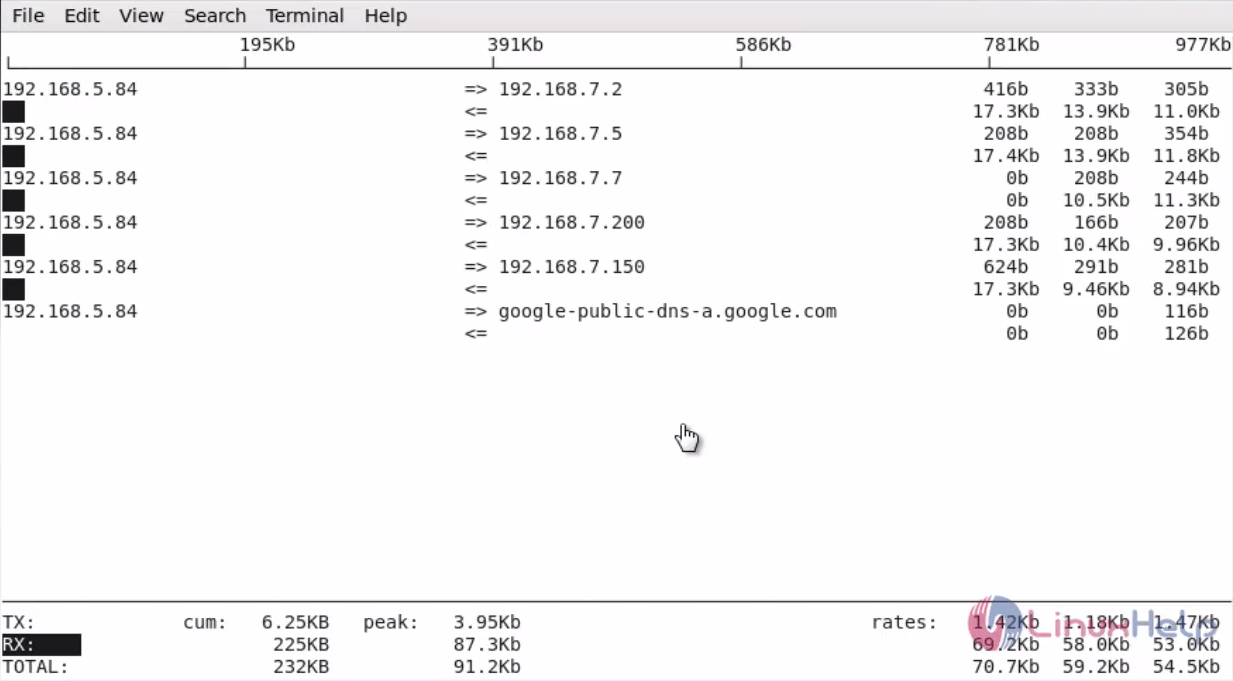
Iftop-real-time-network-bandwidth-monitoring-tool

Press option ‘ S’ to view the port number of the source host.
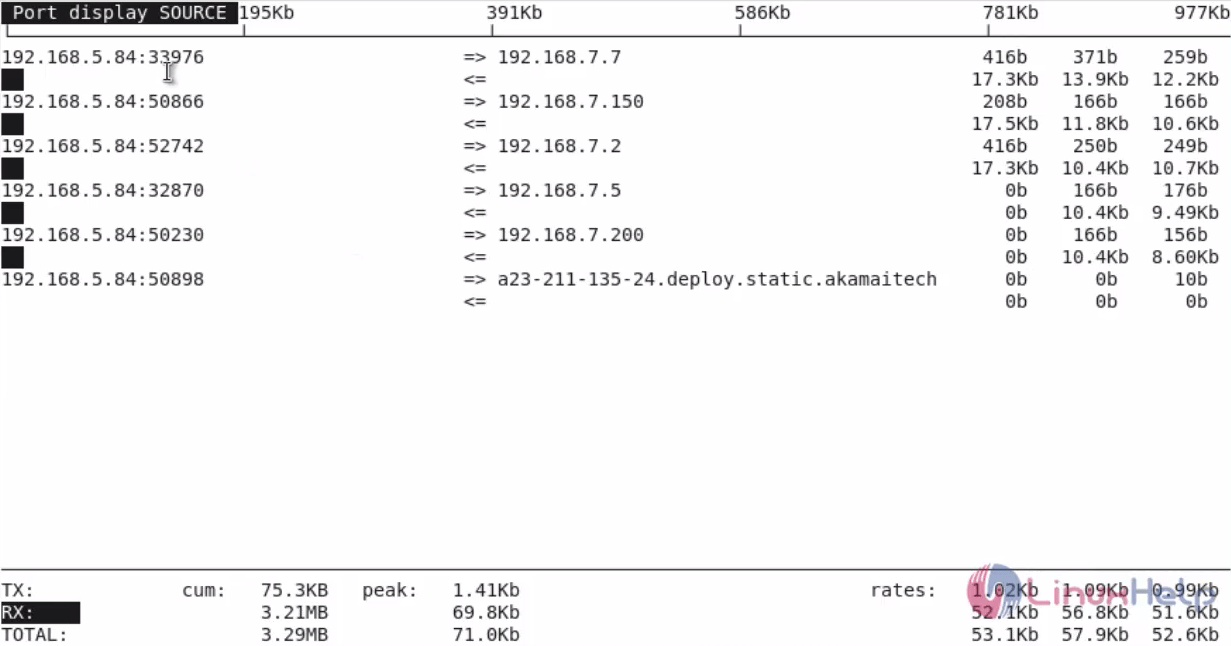
Iftop-real-time-network-bandwidth-monitoring-tool-view-port-source-host

Press option ‘ D’ to view the port number of the destination host.
Iftop-real-time-network-bandwidth-monitoring-tool-view-port-destination-host

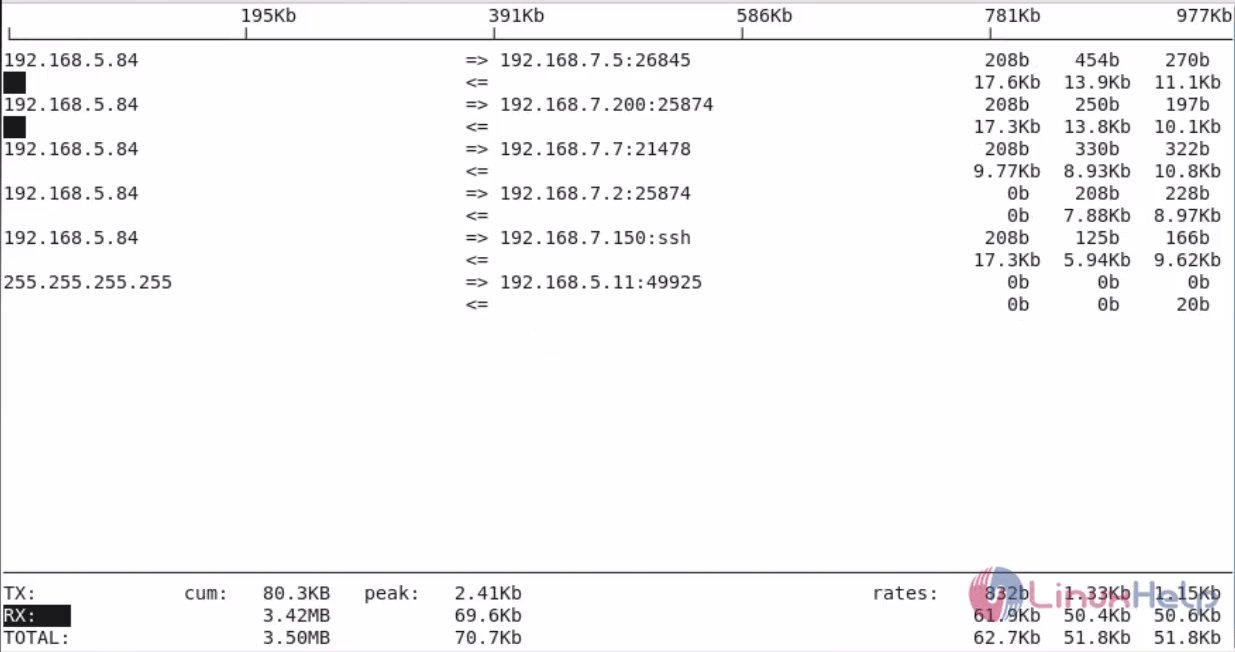
To display both source and destination port number press ‘ p’ .
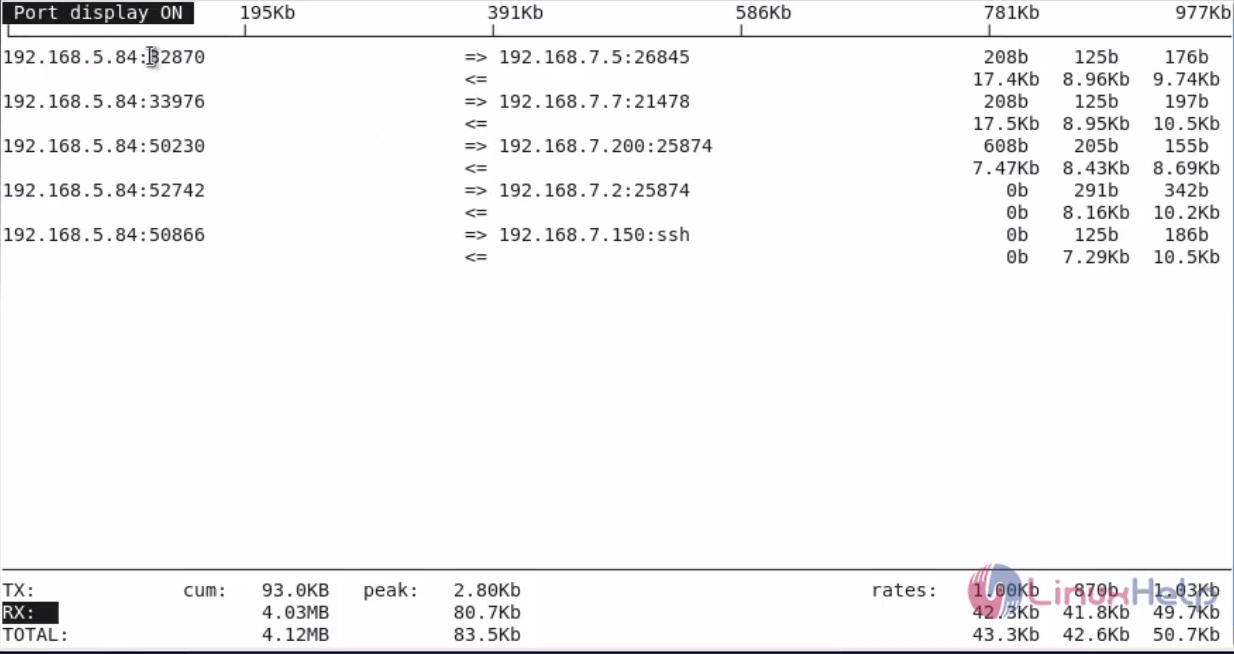
Iftop-real-time-network-bandwidth-monitoring-tool-display-source-destination-port

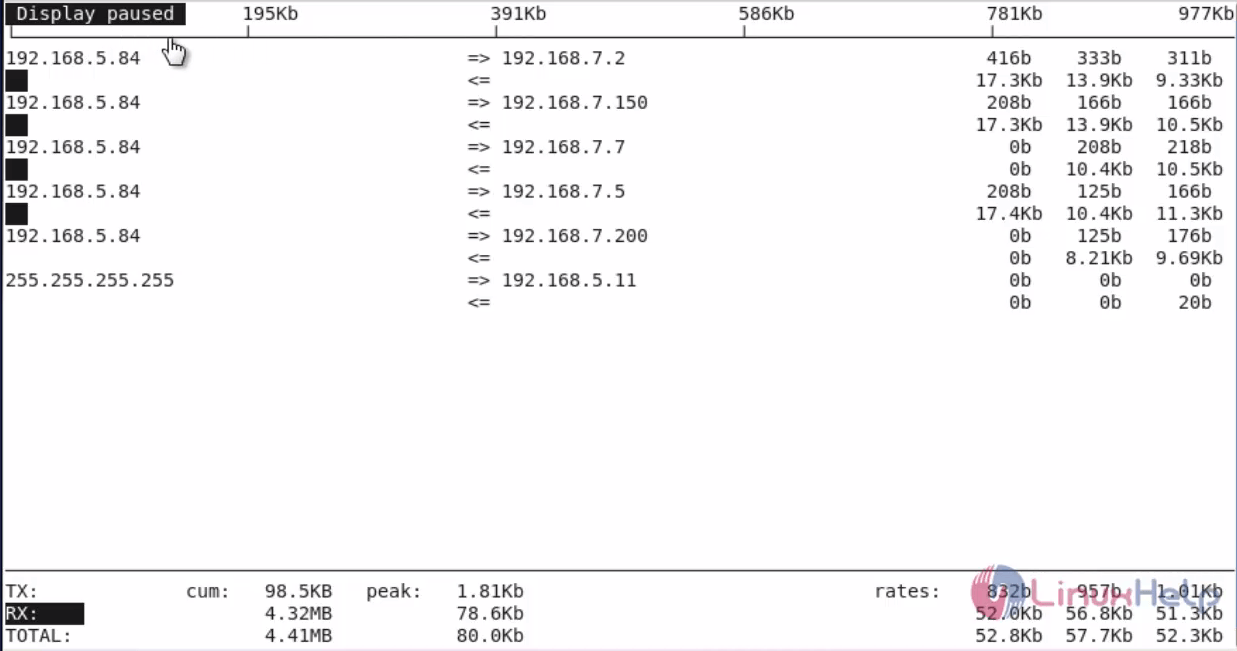
To Pause iftop press ‘ P’ .
Iftop-real-time-network-bandwidth-monitoring-tool-Pause-iftop

To hide the source host ip address press ’ s’ .
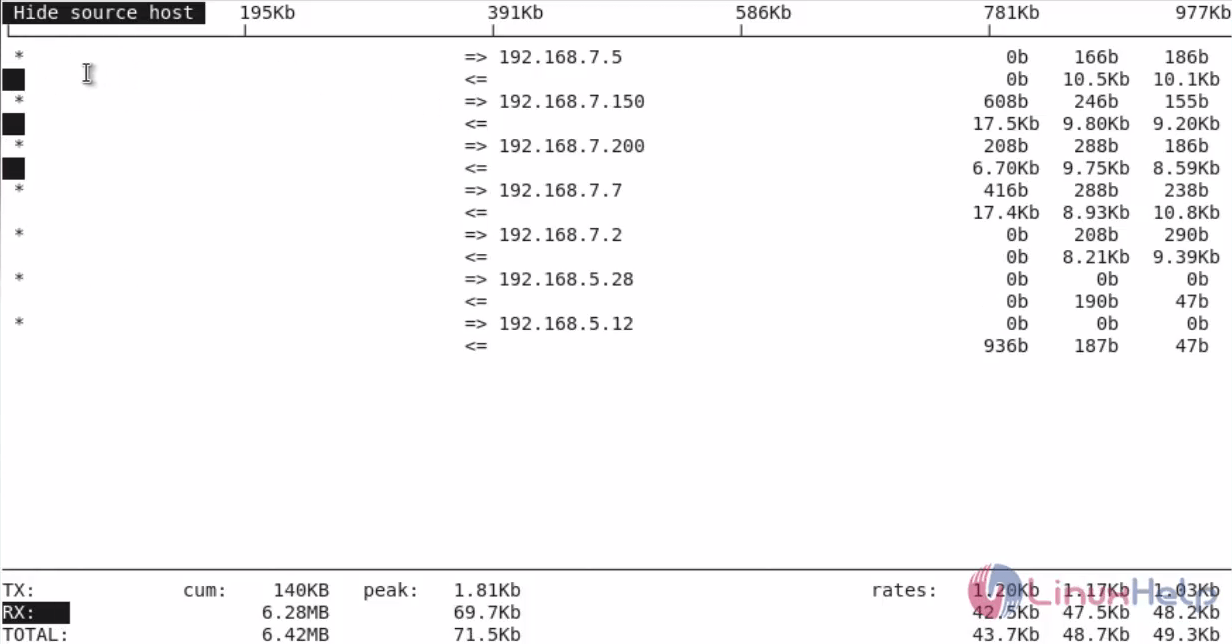
Iftop-real-time-network-bandwidth-monitoring-tool-hide-source-host-ip

To hide the destination host ip address press ‘ d’ .
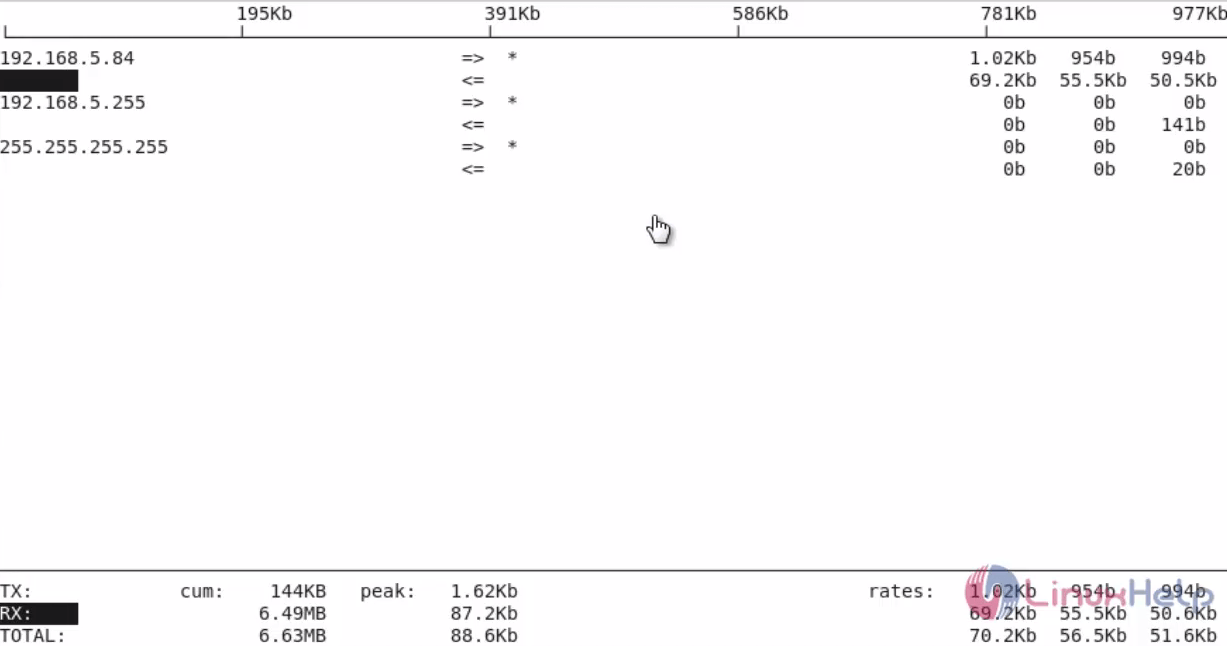
Iftop-real-time-network-bandwidth-monitoring-tool-hide-destination-host-ip

To hide the statistics bar press ‘ b’ .
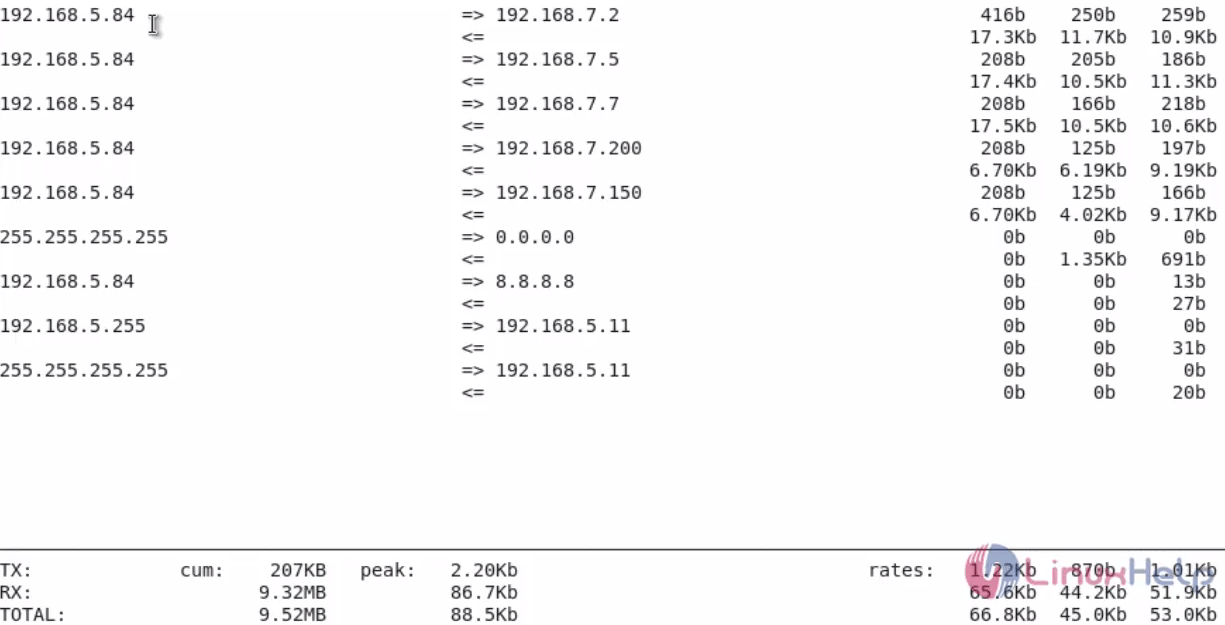
Iftop-real-time-network-bandwidth-monitoring-tool-hide-statistics-bar

To display the cumulative totals press ‘ T’ .
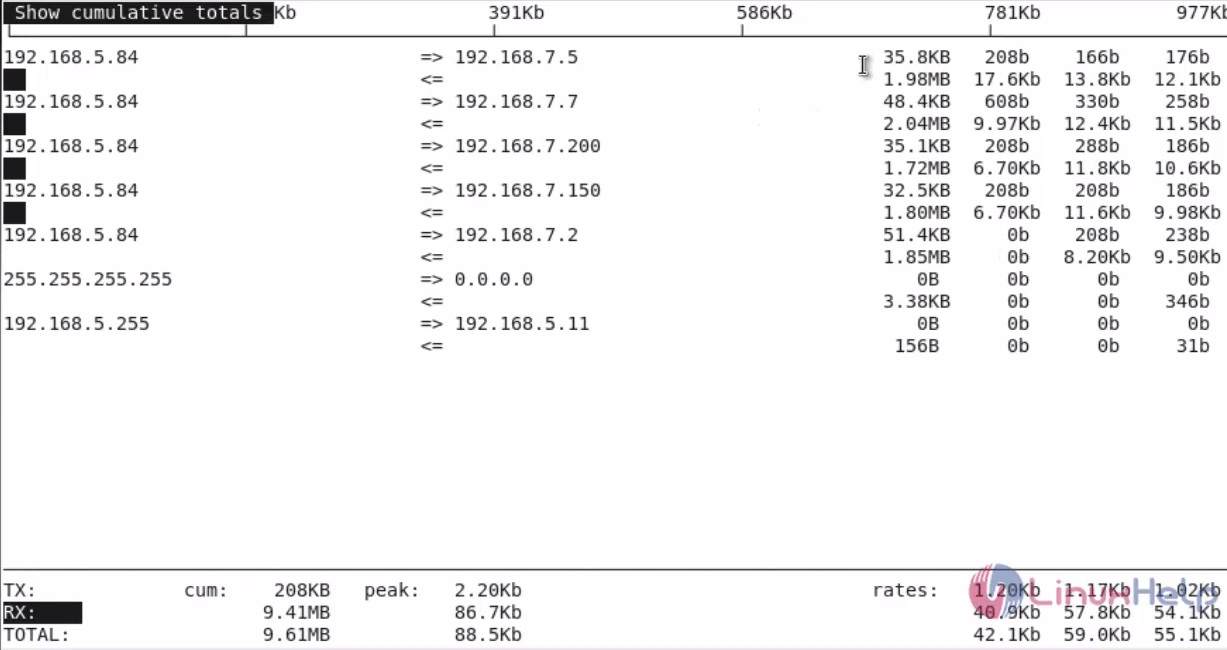
Iftop-real-time-network-bandwidth-monitoring-tool-cumulative-totals

Tags:
jacob
Author: 

Comments ( 0 )

No comments available

Add a comment
{{postCtrl.cmtErrMsg}}

Frequently asked questions ( 5 )

Q

How do I know the entire information and option will be available for "Foreman"?

A

For getting the information and option to be available for "iftop", execute the following command on the terminal "https://projects.theforeman.org/projects/foreman/wiki/Database_configuration"

Q

How to install Iftopn on Linuxmint?

A

The following tutorial will explain the installation of "iftop" on Linuxmint as "https://www.linuxhelp.com/how-to-install-iftop-and-use-it-on-linux-mint-18-3/"

Q

What is the Alternative tool available for the Iftop?

A

The following tools are alternative for the "iftop",
Nload, Iptraf, nethogs, bmon and etc.,

Q

How to Display bandwidth rates in bytes/sec using the "iftop" command?

A

For getting the information of bandwidth rates in bytes/sec using the "iftop" command, use the syntax as follow " iftop -B"

Q

How to set do not display the bar graphs of traffic in "iftop"?

A

Use the option of "-b" with "iftop" command to set do not display the bar graphs of traffic in "iftop". For syntax: "iftop -b"

Back To Top!
Rank
User
Points

Top Contributers

userNamenaveelansari
135850

Top Contributers

userNameayanbhatti
92510

Top Contributers

userNamehamzaahmed
32150

Top Contributers

1
userNamelinuxhelp
31040

Top Contributers

userNamemuhammadali
24500
Can you help Elijah ?
Remote Desktop Connection Has Stopped Working

When accessing my remote machine server using remote desktop on a windows machine I am getting this error

forum (1)

Networking
  • Routing
  • trunk
  • Netmask
  • Packet Capture
  • domain
  • HTTP Proxy
Server Setup
  • NFS
  • KVM
  • Memory
  • Sendmail
  • WebDAV
  • LXC
Shell Commands
  • Cloud commander
  • Command line archive tools
  • last command
  • Shell
  • terminal
  • Throttle
Desktop Application
  • Linux app
  • Pithos
  • Retrospect
  • Scribe
  • TortoiseHg
  • 4Images
Monitoring Tool
  • Monit
  • Apache Server Monitoring
  • EtherApe 
  • Arpwatch Tool
  • Auditd
  • Barman
Web Application
  • Nutch
  • Amazon VPC
  • FarmWarDeployer
  • Rukovoditel
  • Mirror site
  • Chef
Contact Us | Terms of Use| Privacy Policy| Disclaimer
© 2025 LinuxHelp.com All rights reserved. Linux™ is the registered trademark of Linus Torvalds. This site is not affiliated with linus torvalds in any way.