How to Redirect a website using Virtual Host on Ubuntu 21.04
- 00:37 lsb_release -a
- 00:54 sudo -s
- 01:01 cd ~
- 01:14 apt install apache2
- 01:30 vi /etc/apache2/sites-available/linuxhelp1.com.conf
- 03:08 mkdir /var/www/html/linuxhelp1
- 03:31 vi /var/www/html/linuxhelp1/index.html
- 05:30 chown -R www-data. /var/www/html/linuxhelp1
- 06:22 vi /etc/hosts
- 07:00 cd /etc/apache2/sites-available/
- 07:18 a2ensite linuxhelp1.com.conf
- 07:37 systemctl reload apache2
- 08:22 vi linuxhelp1.com.conf
- 09:22 systemctl reload apache2
Method to Redirect a website using Virtual Host on Ubuntu 21.04
Introduction:
In the web server, URL redirect is a technique of pointing one domain or address to another domain or address. It is also an open-source platform that has numerous powerful features and is also regarded as the most prominent web server.
Installation Procedure :
Steps 1: Verifying the OS versionby using following command
linuxhelp@linuxhelp:~$ lsb_release -a
No LSB modules are available.
Distributor ID:	Ubuntu
Description:	Ubuntu 21.04
Release:	21.04
Codename:	hirsute
Steps 2: Changing as Root user by using following command
linuxhelp@linuxhelp:~$ sudo -s
[sudo] password for linuxhelp:
Steps 3 :Changing the Home Directory to root
root@linuxhelp:/home/linuxhelp# cd ~
Steps 4: Installing apache web server
root@linuxhelp:~# apt install apache2
Reading package lists... Done
Building dependency tree... Done
Reading state information... Done
Suggested packages:
apache2-doc apache2-suexec-pristine | apache2-suexec-custom
The following NEW packages will be installed:
  apache2
0 upgraded, 1 newly installed, 0 to remove and 262 not upgraded.
Need to get 95.9 kB of archives.
After this operation, 543 kB of additional disk space will be used.
Get:1 http://in.archive.ubuntu.com/ubuntu hirsute-updates/main amd64 apache2 amd64 2.4.46-4ubuntu1.3 [95.9 kB]
Fetched 95.9 kB in 0s (580 kB/s)
Selecting previously unselected package apache2.
(Reading database ... 149036 files and directories currently installed.)
Preparing to unpack .../apache2_2.4.46-4ubuntu1.3_amd64.deb ...
Unpacking apache2 (2.4.46-4ubuntu1.3) ...
Setting up apache2 (2.4.46-4ubuntu1.3) ...
Created symlink /etc/systemd/system/multi-user.target.wants/apache2.service → /lib/systemd/system/apache2.service.
Created symlink /etc/systemd/system/multi-user.target.wants/apache-htcacheclean.service → /lib/systemd/system/apache-htcacheclean.se
rvice.
Processing triggers for man-db (2.9.4-2) ...
Processing triggers for ufw (0.36-7.1) ...
Steps 5 :Configuring the virtual host for linuxhelp1.com
root@linuxhelp:~# vi /etc/apache2/sites-available/linuxhelp1.com.conf


<VirtualHost *:80>

ServerName www.linuxhelp1.com
DocumentRoot /var/www/html/linuxhelp1

</VirtualHost>
Steps 6: Making document Root directory as linuxhelp1
root@linuxhelp:~# mkdir /var/www/html/linuxhelp1
Steps 7: Making the index.html file for linuxhelp1.com
root@linuxhelp:~# vi /var/www/html/linuxhelp1/index.html

<!DOCTYPE html>

<html>

<body>

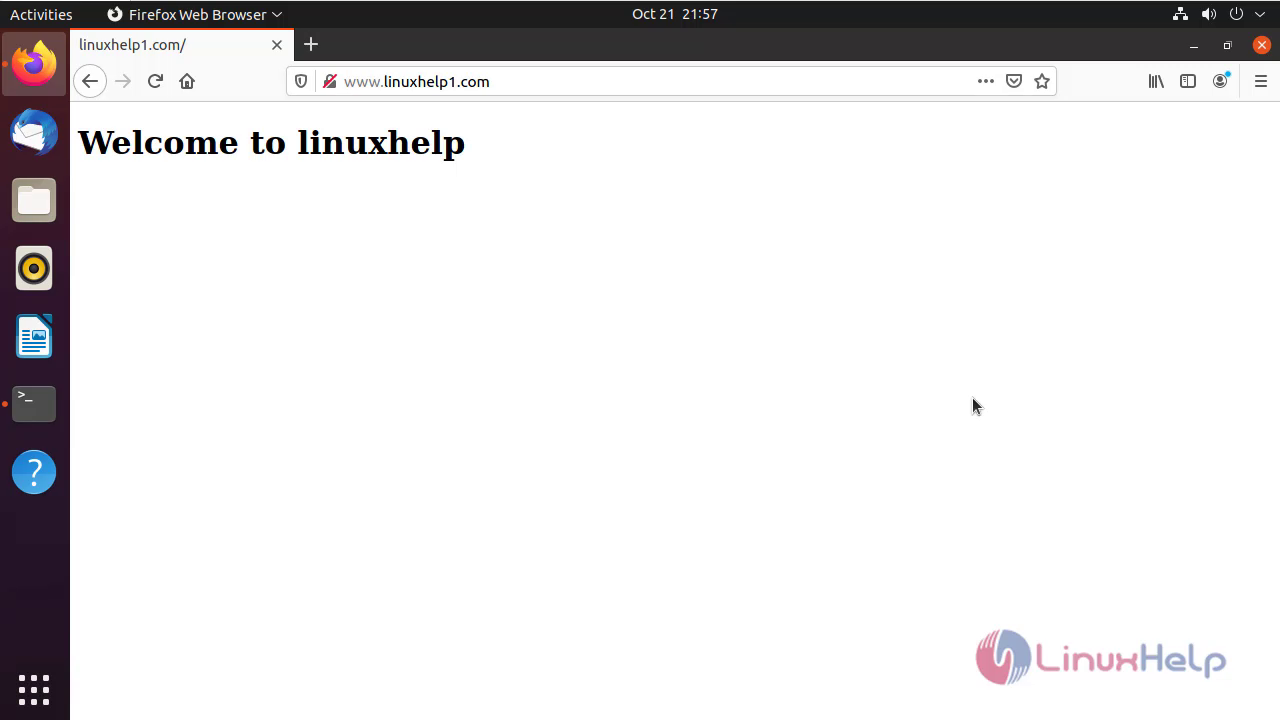
<h1>Welcome to linuxhelp</h1>


</body>
</html>
Steps 8: Giving Ownership for DocumentRoot directory
root@linuxhelp:~# chown -R www-data. /var/www/html/linuxhelp1
Steps 9: Editing Host Entry for linuxhelp1.com
root@linuxhelp:~# vi /etc/hosts
Steps 10: Changing to the sites-available directory
root@linuxhelp:~# cd /etc/apache2/sites-available/
Steps 11: Enabling the site by using following command
root@linuxhelp:/etc/apache2/sites-available# a2ensite linuxhelp1.com.conf
Enabling site linuxhelp1.com.
To activate the new configuration, you need to run:
systemctl reload apache2
Steps 12: Reloading the service by using following command
root@linuxhelp:/etc/apache2/sites-available# systemctl reload apache2
Steps 13: Ping the domain in browser\
Steps 14: Reconfigure the virtual host for linuxhelp1.com
root@linuxhelp:/etc/apache2/sites-available# vi linuxhelp1.com.conf


<VirtualHost *:80>

ServerName www.linuxhelp1.com
 Redirect / https://www.google.com
DocumentRoot /var/www/html/linuxhelp1

</VirtualHost>
Steps 15: Reloading the service by using following command
root@linuxhelp:/etc/apache2/sites-available# systemctl reload apache2
Steps 16: Refreshing the domain in browser again
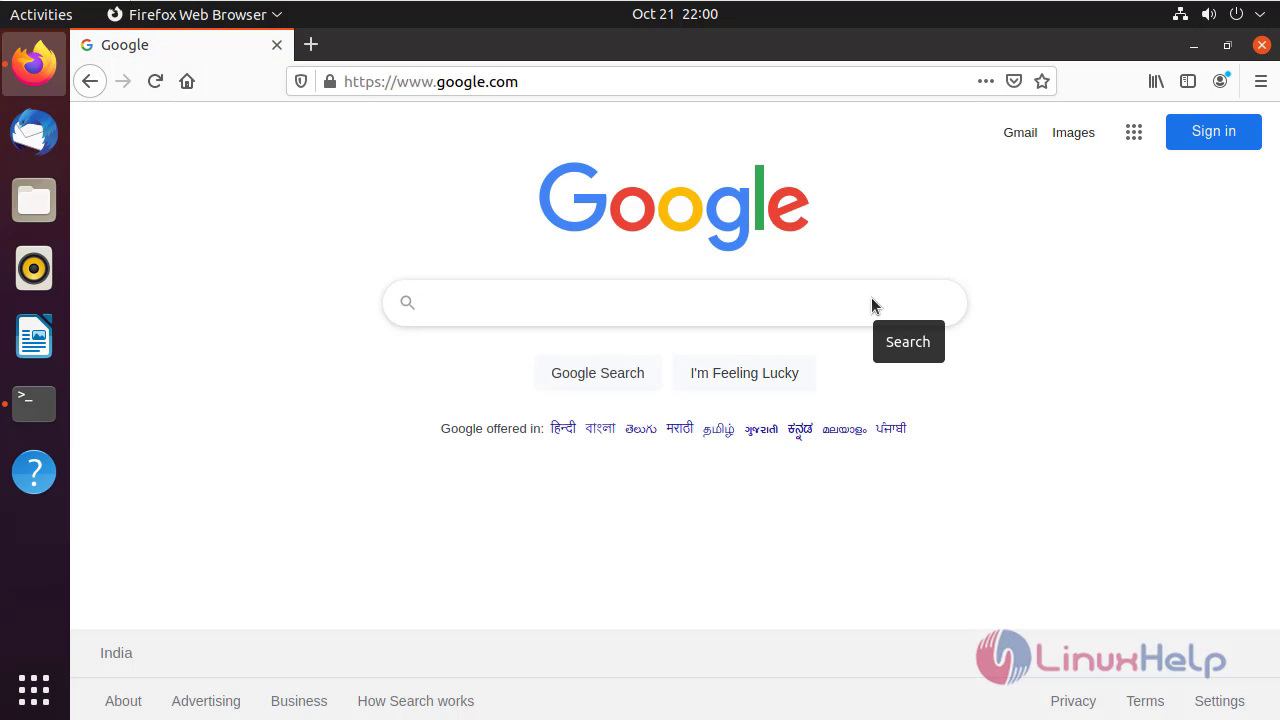
By this redirecting a website using virtual host comes to end
Comments ( 0 )
No comments available