• Categories
    Category
    {{ postCtrl.tags }}
    • {{ category.tag_type }}

      • {{tag.tag_name}}
      • View more
  • Categories
    Category
    {{ postCtrl.tags }}
    • {{ category.tag_type }}

      • {{tag.tag_name}}
      • View more
  • News
  • Tutorials
  • Forums
  • Tags
  • Users
Tutorial News Comments FAQ Related Articles

How to reset Gitlab admin password using Rake Task on Ubuntu 21.04

  • 00:55 lsb_release -a
  • 01:06 sudo -s
  • 01:16 cd ~
  • 01:25 gitlab-rake "gitlab:password:reset"
{{postValue.id}}

To Reset Gitlab Admin Password Using Rake Task on Ubuntu 21.04

Introduction

Gitlab is a Devops tool that manages Git repositories through a web interface. Rake is a popular task runner for Ruby, and it is a software task management and builds automation tool.

Installation Procedure:

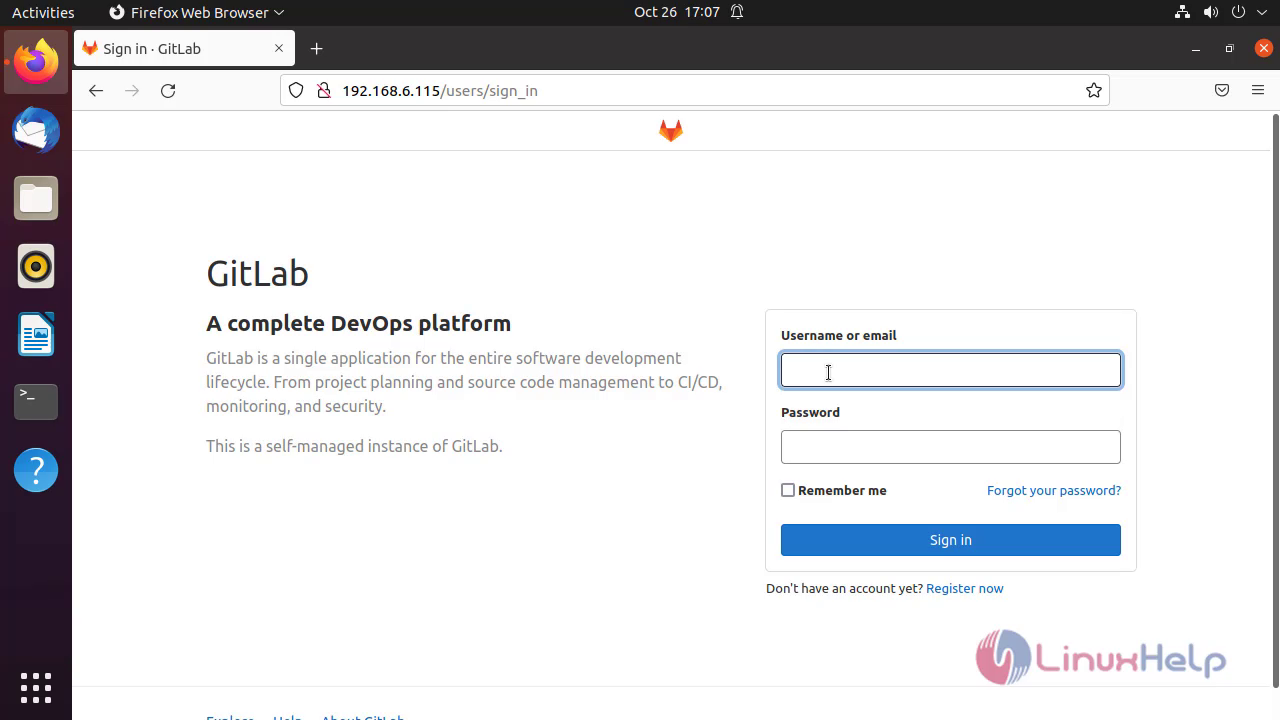
Step1: Log in on to the Gitlab Snap 1
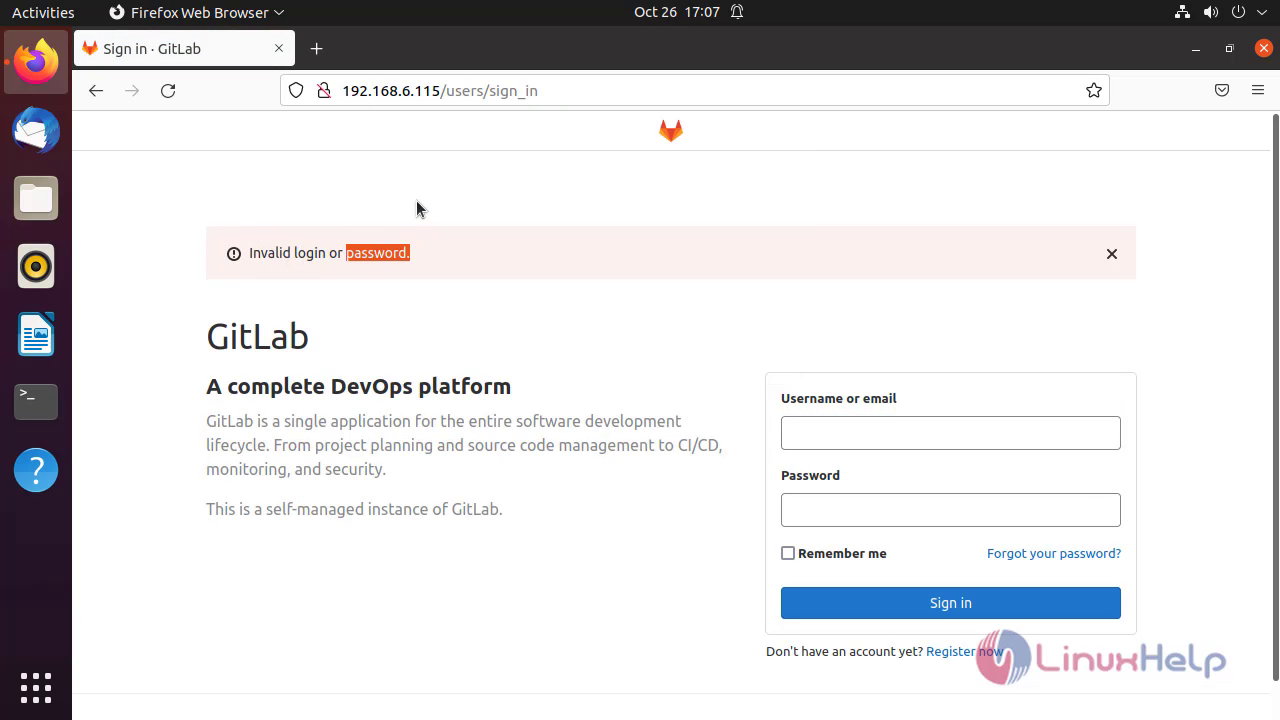
Step2: Show the invalid login password Snap 2
Step3: Check the OS version by using the following command

linuxhelp@linuxhelp:~$ lsb_release -a
No LSB modules are available.
Distributor ID:	Ubuntu
Description:	Ubuntu 21.04
Release:	21.04
Codename:	hirsute

Step4: Logon to the root user by using the following command

linuxhelp@linuxhelp:~$ sudo -s
[sudo] password for linuxhelp: 

Step5: Change to the Home directory by using the following command

root@linuxhelp:/home/linuxhelp# cd ~

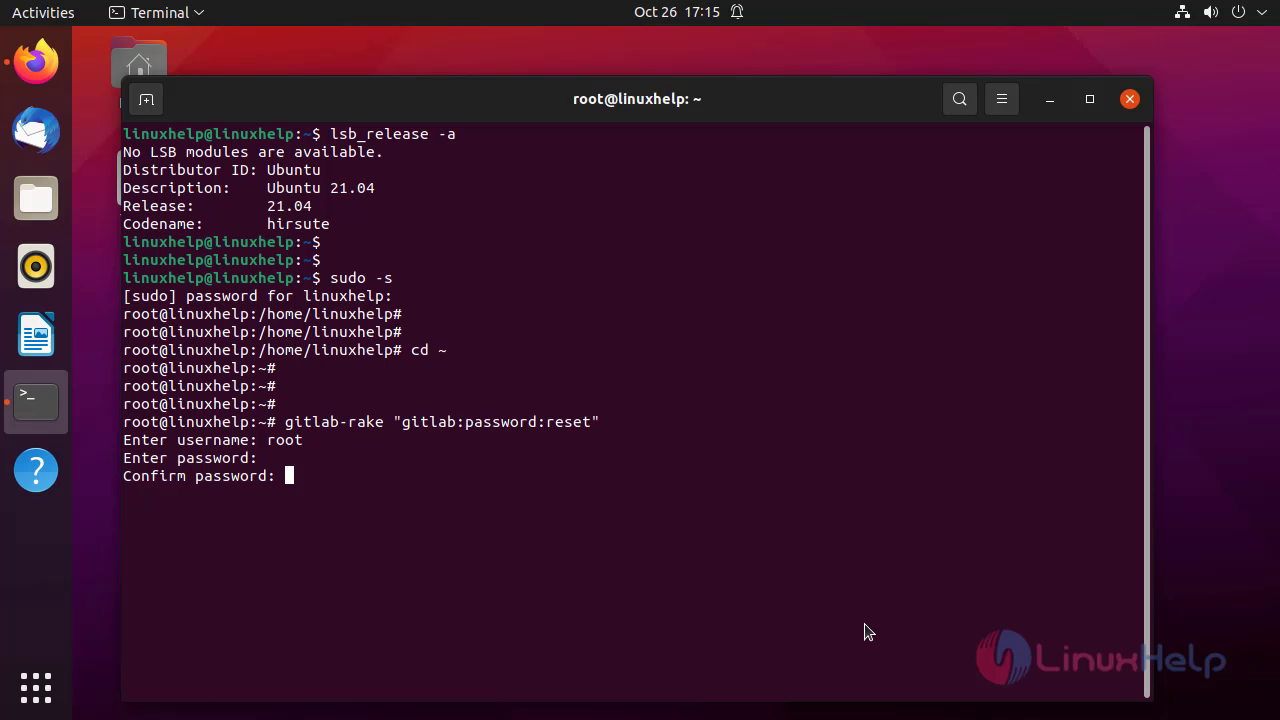
Step6: Reset the Admin user password by using the following command

root@linuxhelp:~# gitlab-rake "gitlab:password:reset"
Enter username: root
Enter password: 
Confirm password: 
Password successfully updated for user with username root.

Step7: Enter the new password and Confirmation password Snap 3
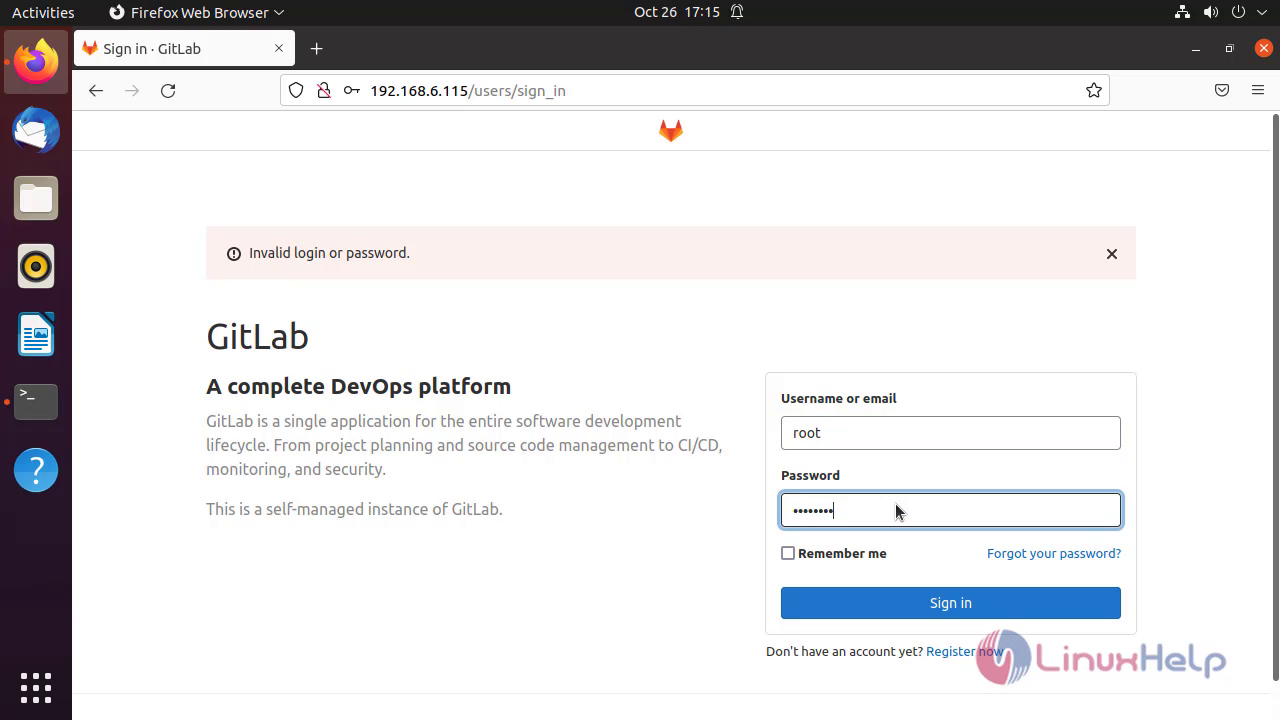
Step8: Login again with new password after reset Snap 4
Step9: Account logged in and Password change reflected successfully Snap 5
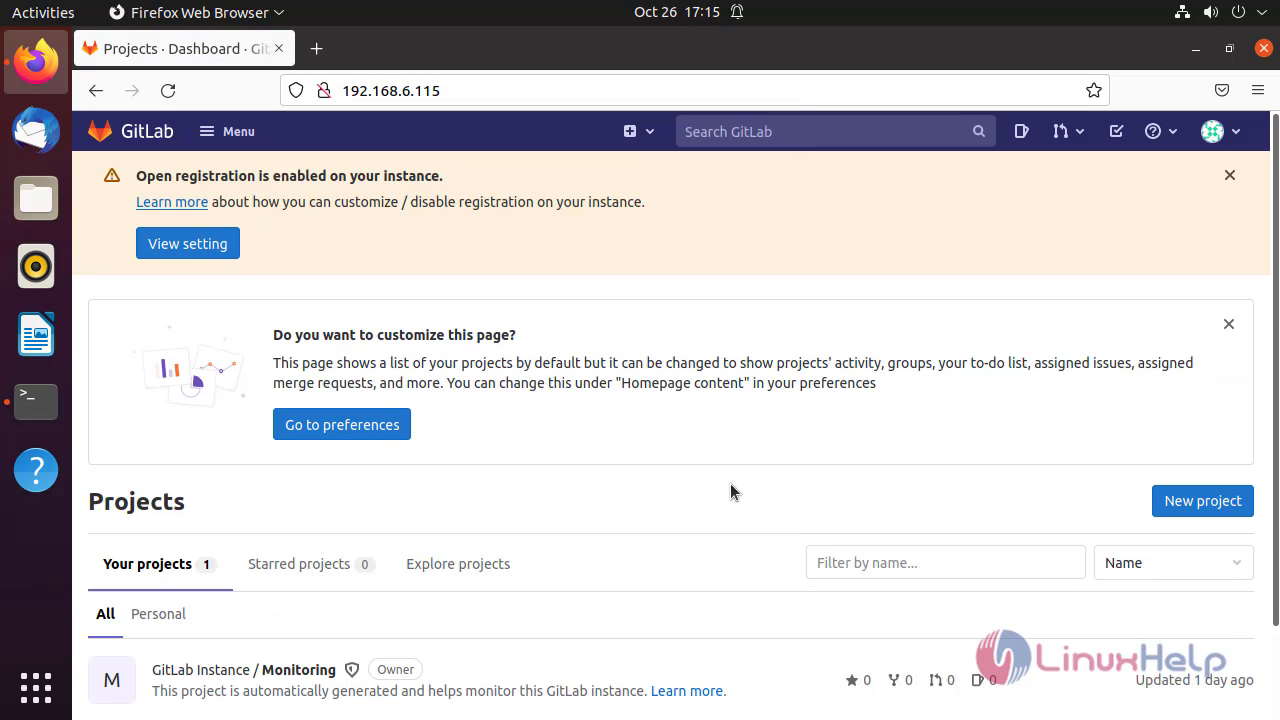
By this reset Gitlab admin password using Rake Task on Ubuntu 21.04 has been completed

Tags:
kishore
Author: 

Comments ( 0 )

No comments available

Add a comment
{{postCtrl.cmtErrMsg}}

Frequently asked questions ( 5 )

Q

What is a Rake task?

A

Rake is a popular task runner in Ruby.

Q

How to run Rake task?

A

To run a rake task, just call the rake command with the name of your task

Q

Where are Rake tasks defined?

A

User-defined rake tasks are located inside the lib/tasks folder.

Q

What is the extension of a rake task file?

A

The extension of a rake task file is ".rake"

Q

How to list all Tasks?

A

Use "rake -T" command to list all Tasks.

Back To Top!
Rank
User
Points

Top Contributers

userNamenaveelansari
135850

Top Contributers

userNameayanbhatti
92510

Top Contributers

userNamehamzaahmed
32150

Top Contributers

1
userNamelinuxhelp
31040

Top Contributers

userNamemuhammadali
24500
Can you help Jayce ?
What are the types of table used in IPtables

What are the various types of table used in IPtables and how to use that for my server security?

Networking
  • Routing
  • trunk
  • Netmask
  • Packet Capture
  • domain
  • HTTP Proxy
Server Setup
  • NFS
  • KVM
  • Memory
  • Sendmail
  • WebDAV
  • LXC
Shell Commands
  • Cloud commander
  • Command line archive tools
  • last command
  • Shell
  • terminal
  • Throttle
Desktop Application
  • Linux app
  • Pithos
  • Retrospect
  • Scribe
  • TortoiseHg
  • 4Images
Monitoring Tool
  • Monit
  • Apache Server Monitoring
  • EtherApe 
  • Arpwatch Tool
  • Auditd
  • Barman
Web Application
  • Nutch
  • Amazon VPC
  • FarmWarDeployer
  • Rukovoditel
  • Mirror site
  • Chef
Contact Us | Terms of Use| Privacy Policy| Disclaimer
© 2025 LinuxHelp.com All rights reserved. Linux™ is the registered trademark of Linus Torvalds. This site is not affiliated with linus torvalds in any way.