• Categories
    Category
    {{ postCtrl.tags }}
    • {{ category.tag_type }}

      • {{tag.tag_name}}
      • View more
  • Categories
    Category
    {{ postCtrl.tags }}
    • {{ category.tag_type }}

      • {{tag.tag_name}}
      • View more
  • News
  • Tutorials
  • Forums
  • Tags
  • Users
Tutorial News Comments FAQ Related Articles

How to Reset Login Password for Ajenti Web Panel

{{postValue.id}}

To Reset Login Password for Ajenti Web Panel

Ajenti is an open source, web-based control panel used for managing the server. It has a myriad of functions which includes installing packages and running commands. Also, it can be used to view basic server information such as RAM in use, free disk space, etc. You can also reset your login password via Ajenti Web Panel, and this article will give you an in depth explanation on it.

To Reset Login Password

Open the configuration file of Ajenti by running the following command.

[root@linuxhelp ~]# vim /etc/ajenti/config.json

The configuration script looks as follows.
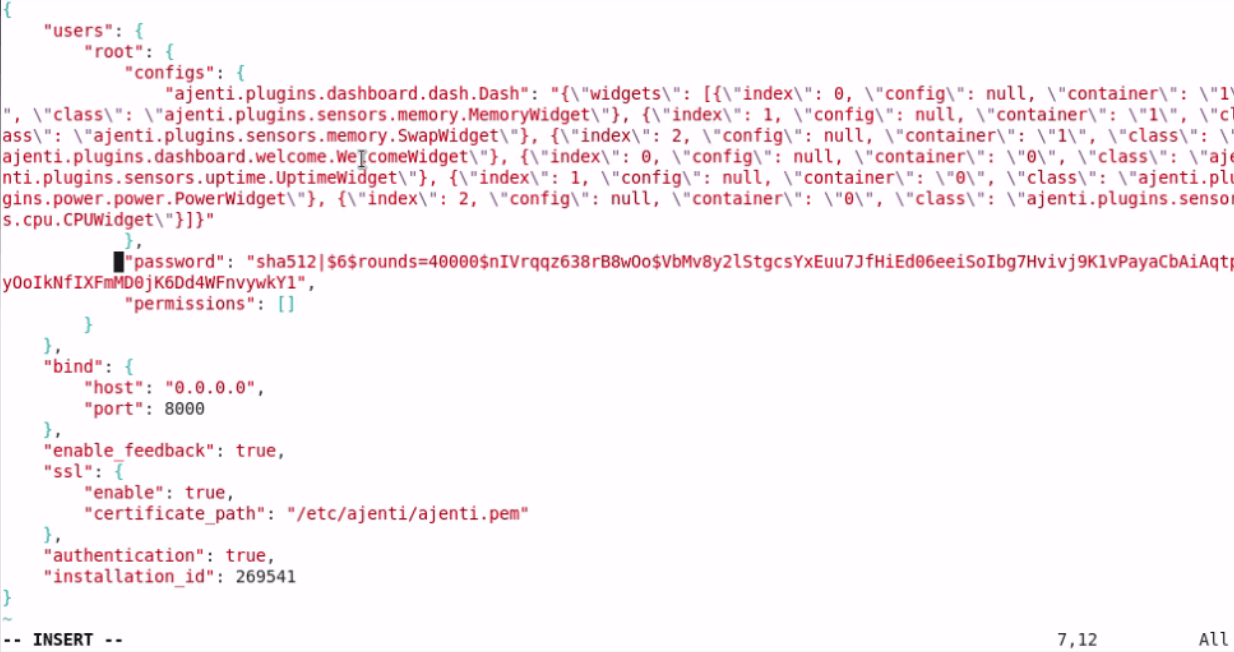
Ajenti_configuration

Once the file is opened, remove the content from password section and enter the new password. Use the following code for the same purpose.

" password" : " secure@#$" ,
            " permissions" : []
        },
        " indolering" : {
            " configs" : {},
            " password" : " secure@#$" ,
            " permissions" : []
        }
    },

Once the file is configured, restart the Ajenti service by running the following command.

[root@localhost Desktop]# service ajenti restart
Stopping Ajenti:
stopped                                                    [  OK  ]
Starting Ajenti:
21.03.2017 19:26 INFO  Using config file /etc/ajenti/config.json
started  

Now try to log into Ajenti with your newly assigned password.
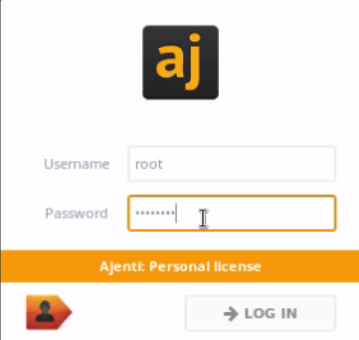
2

You can log into Ajenti, and the Ajenti Dashboard appears on your screen.
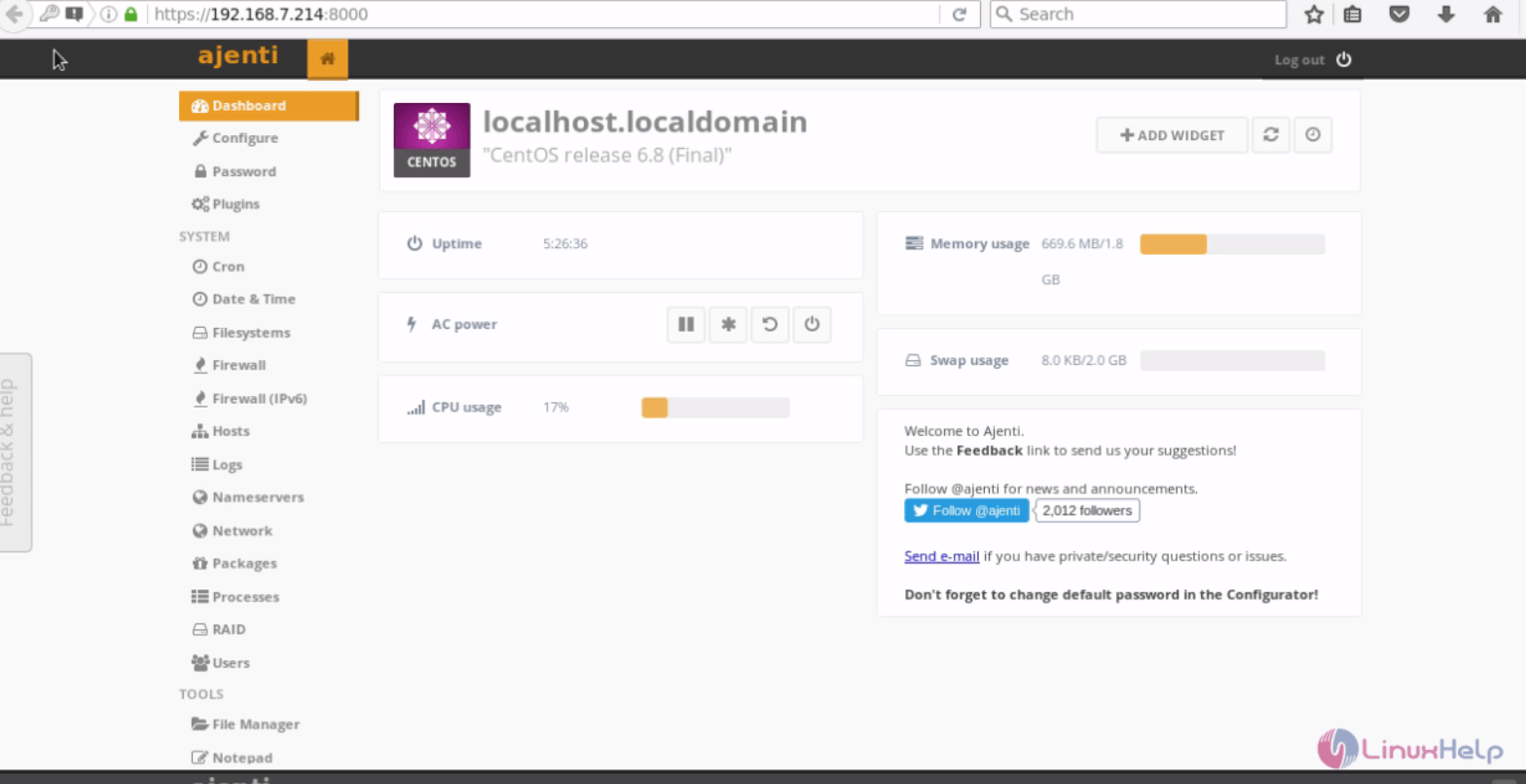
Ajenti_dashboard
So simple to reset the password, isn' t it? This way, you can easily reset your forgotten password for your Ajenti Web Panel.

Tags:
noah
Author: 

Comments ( 0 )

No comments available

Add a comment
{{postCtrl.cmtErrMsg}}

Frequently asked questions ( 5 )

Q

"How do I add domains/PHP/email accounts/websites?

"

A

"Pure Ajenti is a server control panel, not a hosting control panel. You need the Ajenti V add-on for web-hosting stuff: http://ajenti.org/#product-ajenti-v.

"

Q

"Pure Ajenti is a server control panel, not a hosting control panel. You need the Ajenti V add-on for web-hosting stuff: http://ajenti.org/#product-ajenti-v.

"

A

"Have you opened the port on the Firewall? what kind of blocking error you getting?. Use “yum remove ajenti” to un-install.

"

Q

I forgot my password. What will do?

A

"Open /etc/ajenti/config.json, look for your user entry and replace whole password hash entry with a new plaintext password. Restart Ajenti. Click “save” under “Configuration” to rehash the password.

"

Q

My OS isn’t supported, but I’m a brave adventurer? How to install ajenti webpanel?

A

"just run the following command,
# pip install ajenti
"

Q

"Can you suggest a similar control panel that can run on a low-end Fedora12 VPS?
Config similar to:
Memory: 64MB min/128MB Burstable | 500GB"

A

"Try Webmin panel.its very lightweight, not fancy like ajenti.

"

Back To Top!
Rank
User
Points

Top Contributers

userNamenaveelansari
135850

Top Contributers

userNameayanbhatti
92510

Top Contributers

userNamehamzaahmed
32150

Top Contributers

1
userNamelinuxhelp
31040

Top Contributers

userNamemuhammadali
24500
Can you help keel johnston ?
Unhide the folders on windows Explorer

Give any solutions to unhide folder using command prompt?

forum3

Networking
  • Routing
  • trunk
  • Netmask
  • Packet Capture
  • domain
  • HTTP Proxy
Server Setup
  • NFS
  • KVM
  • Memory
  • Sendmail
  • WebDAV
  • LXC
Shell Commands
  • Cloud commander
  • Command line archive tools
  • last command
  • Shell
  • terminal
  • Throttle
Desktop Application
  • Linux app
  • Pithos
  • Retrospect
  • Scribe
  • TortoiseHg
  • 4Images
Monitoring Tool
  • Monit
  • Apache Server Monitoring
  • EtherApe 
  • Arpwatch Tool
  • Auditd
  • Barman
Web Application
  • Nutch
  • Amazon VPC
  • FarmWarDeployer
  • Rukovoditel
  • Mirror site
  • Chef
Contact Us | Terms of Use| Privacy Policy| Disclaimer
© 2025 LinuxHelp.com All rights reserved. Linux™ is the registered trademark of Linus Torvalds. This site is not affiliated with linus torvalds in any way.