• Categories
    Category
    {{ postCtrl.tags }}
    • {{ category.tag_type }}

      • {{tag.tag_name}}
      • View more
  • Categories
    Category
    {{ postCtrl.tags }}
    • {{ category.tag_type }}

      • {{tag.tag_name}}
      • View more
  • News
  • Tutorials
  • Forums
  • Tags
  • Users
Tutorial News Comments FAQ Related Articles

How to reset the login password in Ubuntu 16.04

{{postValue.id}}

To reset the login password in Ubuntu 16.04

Did you forget your Ubuntu Login Password? Do not worry, you can easily reset it. This tutorial will inform you about the method to reset your Ubuntu Login password via single user mode.

To reset the login password

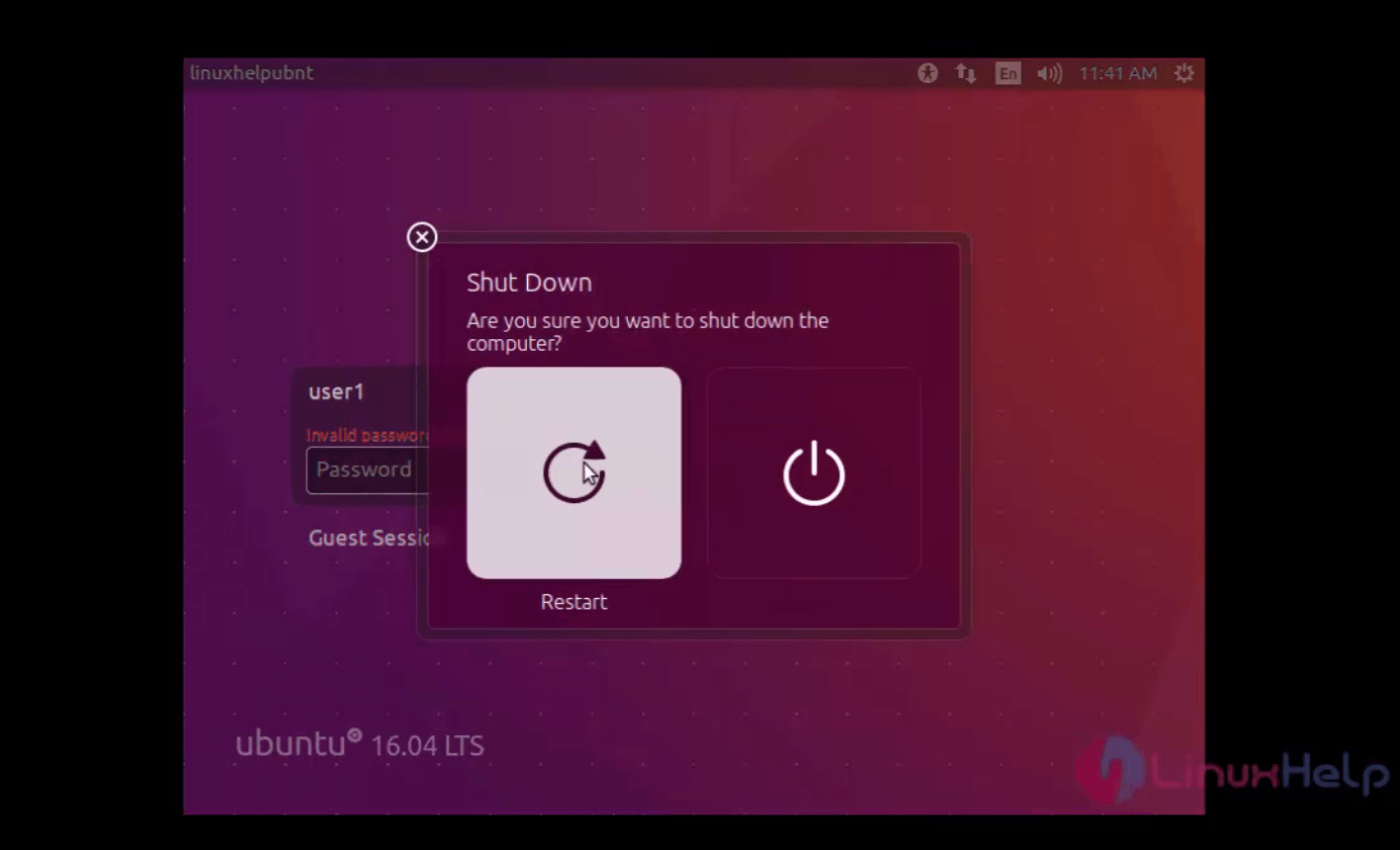
If you forgot your passord, restart your Ubuntu machine.
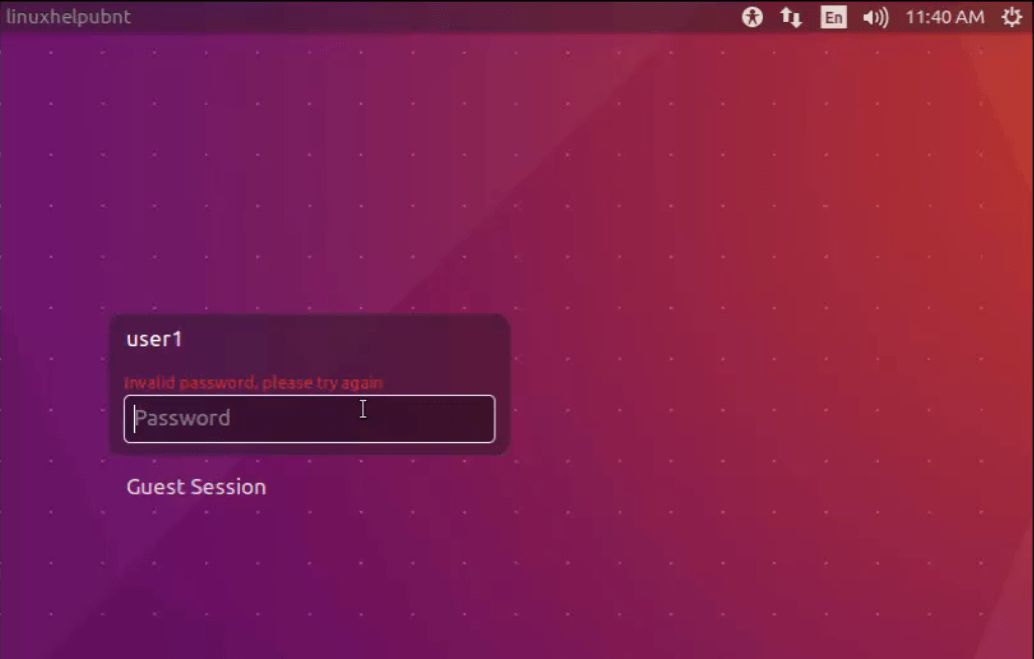
invalid_password
restart_ubuntu

While your system is rebooted, press the " shift” key to access the grub menu. Choose Ubuntu from it.
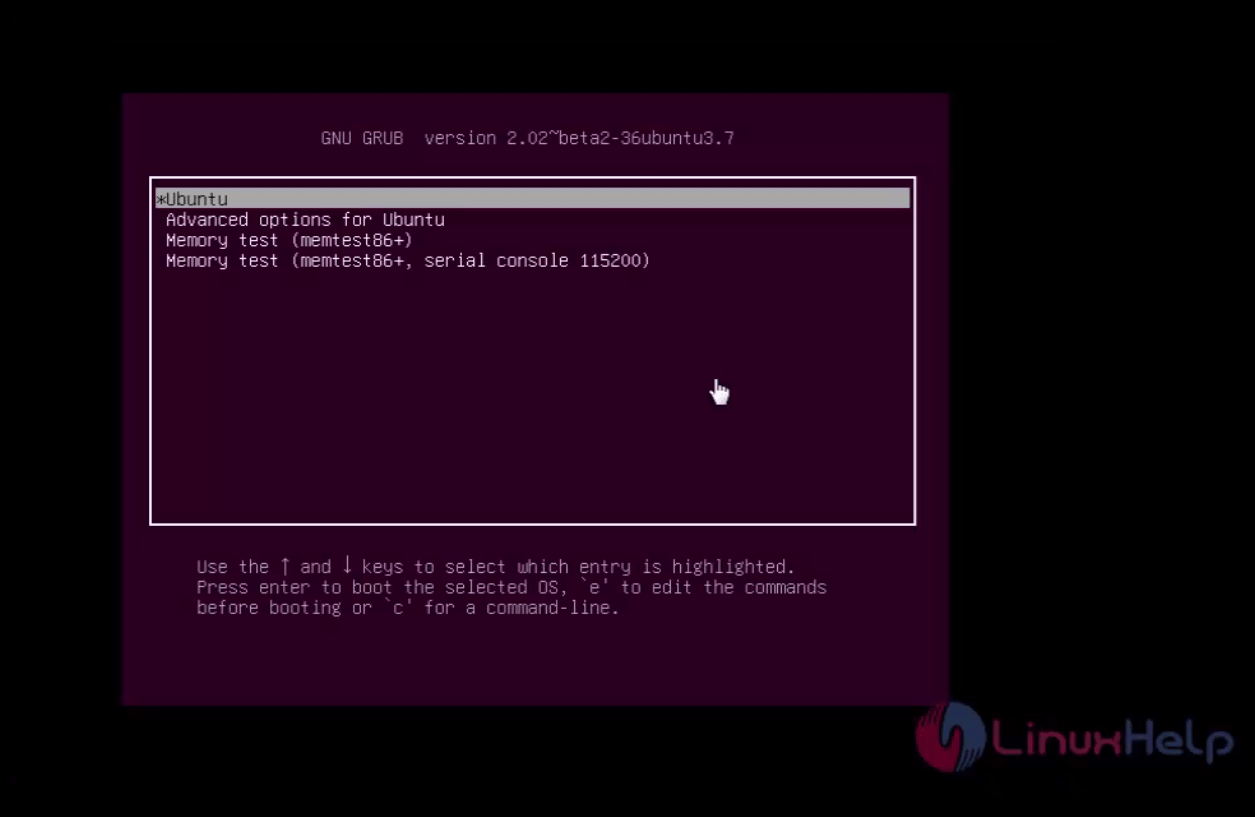
Grub_menu
And press the letter “ e" on your keyboard. It lets you to edit the commands.
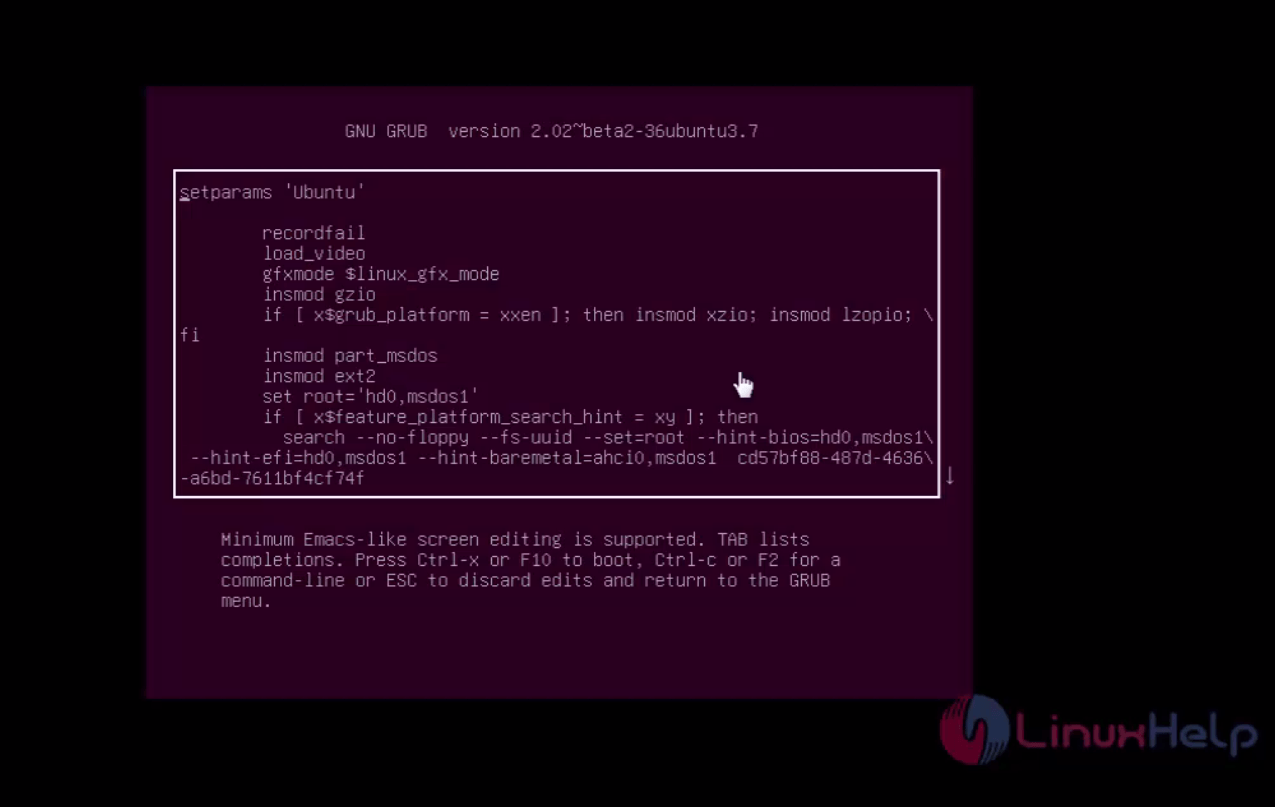
grub_menu
Place the mouse on the boot line to remove it.
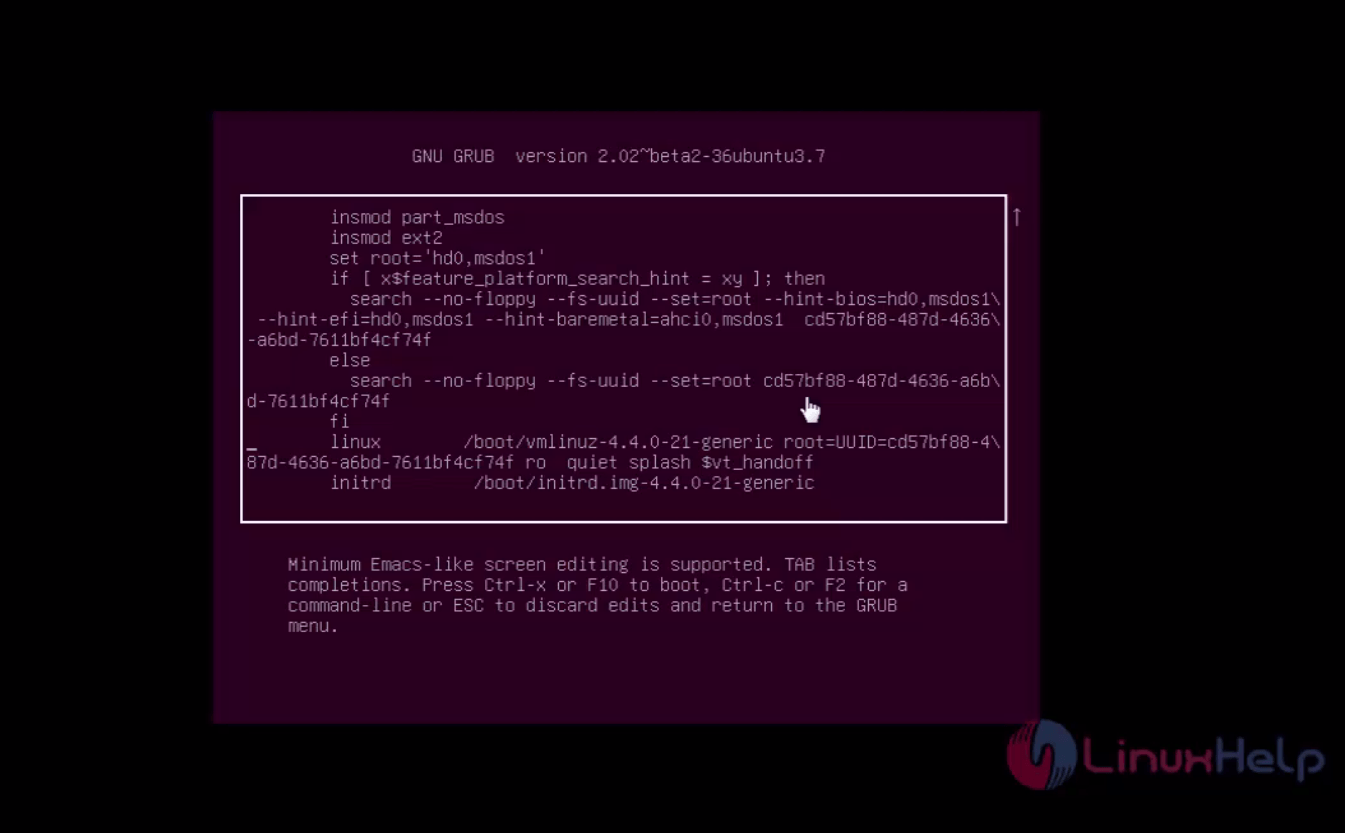
remove_boot_line
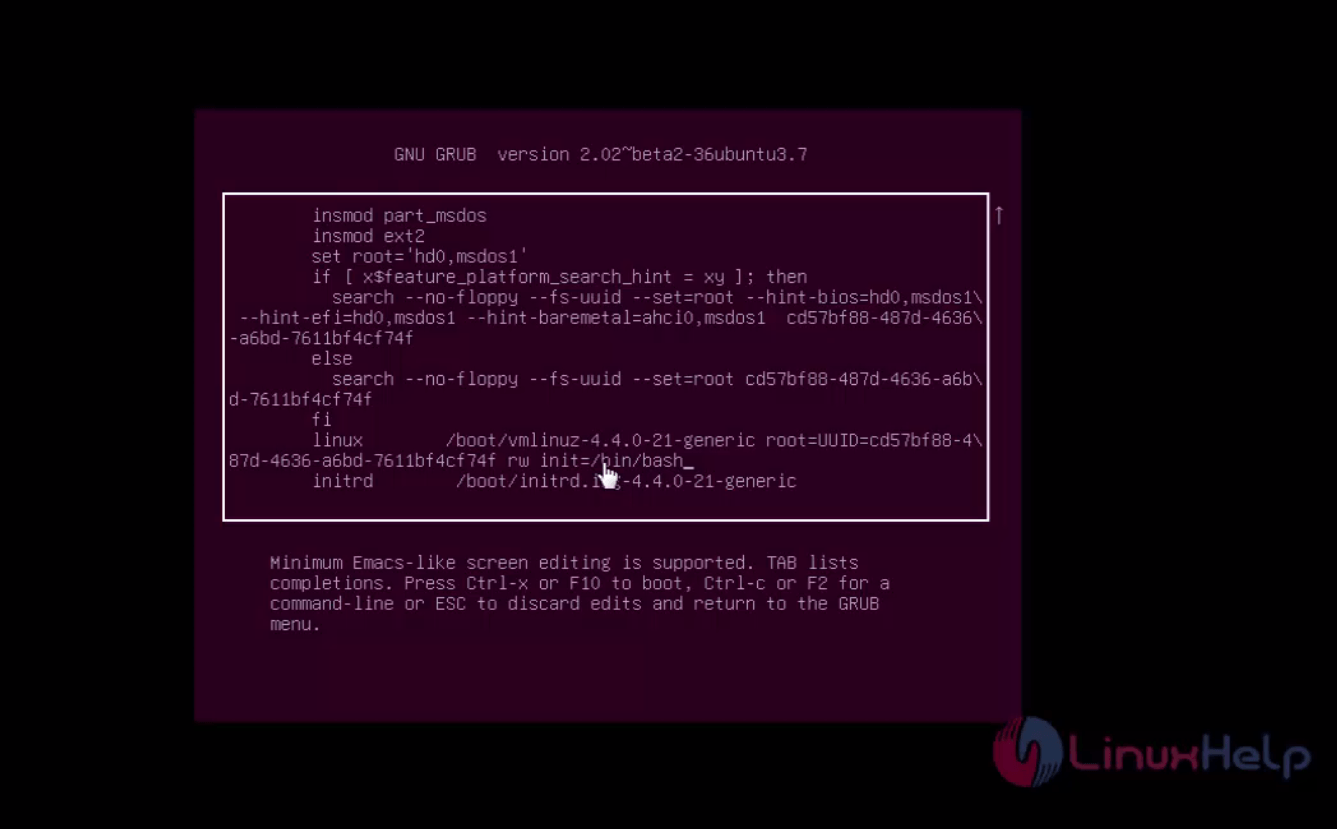
Replace the bootline with " rw init=/bin/bash”
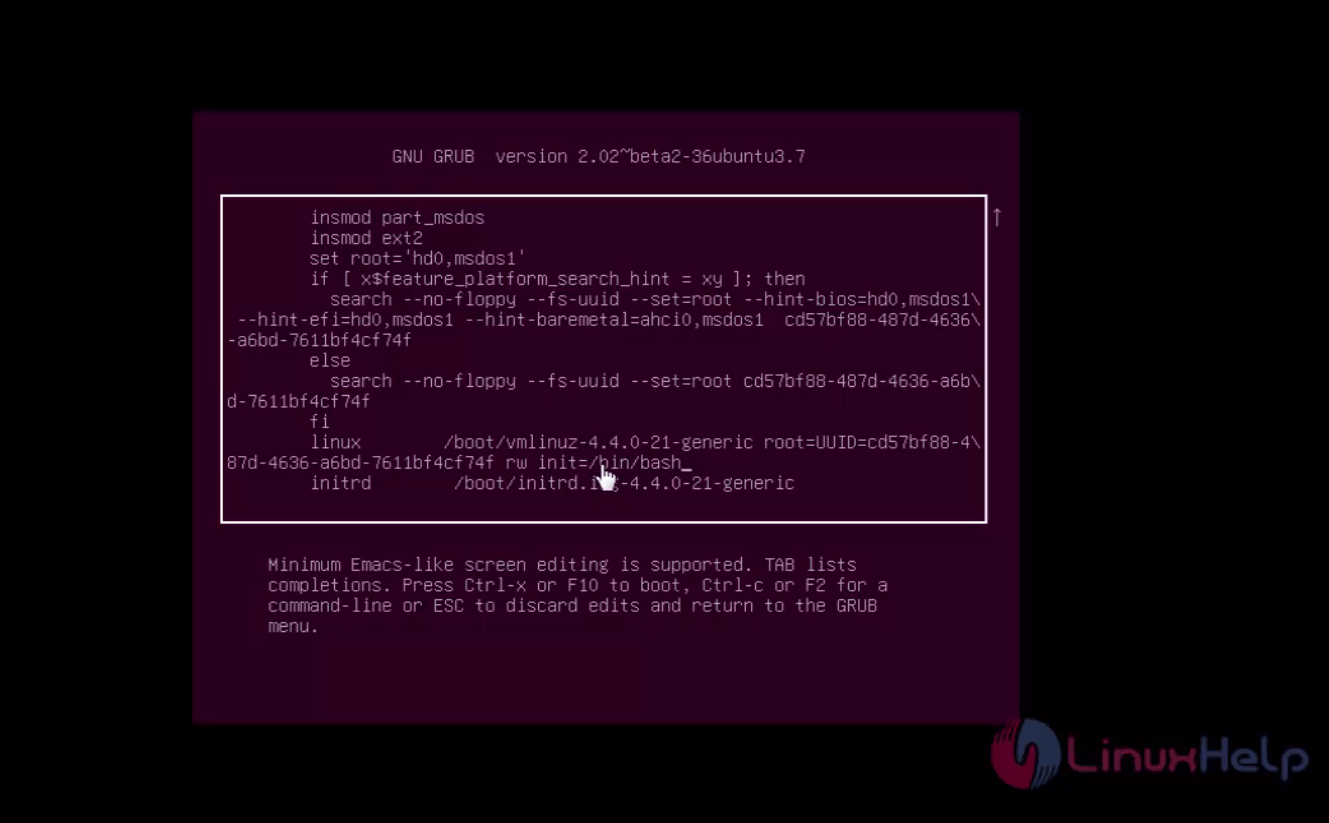
nit=/bin/bash
Once it is done, press f10 or ctrl+x to start the boot process
restart
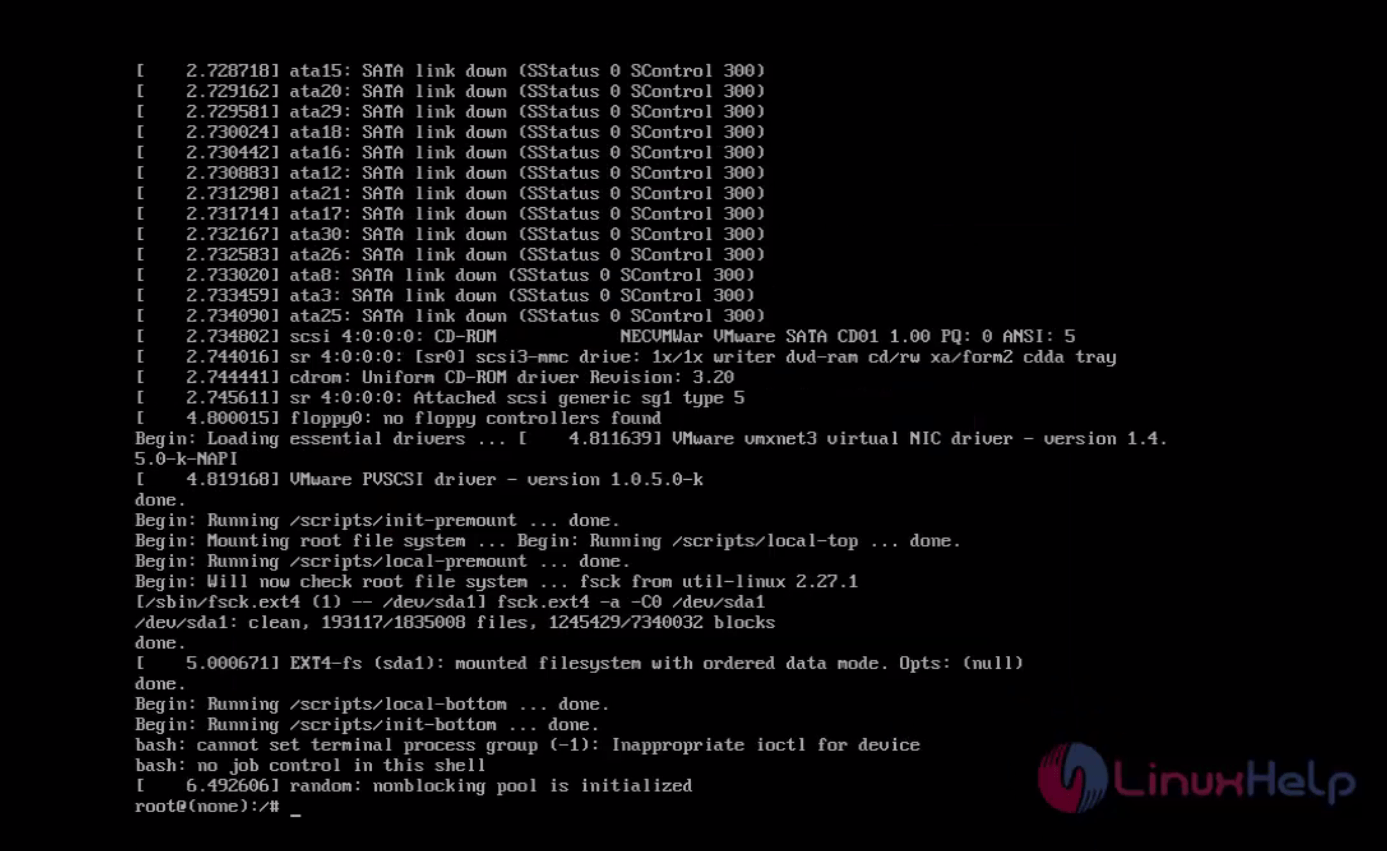
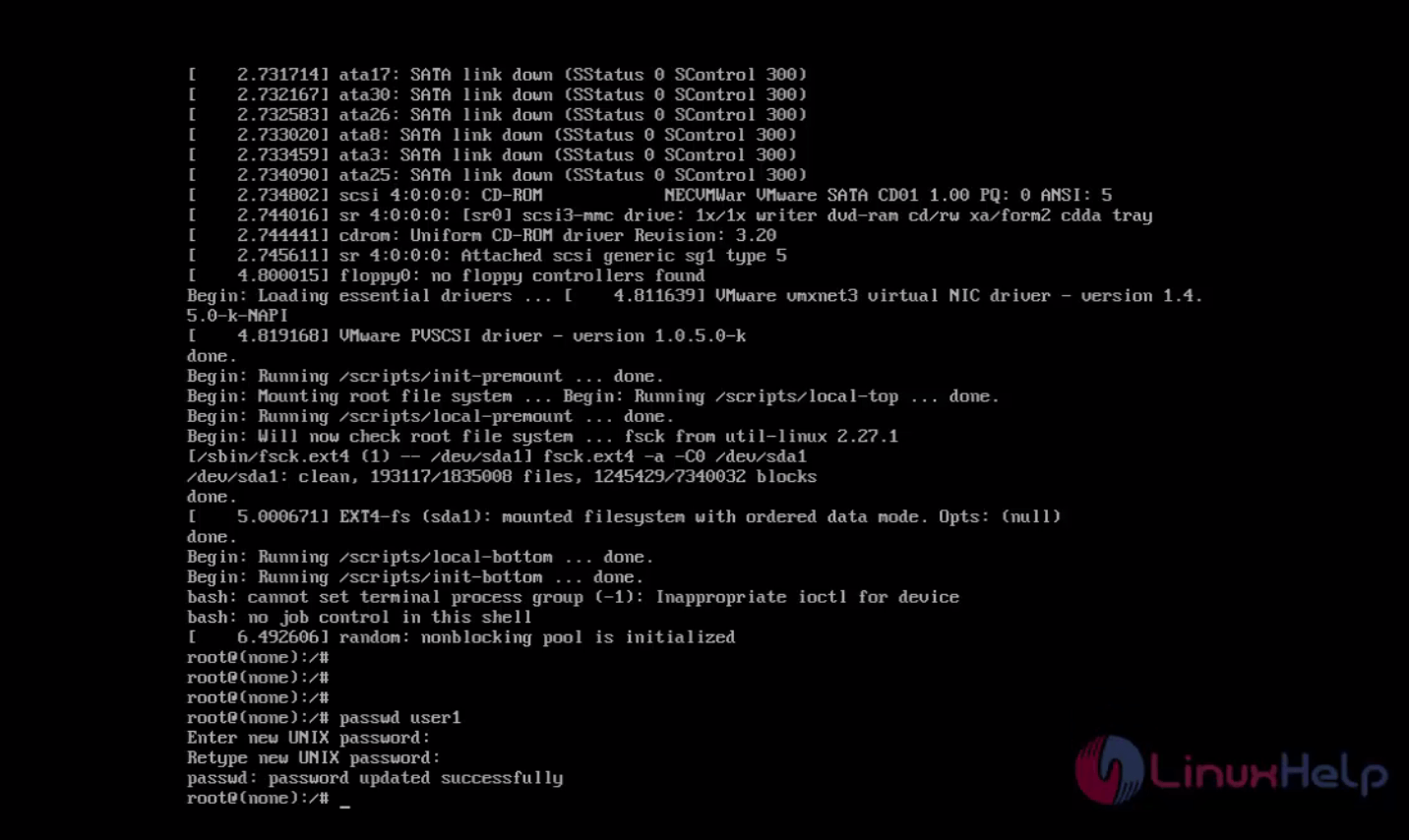
Now you are in Single User Mode.
single_user_mode
Use the“ passwd” command to reset the password.
passwd_command

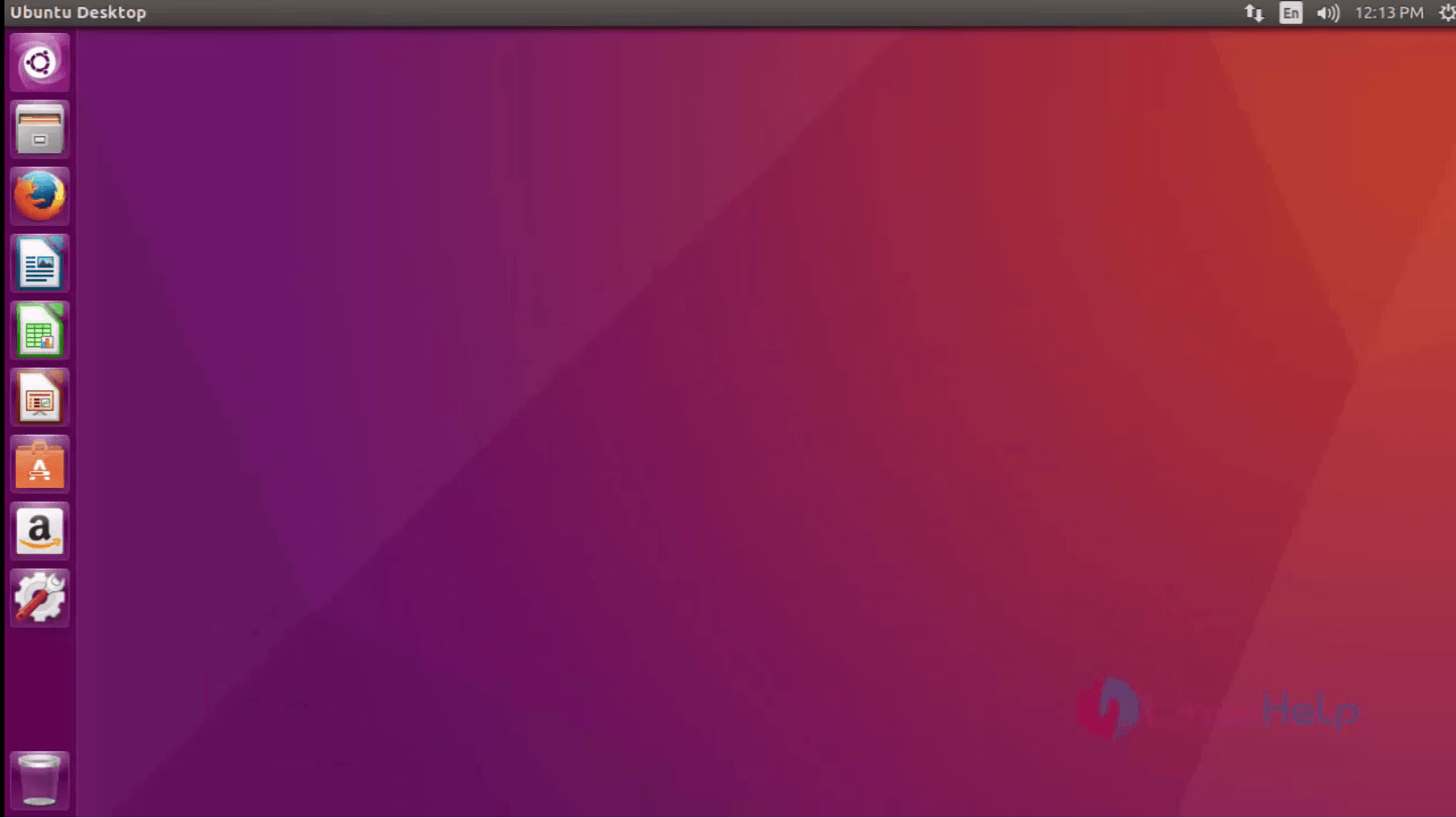
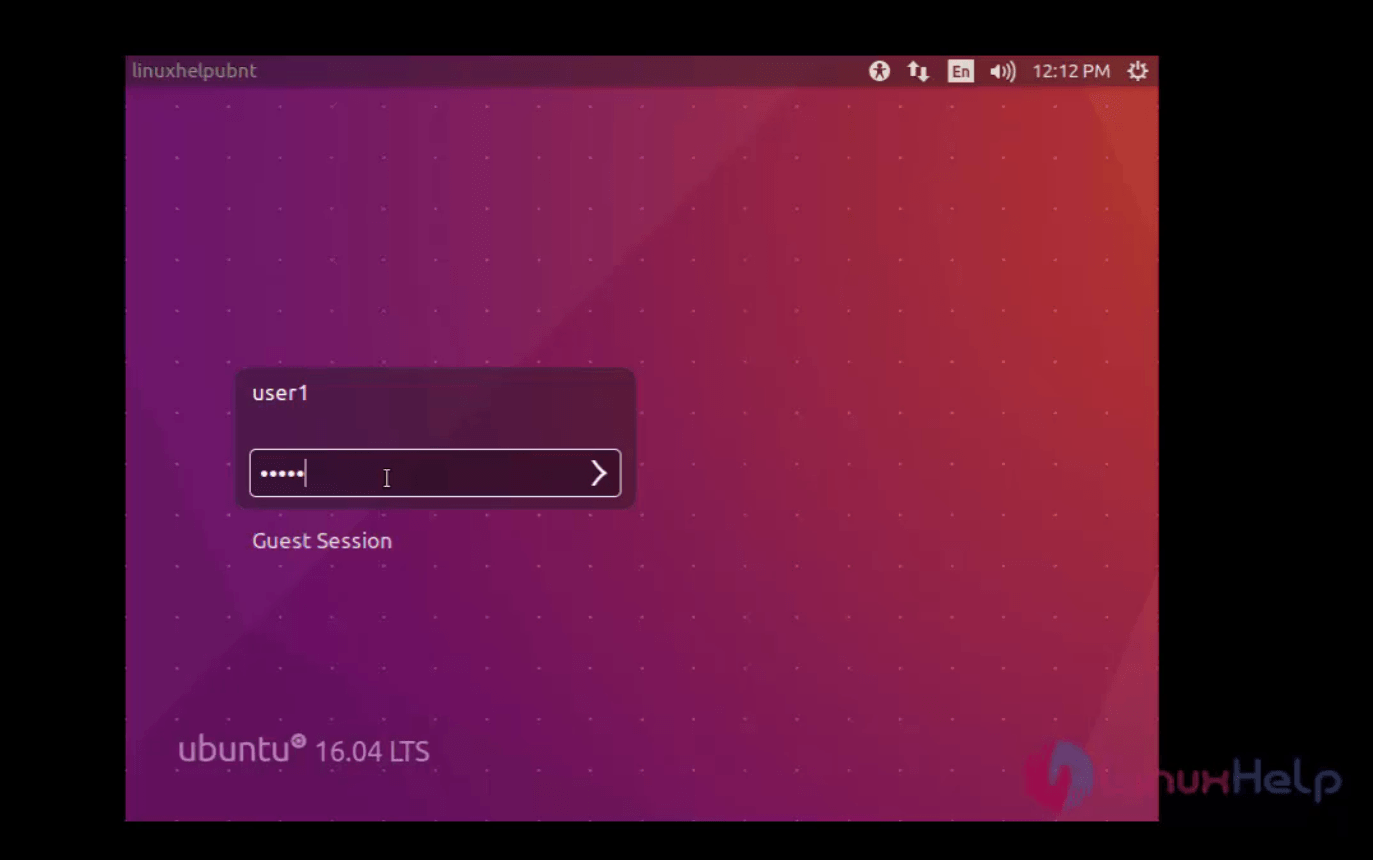
Your password is reset. reboot your machine and enter your new password.
new_password
password

Tags:
jacob
Author: 

Comments ( 0 )

No comments available

Add a comment
{{postCtrl.cmtErrMsg}}

Frequently asked questions ( 5 )

Q

Did you forget your Ubuntu Login Password?

A

you can easily reset it. This tutorial will inform you about the method to reset your Ubuntu Login password via single user mode

Q

How to reset the login password?

A

If you forgot your password, restart your Ubuntu machine.
While your system is rebooted, press the " shift&rdquo key to access the grub menu. Choose Ubuntu from it.

Q

I forgot/lost my password. How do I reset it?

A

If you have 2FA enabled, you can’t reset your password, you need to contact us at support@algolia.com to recover your account.

Q

How can i change my password?

A

If you want to change your current password, you are able to do this from the cogwheel icon on the Profile Settings page.

Q

Do my users have to be registered before they can use a password reset?

A

No. If you define enough authentication information on their behalf, users don't have to register.
Password reset works as long as you have properly formatted the data stored in the appropriate fields in the directory.

Back To Top!
Rank
User
Points

Top Contributers

userNamenaveelansari
135850

Top Contributers

userNameayanbhatti
92510

Top Contributers

userNamehamzaahmed
32150

Top Contributers

1
userNamelinuxhelp
31040

Top Contributers

userNamemuhammadali
24500
Can you help Lucas ?
Various options in Top command

Am using Top command only to view the load average, what are the various options in Top command..??

Networking
  • Routing
  • trunk
  • Netmask
  • Packet Capture
  • domain
  • HTTP Proxy
Server Setup
  • NFS
  • KVM
  • Memory
  • Sendmail
  • WebDAV
  • LXC
Shell Commands
  • Cloud commander
  • Command line archive tools
  • last command
  • Shell
  • terminal
  • Throttle
Desktop Application
  • Linux app
  • Pithos
  • Retrospect
  • Scribe
  • TortoiseHg
  • 4Images
Monitoring Tool
  • Monit
  • Apache Server Monitoring
  • EtherApe 
  • Arpwatch Tool
  • Auditd
  • Barman
Web Application
  • Nutch
  • Amazon VPC
  • FarmWarDeployer
  • Rukovoditel
  • Mirror site
  • Chef
Contact Us | Terms of Use| Privacy Policy| Disclaimer
© 2025 LinuxHelp.com All rights reserved. Linux™ is the registered trademark of Linus Torvalds. This site is not affiliated with linus torvalds in any way.