How to Scan Vulnerability of Web Servers by using Nikto
Scanning Vulnerability of Web Servers by using Nikto
Nikto is an Open Source (GPL) web server scanner which performs comprehensive tests against web servers for multiple items. It also checks for multiple index files, HTTP server options, and will attempt to identify installed web servers and software. Scan items and plugins are frequently updated. This testing service can be used to test a Web Site, Virtual Host and Web Server for known security vulnerabilities and misconfiguration.
Features
- SSL Support (Unix with OpenSSL or maybe Windows with ActiveState' s Perl/NetSSL)
- Full HTTP proxy support
- Checks for outdated server components
- Save reports in plain text, XML, HTML, NBE or CSV
- Easily updated via command line
- Identifies installed software via headers, favicons and files
- Host authentication with Basic and NTLM
- Save full request/response for positive tests
- Replay saved positive requests
- Maximum execution time per target
Install perl and openssl package
Execute the following command to install perl and openssl package.
[root@linuxhelp Desktop]# yum install perl perl-Net-SSLeay openssl
Loaded plugins: fastestmirror, refresh-packagekit, security
Setting up Install Process
Loading mirror speeds from cached hostfile
 * base: centos.excellmedia.net
 * extras: centos.excellmedia.net
 * updates: centos.excellmedia.net
Resolving Dependencies
-->  Running transaction check
--->  Package openssl.x86_64 0:1.0.1e-42.el6 will be updated.
.
.
.
  perl-Test-Harness.x86_64 0:3.17-141.el6_7.1             perl-Test-Simple.x86_64 0:0.92-141.el6_7.1
  perl-devel.x86_64 4:5.10.1-141.el6_7.1                  perl-libs.x86_64 4:5.10.1-141.el6_7.1
  perl-version.x86_64 3:0.77-141.el6_7.1
Complete!
To Download the nikto package
Execute the following command to Download the nikto package
[root@linuxhelp Desktop]# wget http://www.cirt.net/nikto/nikto-2.1.5.tar.gz
--2016-06-08 15:05:30--  http://www.cirt.net/nikto/nikto-2.1.5.tar.gz
Resolving www.cirt.net... 107.170.99.251
Connecting to www.cirt.net|107.170.99.251|:80... connected.
.
.
.
100%[=====================================================================> ] 371,663     52.4K/s   in 7.4s
2016-06-08 15:05:38 (49.3 KB/s) - “ nikto-2.1.5.tar.gz”  saved [371663/371663]
To Extract the downloaded file
Run the following command to Extract the downloaded file.
[root@linuxhelp Desktop]# tar -xvf nikto-2.1.5.tar.gz
nikto-2.1.5/
nikto-2.1.5/docs/
nikto-2.1.5/docs/nikto.dtd
nikto-2.1.5/docs/CHANGES.txt
.
.
.
nikto-2.1.5/nikto.pl
nikto-2.1.5/replay.pl
nikto-2.1.5/nikto.conf
To Execute the nikto scanner
Run the following command to Execute the nikto scanner.
[root@linuxhelp nikto-2.1.5]# perl nikto.pl -h 192.168.7.150
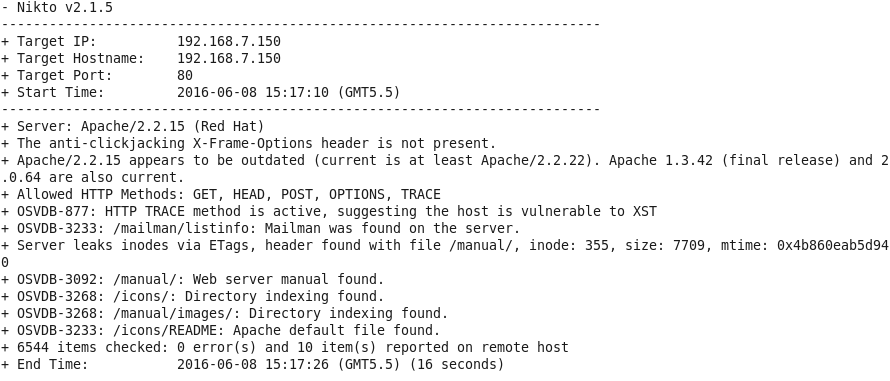
Now enter the your server name or ip of the server name with nikto script file to scan this server.
To Scan the server along with port number
Now Execute the following command to Scan the server along with port number.
[root@linuxhelp nikto-2.1.5]# perl nikto.pl -h 192.168.7.150 -p 443
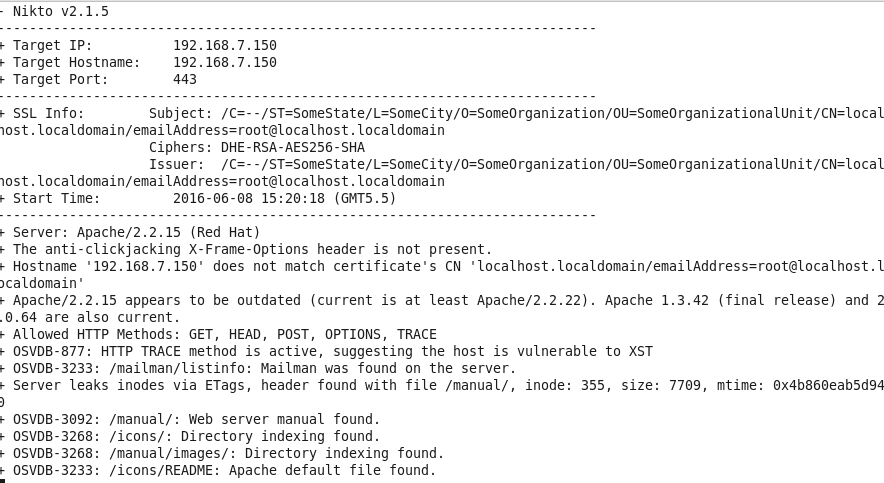
If you want to scan the server with different port number use option -p and enter the port number with nikto script file.
To Scan the server by URL option
Now run the following command to Scan the server by URL option
[root@linuxhelp nikto-2.1.5]# perl nikto.pl -h http://192.168.7.150:80
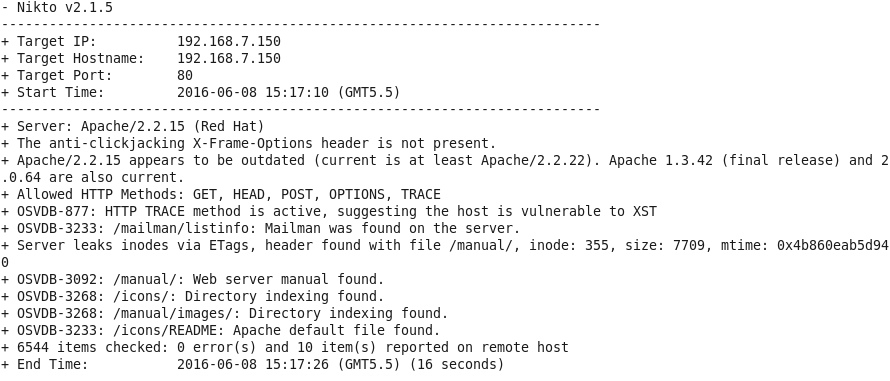
You can also specify hosts, ports and protocols using a full URL and it will be scanned.
To scan any other website
To scan any other website, execute the following command.
[root@linuxhelp nikto-2.1.5]# perl nikto.pl -h facebook.com
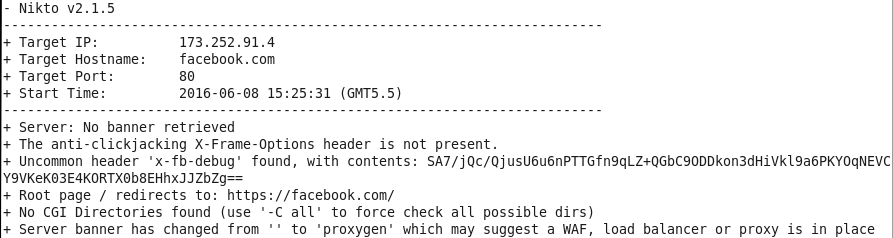
You can also scan any other website by using the nikto. For example, here we have scanned Facebook.com server.
To scan multiple port in nikto
To scan multiple port in nikto, execute the following command.
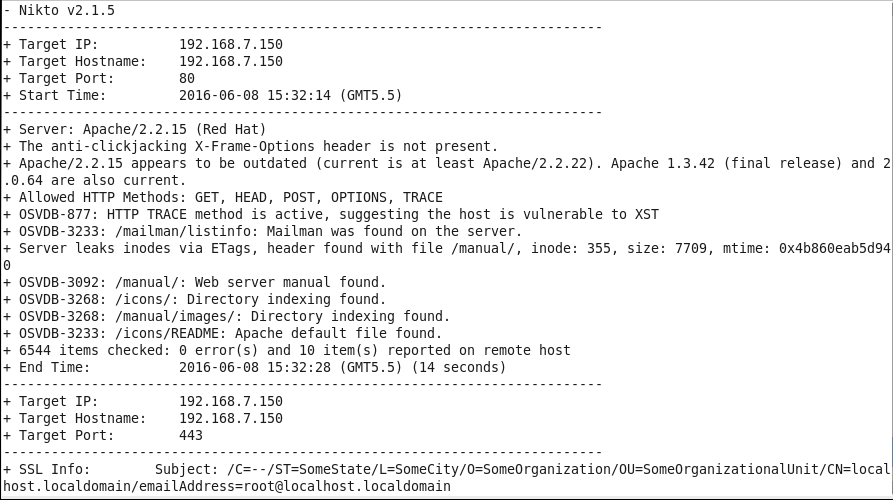
[root@linuxhelp nikto-2.1.5]# perl nikto.pl -h 192.168.7.150 -p 80,443
To scan the vulnerabilities and misconfiguration
Now run the following command to scan the vulnerabilities and misconfiguration.
[root@linuxhelp nikto-2.1.5]# perl nikto.pl -D v -h 192.168.7.150
- Nikto v2.1.5
---------------------------------------------------------------------------
V:Wed Jun  8 15:53:49 2016 - Initialising plugin nikto_favicon
V:Wed Jun  8 15:53:49 2016 - Loaded " Favicon"  plugin.
V:Wed Jun  8 15:53:49 2016 - Initialising plugin nikto_apacheusers
V:Wed Jun  8 15:53:49 2016 - Loaded " Apache Users"  plugin.
V:Wed Jun  8 15:53:49 2016 - Initialising plugin nikto_siebel
.
.
.
V:Wed Jun  8 15:54:35 2016 - 404 for GET:    /mobileadmin/bin/
V:Wed Jun  8 15:54:35 2016 - 404 for GET:    /mobileadmin/home.cs
+ 6544 items checked: 0 error(s) and 10 item(s) reported on remote host
+ End Time:           2016-06-08 15:54:35 (GMT5.5) (44 seconds)
---------------------------------------------------------------------------
+ 1 host(s) tested
V:Wed Jun  8 15:54:35 2016 + 7045 requests made in 51 seconds
To test nikto by HTTP proxy assess
Open the nikto configuration file and do following changes mentioned in the snap.
[root@linuxhelp nikto-2.1.5]# vim nikto.conf

After making the changes, scan the server with option ‘ -useproxy’
[root@linuxhelp nikto-2.1.5]# perl nikto.pl -h google.com -p 80 &ndash useproxy

You can also execute the HTTP proxy test by using URL option.
Comments ( 0 )
No comments available