How to Track Expenses Using GnuCash in Linux
To track Expenses Using GnuCash in Linux
GnuCash is an open source accounting software important for financial management in business. It supports Linux, Solaris, BSD, Windows and Macintosh OS operating systems. It has features like Bank account tracking, vendor and customer tracking, income and expenses tracking, Import and export support and lots.
Before the installation:
yum update
For Ubuntu systems:
apt-get install gnucash
For Fedora systems:
dnf install gnucash
To install Gnu Cash
For Redhat or Centos systems:
yum install gnucash
Output:
[root@linuxhelp ~]# yum install gnucash
Loaded plugins: fastestmirror, refresh-packagekit, security
Setting up Install Process
Loading mirror speeds from cached hostfile
epel/metalink | 4.0 kB 00:00
* base: mirror.fibergrid.in
* epel: epel.mirror.net.in
* extras: mirrors.vonline.vn
* updates: centosx4.centos.org
adobe-linux-i386 | 951 B 00:00
adobe-linux-x86_64 | 951 B 00:00
base | 3.7 kB 00:00
elasticsearch-1.1 | 2.5 kB 00:00
...
...
...
...

Installed:
gnu cash.x86_64 0:2.4.15-4.el6

Dependency Installed:
gnu cash-docs.noarch 0:2.4.3-1.el6

Complete!
To use gnu cash in Linux
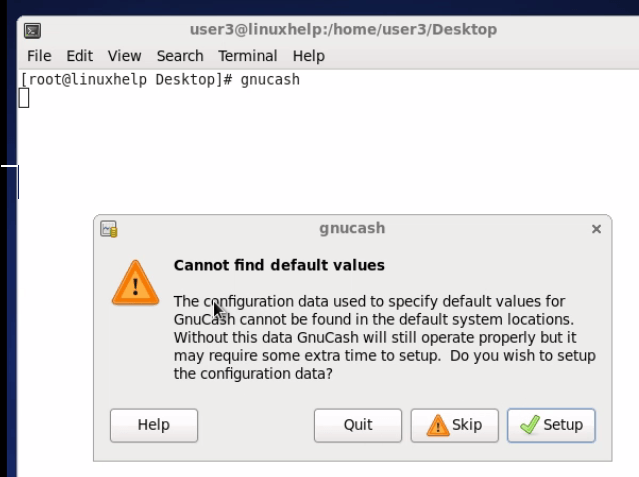
[root@linuxhelp ~]#gnucash
It gives the setup window to configure.


After that an interface opens for user to add the details of bank account tracking

To add new customer
Follow the steps Business &ndash > Customer &ndash > New Customer.

To add an employee
Follow the steps
Business &ndash > Employee &ndash > New New Employee.

To access ledger
Tools &ndash > General Ledger.

To access Price editor
Tools > Price editor

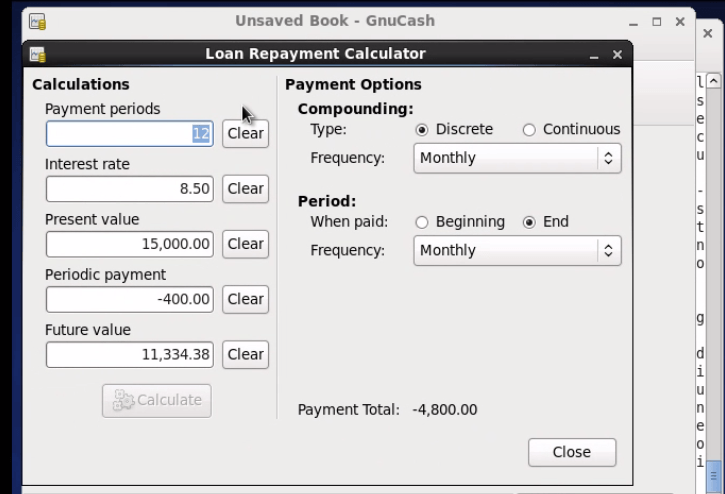
To Loan Repayment calculator
Tools > Loan Repayment Calculator
Comments ( 0 )
No comments available