• Categories
    Category
    {{ postCtrl.tags }}
    • {{ category.tag_type }}

      • {{tag.tag_name}}
      • View more
  • Categories
    Category
    {{ postCtrl.tags }}
    • {{ category.tag_type }}

      • {{tag.tag_name}}
      • View more
  • News
  • Tutorials
  • Forums
  • Tags
  • Users
Tutorial News Comments FAQ Related Articles

How to upgrade cPanel server in WHM

{{postValue.id}}

To upgrade cPanel server in WHM

Generally in command line, if you update the server then all the unwanted dependencies and the packages will be updated which is not recommended for the webserver. In WHM, it has specific option for Update process, where the necessary packages for the webserver alone will be updated. In this article, let us discuss about how to upgrade to the latest version of WHM/cPanel server.

To Update to latest version of WHM/cPanel

First login to the WHM login page with root user

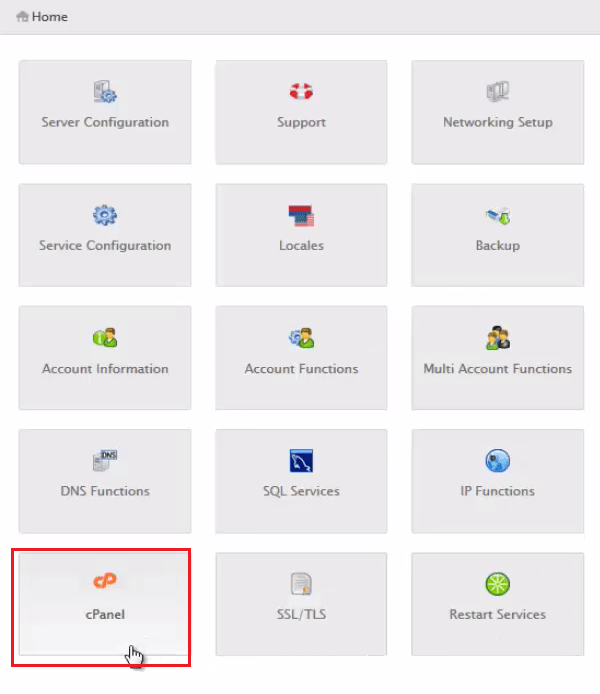
Click on cPanel icon in the home page

home_page

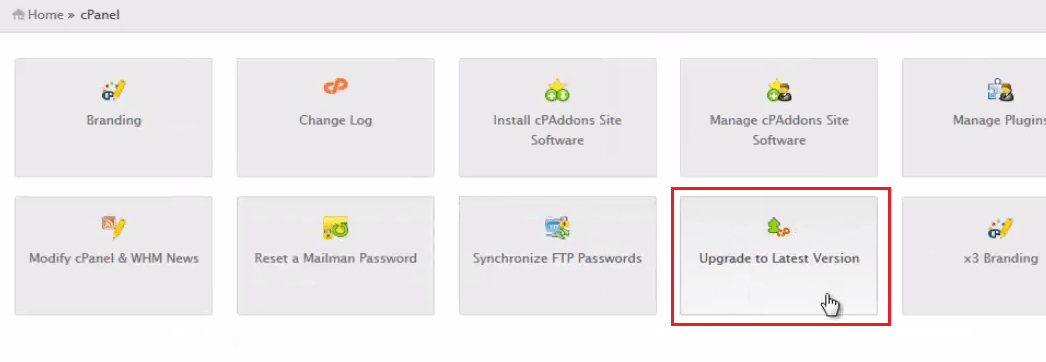
In the WHM page, click on Upgrade to latest version.

upgrade

With your current Update settings, you will be upgrading to the latest release build

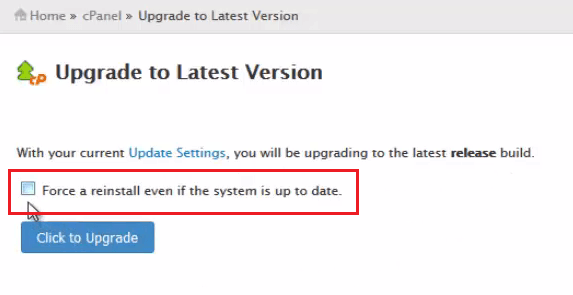
Forced Re-install

If you select Force a reinstall even if the system is up to date, then it forcefully reinstall the settings of WHM/cPanel server even if the system is up to date.

forced_reinstall
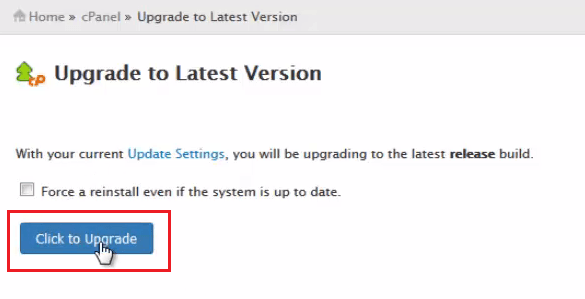
Click on Click to Upgrade button.


upgrade

It starts checking for the latest version updates, if the latest version is available then it starts building up the system.

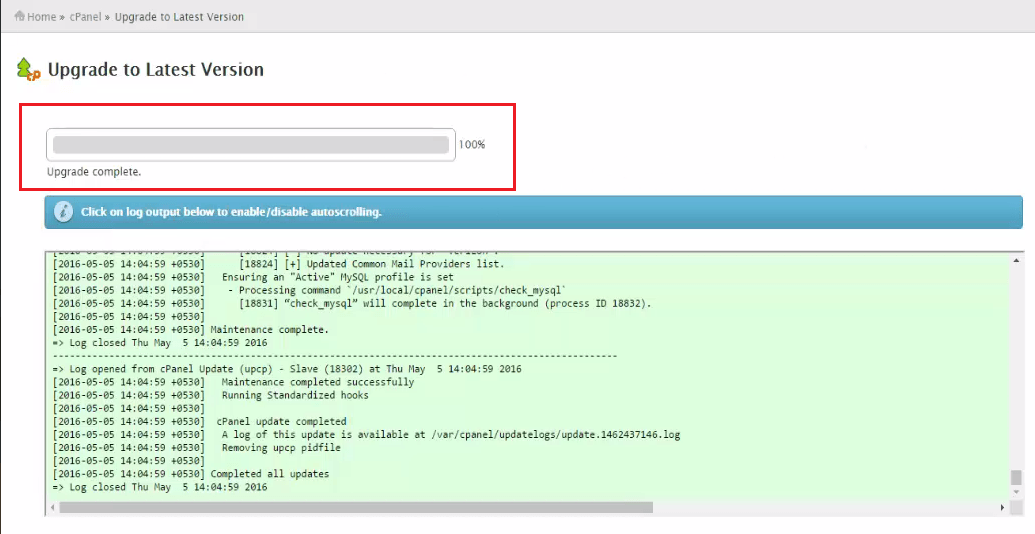
Now the update process has started.
update

Click on the log output below to enable/disable auto-scrolling.

Now the upgrade process is completed. The WHM/cPanel server is successfully updated to the latest version.

A log of this update is available at /var/cpanel/updatelogs

Tags:
benjamin
Author: 

Comments ( 0 )

No comments available

Add a comment
{{postCtrl.cmtErrMsg}}

Frequently asked questions ( 4 )

Q

how to upgrade using cli

A

/scripts/upcp or /scripts/upcp –force

Q

Hi, i want to allow all the CPanel IP's through my Firewall. So how can i find it?

A

You can get the CPanel ip's in below link http://httpupdate.cpanel.net/mirroraddrlist

Q

please tell about server configuration on cpanel

A

follow this link : https://www.linuxhelp.com/how-to-use-server-configuration-in-whmcpanel/

Q

how to Install Laravel In Sub-Domain - CPanel

A

yeah!!! At first install laravel in the main domain... and then run the commands in the respective user. composer global require "laravel/installer" export PATH="~/.composer/vendor/bin:$PATH

Back To Top!
Rank
User
Points

Top Contributers

userNamenaveelansari
135850

Top Contributers

userNameayanbhatti
92510

Top Contributers

userNamehamzaahmed
32150

Top Contributers

1
userNamelinuxhelp
31040

Top Contributers

userNamemuhammadali
24500
Can you help Owen ?
How to add SSH key to my Gitlab account

I need to add the SSH key in my gitlab account. How to do so ????

Networking
  • Routing
  • trunk
  • Netmask
  • Packet Capture
  • domain
  • HTTP Proxy
Server Setup
  • NFS
  • KVM
  • Memory
  • Sendmail
  • WebDAV
  • LXC
Shell Commands
  • Cloud commander
  • Command line archive tools
  • last command
  • Shell
  • terminal
  • Throttle
Desktop Application
  • Linux app
  • Pithos
  • Retrospect
  • Scribe
  • TortoiseHg
  • 4Images
Monitoring Tool
  • Monit
  • Apache Server Monitoring
  • EtherApe 
  • Arpwatch Tool
  • Auditd
  • Barman
Web Application
  • Nutch
  • Amazon VPC
  • FarmWarDeployer
  • Rukovoditel
  • Mirror site
  • Chef
Contact Us | Terms of Use| Privacy Policy| Disclaimer
© 2025 LinuxHelp.com All rights reserved. Linux™ is the registered trademark of Linus Torvalds. This site is not affiliated with linus torvalds in any way.