• Categories
    Category
    {{ postCtrl.tags }}
    • {{ category.tag_type }}

      • {{tag.tag_name}}
      • View more
  • Categories
    Category
    {{ postCtrl.tags }}
    • {{ category.tag_type }}

      • {{tag.tag_name}}
      • View more
  • News
  • Tutorials
  • Forums
  • Tags
  • Users
Tutorial News Comments FAQ Related Articles

How to use Blog Module on odoo

{{postValue.id}}

How to use Blog Module on odoo

Previously, we have been explained on how to use MRP module on Odoo. Today we will be briefed on how to use Blog Module on Odoo. Every organization will maintain a blog module to reach out to customers on a more personal interaction. You can express your thoughts on Odoo blog module and engage with visitors on your site via live chat, translate content and control social media stream. There is also many inline editors to make your content more interactive to visitors. It is very easy to use Blog Module on odoo with a few clicks.

Blog Module - Odoo

To use the Blog module, check whether the Blog Module is installed or not, if is not installed, install it on odoo. Then go to website admin option in the header menu.
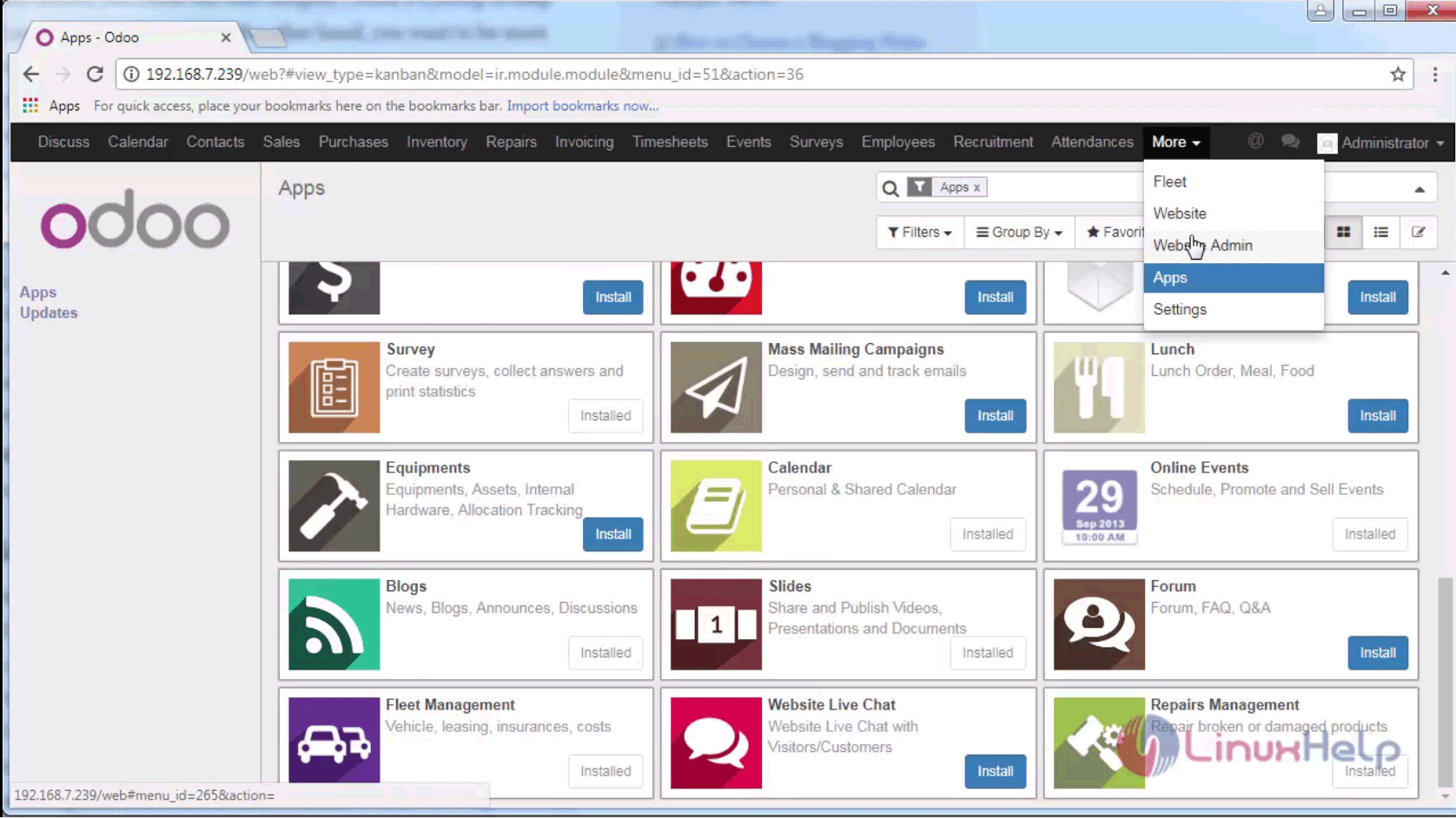
website admin

Next, create a new blog and provide the details.
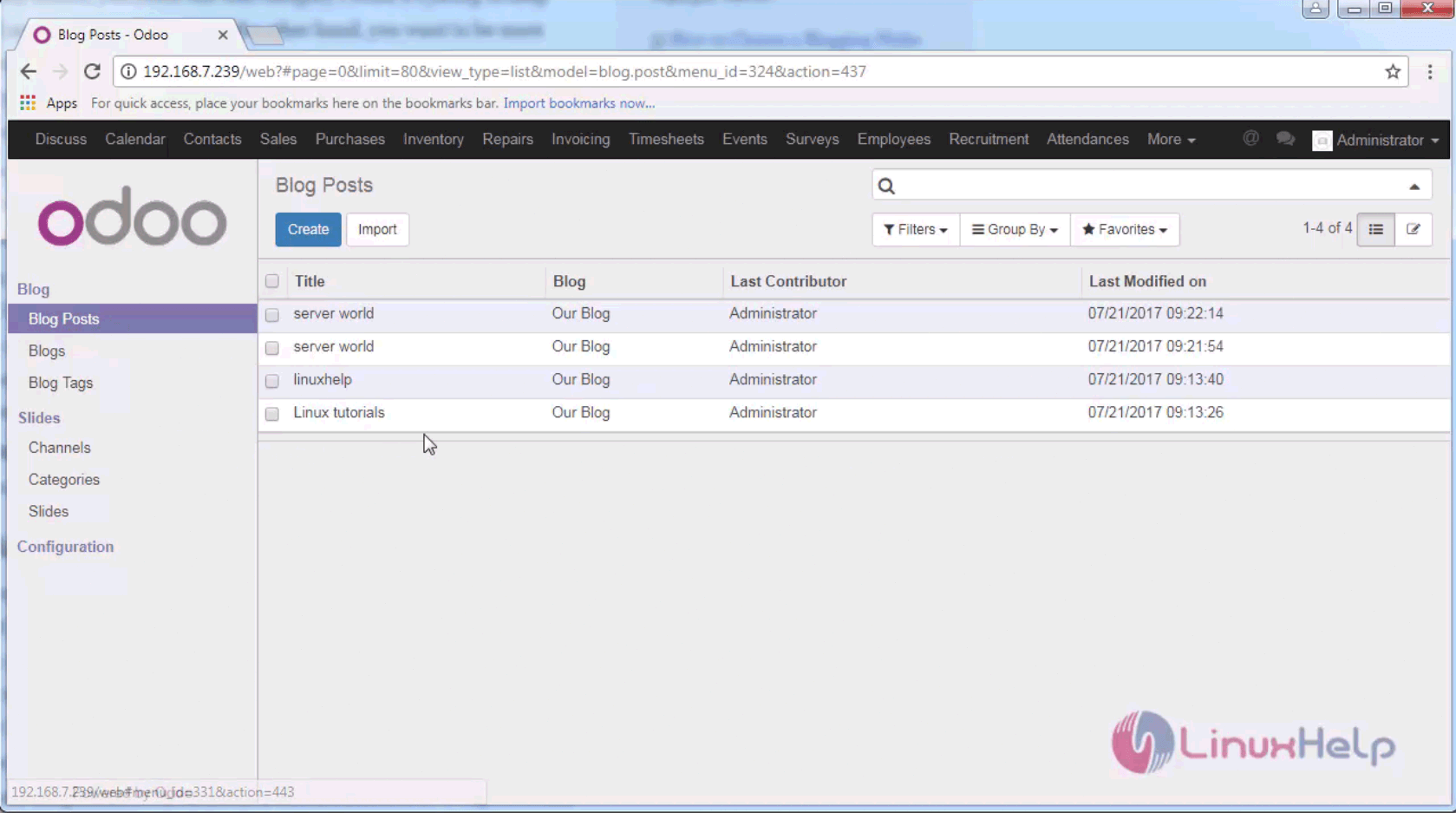
new blog

Now you have created the blog post and the required blog tag.
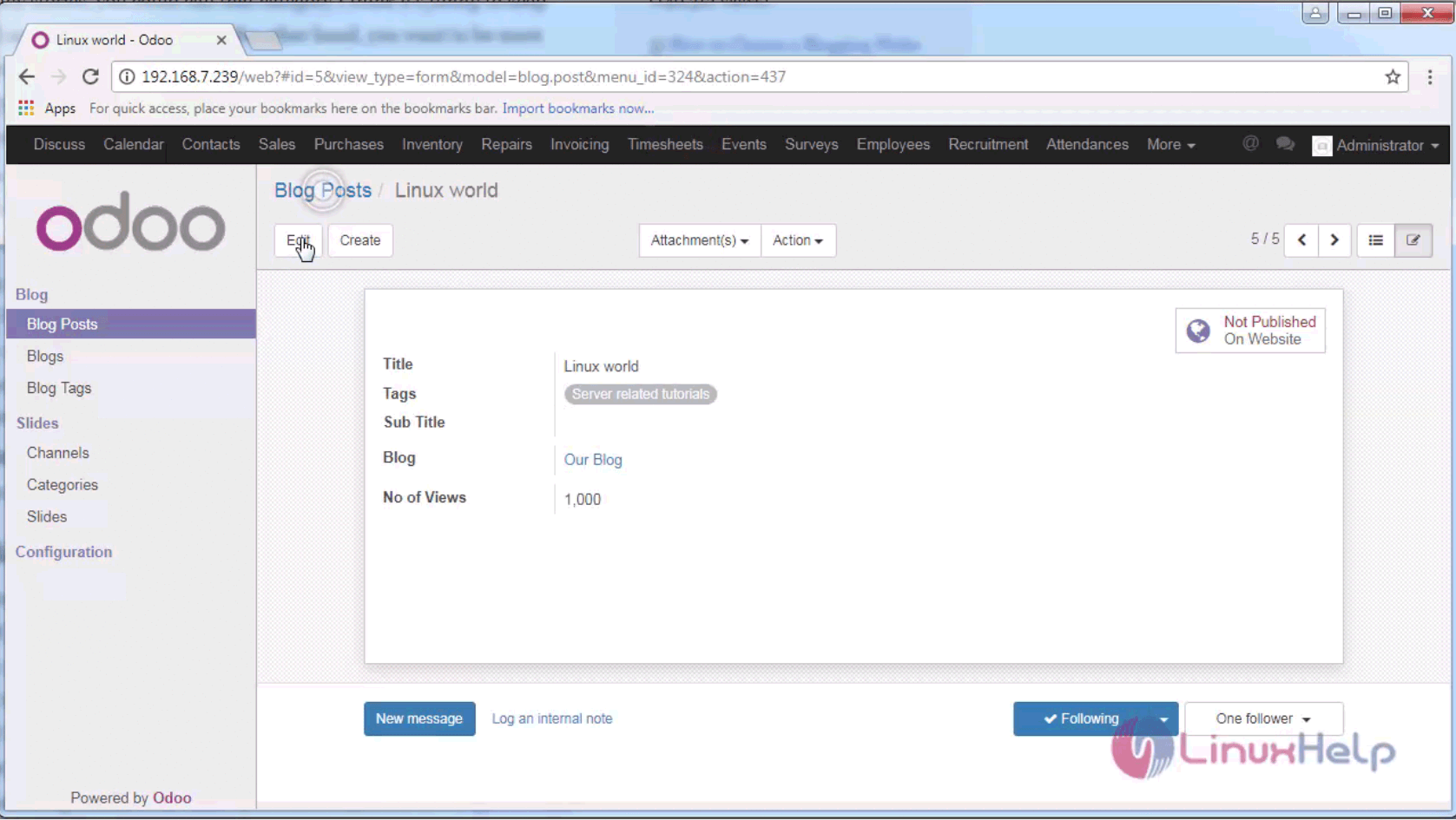
blog post

Go to your website and click blog on the header menu. The list of your blogs is shown on the screen.
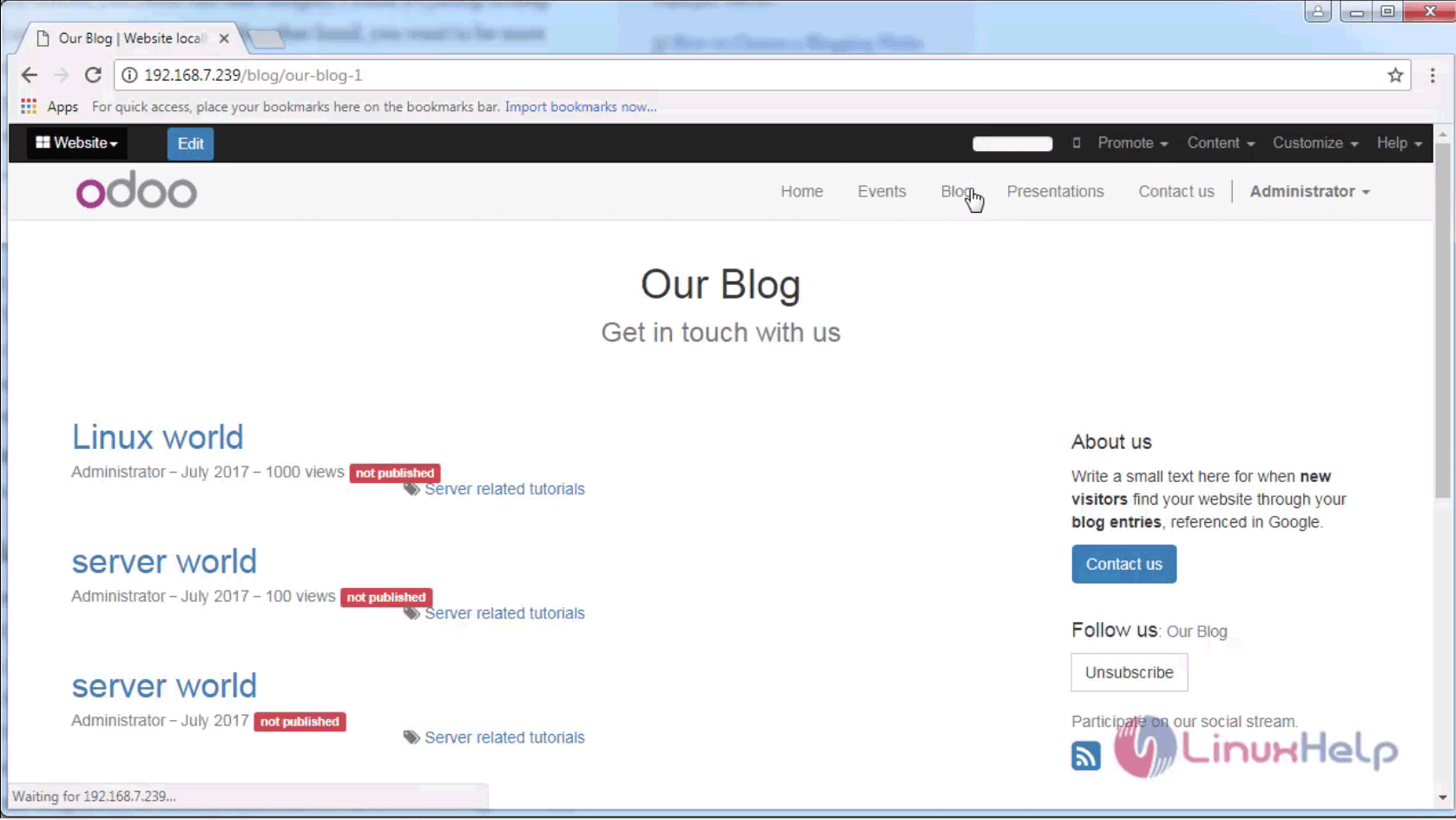
blog

The installation procedure for Blog module is complete. Stay connected to know more about upcoming articles in Odoo.

Tags:
matthew
Author: 

Comments ( 0 )

No comments available

Add a comment
{{postCtrl.cmtErrMsg}}

Frequently asked questions ( 5 )

Q

How can I access the module I bought?

A

You should receive an email with temporary download links up to one hour after you made the purchase.

Q

Can I use Odoo Apps modules with Odoo Online (SaaS)?

A

Third-party apps sold on Odoo Apps cannot be used on Odoo Online.

Q

How can I install the module I bought?

A

You need to copy paste the module that is inside the zip file to your addons folder

Q

How It is possible to sell your own module on our Apps platform?

A

You can start selling your modules very easily by adding a price and a currency keys in your module manifest like 'price': 49.99, and 'currency': 'EUR',

Q

What does this error mean on Odoo? "Could not execute command 'lessc'"

A

apt-get install node-less

It worked well for me.

Back To Top!
Rank
User
Points

Top Contributers

userNamenaveelansari
135850

Top Contributers

userNameayanbhatti
92510

Top Contributers

userNamehamzaahmed
32150

Top Contributers

1
userNamelinuxhelp
31040

Top Contributers

userNamemuhammadali
24500
Can you help Isaiah ?
What is the use of SUID & SGID commands

How to set the special permissions to the files and folders using SUID and SGID commands...

Networking
  • Routing
  • trunk
  • Netmask
  • Packet Capture
  • domain
  • HTTP Proxy
Server Setup
  • NFS
  • KVM
  • Memory
  • Sendmail
  • WebDAV
  • LXC
Shell Commands
  • Cloud commander
  • Command line archive tools
  • last command
  • Shell
  • terminal
  • Throttle
Desktop Application
  • Linux app
  • Pithos
  • Retrospect
  • Scribe
  • TortoiseHg
  • 4Images
Monitoring Tool
  • Monit
  • Apache Server Monitoring
  • EtherApe 
  • Arpwatch Tool
  • Auditd
  • Barman
Web Application
  • Nutch
  • Amazon VPC
  • FarmWarDeployer
  • Rukovoditel
  • Mirror site
  • Chef
Contact Us | Terms of Use| Privacy Policy| Disclaimer
© 2025 LinuxHelp.com All rights reserved. Linux™ is the registered trademark of Linus Torvalds. This site is not affiliated with linus torvalds in any way.