• Categories
    Category
    {{ postCtrl.tags }}
    • {{ category.tag_type }}

      • {{tag.tag_name}}
      • View more
  • Categories
    Category
    {{ postCtrl.tags }}
    • {{ category.tag_type }}

      • {{tag.tag_name}}
      • View more
  • News
  • Tutorials
  • Forums
  • Tags
  • Users
Tutorial News Comments FAQ Related Articles

How to use Equipment module on Odoo

{{postValue.id}}

How to use Equipment module on Odoo

For over a week, we have been posting several tutorials about Odoo and various other aspects of it. Today, in this tutorial you will be briefed about Equipment module, an app available on Odoo, and the method to use it. The equipment module is used to track on the equipment or the assests confined to a employee in an organization and to check their maintenance of the equipment. Since the maintenance of the equipment is a mundane process it is easier to maintain in Odoo ERP. Odoo also has several essential and useful apps which makes ERP not only easy but fun.

Installation procedure

To start with the installation process, install the Equipment module app in the list of apps.
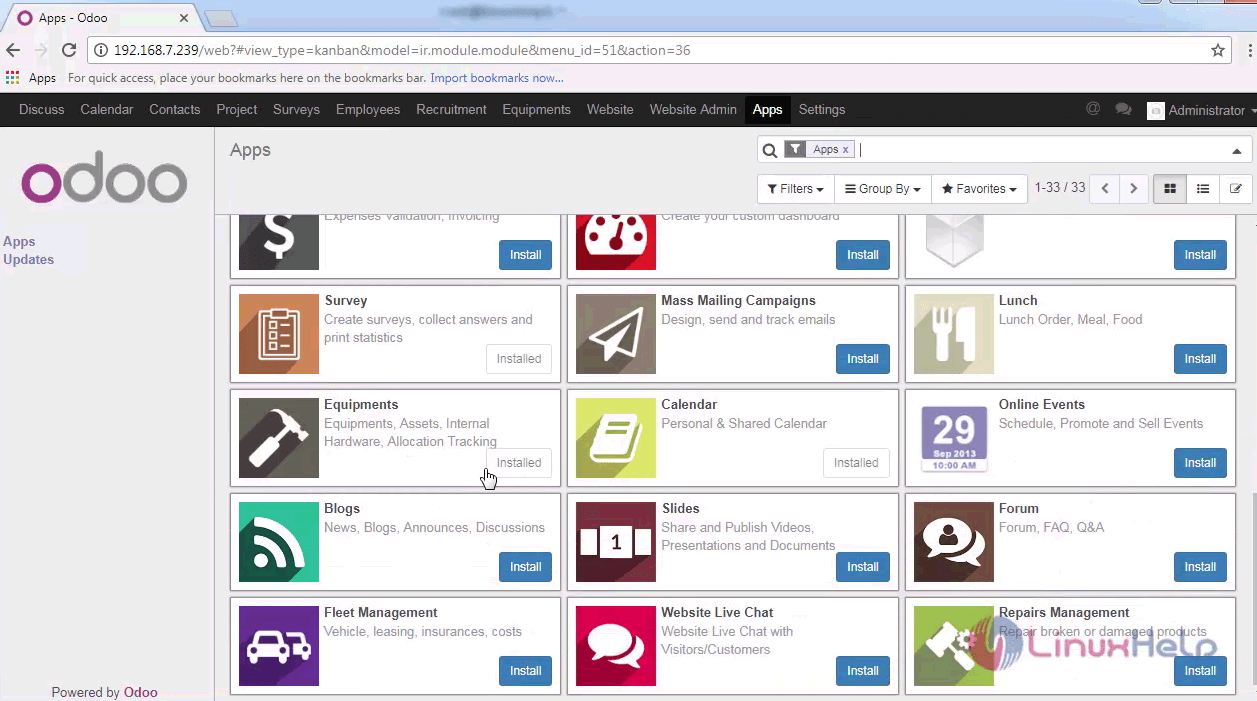
list of apps

Go to the Equipment tab on the header and create a new equipment needed for the department or Employee.
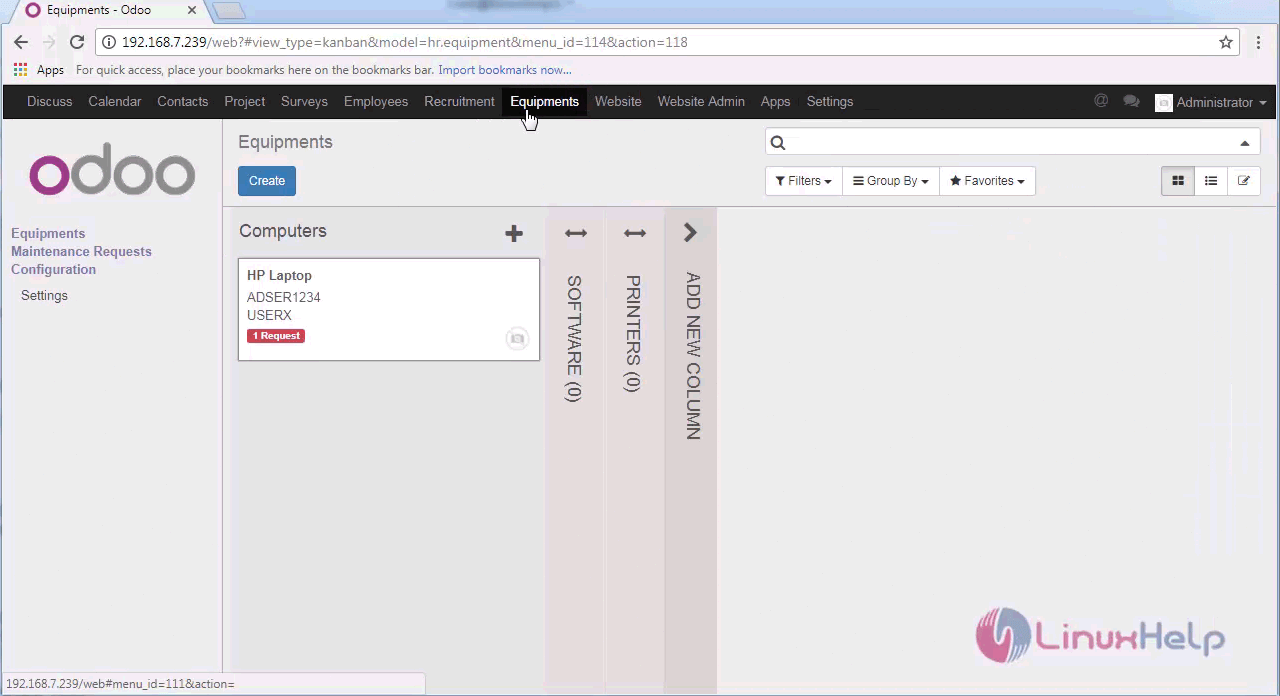
equipment tab

Provide the name, category and other details of the equipment to be added and save the details.
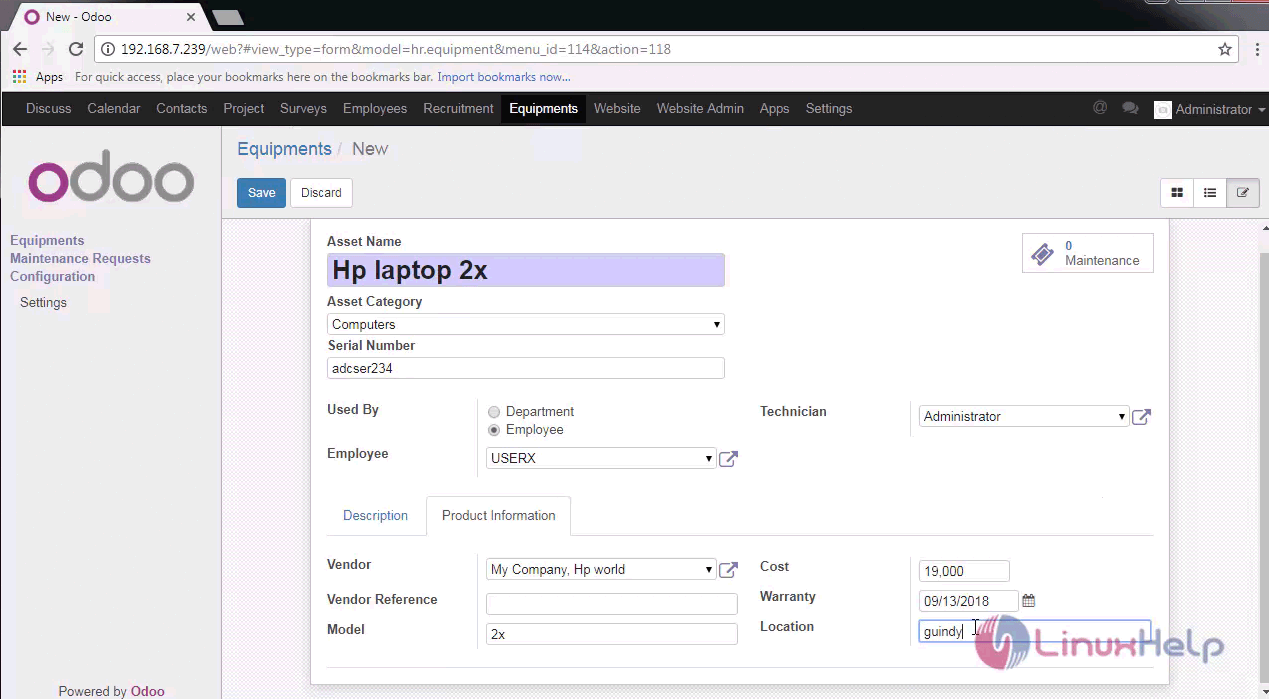
details

After creating the list of equipments, create a Maintenance request of the concerned equipment.
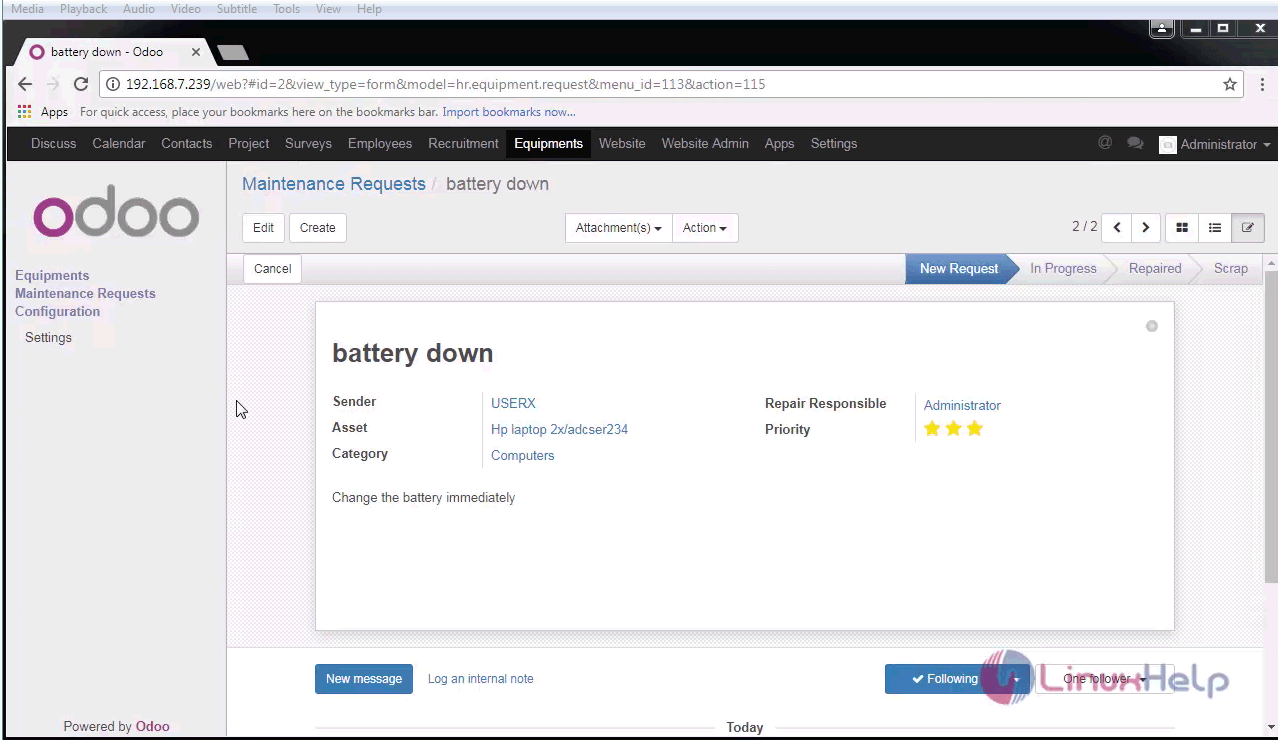
maintenance request

The maintenance request is created the changes can be viewed in kanban view and also can be changed ot next status easily.
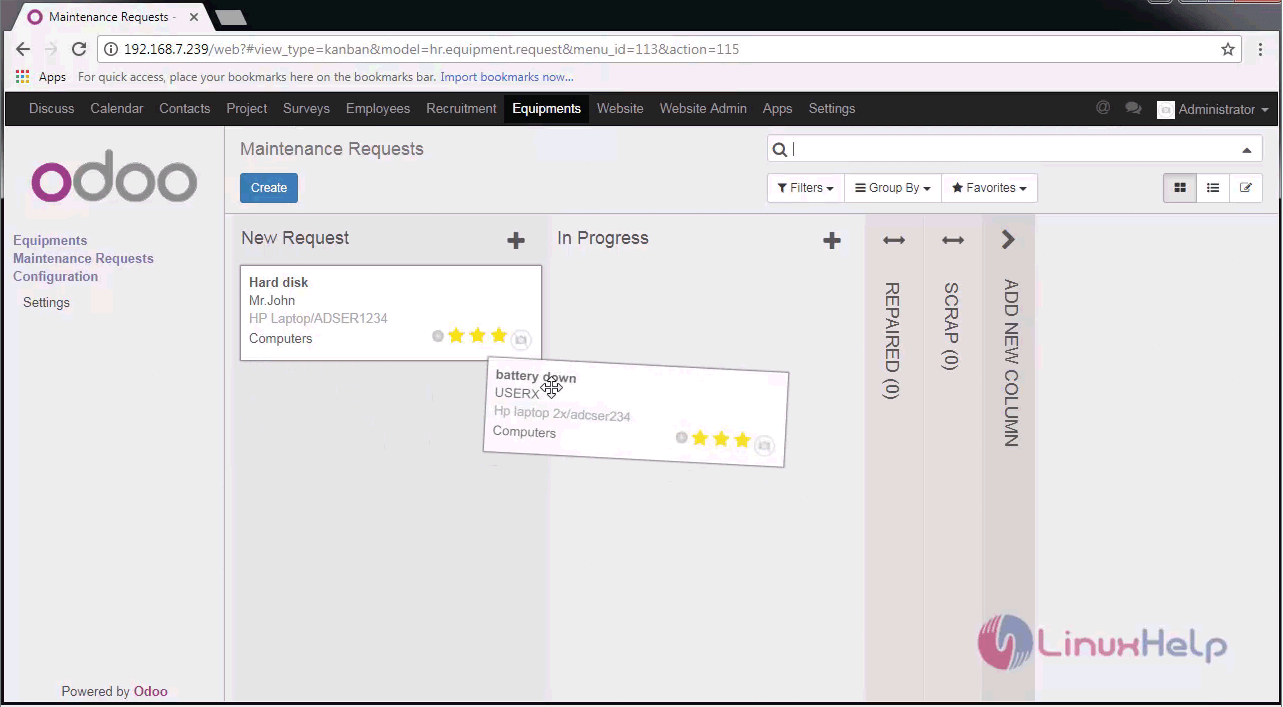
kanban view

That was all. It was simple to use, wasn' t it? More articles on Odoo is yet to come, so stay connected.

Tags:
matthew
Author: 

Comments ( 0 )

No comments available

Add a comment
{{postCtrl.cmtErrMsg}}

Frequently asked questions ( 5 )

Q

The module I bought doesn't work, what can I do?

A

Support is provided by the module publisher themselves. You can go to your orders page and click on the button there to get support from the publisher

Q

I bought a module for 8.0, do I have to buy it again for 9.0?

A

If the module you bought is indicated as also available for another Odoo version, you will also be able to download those other versions, including previous ones.

Q

How can I use Odoo Apps modules with Odoo Online (SaaS)?

A

Third-party apps sold on Odoo Apps cannot be used on Odoo Online.

Q

Do I get free support when I buy an Odoo?

A

No. The module author is expected to fix any bug that would prevent the app from working as advertised on its description page.

Q

How do I automate 'leave allocations' in Odoo?

A

We can’t automate, Employees can request single or mass allocation of leave by department wise or individual wise. Managers will approve or reject accordingly, this is the process.

Back To Top!
Rank
User
Points

Top Contributers

userNamenaveelansari
135850

Top Contributers

userNameayanbhatti
92510

Top Contributers

userNamehamzaahmed
32150

Top Contributers

1
userNamelinuxhelp
31040

Top Contributers

userNamemuhammadali
24500
Can you help legeek ?
Installation of the call center module

hello

I wish to install a call center in virtual with issabel, I downloaded the latest version of it , but I don' t arrive to install the call center module in issabel. please help me

thanks!

Networking
  • Routing
  • trunk
  • Netmask
  • Packet Capture
  • domain
  • HTTP Proxy
Server Setup
  • NFS
  • KVM
  • Memory
  • Sendmail
  • WebDAV
  • LXC
Shell Commands
  • Cloud commander
  • Command line archive tools
  • last command
  • Shell
  • terminal
  • Throttle
Desktop Application
  • Linux app
  • Pithos
  • Retrospect
  • Scribe
  • TortoiseHg
  • 4Images
Monitoring Tool
  • Monit
  • Apache Server Monitoring
  • EtherApe 
  • Arpwatch Tool
  • Auditd
  • Barman
Web Application
  • Nutch
  • Amazon VPC
  • FarmWarDeployer
  • Rukovoditel
  • Mirror site
  • Chef
Contact Us | Terms of Use| Privacy Policy| Disclaimer
© 2025 LinuxHelp.com All rights reserved. Linux™ is the registered trademark of Linus Torvalds. This site is not affiliated with linus torvalds in any way.