• Categories
    Category
    {{ postCtrl.tags }}
    • {{ category.tag_type }}

      • {{tag.tag_name}}
      • View more
  • Categories
    Category
    {{ postCtrl.tags }}
    • {{ category.tag_type }}

      • {{tag.tag_name}}
      • View more
  • News
  • Tutorials
  • Forums
  • Tags
  • Users
Tutorial News Comments FAQ Related Articles

How to use Invoicing Module on Odoo

{{postValue.id}}

How to use Invoicing Module on odoo

Today, in this tutorial you will be briefed about Invoice, an app available on Odoo, and the method to use it. An invoice is a document sent to a buyer that specifies the amount and cost of products or services that have been provided by a seller. The invoice is issued to the cusotomer after the billing procedure has been done. The invoicing procedure is done very easily in Odoo ERP. Odoo can make organizing very easy from the score of apps it contains.

INVOICING MODULE &ndash ODOO

To start the invoicing procedure, check whether the invoicing app is installed or not. If not, install it in the list of apps and go to invoice tab in the menu header.
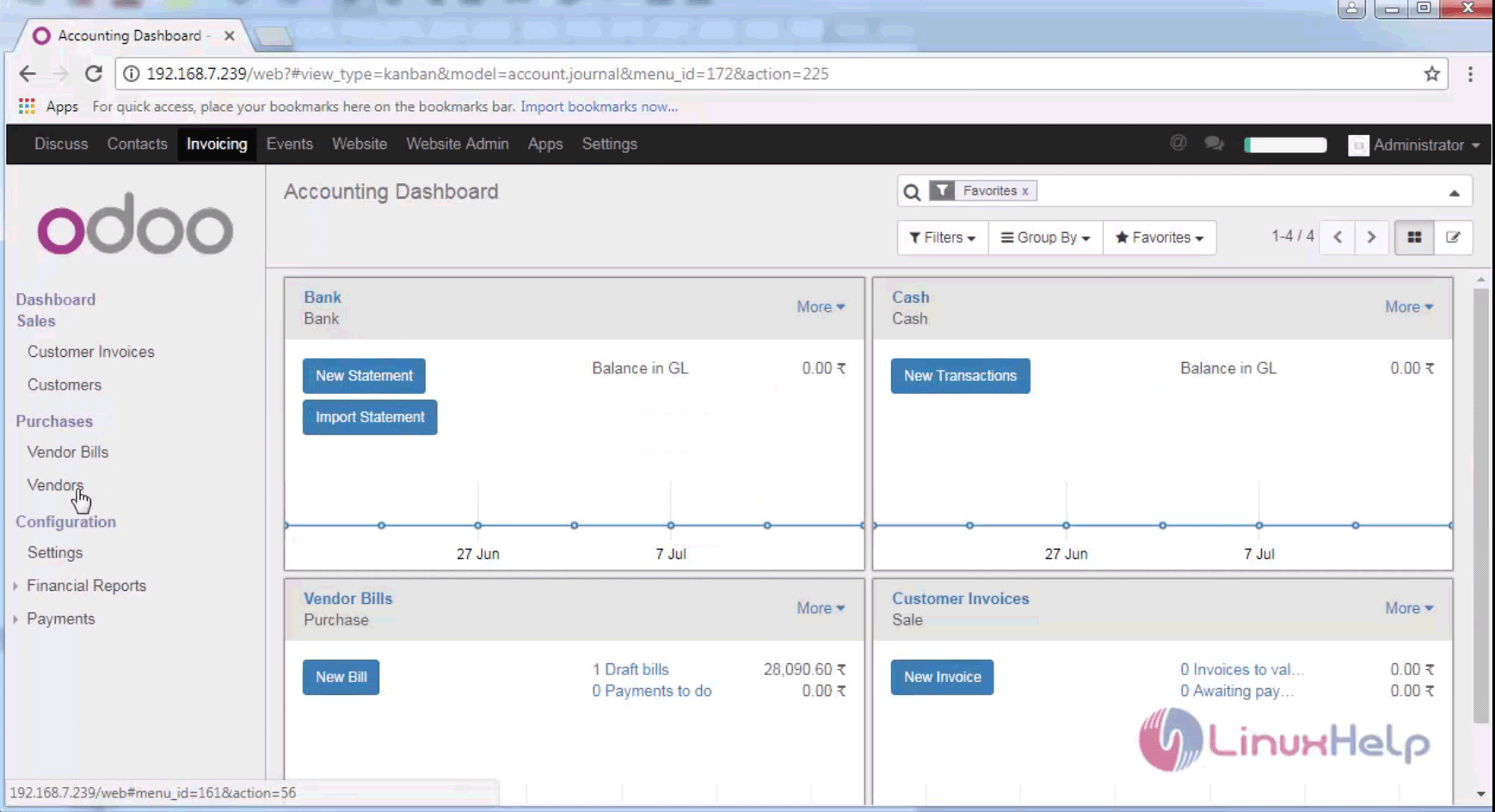
invoice app

If you want create new invoice go to Customer Invoice tab in the left pane and click “ create” option.
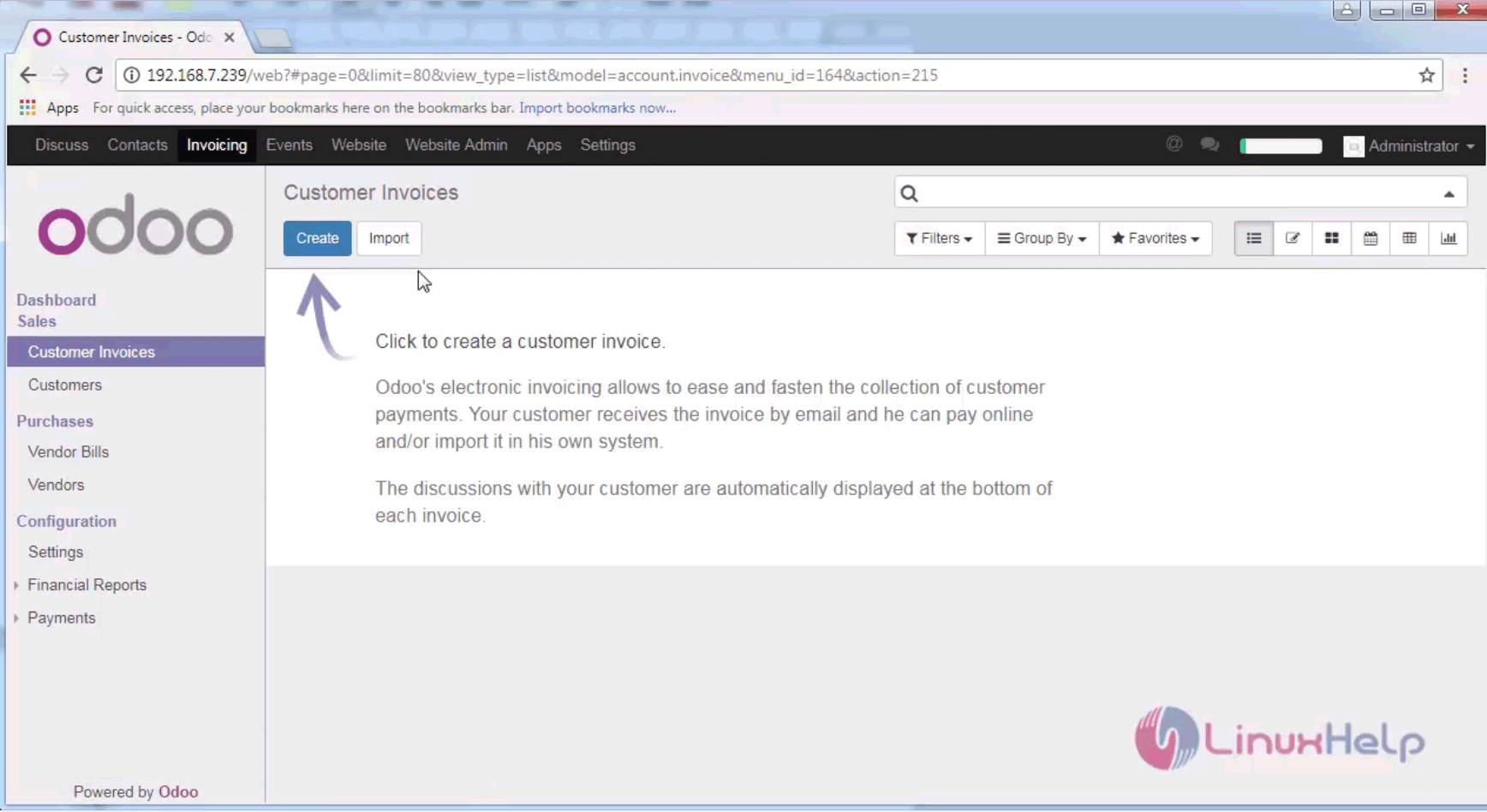
new invoice

Provide all the details such as customer name, vendor name, quantity, cost and tax. Finally save your changes.
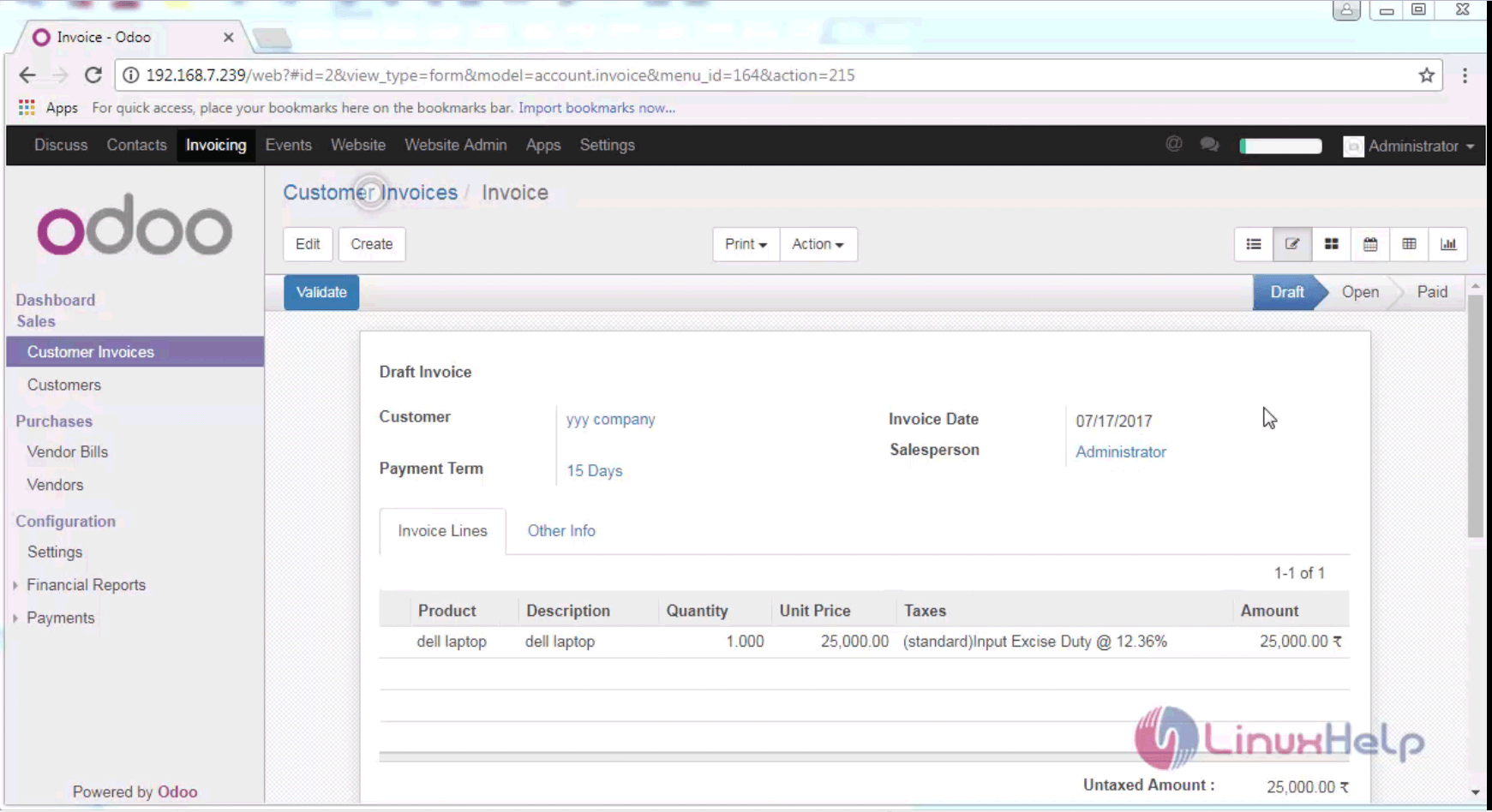
details

The overview of the invoice bill is shown below and now you can send the invoice to the customer.
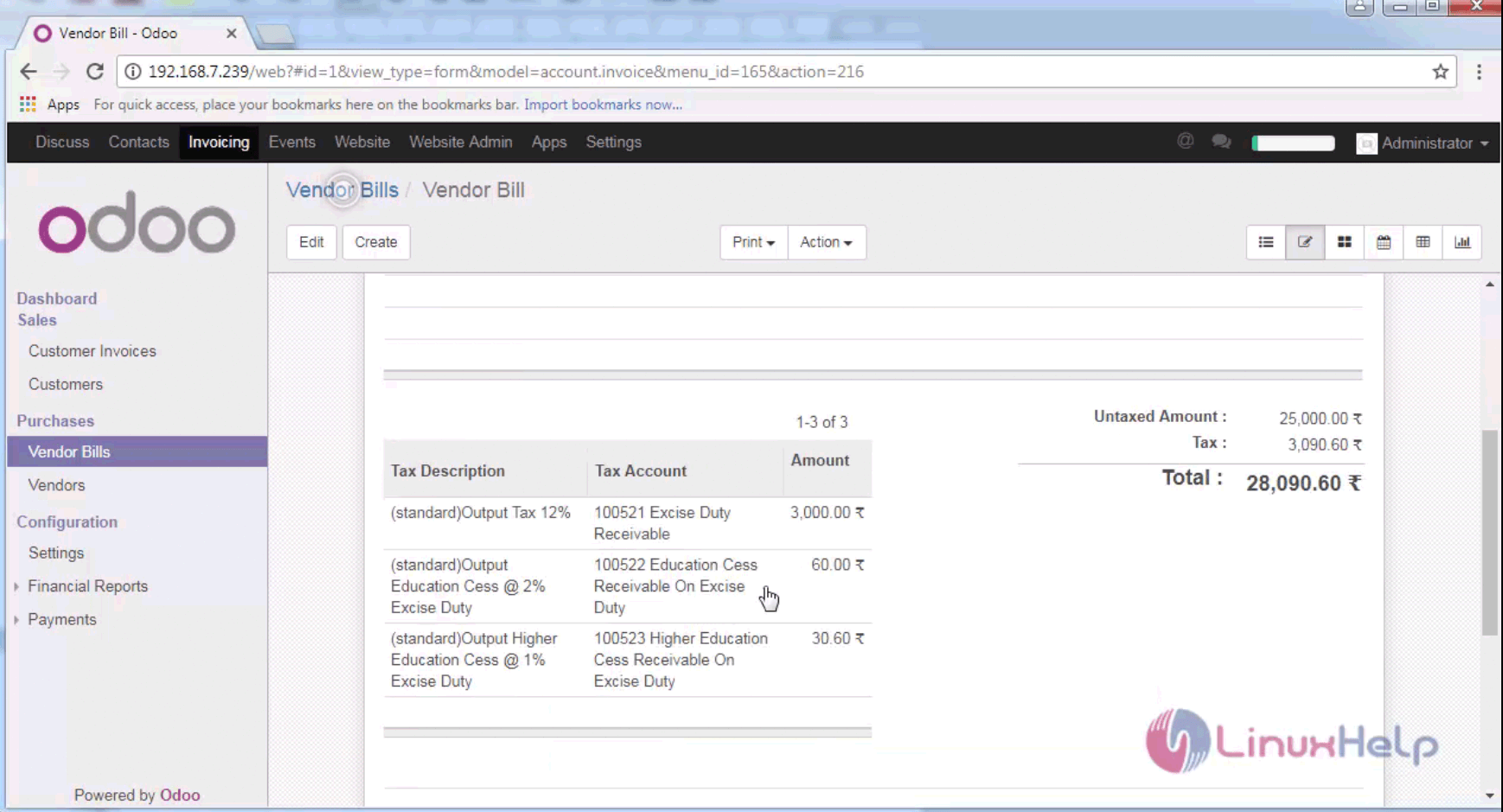
vendor bill

Other tabs such as Vendor bills comprises of the purchased bill and Vendor consists of Vendor details and other Account details.

That was all. It was simple to use, wasn' t it? More articles on Odoo is yet to come, so stay connected.

Tags:
caden
Author: 

Comments ( 0 )

No comments available

Add a comment
{{postCtrl.cmtErrMsg}}

Frequently asked questions ( 5 )

Q

How to have a nice icon and description for your modules?

A

Starting from version 8.0, the module icon needs to be located at static/description/icon.png in the module folder

Q

How to set a license and display a license file for your module ?

A

The license is defined in the license key of the manifest (__manifest__.py as of Odoo 10, __openerp__.py for older series), like 'license': 'AGPL-3', for example. Possible values are GPL-3, A

Q

How do I enable guests to post in a forum?

A

It's not possible to enable guests to post in a forum, though there is a workaround. Please see the section 'Guests and posting in a forum' in Forum settings for details

Q

How can I quarantine a forum post?

A

Find the offensive post and click 'split' (between 'edit' and 'delete')

This will take you to a second page where you will be asked to verify the split. Confirm it by pressing the 'split' button near the top of the page.

Q

Do I get free support when I buy an Odoo?

A

No. The module author is expected to fix any bug that would prevent the app from working as advertised on its description page.

Back To Top!
Rank
User
Points

Top Contributers

userNamenaveelansari
135850

Top Contributers

userNameayanbhatti
92510

Top Contributers

userNamehamzaahmed
32150

Top Contributers

1
userNamelinuxhelp
31040

Top Contributers

userNamemuhammadali
24500
Can you help Isaac ?
How to run windows application in linux

I need to run the windows application in my Linux machine, instead of installing from yum repo or any other repos. How to do that..??

Networking
  • Routing
  • trunk
  • Netmask
  • Packet Capture
  • domain
  • HTTP Proxy
Server Setup
  • NFS
  • KVM
  • Memory
  • Sendmail
  • WebDAV
  • LXC
Shell Commands
  • Cloud commander
  • Command line archive tools
  • last command
  • Shell
  • terminal
  • Throttle
Desktop Application
  • Linux app
  • Pithos
  • Retrospect
  • Scribe
  • TortoiseHg
  • 4Images
Monitoring Tool
  • Monit
  • Apache Server Monitoring
  • EtherApe 
  • Arpwatch Tool
  • Auditd
  • Barman
Web Application
  • Nutch
  • Amazon VPC
  • FarmWarDeployer
  • Rukovoditel
  • Mirror site
  • Chef
Contact Us | Terms of Use| Privacy Policy| Disclaimer
© 2025 LinuxHelp.com All rights reserved. Linux™ is the registered trademark of Linus Torvalds. This site is not affiliated with linus torvalds in any way.