• Categories
    Category
    {{ postCtrl.tags }}
    • {{ category.tag_type }}

      • {{tag.tag_name}}
      • View more
  • Categories
    Category
    {{ postCtrl.tags }}
    • {{ category.tag_type }}

      • {{tag.tag_name}}
      • View more
  • News
  • Tutorials
  • Forums
  • Tags
  • Users
Tutorial News Comments FAQ Related Articles

How to use MRP module on Odoo

{{postValue.id}}

How to use MRP module on Odoo

For over a period of two weeks, we have been observing on various modules on Odoo. This article will explain the MRP module on Odoo. The MRP module allows you to cover planning, ordering, stocks and manufacturing of products from assembly line from raw materials to finished products. It supports complete integration and allows you to watch over necessary operation of machines, tools or human resources.

MRP Module- Odoo

To start with the installation procedure, check whether the MRP module is installed in the Odoo system. If not, install the app from the list of apps on Odoo. Then go to the manufacturing tab on the header menu. manufacturing tab
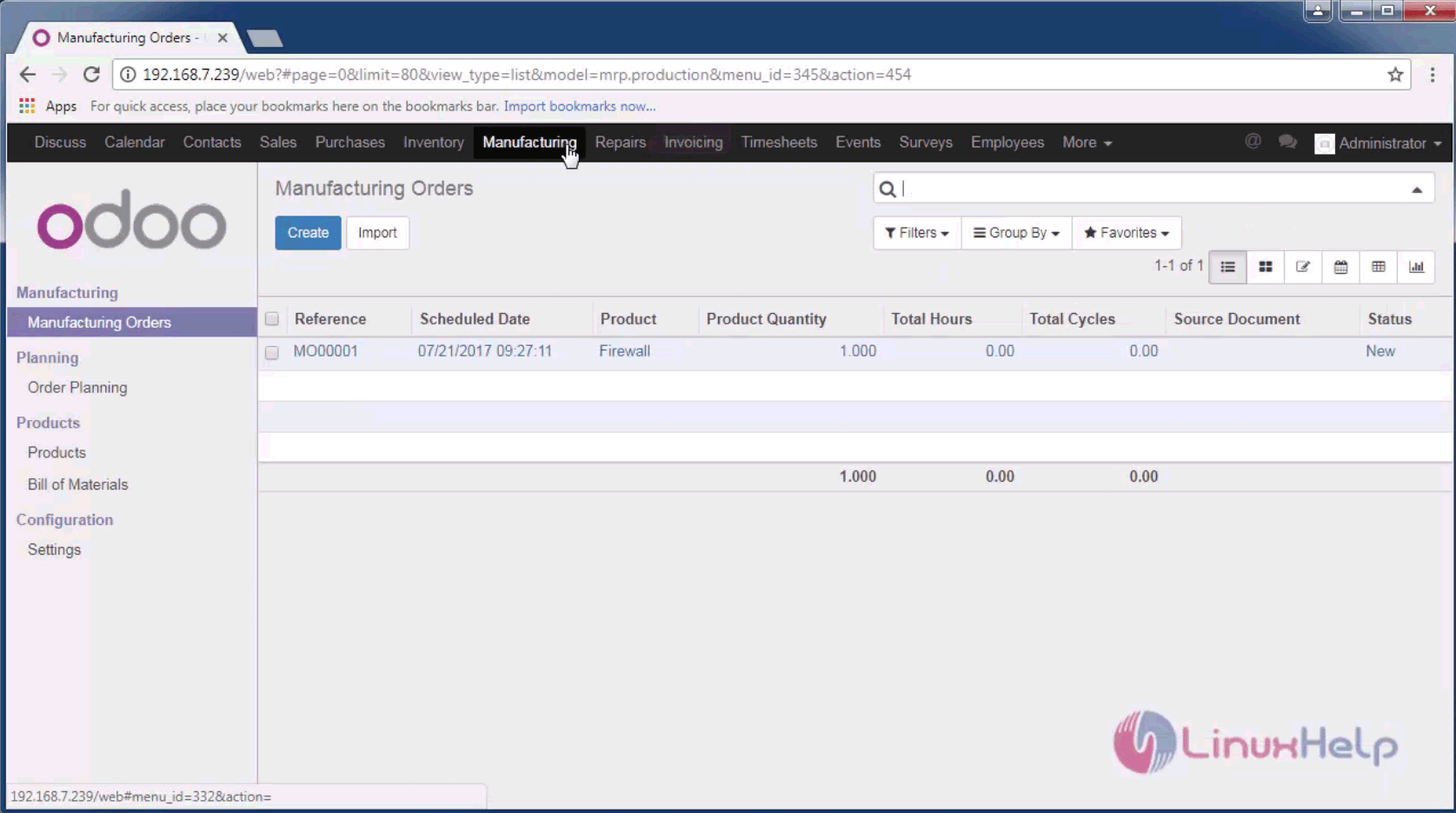
Create a new Manufacturing order with the product name, reference, bill, amount and other relevant details of that product.
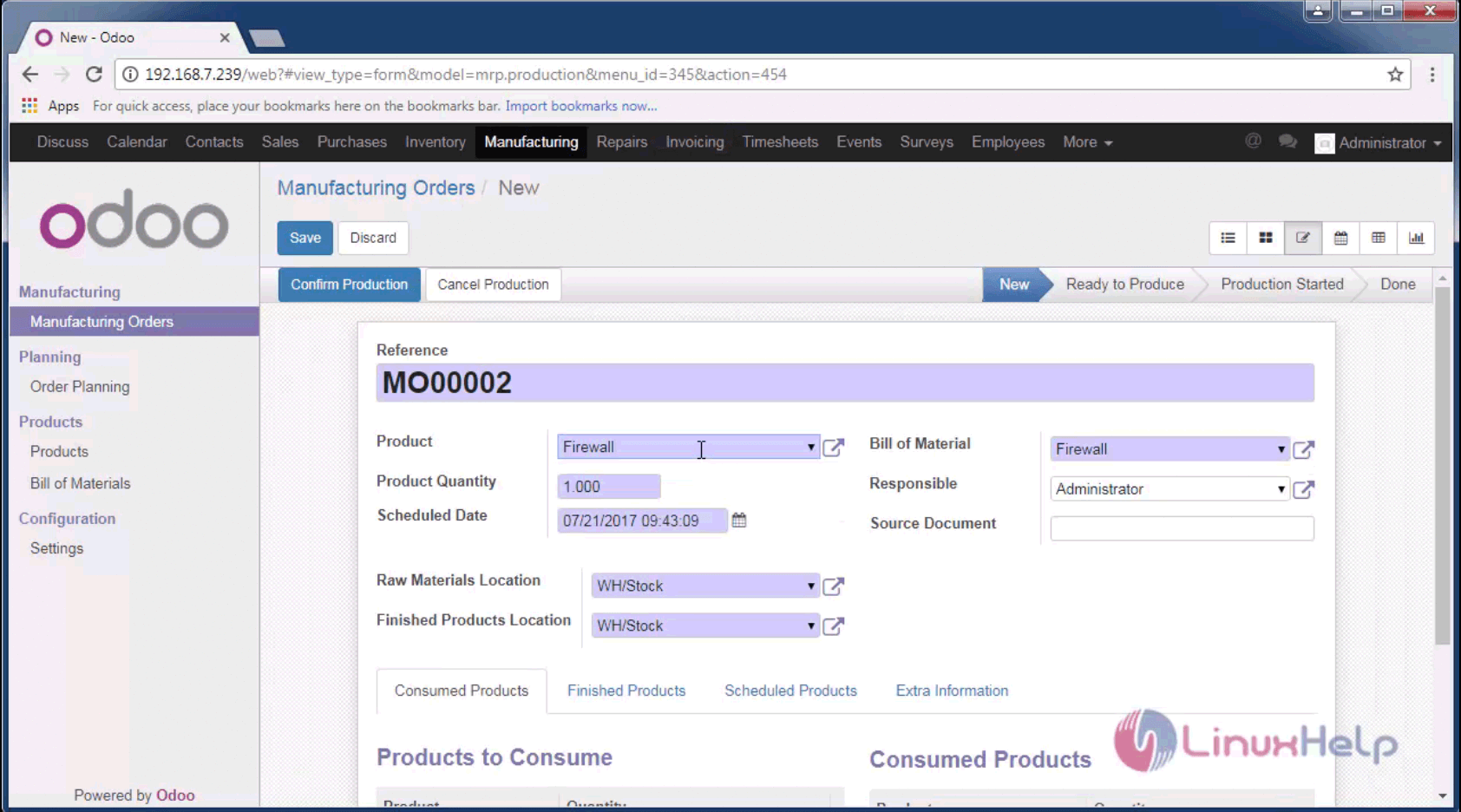
products

Set the sale price and cost of the particular product and save the changes.
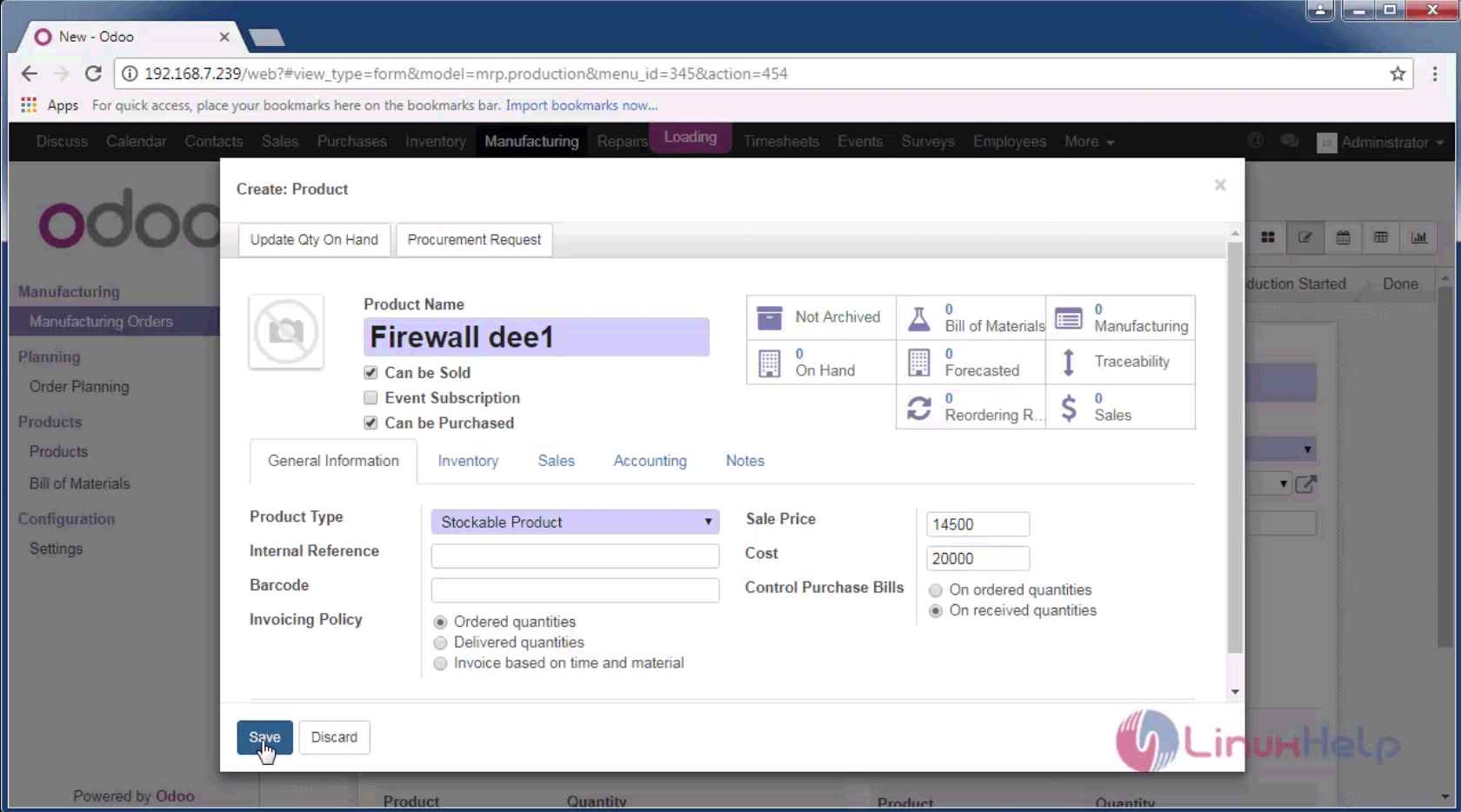
product details

The list of stages of manufacturing products is shown on the right hand corner from new product, awaiting raw materials, ready to produce, production started and done stages is displayed.
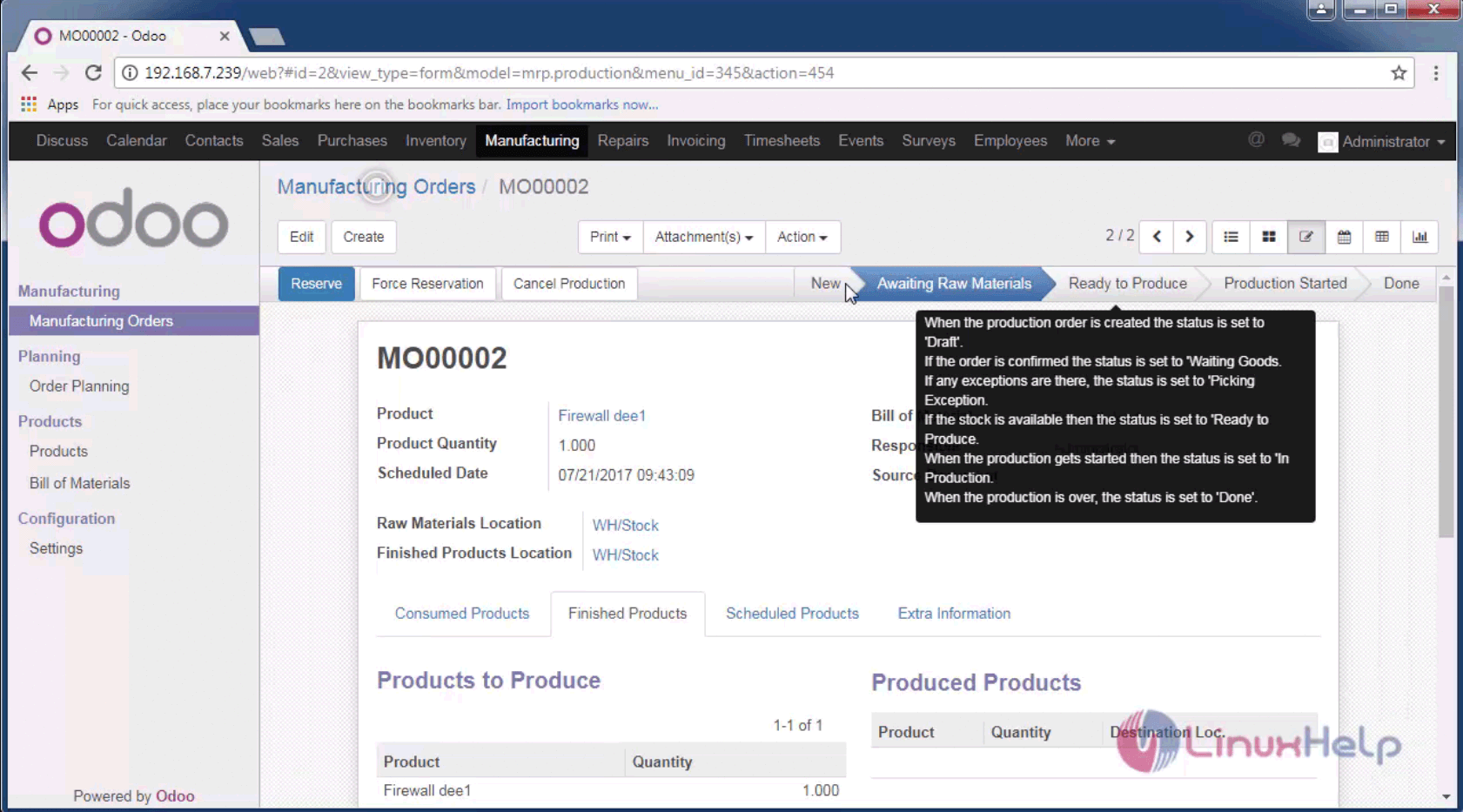
raw materials

This page shows the order planning of the product. Here you can schedule the order placing on the calendar.
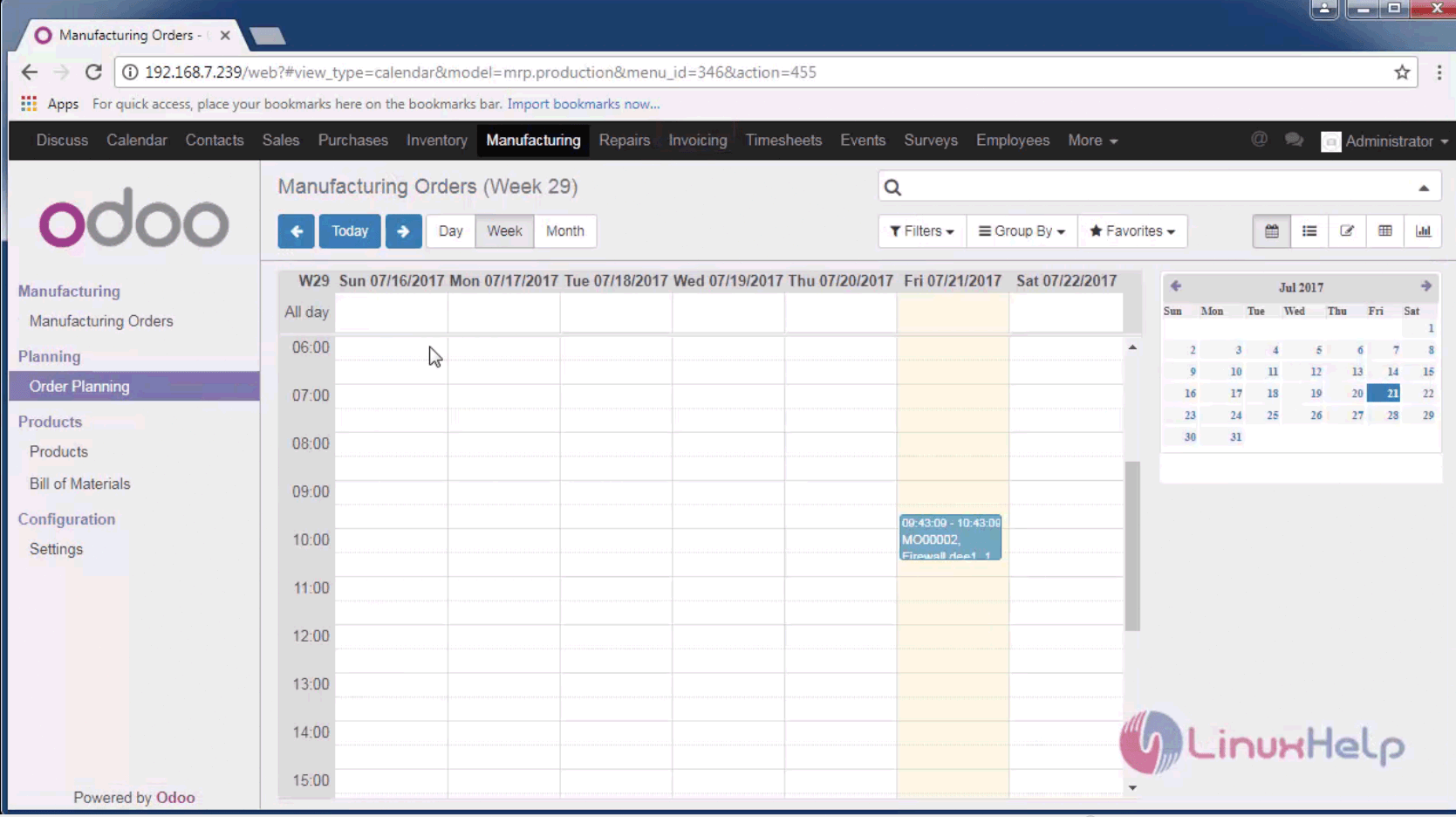
order planning

The bill of materials comprises of the bill generated for the product to be manufactured.
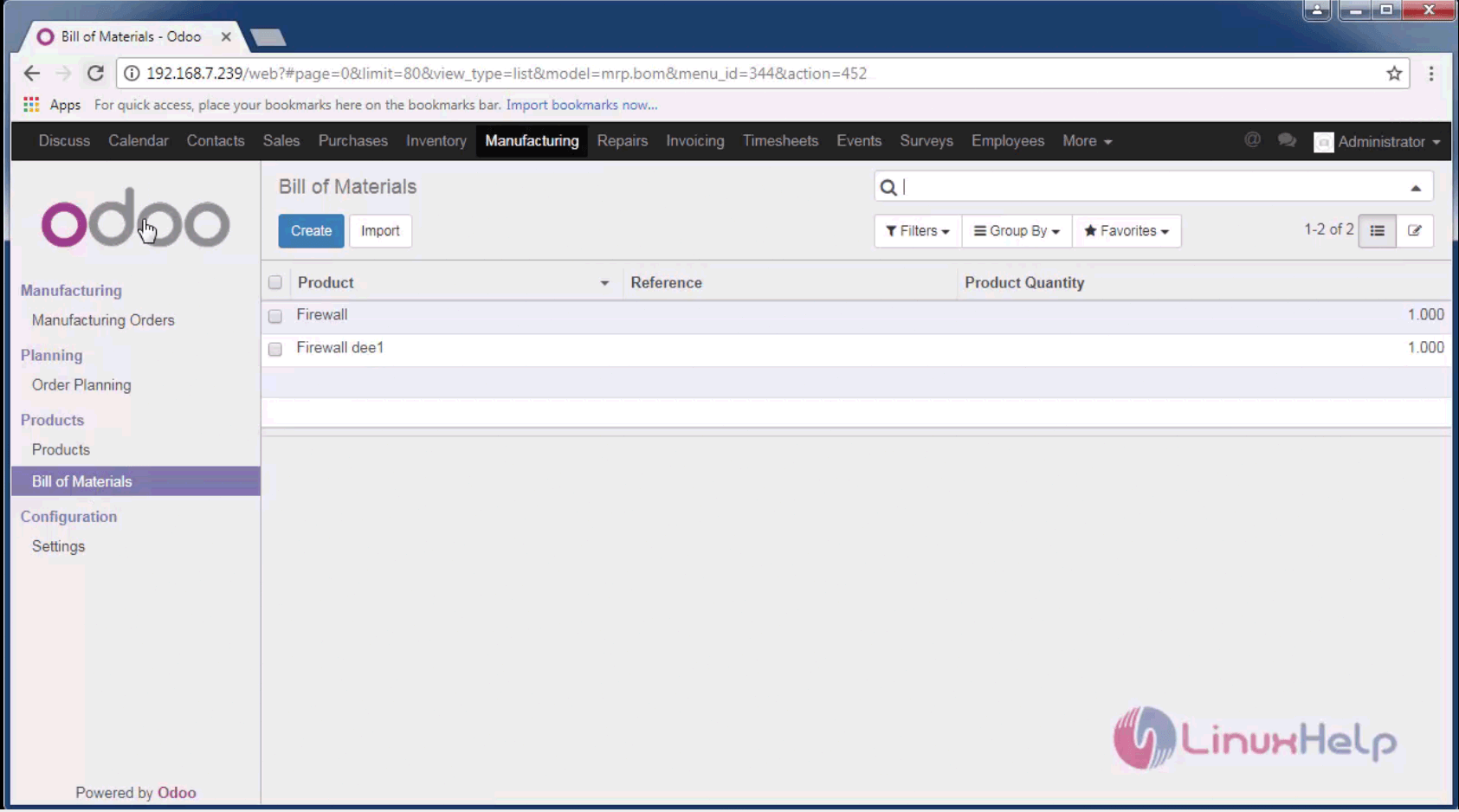
materials

Thus we have created a new manufacturing order for a product.
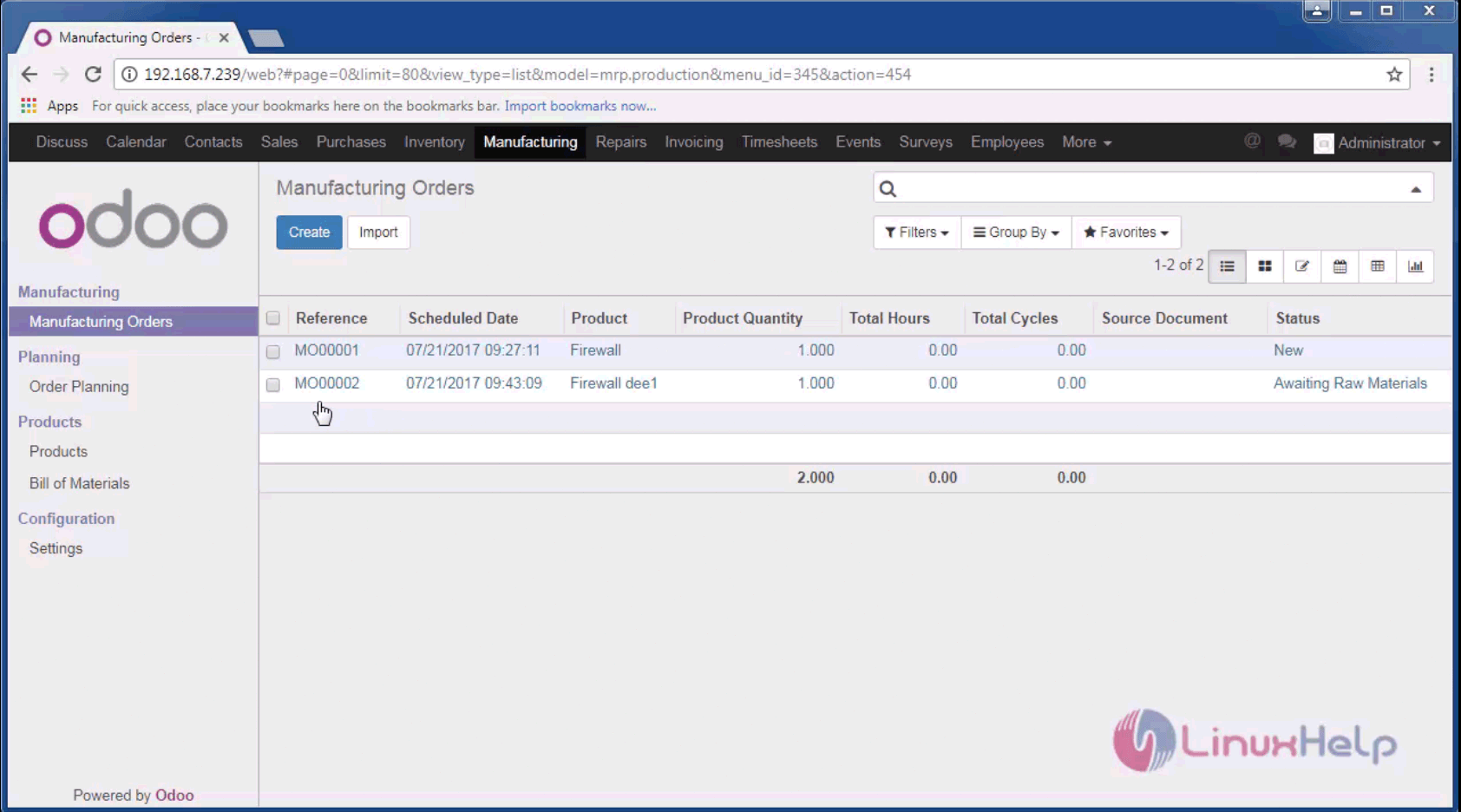
manufacturing order

The installation procedure for MRP module is complete. Stay connected to know more about coming articles in Odoo.

Tags:
jackson
Author: 

Comments ( 0 )

No comments available

Add a comment
{{postCtrl.cmtErrMsg}}

Frequently asked questions ( 5 )

Q

Do I get free support when I buy an Odoo?

A

No. The module author is expected to fix any bug that would prevent the app from working as advertised on its description page.

Q

How can I access the module I bought?

A

You should receive an email with temporary download links up to one hour after you made the purchase.

Q

How can I use Odoo Apps modules with Odoo Online (SaaS)?

A

Third-party apps sold on Odoo Apps cannot be used on Odoo Online.

Q

How to setup odoo on IPv6 port 80? Is it possible to use nginx to do the same?

A

Why do you want to setup Odoo to listen on IPv6 on localhost? Use nginx frontend to be accessed from IPv6 with the below configuration: listen [::]:80;

Q

How do I automate 'leave allocations' in Odoo?

A

We can’t automate, Employees can request single or mass allocation of leave by department wise or individual wise. Managers will approve or reject accordingly, this is the process.

Back To Top!
Rank
User
Points

Top Contributers

userNamenaveelansari
135850

Top Contributers

userNameayanbhatti
92510

Top Contributers

userNamehamzaahmed
32150

Top Contributers

1
userNamelinuxhelp
31040

Top Contributers

userNamemuhammadali
24500
Can you help Lucas ?
Various options in Top command

Am using Top command only to view the load average, what are the various options in Top command..??

Networking
  • Routing
  • trunk
  • Netmask
  • Packet Capture
  • domain
  • HTTP Proxy
Server Setup
  • NFS
  • KVM
  • Memory
  • Sendmail
  • WebDAV
  • LXC
Shell Commands
  • Cloud commander
  • Command line archive tools
  • last command
  • Shell
  • terminal
  • Throttle
Desktop Application
  • Linux app
  • Pithos
  • Retrospect
  • Scribe
  • TortoiseHg
  • 4Images
Monitoring Tool
  • Monit
  • Apache Server Monitoring
  • EtherApe 
  • Arpwatch Tool
  • Auditd
  • Barman
Web Application
  • Nutch
  • Amazon VPC
  • FarmWarDeployer
  • Rukovoditel
  • Mirror site
  • Chef
Contact Us | Terms of Use| Privacy Policy| Disclaimer
© 2025 LinuxHelp.com All rights reserved. Linux™ is the registered trademark of Linus Torvalds. This site is not affiliated with linus torvalds in any way.