• Categories
    Category
    {{ postCtrl.tags }}
    • {{ category.tag_type }}

      • {{tag.tag_name}}
      • View more
  • Categories
    Category
    {{ postCtrl.tags }}
    • {{ category.tag_type }}

      • {{tag.tag_name}}
      • View more
  • News
  • Tutorials
  • Forums
  • Tags
  • Users
Tutorial News Comments FAQ Related Articles

How to use Project Management on Odoo

{{postValue.id}}

How to use Project Management on Odoo

Odoo is an all-in-one management software that offers a range of business applications that form a complete suite of enterprise management applications. The Odoo solution is ideal for SMEs and also fits both small and large companies alike. Odoo is an all-in-one business software capable of covering all business needs, including eCommerce, Website Builder, Warehouse Management, Billing & Accounting, Human Resources, Marketing, Manufacturing, Purchase Management, etc. This tutorial explains on how to use Project Management on Odoo.

PROJECT CREATION

To start with project creation, Click install option to install the project management module, if it is not installed before.
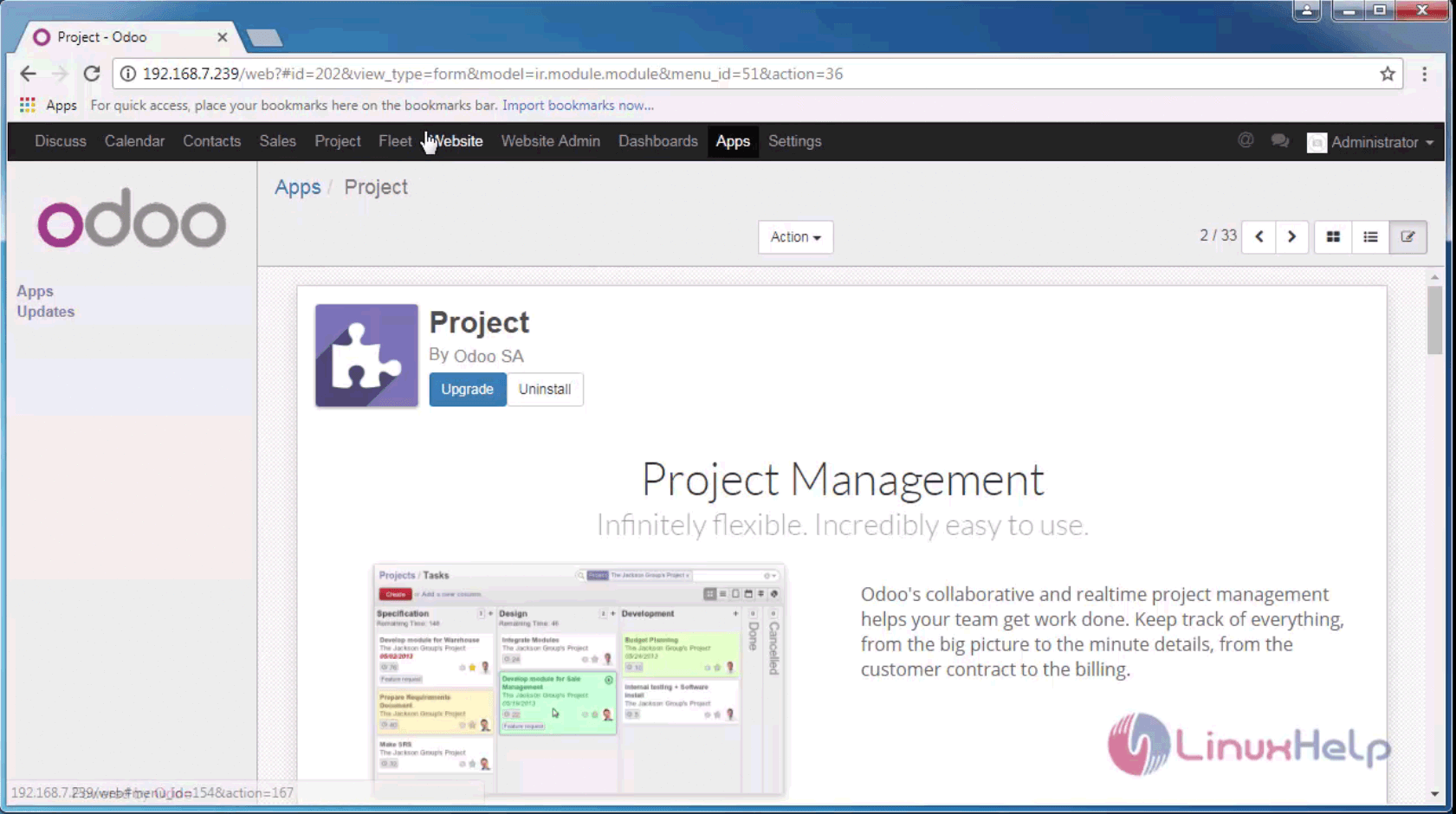
project management module

Enter the project' s name and set the visibility for the website.
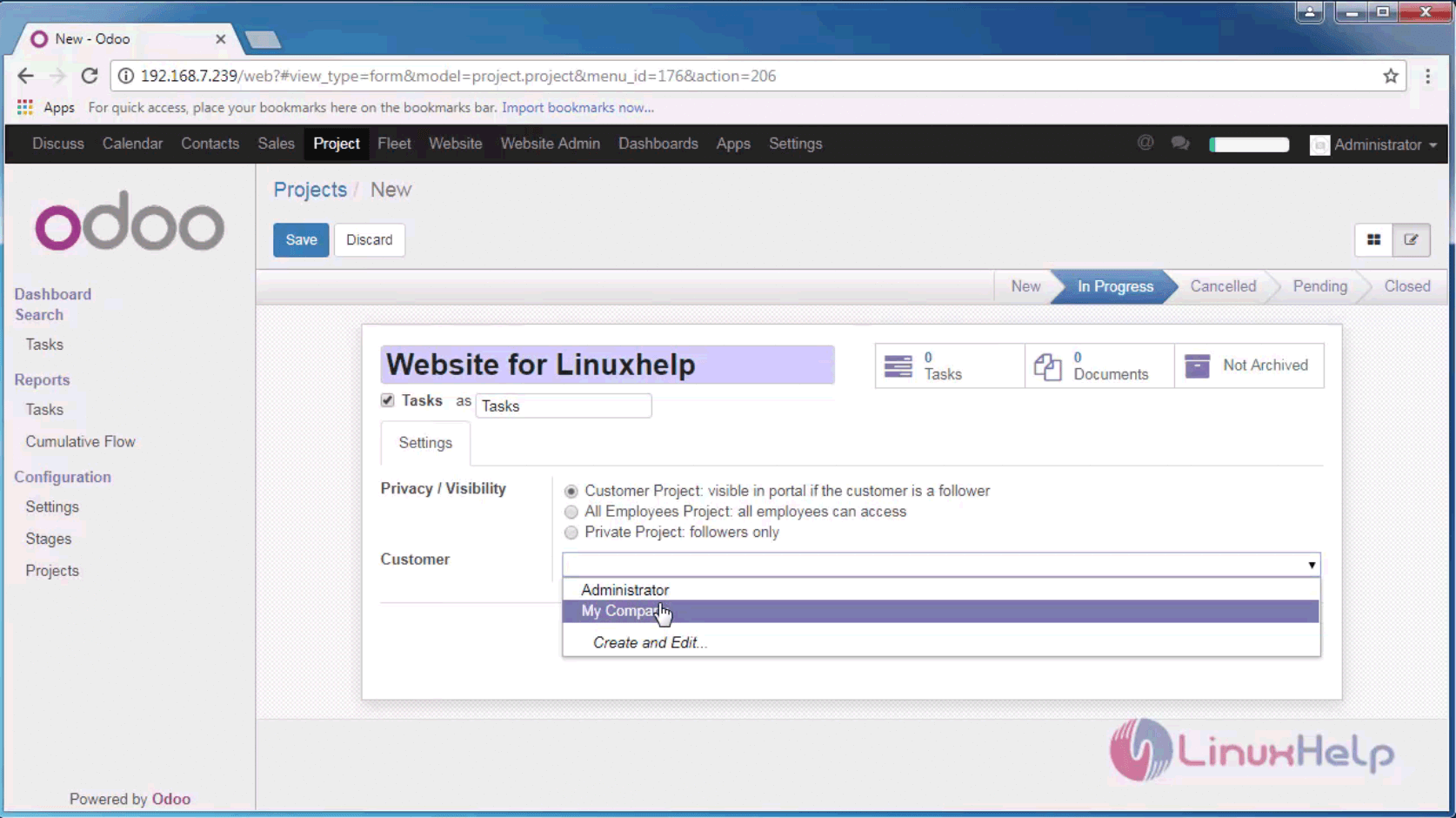
project title

Here “ Website for Linux” test website is created with the required details. Provide the Settings and customers associated with it. Select the task that is to be created.
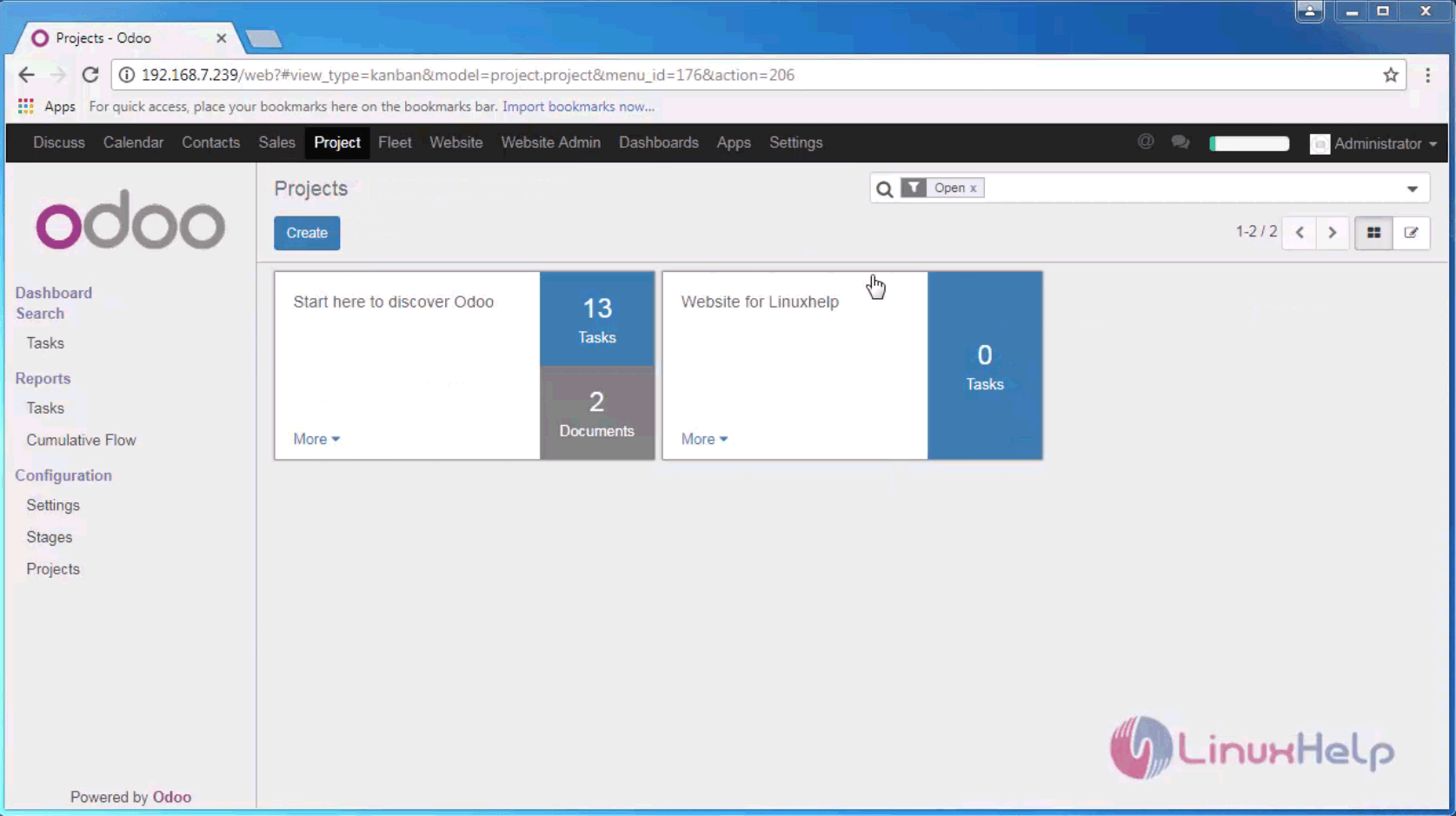
create task

The user can assign a task to the respective teams and their projects, and can view their issues, documents and reports.
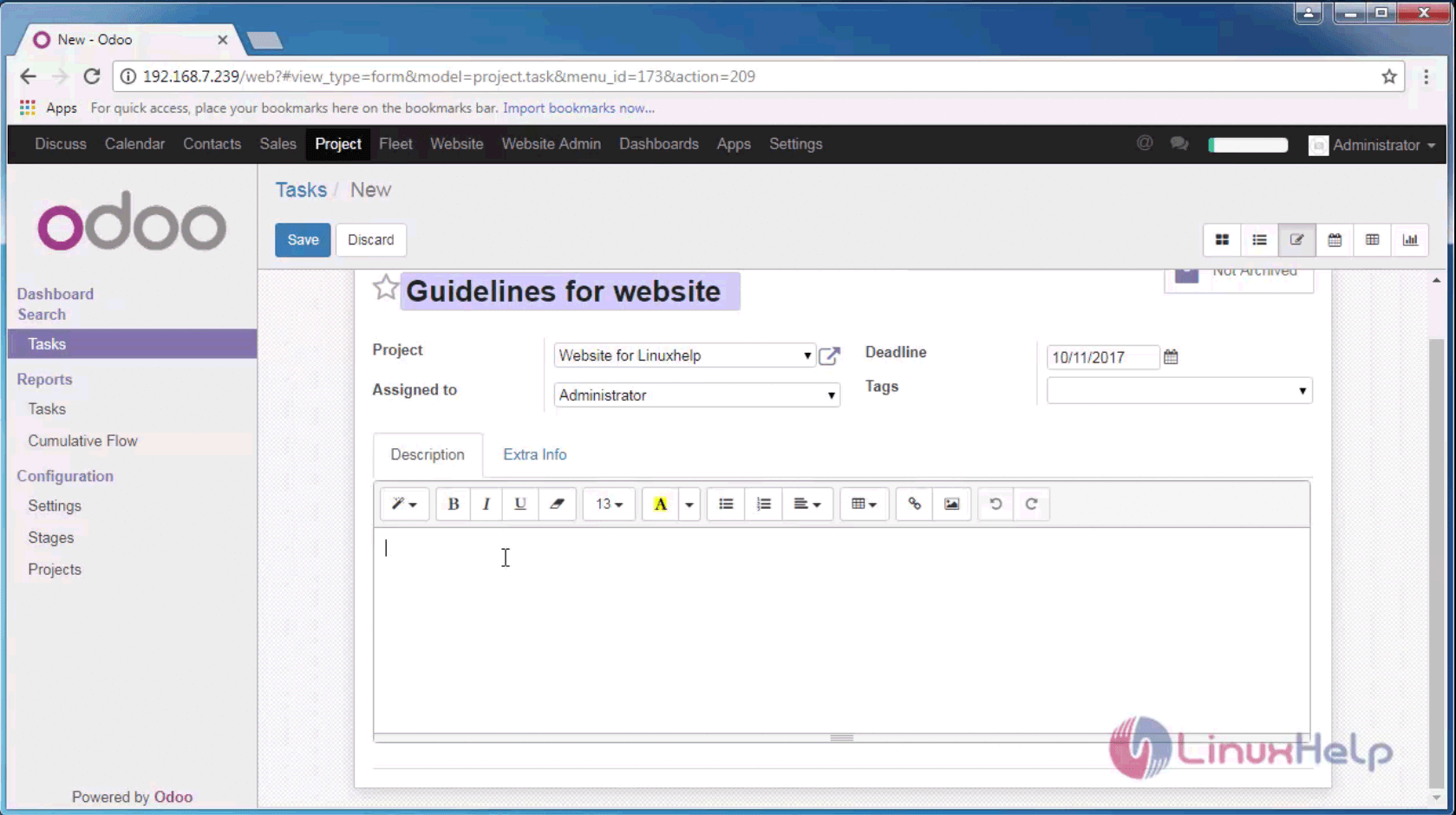
task

Additionally the user can also see the stages of the project inside “ kanban view” shown below.
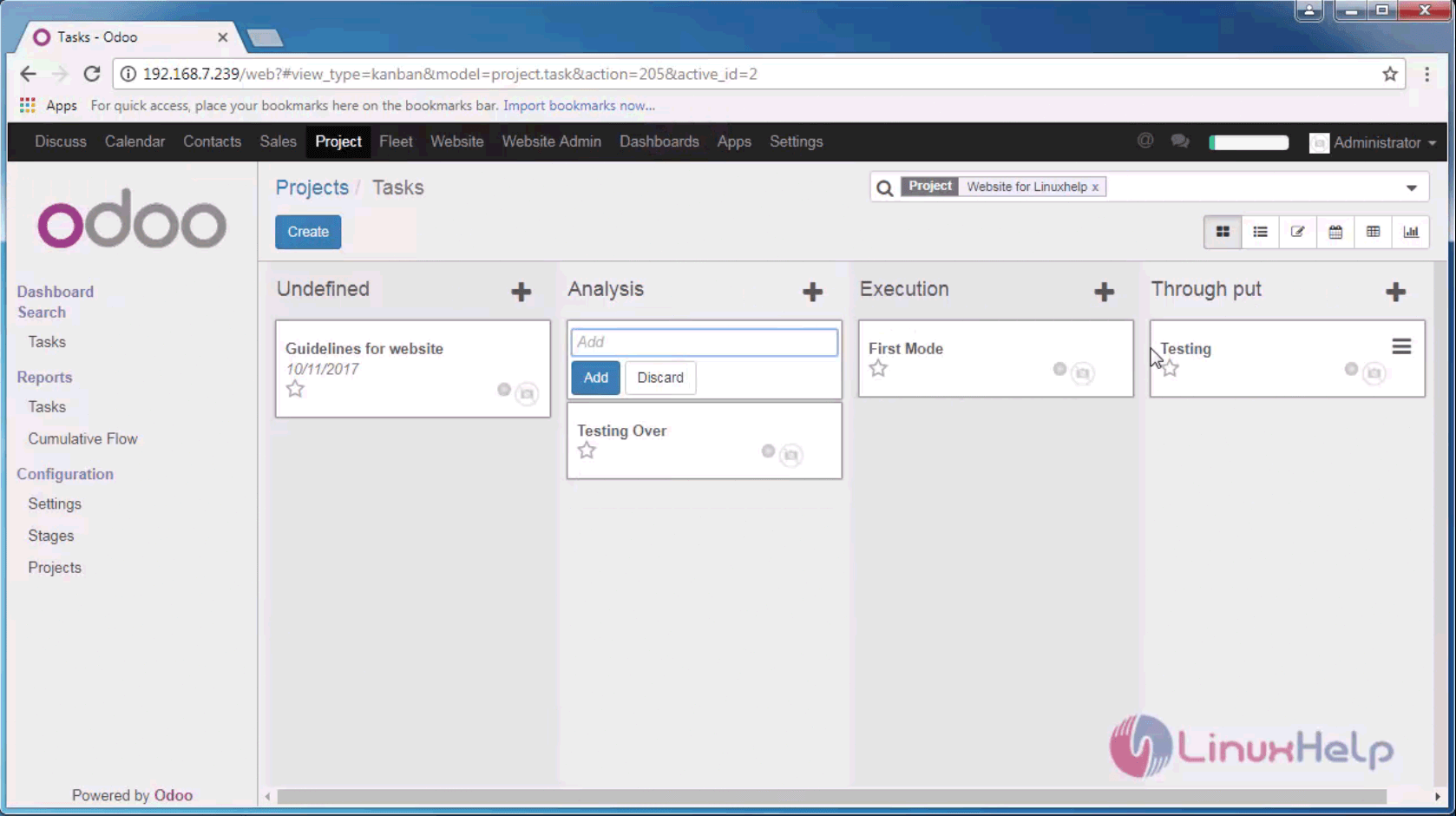
kanban view

That was an easy procedure, Wasn' t it? Odoo is written in Python, JavaScript, and XML.

Tags:
mason
Author: 

Comments ( 1 )

NikWilliams
How to do Resource Planning in Jira using Apps?
Add a comment
{{postCtrl.cmtErrMsg}}

Frequently asked questions ( 5 )

Q

What is to be done in order to translate my Odoo website?

A

You can translate your website to any of the available languages automatically using Gengo App. But if you prefer to do it manually, you may do the following simple steps. Once you reach the website, you have to click on ‘Add a language’ icon seen on the page’s bottom right corner. From the list, the preferred language has to be selected and click on ‘Load’.

Q

Is it possible to import data from other software applications to my OpenERP Online System?

A

Yes, it is possible for users to import data from other software applications to the online ERP system. Data importation is allowed from.CSV text files (Comma Separated Values) for any item within the system. Your own scripts can also be even connected through web-services. Data migration services are also provided for Odoo users.

Q

What is Project Manager on Odoo?

A

Odoo is an all-in-one management software that offers a range of business applications that form a complete suite of enterprise management applications. The Odoo solution is ideal for SMEs and also fits both small and large companies alike. Odoo is an all-in-one business software capable of covering all business needs, including eCommerce, Website Builder, Warehouse Management, Billing & Accounting, Human Resources, Marketing, Manufacturing, Purchase Management, etc.

Q

.What are the languages that are available on the Open ERP online?

A

More than 10 languages are available in the OpenERP Online system. This includes English, Catalan, Dutch, Estonian, Chinese (Simplified), French, German, Portuguese, Spanish, Italian and Polish. However, only the English language is offered for the OpenERP Online control center.

Q

What has to be done if I find a bug in OpenERP Online?

A

You don’t need to worry as Odoo comes with all comfort for its users. The OpenERP Publisher Warranty (OPW) comes as a rescue for the OpenERP Online customers. If bugs are seen on usage, users can feel free to contact the support team at online@openerp.com.

Back To Top!
Rank
User
Points

Top Contributers

userNamenaveelansari
135850

Top Contributers

userNameayanbhatti
92510

Top Contributers

userNamehamzaahmed
32150

Top Contributers

1
userNamelinuxhelp
31040

Top Contributers

userNamemuhammadali
24500
Can you help Elijah ?
Remote Desktop Connection Has Stopped Working

When accessing my remote machine server using remote desktop on a windows machine I am getting this error

forum (1)

Networking
  • Routing
  • trunk
  • Netmask
  • Packet Capture
  • domain
  • HTTP Proxy
Server Setup
  • NFS
  • KVM
  • Memory
  • Sendmail
  • WebDAV
  • LXC
Shell Commands
  • Cloud commander
  • Command line archive tools
  • last command
  • Shell
  • terminal
  • Throttle
Desktop Application
  • Linux app
  • Pithos
  • Retrospect
  • Scribe
  • TortoiseHg
  • 4Images
Monitoring Tool
  • Monit
  • Apache Server Monitoring
  • EtherApe 
  • Arpwatch Tool
  • Auditd
  • Barman
Web Application
  • Nutch
  • Amazon VPC
  • FarmWarDeployer
  • Rukovoditel
  • Mirror site
  • Chef
Contact Us | Terms of Use| Privacy Policy| Disclaimer
© 2026 LinuxHelp.com All rights reserved. Linux™ is the registered trademark of Linus Torvalds. This site is not affiliated with linus torvalds in any way.