• Categories
    Category
    {{ postCtrl.tags }}
    • {{ category.tag_type }}

      • {{tag.tag_name}}
      • View more
  • Categories
    Category
    {{ postCtrl.tags }}
    • {{ category.tag_type }}

      • {{tag.tag_name}}
      • View more
  • News
  • Tutorials
  • Forums
  • Tags
  • Users
Tutorial News Comments FAQ Related Articles

How to use Website Builder on Odoo

{{postValue.id}}

How to use Website Builder on Odoo

Odoo is an all-in-one management software that offers a range of business applications that form a complete suite of enterprise management applications. The Odoo solution is ideal for SMEs and also fits both small and large companies alike. Odoo is an all-in-one business software capable of covering all business needs, including eCommerce, Website Builder, Warehouse Management, Billing & Accounting, Human Resources, Marketing, Manufacturing, Purchase Management, etc. This tutorial explains on how to use Website Builder on Odoo.

WEBSITE BUILDER- ODOO

Odoo acts as interface for creating innovative websites for any organization with enormous features easily without any prior knowledge about coding. To use the website builder in odoo, install the Website builder App on odoo
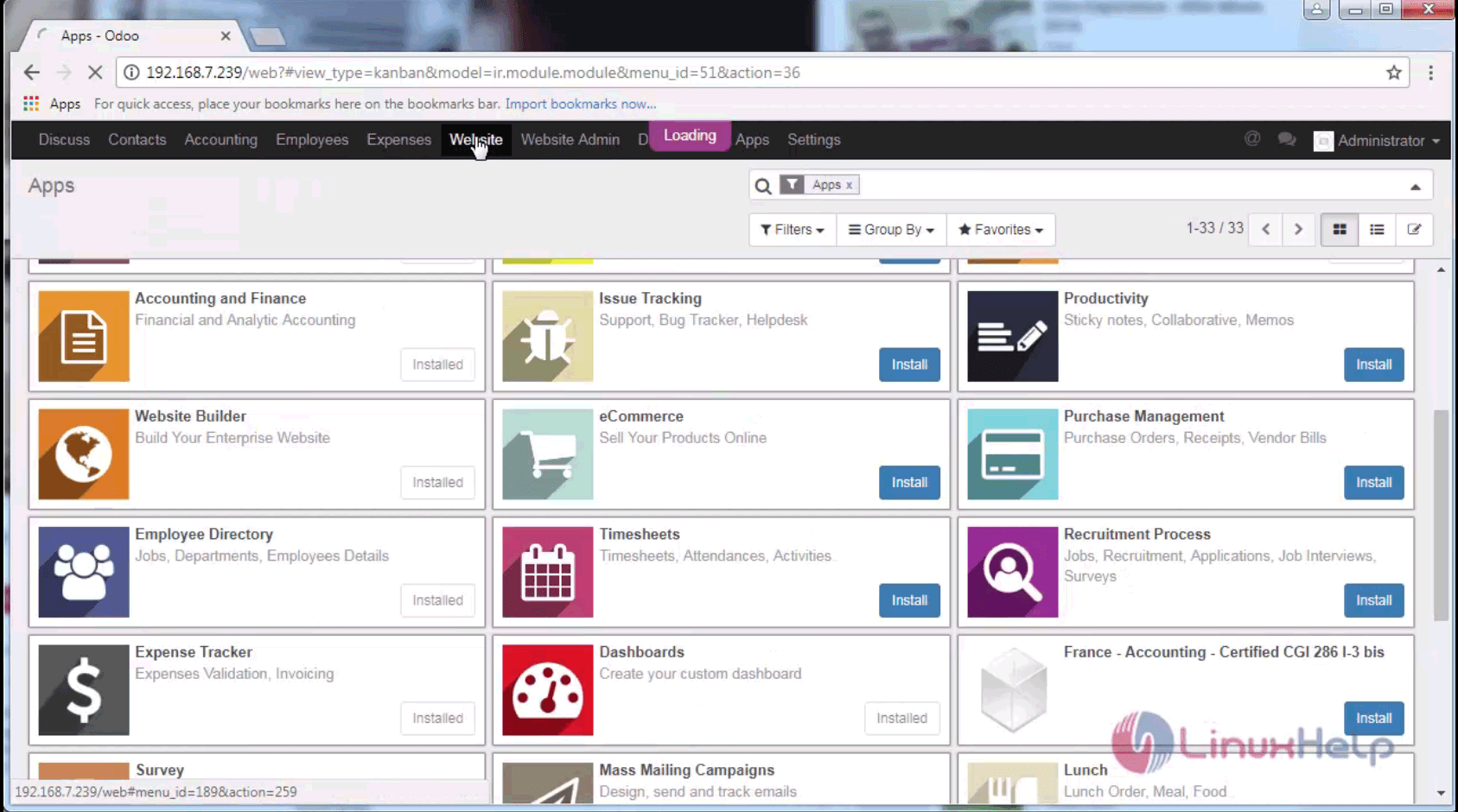
website builder app

Then go to the Website on the header tag click the edit tab to create a website.
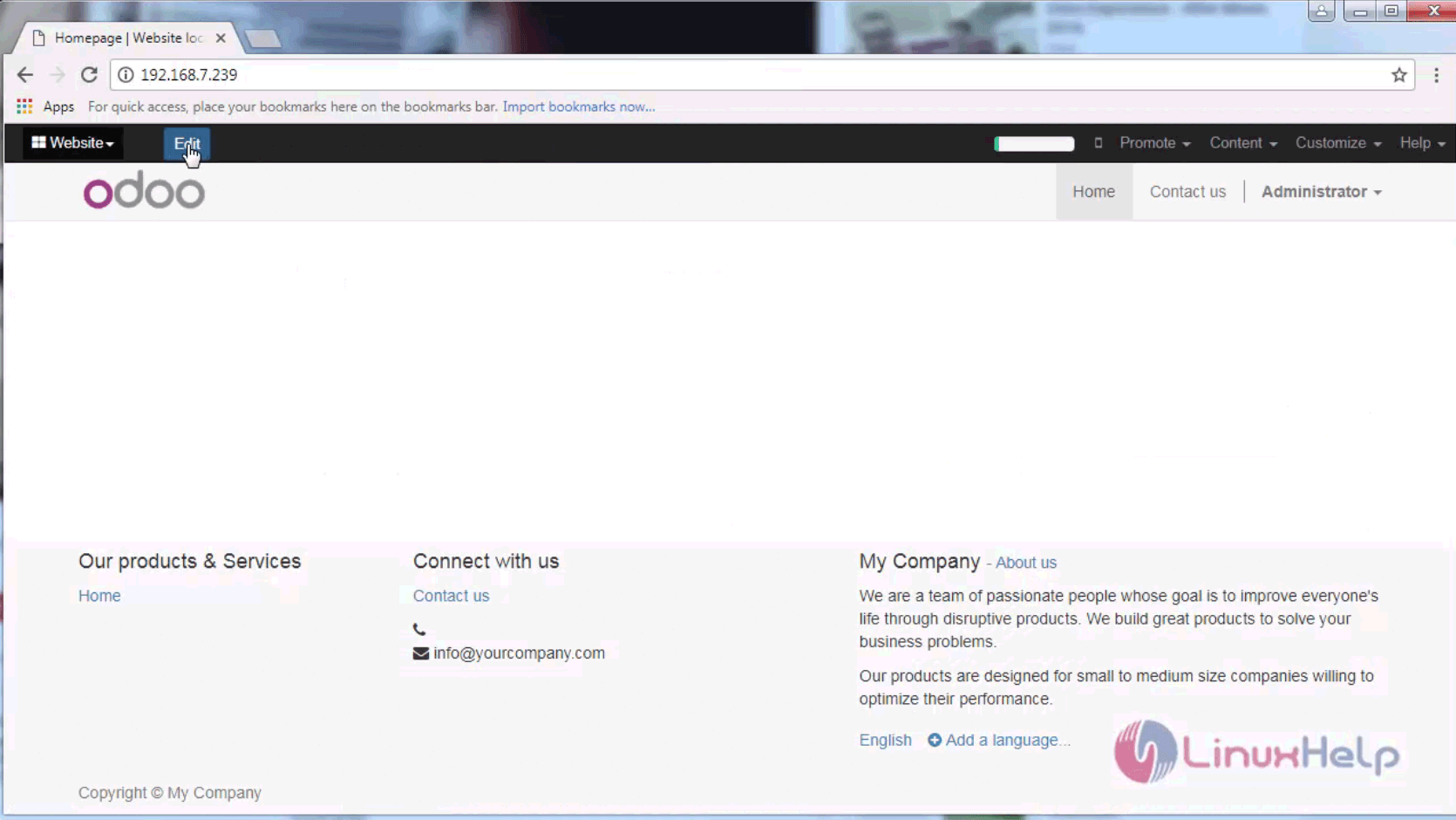
website

There are several options that can be used in the left pane of the website builder which contains various formats for customizing the website.
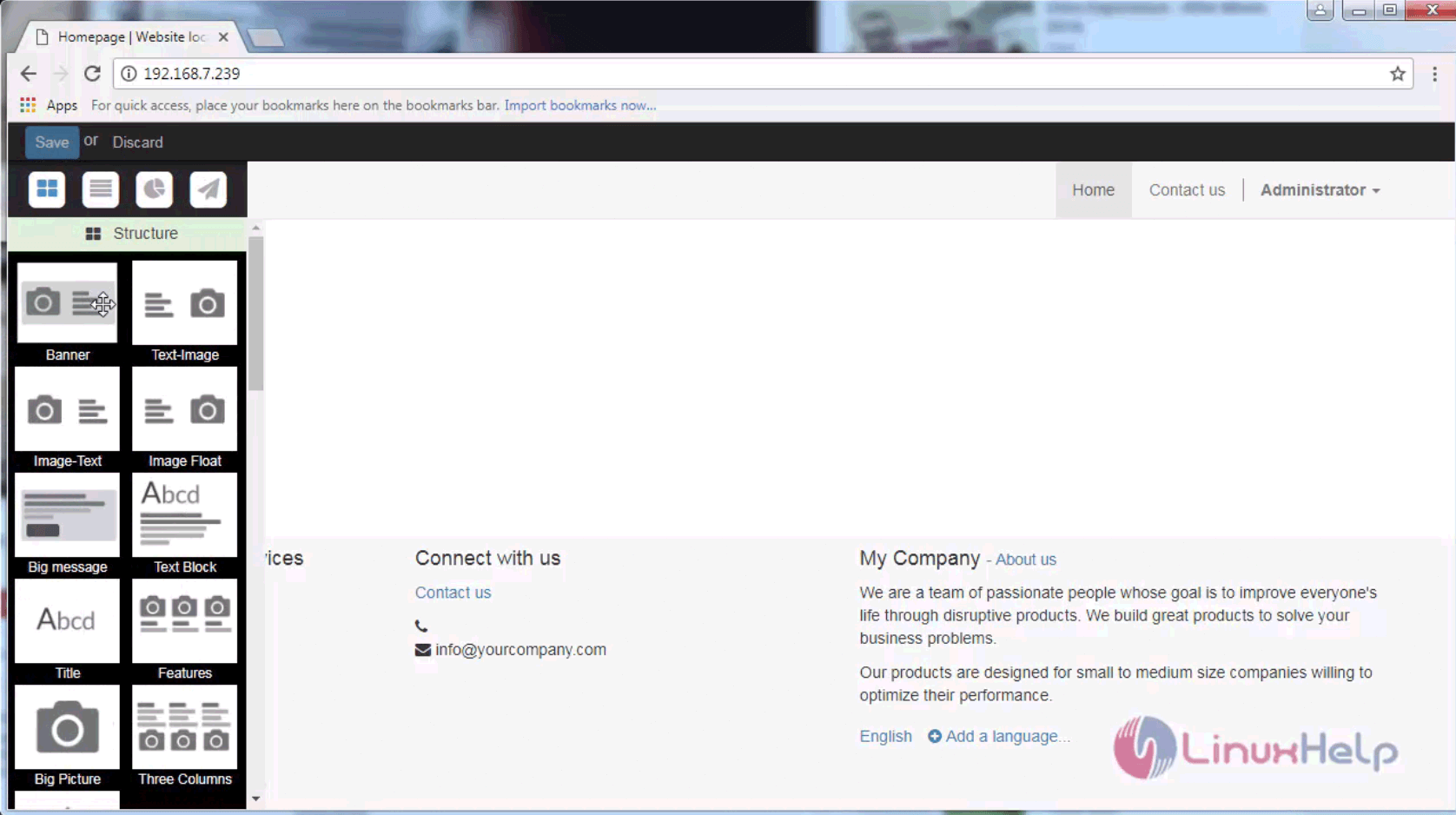
formats

There is also the drag and drop option to edit the changes as per the user' s requirements. The user can add section subtitle, banner references contact details etc.
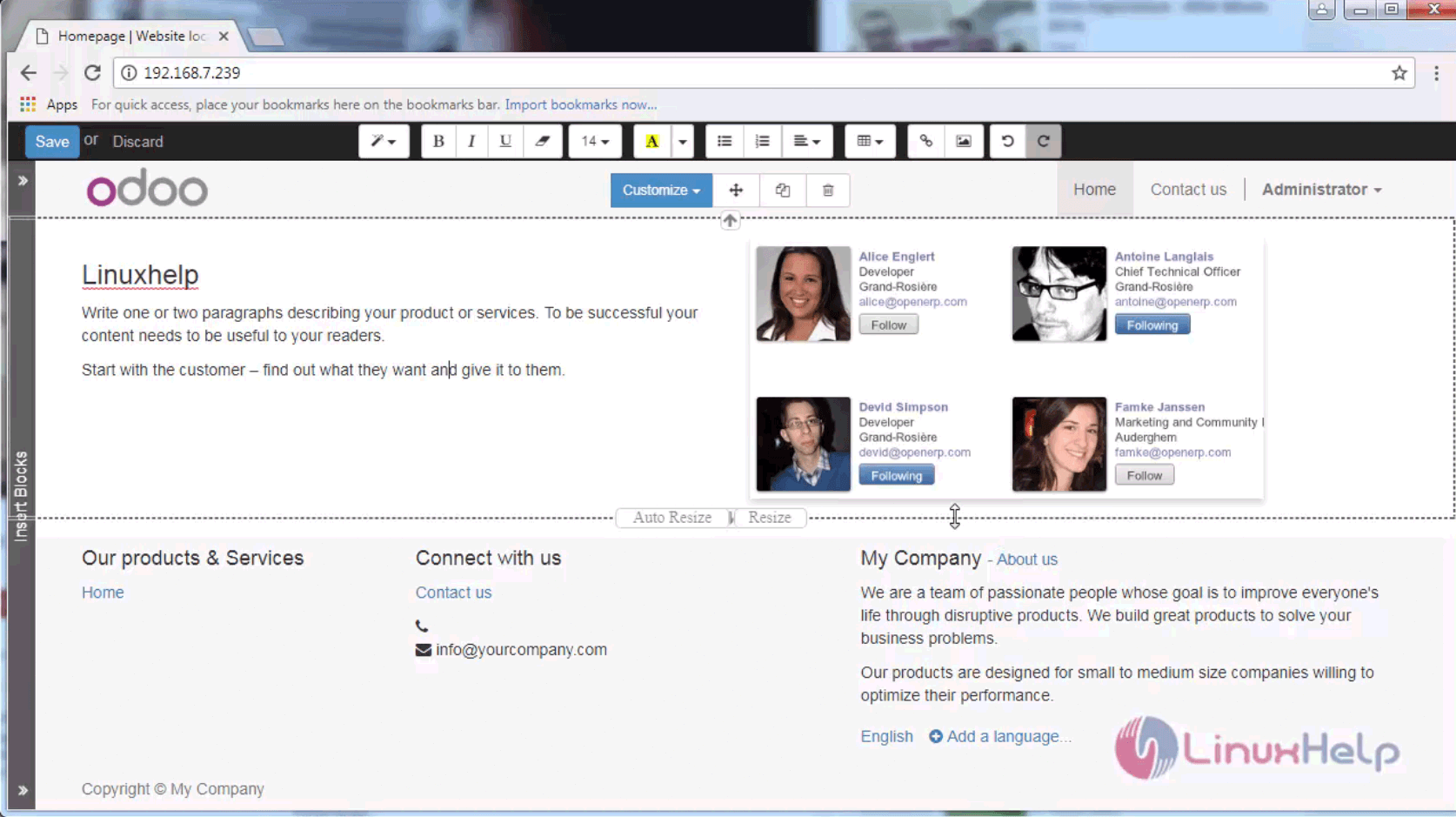
addition

After using the formats and options the website can be built easily using this website builder.
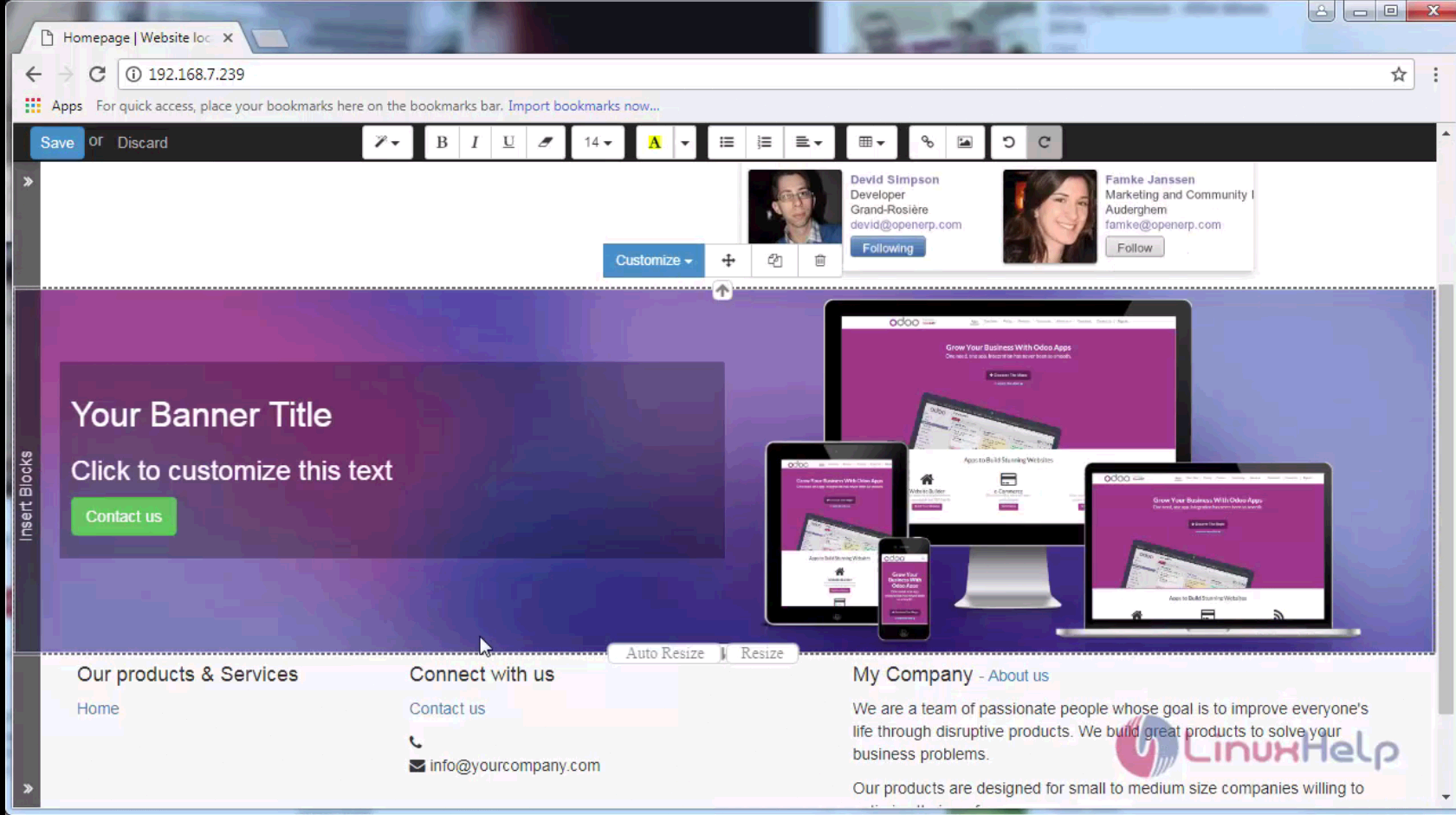
website

Wasn' t that an easy procedure? Odoo is written in Python, JavaScript, and XML.

Tags:
caden
Author: 

Comments ( 0 )

No comments available

Add a comment
{{postCtrl.cmtErrMsg}}

Frequently asked questions ( 5 )

Q

What is Website Builder?

A

Odoo is an all-in-one management software that offers a range of business applications that form a complete suite of enterprise management applications. The Odoo solution is ideal for SMEs and also fits both small and large companies alike. Odoo is an all-in-one business software capable of covering all business needs, including eCommerce, Website Builder, Warehouse Management, Billing & Accounting, Human Resources, Marketing, Manufacturing, Purchase Management, etc.

Q

How to Change your own brand and website?

A

You will get a website that automatically adjusts to fit your brand and style concepts.

Branding is the must for business improvement. Odoo gives you the tools to achieve branding needs quickly.

Q

What is Odoo on Linux?

A

Odoo is an all-in-one management software that offers a range of business applications that form a complete suite of enterprise management applications targeting companies of all sizes.

Q

What is Website Builder on Odoo

A

Odoo acts as an interface for creating innovative websites for any organization with enormous features easily without any prior knowledge about coding.

Q

How to install the Website builder App on odoo?

A

Go to the Website on the header tag click the edit tab to create a website.
There are several options that can be used in the left pane of the website builder which contains various formats for customizing the website.

Back To Top!
Rank
User
Points

Top Contributers

userNamenaveelansari
135850

Top Contributers

userNameayanbhatti
92510

Top Contributers

userNamehamzaahmed
32150

Top Contributers

1
userNamelinuxhelp
31040

Top Contributers

userNamemuhammadali
24500
Can you help Owen ?
How to add SSH key to my Gitlab account

I need to add the SSH key in my gitlab account. How to do so ????

Networking
  • Routing
  • trunk
  • Netmask
  • Packet Capture
  • domain
  • HTTP Proxy
Server Setup
  • NFS
  • KVM
  • Memory
  • Sendmail
  • WebDAV
  • LXC
Shell Commands
  • Cloud commander
  • Command line archive tools
  • last command
  • Shell
  • terminal
  • Throttle
Desktop Application
  • Linux app
  • Pithos
  • Retrospect
  • Scribe
  • TortoiseHg
  • 4Images
Monitoring Tool
  • Monit
  • Apache Server Monitoring
  • EtherApe 
  • Arpwatch Tool
  • Auditd
  • Barman
Web Application
  • Nutch
  • Amazon VPC
  • FarmWarDeployer
  • Rukovoditel
  • Mirror site
  • Chef
Contact Us | Terms of Use| Privacy Policy| Disclaimer
© 2025 LinuxHelp.com All rights reserved. Linux™ is the registered trademark of Linus Torvalds. This site is not affiliated with linus torvalds in any way.