Installation of TEA editor with Features
TEA editor for Linux
A text editor is an application program that is used for configuration files, source codes of programming languages and editing text files. Word processor performs word processing, which includes editing, formatting of written content and composition. TEA editor is an application, which is a combination of the above two. The following article discusses about its usages, features, installation and testing in detail.
Tea Editor
Tea is open source application software, which is written in C++ programming language. Its Graphical User Interface is developed in QT. As a text editor and word processor for both Linux and Windows platforms.
Features of Tea Editor
- Small and Light weight.
- Checks spelling mistakes.
- Inbuilt calendar and organizer.
- Inbuilt zip or unzip.
- Supports different kinds of image formats.
- Inbuilt Image converter and resizer.
- Drag-and-Drop supported for files.
- Syntax of various programming languages are highlighted.
Requirements
It is dependent on Qt 4.4+ or Qt 5 and Aspell and/or Hunspell are optional. It is highly recommended for you to continue with the current development of Tea Qt.
Installation of Tea Qt in Linux
In Ubuntu/Linux Mint systems, you can install it using Universe repository. You need to check if universe is included in the file, /etc/apt/sources.list.
user1@linuxhelp:~$ sudo apt-get update
sudo: unable to resolve host linuxhelp
Ign http://ppa.launchpad.net trusty InRelease
Hit http://ppa.launchpad.net trusty Release.gpg
Ign http://in.archive.ubuntu.com trusty InRelease
Get:1 http://security.ubuntu.com trusty-security InRelease [65.9 kB]
2% [Waiting for headers] [1 InRelease 1,138 B/65.9 kB 2%] [Waiting for he                                                                         Ign http://extras.ubuntu.com trusty InRelease
22% [Waiting for headers] [1 InRelease 14.2 kB/65.9 kB 22%] [Waiting for                                                                          Hit http://ppa.launchpad.net trusty Release
22% [Waiting for headers] [1 InRelease 14.2 kB/65.9 kB 22%] [Waiting for 22% [Release gpgv 14.0 kB] [Waiting for headers] [1 InRelease 14.2 kB/65.22% [Waiting for headers] [1 InRelease 14.2 kB/65.9 kB 22%] [Waiting for                                                                          Get:2 http://in.archive.ubuntu.com trusty-updates InRelease [65.9 kB]
13% [2 InRelease 2,603 B/65.9 kB 4%] [1 InRelease 14.2 kB/65.9 kB 22%] [W                                                                         Get:3 http://extras.ubuntu.com trusty Release.gpg [72 B]
..
..
..
Processing triggers for man-db (2.6.7.1-1ubuntu1) ...
Processing triggers for doc-base (0.10.5) ...
Processing 2 added doc-base files...
Processing triggers for gnome-menus (3.10.1-0ubuntu2) ...
Processing triggers for desktop-file-utils (0.22-1ubuntu1) ...
Processing triggers for bamfdaemon (0.5.1+14.04.20140409-0ubuntu1) ...
Rebuilding /usr/share/applications/bamf-2.index...
Setting up antiword (0.37-9) ...
Setting up tea-data (37.0.0-1) ...
Setting up tea (37.0.0-1) ...
user1@linuxhelp:~$ sudo apt-get install tea-data
sudo: unable to resolve host linuxhelp
Reading package lists... Done
Building dependency tree
Reading state information... Done
The following extra packages will be installed:
  antiword tea
The following NEW packages will be installed:
  antiword tea tea-data
0 upgraded, 3 newly installed, 0 to remove and 314 not upgraded.
Need to get 771 kB of archives.
After this operation, 2,170 kB of additional disk space will be used.
Do you want to continue? [Y/n] Y
Get:1 http://in.archive.ubuntu.com/ubuntu/ trusty/universe antiword amd64 0.37-9 [170 kB]
..
..
Processing triggers for gnome-menus (3.10.1-0ubuntu2) ...
Processing triggers for desktop-file-utils (0.22-1ubuntu1) ...
Processing triggers for bamfdaemon (0.5.1+14.04.20140409-0ubuntu1) ...
Rebuilding /usr/share/applications/bamf-2.index...
Setting up antiword (0.37-9) ...
Setting up tea-data (37.0.0-1) ...
Setting up tea (37.0.0-1) ...
On Debian Wheezy add the following repository to the file, /etc/apt/sources.list
deb http://ftp.de.debian.org/debian sid main
sudo apt-get update
sudo apt-get install tea-data
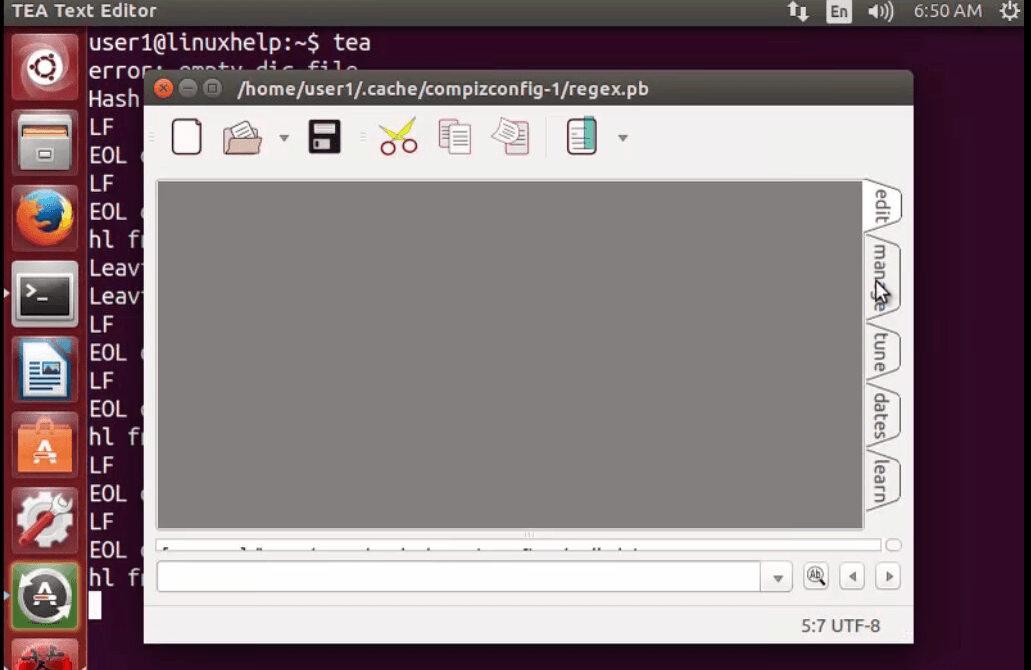
Appearance of TEA Editor
user1@linuxhelp:~$tea
Comments ( 0 )
No comments available