To install Deluge on Ubuntu 1.3.15 18.04
To install Deluge 1.3.15 on Ubuntu 18.04
Deluge is a free, cross-platform and light-weight BitTorrent client built based on Python. It provides the application’;s network logic and is connected to either of the front ends tools like a text console, a web interface, and a graphical desktop interface. Moreover, its functionality can be extended by the addition of plugins . It is really very simple to install Deluge and this article covers the method to install Deluge on Ubuntu 18.04.
Installation
Add the repository of Deluge using PPA
root@linuxhelp1:~# add-apt-repository ppa:deluge-team/ppa
 Deluge Stable Release Packages

This repository contains packages for the latest stable releases of Deluge and stable libtorrent releases.

For more information, visit http://deluge-torrent.org

As the maintainer of this PPA, you can now support me on Patreon: https://www.patreon.com/deluge_cas
 More info: https://launchpad.net/~deluge-team/+archive/ubuntu/ppa
Press [ENTER] to continue or Ctrl-c to cancel adding it.

Hit:1 http://in.archive.ubuntu.com/ubuntu bionic InRelease
Hit:2 http://security.ubuntu.com/ubuntu bionic-security InRelease
Hit:3 http://in.archive.ubuntu.com/ubuntu bionic-updates InRelease
Get:4 http://ppa.launchpad.net/deluge-team/ppa/ubuntu bionic InRelease [15.4 kB]
Hit:5 http://in.archive.ubuntu.com/ubuntu bionic-backports InRelease
Get:6 http://ppa.launchpad.net/deluge-team/ppa/ubuntu bionic/main amd64 Packages [1,720 B]
Get:7 http://ppa.launchpad.net/deluge-team/ppa/ubuntu bionic/main i386 Packages [1,720 B]
Get:8 http://ppa.launchpad.net/deluge-team/ppa/ubuntu bionic/main Translation-en [1,088 B]
Fetched 19.9 kB in 2s (10.7 kB/s)
Reading package lists... Done
Install the Deluge package using the following command
root@linuxhelp1:~# apt-get install deluge -y
Reading package lists... Done
Building dependency tree
Reading state information... Done
The following packages were automatically installed and are no longer required:
  apache2-bin apache2-data apache2-utils libapr1 libaprutil1 libaprutil1-dbd-sqlite3
  libaprutil1-ldap
Use 'sudo apt autoremove' to remove them.
The following additional packages will be installed:
  deluge-common deluge-gtk libappindicator1 libblas3 libboost-python1.65.1 libfluidsynth1
  libgfortran4 libglade2-0 libindicator7 liblapack3 libmad0 libmikmod3 libopenal-data
  libopenal1 libportmidi0 libquadmath0 libsdl-image1.2 libsdl-mixer1.2 libsdl-ttf2.0-0
  libsdl1.2debian libsdl2-2.0-0 libsmpeg0 libsndio6.1 libtorrent-rasterbar9
.
.
Setting up python-cryptography (2.1.4-1ubuntu1.1) ...
Setting up libopenal1:amd64 (1:1.18.2-2) ...
Setting up python-notify (0.1.1-4) ...
Setting up python-openssl (17.5.0-1ubuntu1) ...
Setting up libmikmod3:amd64 (3.3.11.1-3) ...
Setting up python-service-identity (16.0.0-2) ...
Setting up libsdl-mixer1.2:amd64 (1.2.12-14) ...
Setting up python-twisted-core (17.9.0-2) ...
Setting up deluge-common (1.3.15-2) ...
Setting up python-pygame (1.9.1release+dfsg-10build1) ...
Setting up deluge-gtk (1.3.15-2) ...
Setting up deluge (1.3.15-2) ...
Processing triggers for libc-bin (2.27-3ubuntu1) ...
Once Installation is done you can access the Deluge from the Menu as shown here
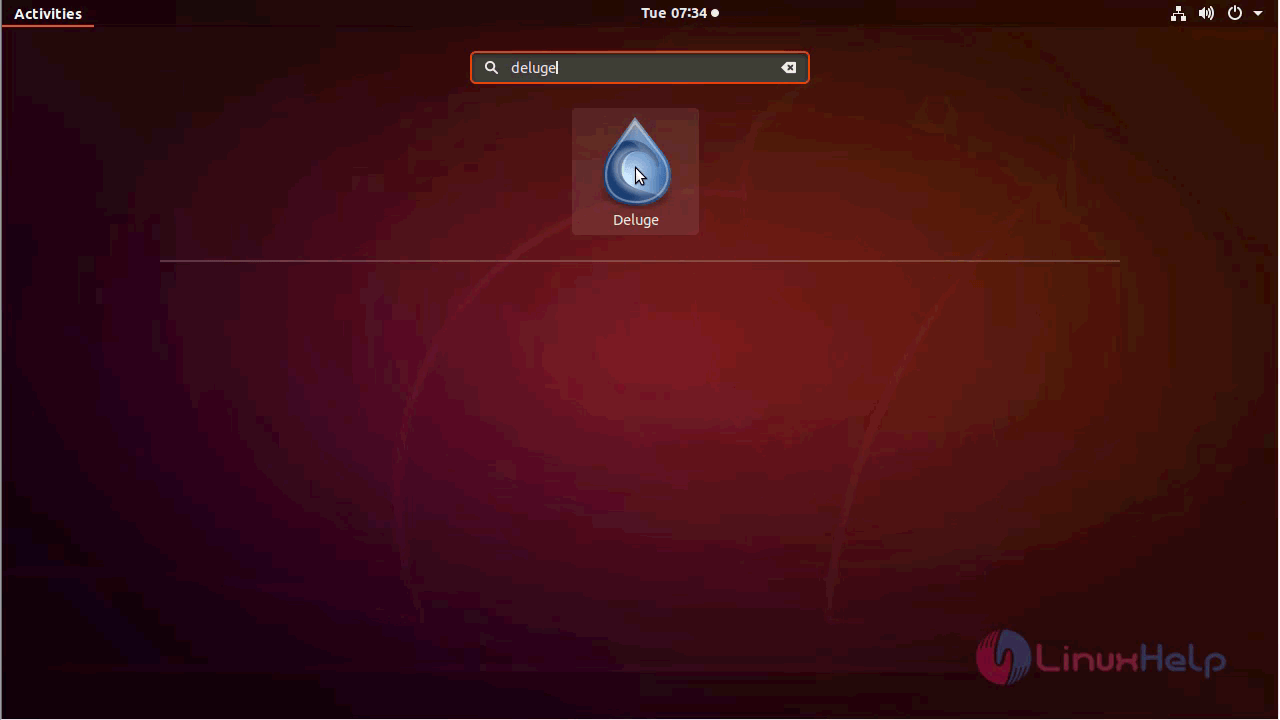
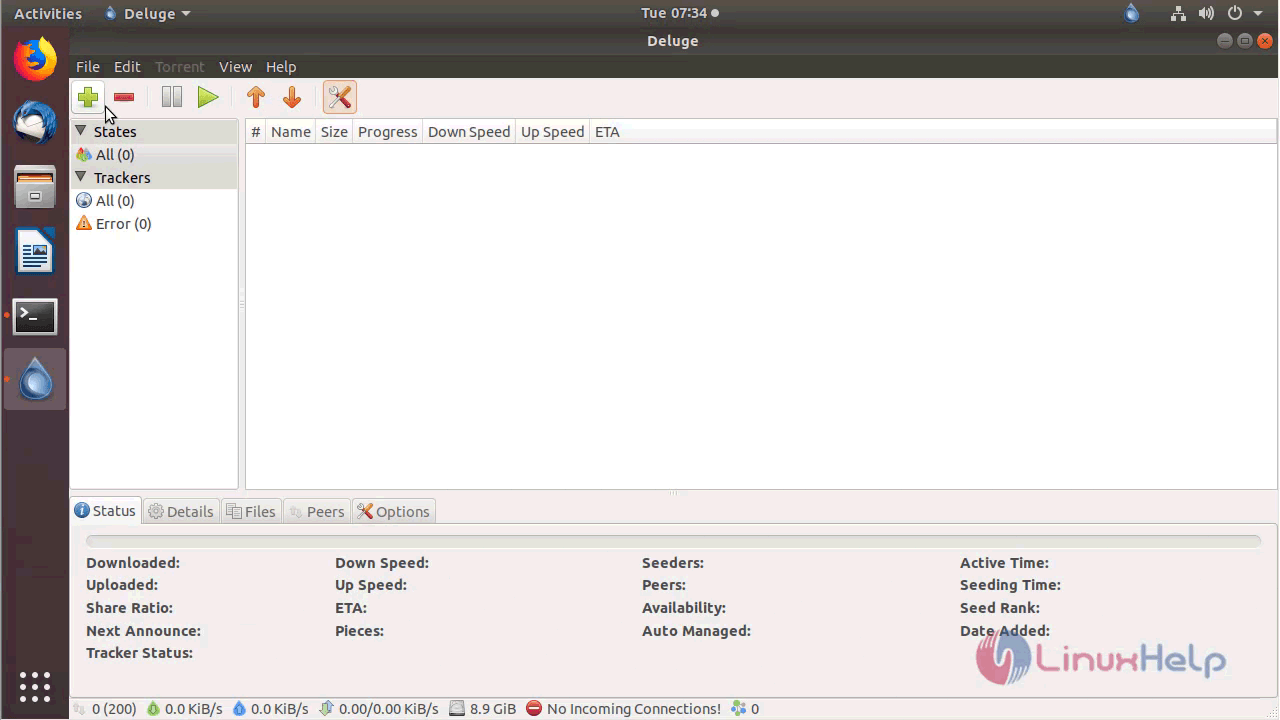
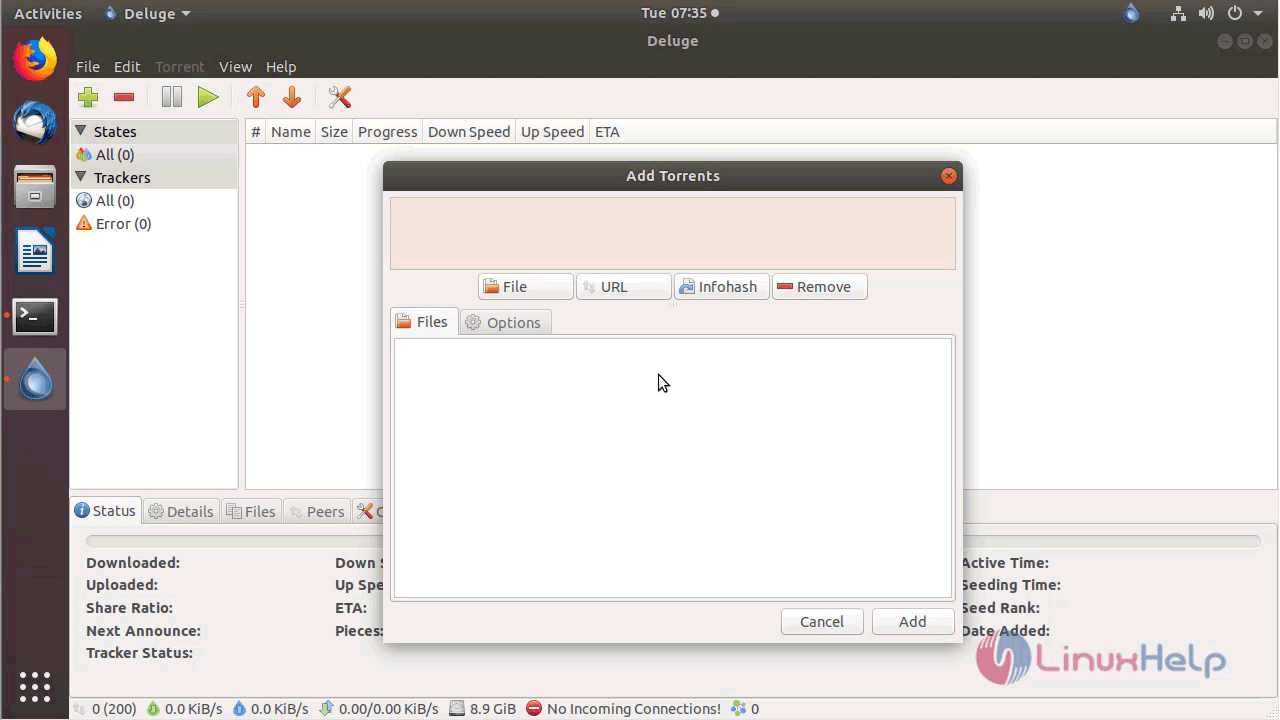
Deluge application where add your URL as shown below
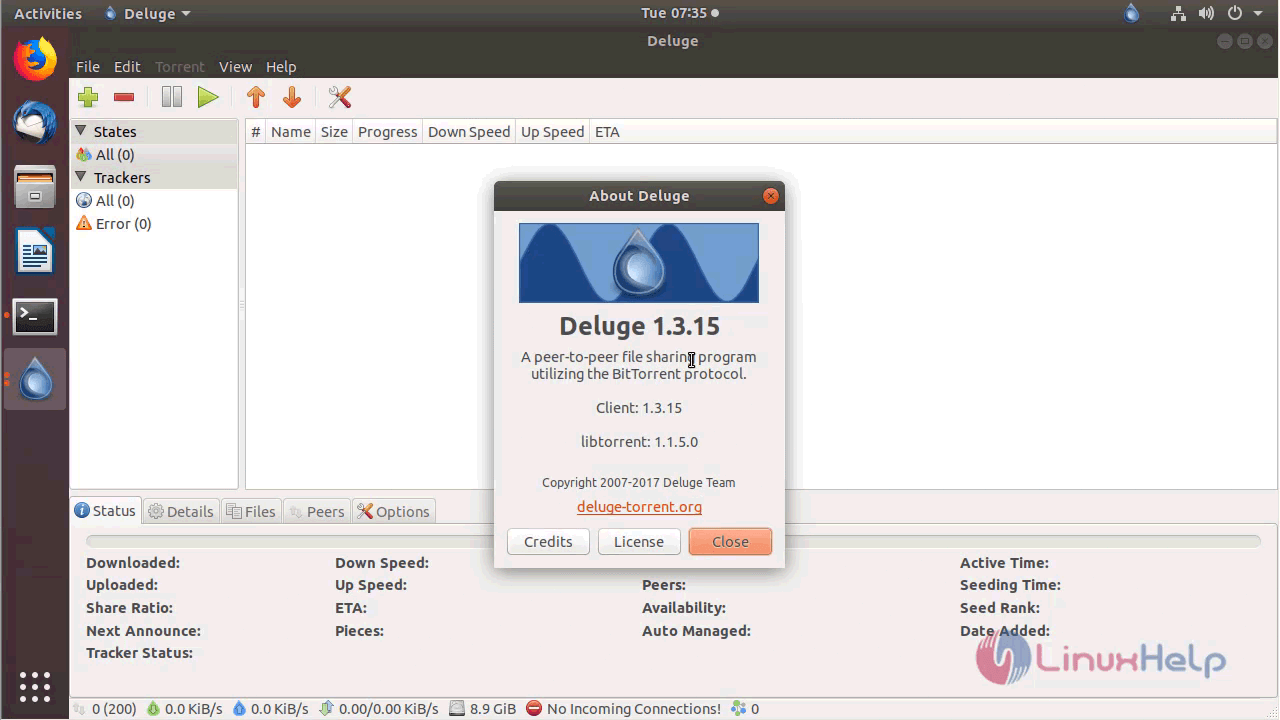
The version of Deluge can be found in Help-> About
With this, the method to install Deluge on Ubuntu 18.04 comes to an end.
Comments ( 0 )
No comments available