• Categories
    Category
    {{ postCtrl.tags }}
    • {{ category.tag_type }}

      • {{tag.tag_name}}
      • View more
  • Categories
    Category
    {{ postCtrl.tags }}
    • {{ category.tag_type }}

      • {{tag.tag_name}}
      • View more
  • News
  • Tutorials
  • Forums
  • Tags
  • Users
Tutorial News Comments FAQ Related Articles

How to add Music on hold module on Elastix 5

{{postValue.id}}

To add Music on Hold module on Elastix 5

Elastix 5 is an open source software for your server for PBX Unified communications solution. The ' Music on Hold' module in Elastix 5 is a feature to reassure callers that they are still connected to their calls. We have already covered about several aspects of Elastix such as creating an extension and adding a ring group module in our previous articles. In this article, we are going to see the method to add the ' Music on Hold' module in Elastix.

To add Music on Hold

Click on the Settings option available on the left panel.
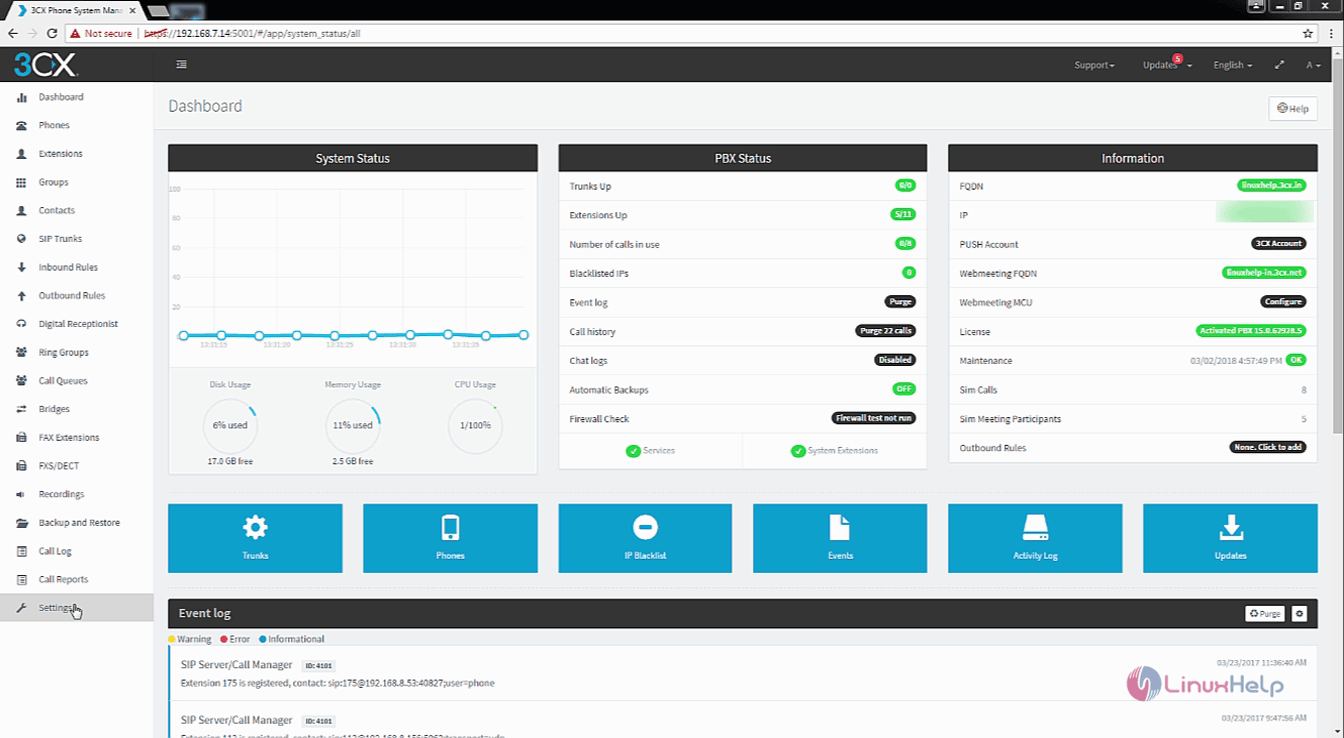
Settings

From the list of options available on Settings, choose Music on Hold.
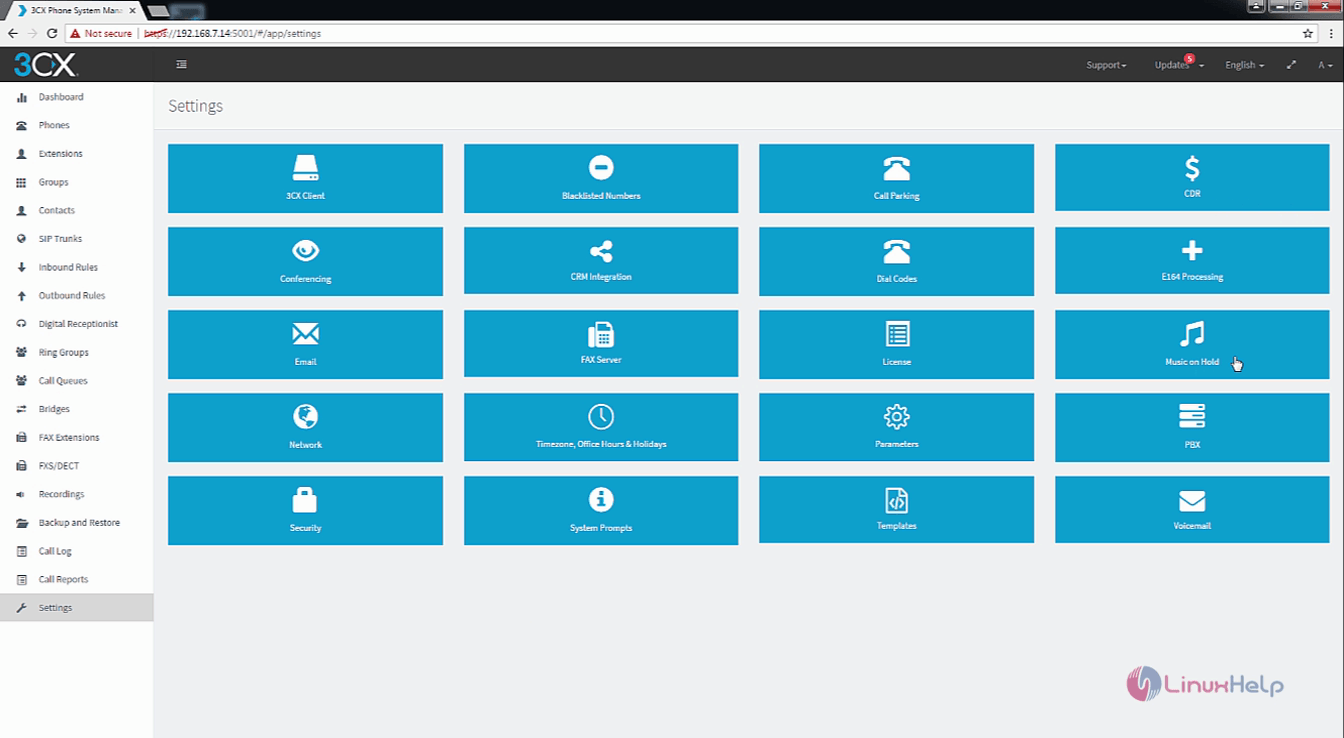
music_on_hold

Click on upload and select the music file which you wanted to set as the Music on hold. Make sure the music file meets the requirements.
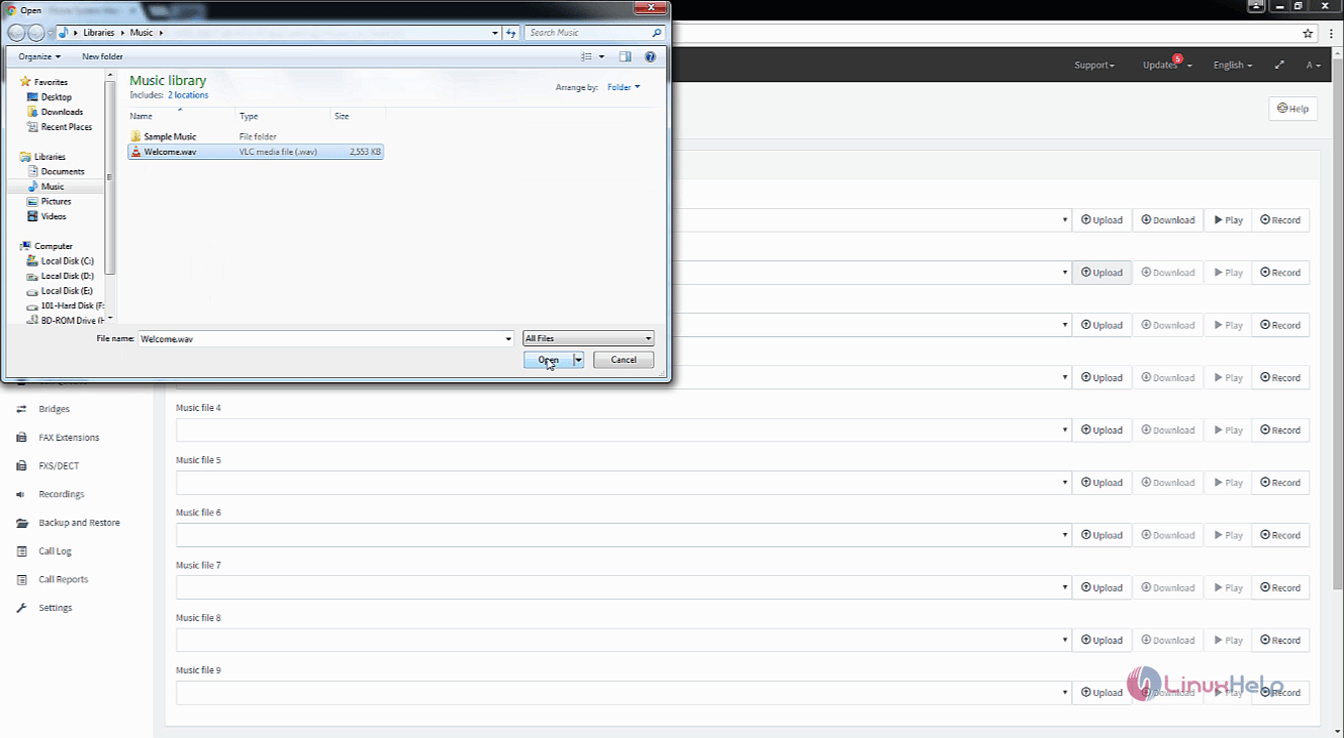
upload_music

Enter all the information needed.

file_uploaded

The music file has been uploaded. Now, use the record option to add your own music file. Also, enter name for the recording and select the extension number for which you want to add the music file.
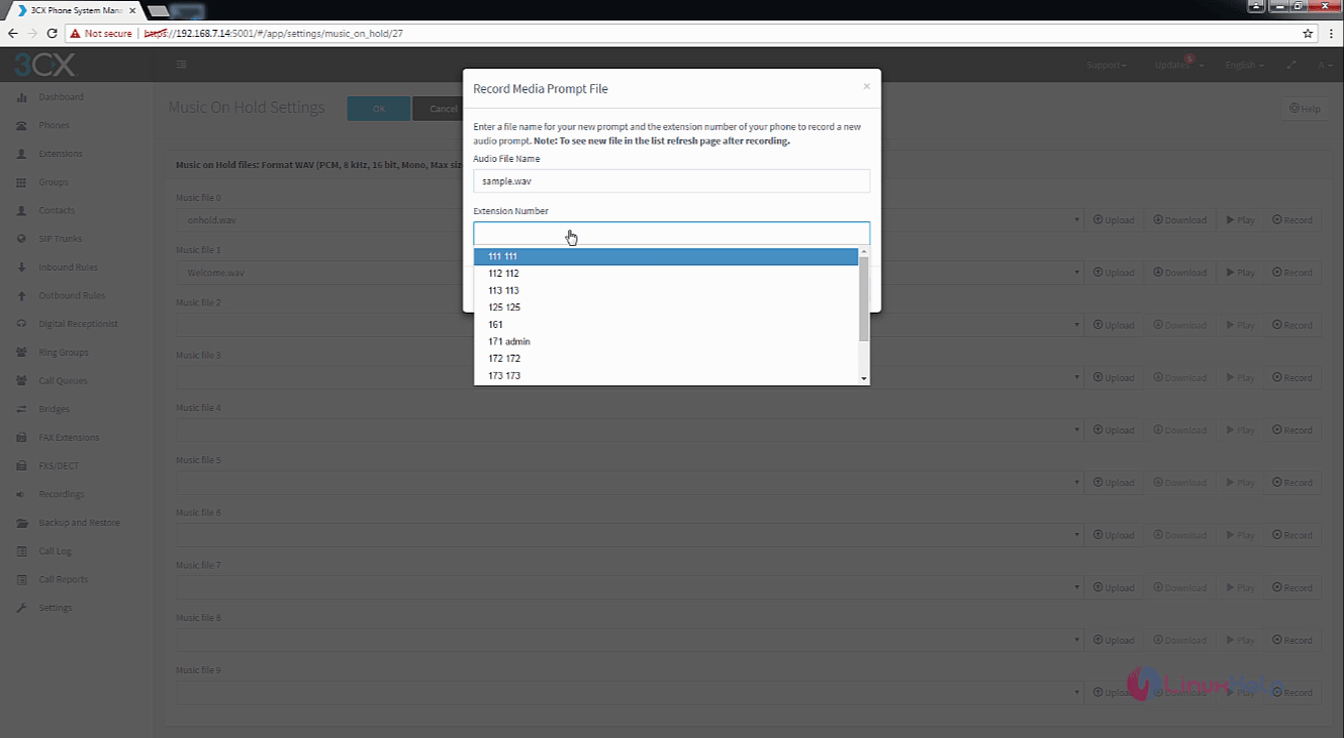
add_music_file

Enable the Randomize Playback and configure it.
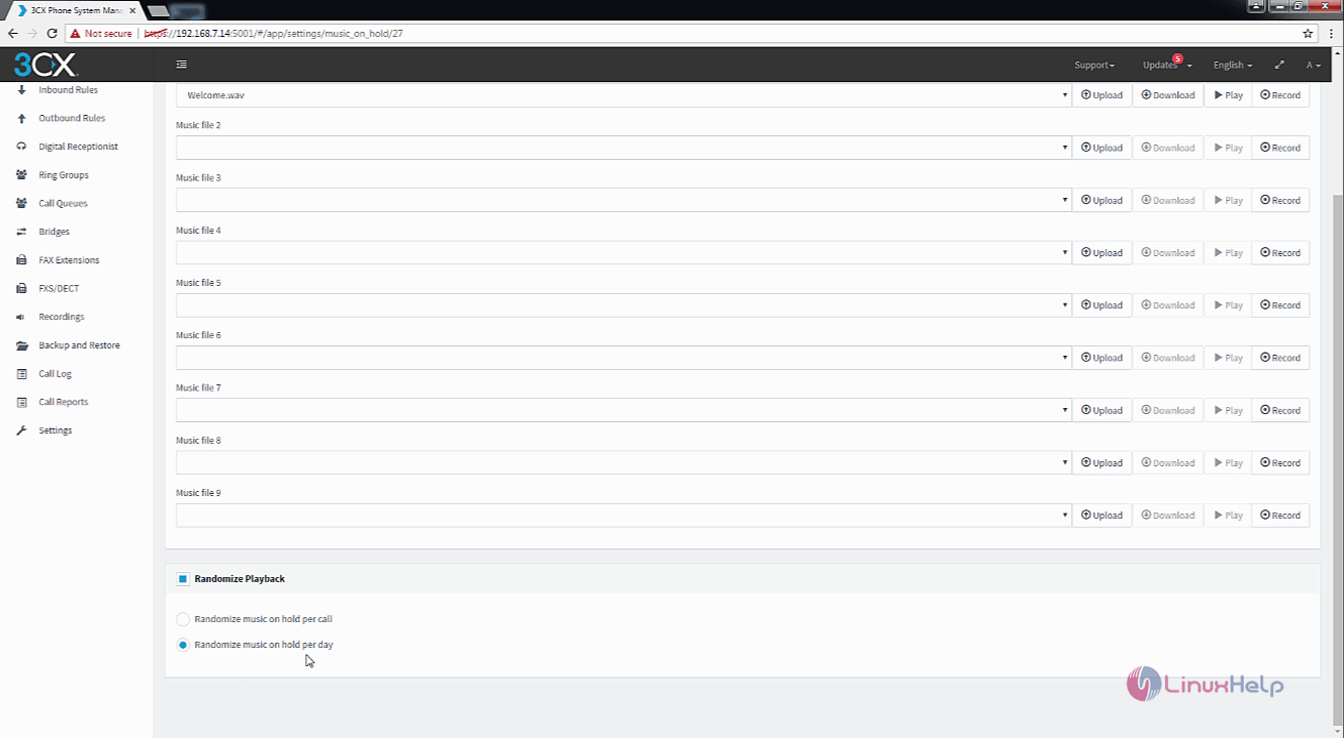
randomize_playback

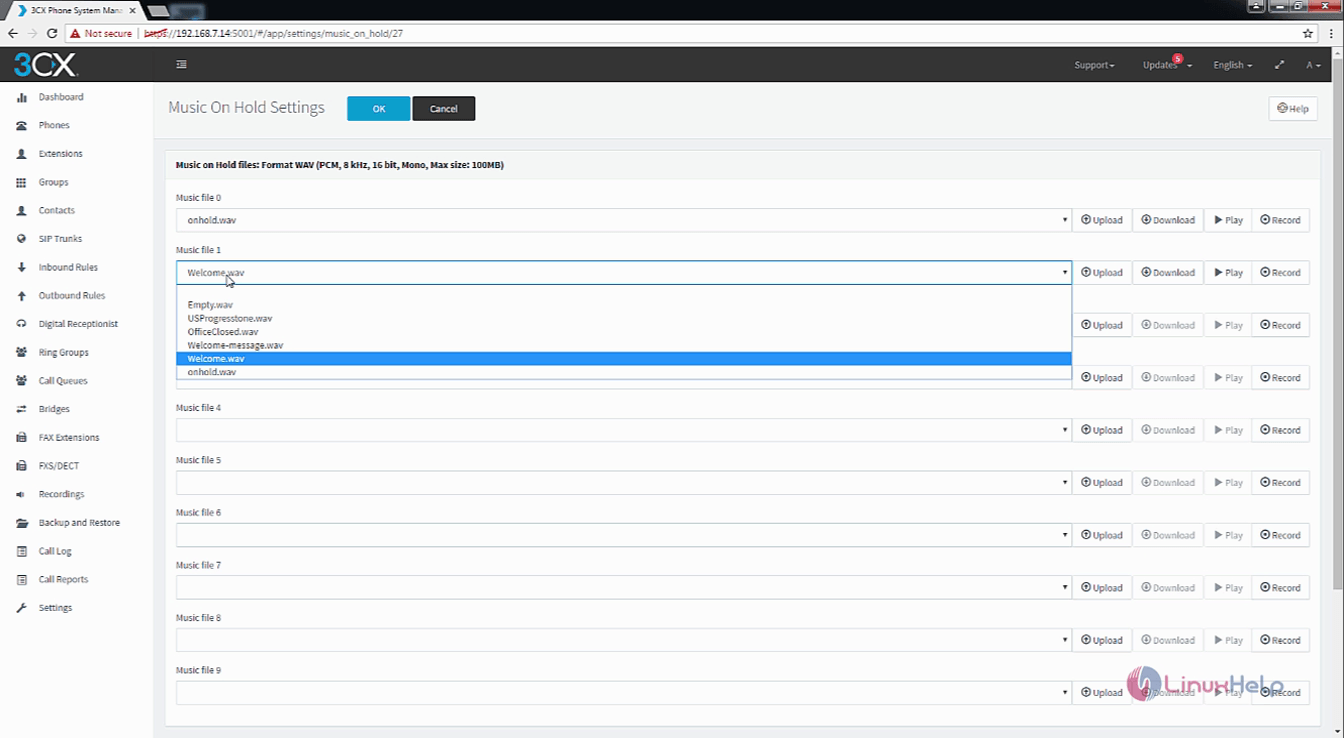
And then, click OK to add the new music file.
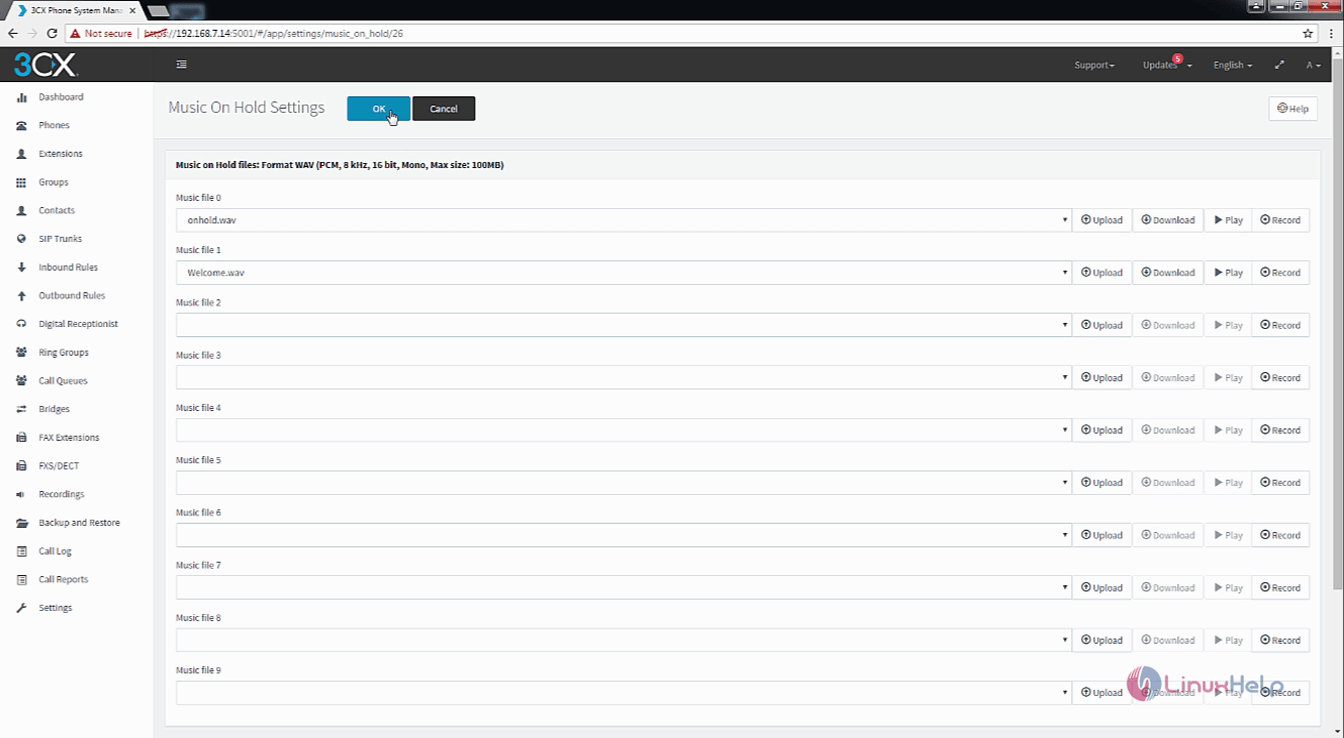
Music_on_hold_settings

The Music on Hold option is enabled for your Elastix service. It was so simple procedure, wasn' t it? Stay connected to Linuxhelp for more tutorials on Elastix 5.

Tags:
ethan
Author: 

Comments ( 0 )

No comments available

Add a comment
{{postCtrl.cmtErrMsg}}

Frequently asked questions ( 5 )

Q

I registered two downsampled images. How do I apply the transformation to the full sized moving image?

A

"Then you can use transformix to apply this transformation:

transformix -in fullImage.ext -tp TransformParameter_Changed.txt -out outputDirectory"

Q

I am getting the error message: "Library not loaded: libANNlib.dylib" (on Mac) or similar on Linux.how to recover?

A

"On Linux, the solution is: add the elastix lib directory to your LD_LIBRARY_PATH. You can add the following line to ~/.bashrc or ~/.bash_profile:

export LD_LIBRARY_PATH=yourelastixdir/lib:$LD_LIBRARY_PATH"

Q

Will Elastix become commercial software like many other similar projects?

A

"Edgar Landivar has publicly stated that Elastix will remain available as Open Source software.

"

Q

Is it possible to transform a set of points instead of a complete image with transformix?

A

"Yes, that is possible. See section 4.2 of the manual.

transformix -tp TransformParameters.txt -out outputDirectory -def FileWithPoints.txt"

Q

"Is this Application Note suitable for Elastix 1.6 and Elastix 2.03?
"

A

I have, however, not tested it recently on an Elastix system earlier than 2.2. These notes were completely revised from my original notes, and have been tested against 3 different Elastix 2.2rc3 systems.

Back To Top!
Rank
User
Points

Top Contributers

userNamenaveelansari
135850

Top Contributers

userNameayanbhatti
92510

Top Contributers

userNamehamzaahmed
32150

Top Contributers

1
userNamelinuxhelp
31040

Top Contributers

userNamemuhammadali
24500
Can you help Luke ?
workbench for debian

I am using workbench in CentOS whereas now I need to use Debian Operating system so could you please help to install and use in Debian?

Networking
  • Routing
  • trunk
  • Netmask
  • Packet Capture
  • domain
  • HTTP Proxy
Server Setup
  • NFS
  • KVM
  • Memory
  • Sendmail
  • WebDAV
  • LXC
Shell Commands
  • Cloud commander
  • Command line archive tools
  • last command
  • Shell
  • terminal
  • Throttle
Desktop Application
  • Linux app
  • Pithos
  • Retrospect
  • Scribe
  • TortoiseHg
  • 4Images
Monitoring Tool
  • Monit
  • Apache Server Monitoring
  • EtherApe 
  • Arpwatch Tool
  • Auditd
  • Barman
Web Application
  • Nutch
  • Amazon VPC
  • FarmWarDeployer
  • Rukovoditel
  • Mirror site
  • Chef
Contact Us | Terms of Use| Privacy Policy| Disclaimer
© 2025 LinuxHelp.com All rights reserved. Linux™ is the registered trademark of Linus Torvalds. This site is not affiliated with linus torvalds in any way.